Linux source installation Apache
tags: Linux Apache Virtual host Source installation
Linux source installation Apache
Source installation
Most of the software on Linux is developed in C language, then the installation requires gcc compiler to install the source code.
yum install -y gcc #Install gcc first
Installing the source package requires three steps
-
./configure
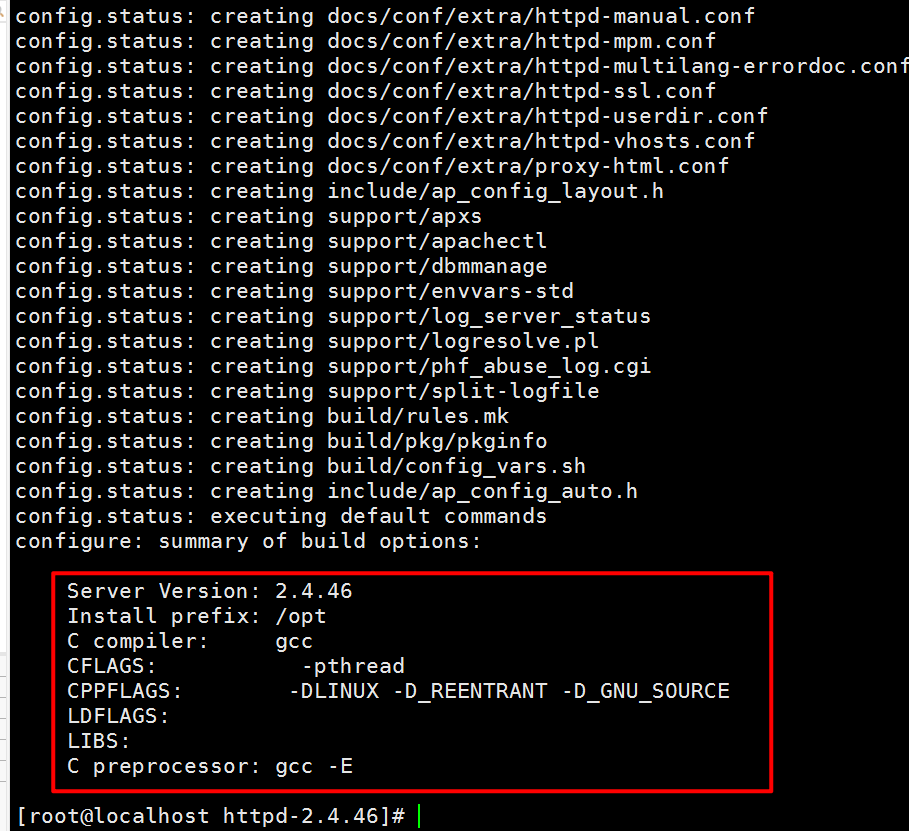
In this step you can customize the function, plus the corresponding options, with any options you can view through the ./configure --help command. In this step, you will automatically check if your Linux system and related packages have the libraries needed to compile the source package, because you will not be able to compile once you have missing a library. A Makefile will only be generated after the test has passed.
-
make
Using this command will compile according to the preset parameters in the Makefile. This step is actually gcc is working. -
make install
The installation steps to generate the relevant software storage directory and configuration files.
The 3 steps described above are not all the same. The source code package software is the same. Ah Ming has encountered it before. The installation steps are not like this. That is to say, the installation of the source package does not have certain standard installation steps. This requires you to extract the source package and then go to the directory to find the relevant help documentation, usually with INSTALL or README as the file name. So, you must go and have a look. The following A Ming will compile and install a source package to help you understand how to install the source package.
Actual steps
cd ~
wget -c http://mirror.bit.edu.cn/apache//httpd/httpd-2.4.37.tar.gz	#Download source package
curl -O http://mirror.bit.edu.cn/apache//httpd/httpd-2.4.37.tar.gz	#Download source package

tar -zxvf httpd-2.4.37.tar.gz	#

cd httpd-2.4.37

./configure --help | less	#View configuration help

./configure --prefix=/usr/local/apache2	# Specify the installation directory, usually /usr/local/ is the common installation directory, the new version of Apache this step is not passed, pay attention to the explanation
note:
May report an error: configure: error: APR not found. Please read the documentation.
About apr not found problem solving, Apache Portable Runtime
##Download disease install apr-1.5.2 this software, httpd need to rely on him to run
wget -c http://apache.fayea.com//apr/apr-1.5.2.tar.gz
cd apr-1.5.2
./configure

#Report error: rm: cannot remove `libtoolT': No such file or directory
 In configure inside RM='$RM  -f'      here$RMThere must be a space after it. If there is no space behind, directly connect the minus sign, it will still report an error. Put RM='$RM'Change to RM='$RM  -f'

make

make install

##Download and install apr-util1.5.4
wget -c http://apache.fayea.com//apr/apr-util-1.5.4.tar.gz

#
tar -zxvf apr-util-1.5.4.tar.gz

cd apr-util-1.5.4

#
./configure --prefix=/usr/local/apr-util --with-apr=/usr/local/apr

make

make install

yum install -y gcc-c++	#The following extensions require a C++ compiler

# pcre
wget -c https://sourceforge.net/projects/pcre/files/pcre/8.39/pcre-8.39.zip

#
unzip pcre-8.39.zip

cd pcre-8.39

./configure --prefix=/usr/local/pcre

make

make install # make && make install
Fix all errors and then compile httpd
cd httpd
echo $?	#Verify whether the previous step is successful, not required

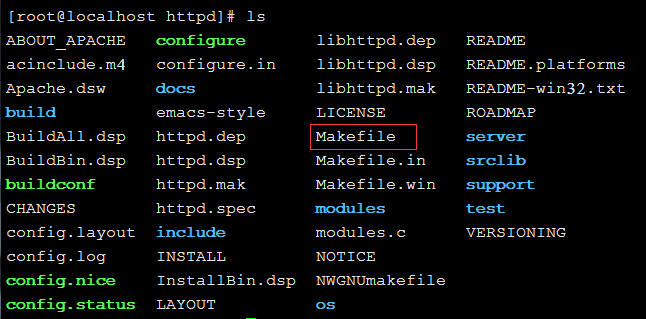
ls -l Makefile	#View the generated Makefile

./configure --prefix=/usr/local/apache2 --with-apr=/usr/local/apr/ --with-apr-util=/usr/local/apr-util/ --with-pcre=/usr/local/pcre

make #

yum install -y make	#If the above make can't be found then install make, there will be ignored

echo $?	#Verification is successful, can be ignored

make install	# , is the real installation

echo $?	#Detect whether it is installed correctly

ls /usr/local/apache2/	#View the installed files

cat config.log	#If something goes wrong, first look at the command line prompt error message, then look at this file
Use of apache
cp /usr/local/apache2/bin/apachectl /sbin/
apachectl start	#Start Apache
##Setup Apache boot from boot
vim /etc/rc.d/rc.local
#Add a line /sbin/apachectl start
# httpd  to ntsysv
apachectl stop #Close Apache to avoid unnecessary trouble
cp /usr/local/apache2/bin/apachectl /etc/rc.d/init.d/httpd
vim /etc/rc.d/init.d/httpd
 change into
#!/bin/sh
#
#chkconfig: 345 85 15 //#Cannot be omitted, note the spaces
#description: httpd for 52lamp 20101016 21:54 //arbitrary string
#
......
 The meaning of 345 in the second line:
#       0 - operation completed successfully
#       1 -
#       2 - usage error
#       3 - httpd could not be started
#       4 - httpd could not be stopped
#       5 - httpd could not be started during a restart
 Modify permissions
#cd /etc/rc.d/init.d/
#chmod a+x httpd
#chkconfig --add httpd
#ntsysv
 Httpd is already in the list, press F1 to see the service description httpd just written for 52lamp 20101016 21:54。
#apachectl start
#ps -e |grep httpd
23247 ?        00:00:00 httpd
23248 ?        00:00:00 httpd
23249 ?        00:00:00 httpd
23251 ?        00:00:00 httpd
23252 ?        00:00:00 httpd
 Enter 127.0.0.1 in the browser and it looks fine; but other computers on the LAN can't access it!
#service iptables stop
 If you do not want to turn off the firewall, let go of port 80.
#vi /etc/sysconfig/iptables
 Add a line -A RH-Firewall-1-INPUT -m state --state NEW -m tcp -p tcp --dport 22 -j ACCEPT
#service iptables restart //Restart the firewall
 Now everything is OK
Configuring a virtual host
cd /usr/local/apache2/
 cd conf/
 vim httpd.conf
 #Add a line
 ServerName www.caoliu.com
#Modify the host in etc in the following drivers in Windows
# Restart Apache
#Close the firewall
#Modify homepage text information
cd /usr/local/apache2/
cd htdocs/

[root@localhost htdocs]# ls
index.html

#Modify text information
vim index.html
 Cancellation:<kbd>Ctrl/Co
Intelligent Recommendation

Linux Red Hat source code package installation apache
1. Experimental preparation Need to install gcc in advance yum install gcc The installation of source code generally consists of three steps: configuration, compilation, and i...
Source installation apache
Source installation apache 1. Uninstall the original httpd 2. Unzip httpd-2.2.17 3. Compile and install httpd 4. Modify the httpd.conf file 5. Add httpd to boot 6. Restart the httpd service 1. Uninsta...
AdeCary-Apache source installation
To be executed in order Installation dependency Install apr Install apr-util Install pcre Install Apache Start service ...
centOS7 source installation Apache
Reference article: Package download: Download path: [root@localhost src] wget apr-util-1.6.1.tar.gz [root@localhost src] wget https://mirrors.cnnic.cn/apache/apr/apr-util-1.6.1.tar.gz apr-1.6.5.tar.gz...

Apache server source installation
APACHE source package installation and script control Source package download As an excellent open source software, you can go directly to the official website of Apache to download the latest ...
More Recommendation
CentOS7.5 source Apache installation
CentOS7.5Source InstallationApache Today, the share source installation, the installation source is not unusual source installation, but through specific installation package. CentOS7 usually comes wi...
Source Apache installation
1. Get Apache source package, and upload it to the server on Centos 2, install the required database environment Apache 3, extract the Apache source package, and to the directory unzipped 4, the confi...
Apache source installation
Installation related dependencies The following four source code packages are required to install apache First install apr.tar.gz Install apr-util.tar.gz Install pcre Install httpd...
Centos8 source installation Apache
1. System version cat /etc/redhat-release Other system versions can refer to 2. Download Apache2.2 Official website address:http://httpd.apache.org/download.cgi 2.1 xshell6 upload httpd-2.4.46.tar.gz ...
"Centos6.5 source installation-Apache"
1. Install apache from source Upload apache package httpd-2.2.34.tar.gz 2. Start the apache service, and view the apache version information and port number 3. Testing 4. What is an Apache server? Apa...