CentOS7 SystemCTL Start Redis Failure

View/var/log/messagesNov 17 16:00:19 iZbp19128n7sugaz8q0dz1Z redis-server: Reading the configuration file, at line 81
Nov 17 16:00:19 iZbp19128n7sugaz8q0dz1Z redis-server: >>> 'protected-node no'
Nov 17 16:00:19 iZbp19128n7sugaz8q0dz1Z redis-server: Bad directive or wrong number of arguments
Nov 17 16:00:19 iZbp19128n7sugaz8q0dz1Z systemd: redis.service: main process exited, code=exited, status=1/FAILURE
Nov 17 16:00:19 iZbp19128n7sugaz8q0dz1Z systemd: Failed to start Redis persistent key-value database.
Nov 17 16:00:19 iZbp19128n7sugaz8q0dz1Z systemd: Unit redis.service entered failed state.
Nov 17 16:00:19 iZbp19128n7sugaz8q0dz1Z systemd: redis.service failed.
I found that there is a mistake in line 81
View the configuration file of redis

vim etc/redis.conf
Seeing the 81st, when the redis permissions just opened
① Comment on this line of Bind 127.0.0.1;
② PROTECTED-MODE is set to NO
When I did the second step, I rewritten a line, and I wrote the ProteCTD-Mode as the caused by the ProteCted-node.
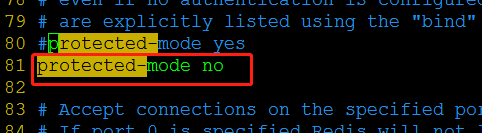
So, remember to be careful, carefully, carefully! Intersection Intersection
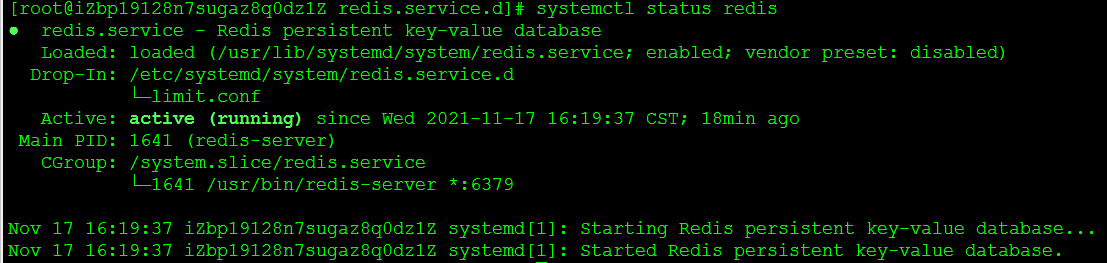
After the modification, the problem is solved!
Intelligent Recommendation

Centos7 makes Tomcat a system service (systemctl start)
●It is necessary to restart the tomcat frequently to test the effect after uploading the new code to make it effective. It is very cumbersome to use the absolute path to start the service every time, ...
CentOS7 systemctl custom program start service
1. Make the program startup script scenarioDaemon.sh 2. Add startup service 3. Execute the start command 4. Attention When making a program startup script, environment variables must be set. I didn't ...
Use systemctl to list services that failed to start in CentOS7
List services that failed to start is-failed option You can use the is-failed option to check whether the specified service failed to start. If the startup fails, the result is failed. If there is no ...
CentOS7 Configuring SystemctL to start NGINX and other software
Here is NGINX service as an example: Note that the corresponding directory should not be written...
Solve SystemctL Start Lightdm Failure Failure: PAM Unable to Dlopen (PAM_KWALLET.SO)
Problem Description The system is Ubuntu18.04, no LightDM is installed in advance, and the original default graphical interface is GDM3. existTutorialUnder the guidance, complete the lightdm installat...
More Recommendation
Systemctl management Redis start, stop, boot
Systemctl management Redis start, stop, boot 1. Create a service When using service to manage services, create a script file in the /etc/init.d/ directory to manage the start and stop of the service. ...
systemctl manages Redis start, stop, boot
systemctl manages Redis start, stop, boot 1. Create Service When using service to manage services, it is in/etc/init.d/Create a script file in the directory to manage the start and stop of the service...
systemctl configures redis to start in service mode
When service was used to manage services before centos7.X, files were created in the /etc/init.d/ directory to manage the start and stop of the service. However, in centos7, the systemctl command is u...
Centos7 systemctl start docker failed start-limit solution
Centos7 systemctl start docker failed Causes and solutions the reason: Solution: Causes and solutions the reason: Some of the arguments are that they have configured domestic mirrors, such as the Aker...
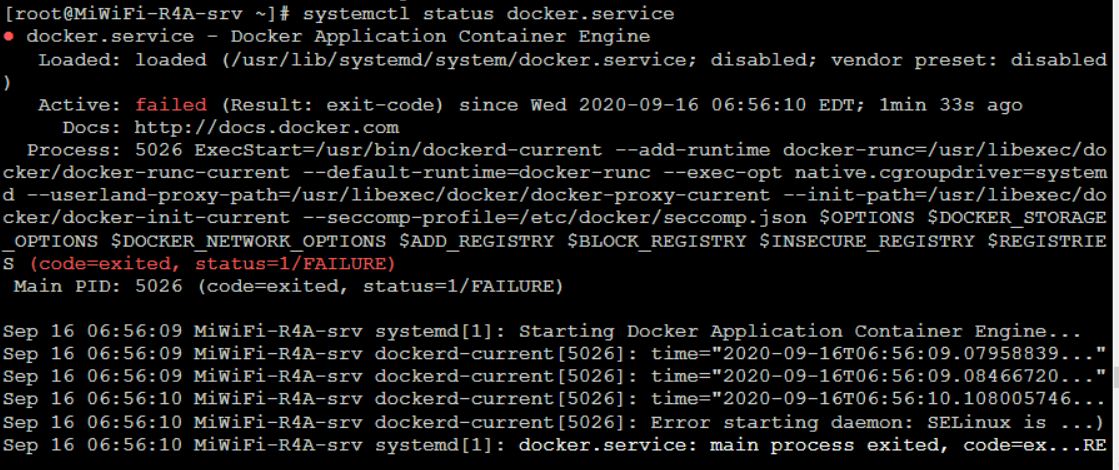
Solution when systemctl start docker fails to start in Centos7
After installing docker, start docker with the command, but the startup fails Bug recurrence: Use systemctl status docker.service to view the log: The cause of the problem: Here is that SELinux in the...