FileZilla Server ftp server sets virtual directory with alias alias to share multiple directories
One: How does FileZilla Server ftp share multiple directories?
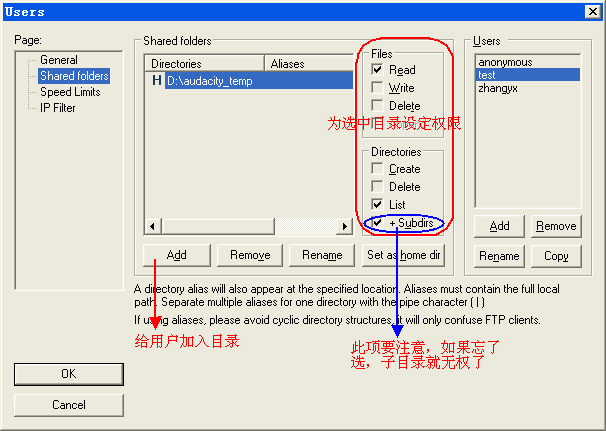
When you share multiple directories, you need to set up a home directory, and then mount the other directories to the home directory by setting the aliases.
If you don't do this you will be prompted:
You have shared multiple unrelated directories.You need to assign aliases to link them together.
Double-click the alias column next to the unlinked directory.
Unlinked directory.E:

Two: How to set up an alias for the new version of FileZilla Server ftp?
Right click on the selected directory and left click to bring up the Edit aliases option.

When setting an alias, there is usually an example above, which means to use the relative path when setting the alias. (There are many online versions for the old version, so that the absolute path is set, and the method is not valid for the new version.)

Three: Windows FileZilla Server ftp server How to set up a virtual directory by alias alias to achieve sharing multiple directories?
For example, I set "C:\Shared" as the main directory (Set as home dir).

Then set the alias of the directory "D:" to "/D". Here, the alias is used relative to the path of the home directory, and "/" means "C:\Shared\"
The E disk also sets the same effect.
 "
"
Look at the effect: Enter "ftp://127.0.0.1" in the browser or file manager to see the effect.

Then I mounted the C drive to "C:Shared".

Look at the effect again

Intelligent Recommendation
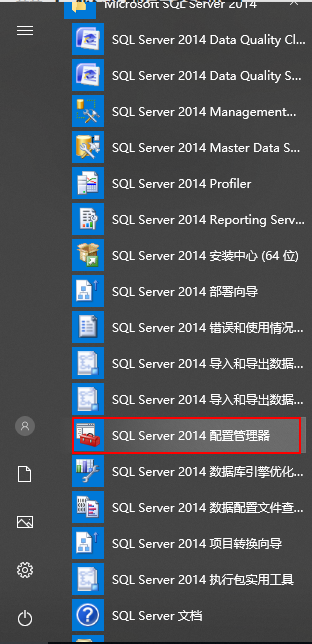
sqlserver: server alias
surroundings: window10 x64 sqlserver2014 x64 Reference: SQL SERVER set server alias 1. The concept of server aliases Set the alias of the SQL SERVER server, you can access the server through the alias...

FileZilla can not connect ftp server
On the server have been set up, local test can also be connected. To the FileZilla what the fack? Baidu a variety of methods, one morning in the past. . . Rom is life and death. The last solution is t...
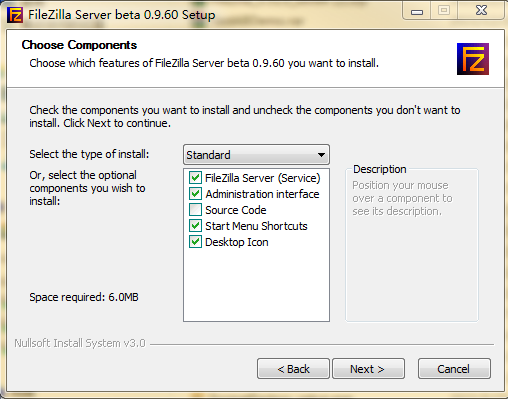
Filezilla builds an FTP server tutorial
The xlight I used before was restricted by the whitelist, so I can only use filezilla instead. 1. Download Client: Download linkExtraction code: 14yy Server:Download linkExtraction code: v2rs 2.1 Inst...
Nginx one server configures multiple locations (the difference between alias and root)
Nginx one server configures multiple locations (the difference between alias and root) As a proxy server, nginx can configure multiple locations and access different directories by accessing different...
Nginx virtual directory alias and root directory
Nginx sets the virtual directory through alias. In the configuration of nginx, there is a difference between the alias directory and the root directory: 1) The directory specified by alias is accurate...
More Recommendation

[FTP] using FileZilla FTP server set up
1. FileZilla official website to download into the FileZill Server, Download: https://filezilla-project.org/download.php?type=server 2. Download complete - Installation - All default Next 3. Connect s...
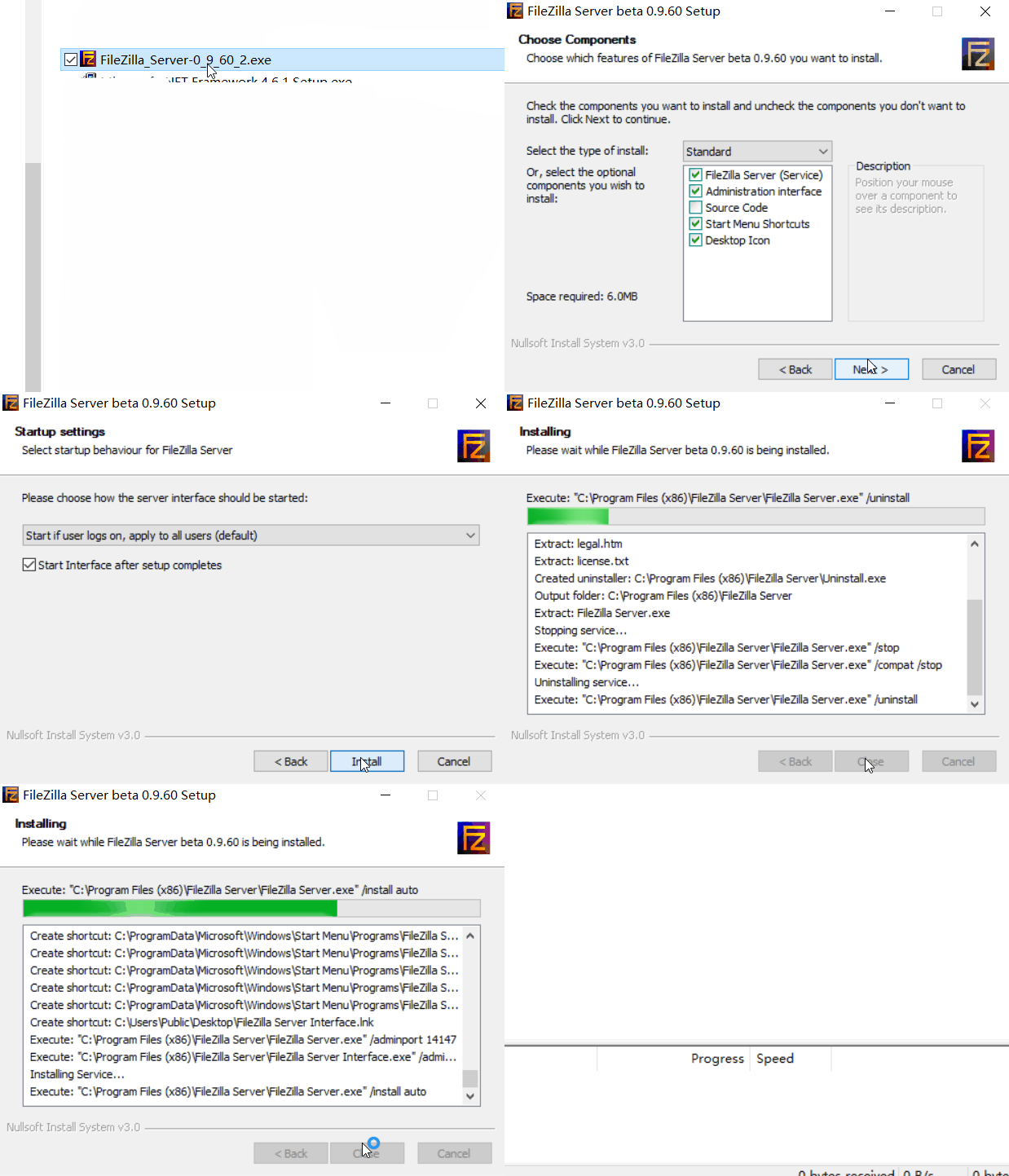
[FTP] Use FileZilla to build an FTP server
1. Quasi-funded resources FileZilla_Server-0_9_60_2.exe 2. Installation a) Double-click the installation programFileZilla_Server-0_9_60_2.exe b)、FileZilla Server beta 0.9.60 Setup\License Agree...
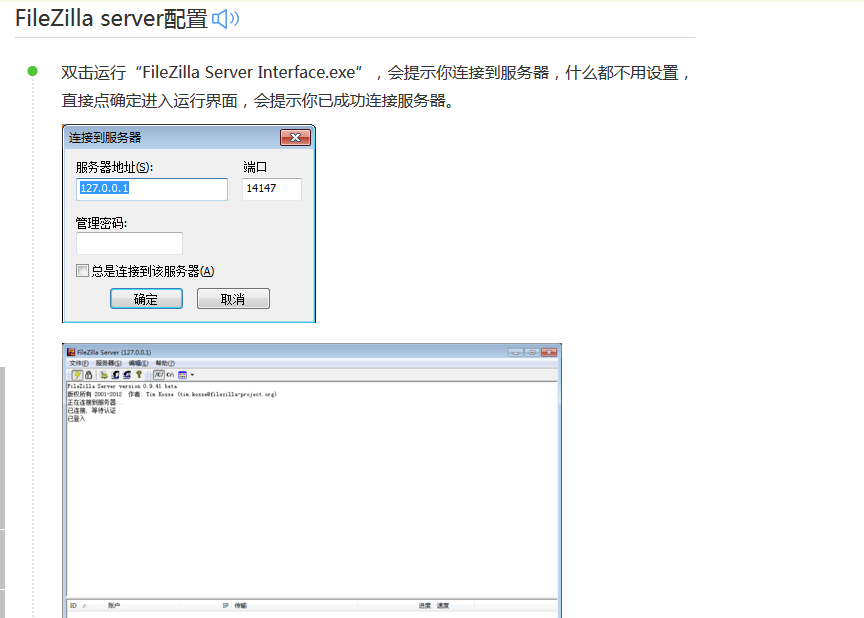
FTP server side configuration (FileZilla Server Interface)
installation steps http://jingyan.baidu.com/article/6079ad0e67acf828ff86db3f.html The port range in passive mode is the same as that on the Alibaba Cloud server. After setting thi...
Use the filezilla server to build an FTP server
references http://www.pc6.com/infoview/Article_51961_all.html background Need to set up an FTP server in the internal network environment, check the relevant information found that the use of filezill...

Windows using Filezilla server to build ftp server
Windows using Filezilla server to build ftp server 1. Filezilla server free, open source, ftp server 2. Download and install, windowshttps://filezilla-project.org/ 3. After the installation is complet...