In-depth analysis of CSS Chapter 1 laminated - reading notes
tags: HTML\CSS
Box model and border-box
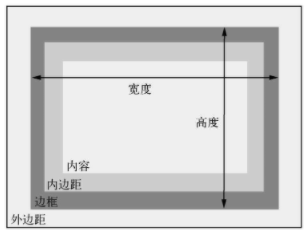
- When specifying the width or height of an element, the size of the element content is set - any inner margin (padding), border, the outer distance (margin) is superimposed based on it.
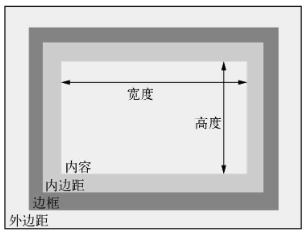
- Set Box-Sizing: Border-Box to changing the box model to achieve better predictability. When specifying the width or height, the entire element size is set, including the inner width and border.
Chapter 1 laminated, priority and inheritance
1.1 laminated
- concept
/ / Contain a set of statements contained in braces called a declaration block
 // The declaration block has a selector
 // Selector and declaration block constitute a rule set
body {
	 // Each line is called a statement. Composed of attributes and values
	color: black;
	font-family: Helvetica;
}

 // In HTML, HREF is an attribute of a label
<a href = "/">
1.1.1 Source of the style sheet
- Author's style sheet: style sheet to add to the web page
- User agent style sheet: browser default style
- User agent style table priority is priority (
!importantThe highest priority) - User Style Table (Not Comcom): Some browsers allow users to define a user style sheet. This is the third source, and its priority is between the user agent style sheet and the author style sheet. User style sheet is rare, and is not subject to website author
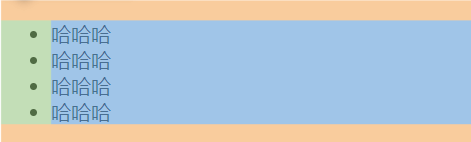
- The user agent style is slightly different on different browsers, but it is mostly doing the same thing: for the title (
<h1>Until<h6>) And paragraphs (<p>Add up and downward margins, for list (<ol>with<ul>Add the inner margins of the left side, add a color to the link, set various default fonts for the element.
1.1.2 understanding priority
- In the style sheet, you need to add it to the statement.
!importantHowever, if the inline style is also marked as!importantIt is not possible to overwrite it. It is best just in the style sheet!important。
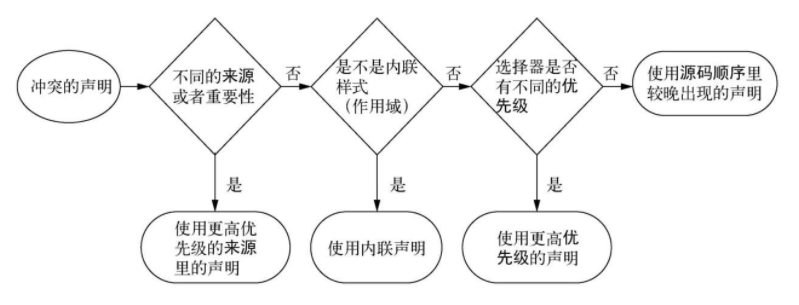
Priority accurate rules:
- If the number of IDs of the selector is more, it will win (ie, it is more clear).
- If the ID number is consistent, then you have the most class selector win.
- If the above two comparisons are consistent, then have the most label name of the selector win.
- If the source and priority of the two declarations are the same, one of the declarations occur in the style sheet, the declaration is won
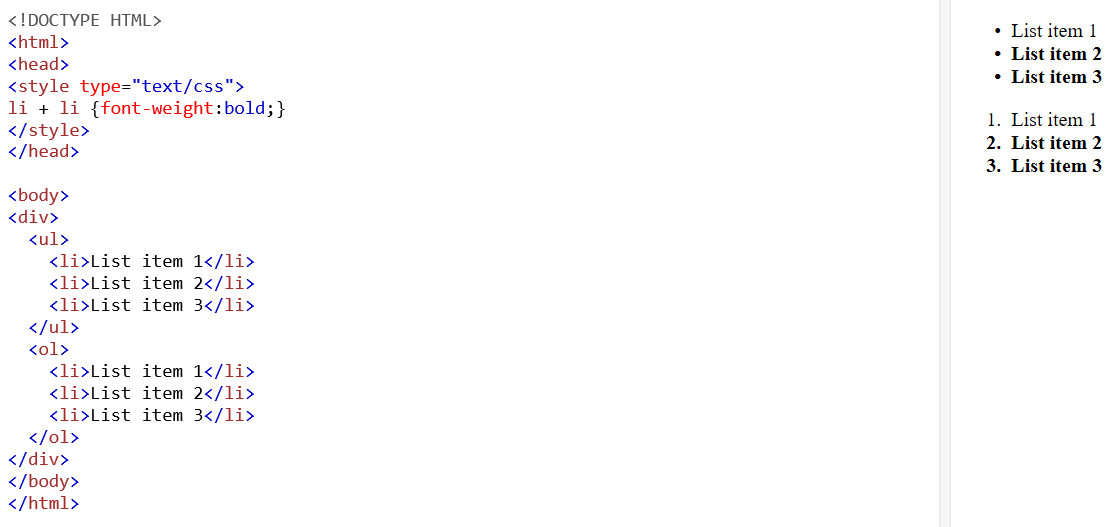
- The pseudo-class selector (such as: HOVER) and a property selector (such as [type = "]) are the same as the priority of a class selector. The universal selector (*) and the combiner (>, +, ~) have no effect on the priority.
Property selector:input[type="text"] { width:150px; display:block; margin-bottom:10px; background-color:yellow; font-family: Verdana, Arial; } input[type="button"] { width:120px; margin-left:35px; display:block; font-family: Verdana, Arial; }
Priority tag:

Thoughts on priority:
How to override the selector that contains an ID selector, a tag selector?【#main-nav a】
!important
Disadvantages: Once one is introduced!importantIt will bring more!important。- Label selector
ImproveFor class selectors:
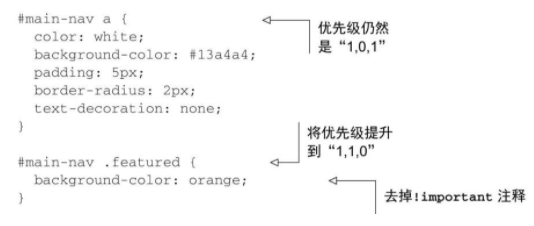
- Id selector
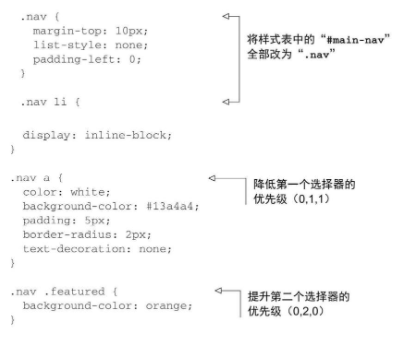
reduceFor class selectors: will#main-navChange to.nav - Reduced use and improvement
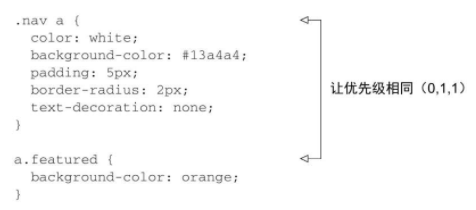
- Change the priority of the selector to the same, the source code sequence determines which statement wins (but there may be problems!)
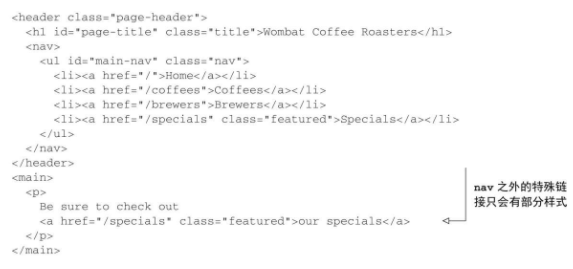

Link style and source code order
- Link style
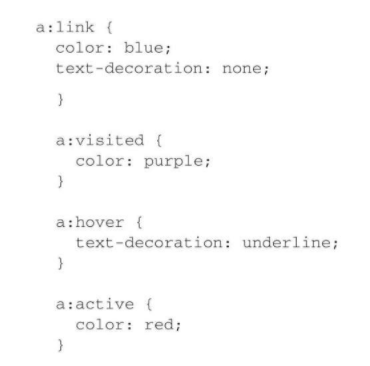
Memory: love / hate "(" Love / Hate "), LINK, Visited, HOVER, ACTIVE (activation)
1.1.4 two experience law
- Do not use the ID in the selector. Even with only one ID, it will also increase priority. When you need to overwrite this selector, you can usually find another meaningful ID, which will then copy the original selector, then add another class to distinguish it from the selector you want to overwrite.
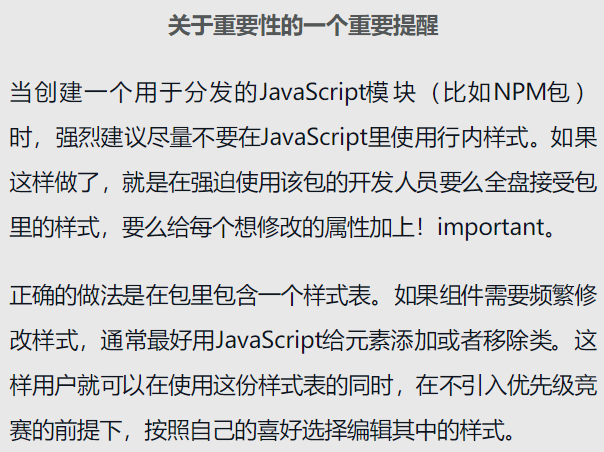
- Do not use! IMPORTANT. It is more difficult to cover than the ID, once used it, you want to overwrite the original statement, you need to add one! Important, and still handle priority issues.
Intelligent Recommendation
In-depth analysis of the element spacing in the container in the third chapter of CSS-reading notes
Element spacing in the container Add two social buttons to the sidebar Set the size, font, and color of the sidebar buttons At this time, they are stacked directly on top of each other without margins...
In-depth analysis of the unexpected "floating trap" in Chapter 4 of CSS-reading notes
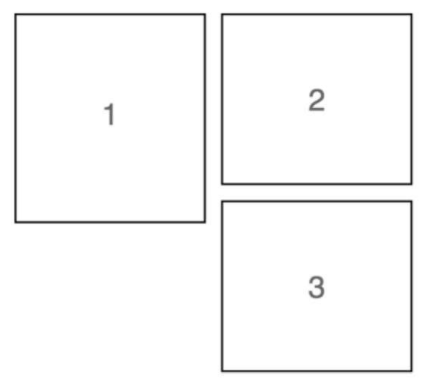
4.3 Unexpected "floating trap" The third box appeared on the right, causing a very large blank space under the first box. This is because the browser will place the floating element as high ...
In-depth analysis of CSS Chapter 5 Flexbox principles-reading notes
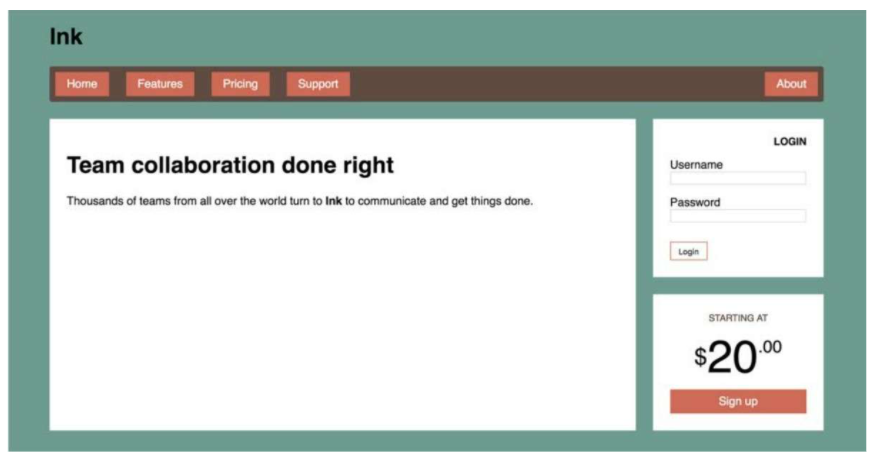
5.1 Principles of Flexbox Add to the elementdisplay:flex, The element becomes aFlexible container(Flex container), its direct child element becomesElastic sub-element(flex item) The height of the elas...
In-depth analysis of CSS Chapter 2 custom attributes-reading notes
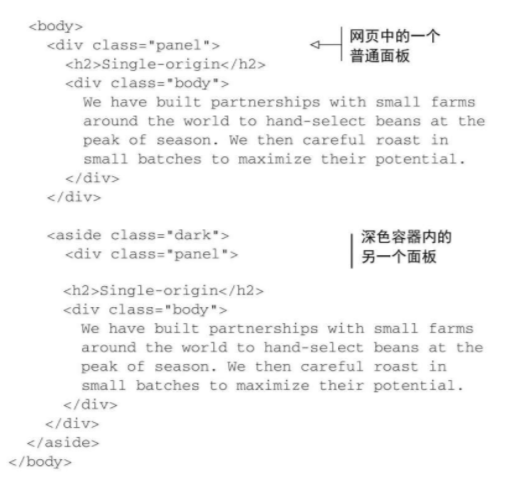
Custom attributes Declare a variable, assign a value to it, and then refer to this value elsewhere in the style sheet, which can reduce duplication in the style sheet example: Define a custom attribut...
In-depth analysis of the first chapter of CSS inheritance-reading notes
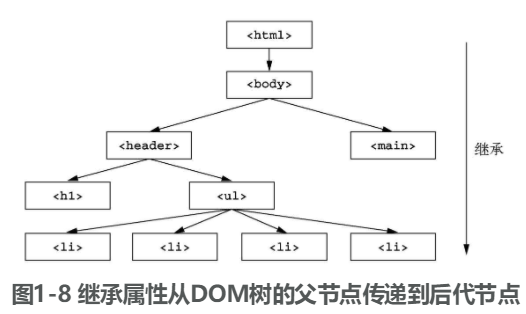
If an attribute of an element does not have a cascading value, it may inherit the value of an ancestor element Properties that can be inherited Text-related attributes color, font, font-family, font-s...
More Recommendation
In-depth analysis CSS second chapter stop pixel thinking - reading notes
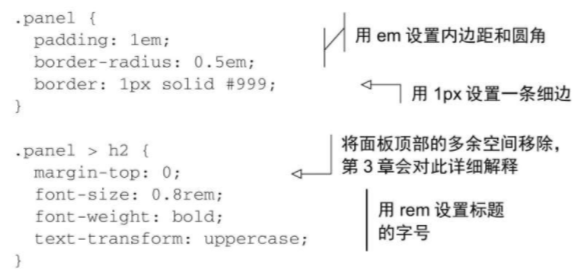
2.3 Stop pixel thinking Inverse mode: global reset font-size is 10px (from the default font size 16px to 10px, easy to calculate the value of the REM) Disadvantages: Need to write a lot of repetition ...
Reading notes-in-depth analysis of javaWeb (Chapter 1 / 2)
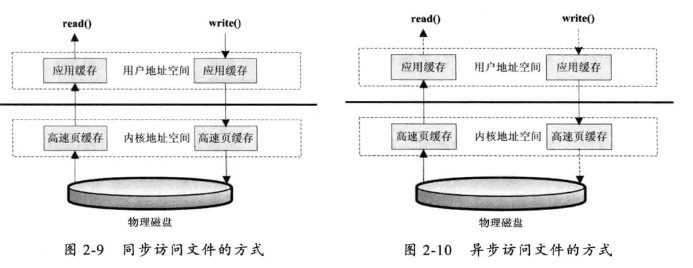
Some records: 2.2 Disk IO working mechanism You can compare the reference:Five IO models (detailed explanation + image example explanation) 2.2.1 Several ways to access files 1. Standard file access m...
CSS in Depth Notes - Chapter 1
As a front-end still can't find a working chicken, decided to learn CSS well, so I took this CSS in Depth to read it, and recorded the notes to supervise myself, but the English looks really uncomfort...

C-depth analysis of reading the first chapter notes
Chapter One 1. The difference between declarations and definitions Statement multiple times, only once defined, allocated memory is defined at the same time. 2.static Modifying variables: Static globa...
In-depth analysis of the original design intention of CSS Chapter 4 floating-reading notes
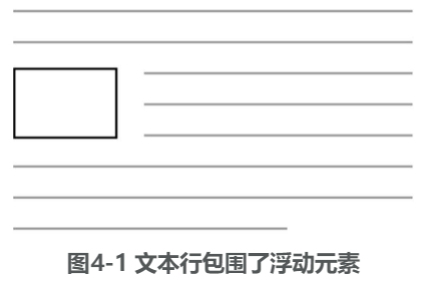
4.1 The original intention of floating design Floating can pull an element (usually an image) to the side of the container so that the document flow can surround it. If multiple elements float to the ...