Day5: html and css

Day5:
htmlwithcss
How to achieve the box centering problem, to make the box horizontally centered, to satisfy the fast element, and the width of the box should be defined. Then the value isautoJust fine.
.dashu {
 width: 100px;
 margin: 0 auto;
}
The horizontal center of the box is
margin: auto;
The horizontal level of the text is:
text-align: center;
Text-align: center; // text horizontally centered
 Margin: auto; // the horizontal center of the box
The box is horizontally centered:
<!DOCTYPE html>
<html lang="en">
<head>
	<meta charset="UTF-8">
	<title>Demo</title>
	<style>
	div {
		 Text-align: center; /* center alignment*/
		width: 100px;
		height: 100px;
		background-color: blue;
		  /* margin: 0 auto; Automatic Horizontal center alignment */
		  /* margin: auto; Up and down are auto*/
	}
	</style>
</head>
<body>
	<div>
		 Da Shu Xiaosheng
	</div>
</body>
</html>
Margin: 0 auto; // popular
 // margin: auto; does not display up and down
Clear inner and outer margins
* {
 padding: 0;
 margin: 0;
}
Margining merge:
<!DOCTYPE html>
<html lang="en">
<head>
	<meta charset="UTF-8">
	<title>Demo</title>
	<style>
	div {
		width: 200px;
		height: 200px;
		background-color: blue;
	}
	.da{
		margin-bottom: 100px;
	}
	.shu{
		background-color: red;
		margin-top: 150px;
	}
	</style>
</head>
<body>
	<div class="da">1</div>
	<div class="shu">2</div>
</body>
</html>
The margins are combined with the maximum value of the merge.
<!DOCTYPE html>
<html lang="en">
<head>
	<meta charset="UTF-8">
	<title>Demo</title>
	<style>
	.father {
		width: 500px;
		height: 500px;
                border: 1px solid red;
		background-color: red;
	}
	.son {
		width: 200px;
		height: 200px;
		background-color: blue;
		margin-top: 50px;
		margin-left: 50px;
	}
	</style>
</head>
<body>
	<div class="father">
		<div class="son"></div>
	</div>
</body>
</html>
contentWidth and height
paddingWill not affect the size of the box.
<!DOCTYPE html>
<html lang="en">
<head>
	<meta charset="UTF-8">
	<title>Demo</title>
	<style>
	.father {
		height: 200px;
		background-color: pink;
		width: 300px;
		 /* padding-left: 30px; Given the width, padding will open */
	}
	.son {
		padding-left: 30px;
		 /* No width will not open */
	}
	</style>
</head>
<body>
	<div class="father">
		<div class="son">dashu</div>
	</div>
</body>
</html>
paddingMargin
Fillet
border-radius: 50%;
<!DOCTYPE html>
<html lang="en">
<head>
	<meta charset="UTF-8">
	<title>Demo</title>
	<style>
	div {
		width: 300px;
		height: 300px;
		background-color: red;
		margin: 100px auto;
		border-radius: 50%;
	}
	</style>
</head>
<body>
	<div></div>
</body>
</html>
<!DOCTYPE html>
<html lang="en">
<head>
	<meta charset="UTF-8">
	<title>Demo</title>
	<style>
	body {
		background-color: #ccc;
	}
	.radius a {
	   width: 170px;
	   height: 170px;
	   background-color: #fff;
	   display: inline-block;
	   margin: 30px;
	   border-radius: 50%;
	   text-align: center;
	   line-height: 170px;
	   color: red;
	   text-decoration: none;
	   font-weight: 700;
	}
	.radius a:hover {
		background-color: red;
		color: #fff;
	}
	</style>
</head>
<body>
	<div class="radius">
		<a href="#">Text Content</a>
		 <a href="#">Text Content</a>
		 <a href="#">Text Content</a>
	</div>
</body>
</html>
Box shadow
Box-shadow: horizontal shadow vertical shadow blur distance shadow size shadow color inner/outer shadow
| Attributes | Description |
|---|---|
h-shadow |
Horizontal shadow position |
v-shadow |
Vertical shadow position |
blur |
Fuzzy distance |
spread |
Shadow size |
color |
Shadow color |
inset |
Change external shadow to internal shadow |
<!DOCTYPE html>
<html lang="en">
<head>
	<meta charset="UTF-8">
	<title>Demo</title>
	<style>
	div {
		width: 200px;
		height: 200px;
	}
	div:hover {
		box-shadow: 0 15px 15px rgba(0,0,0,0.1);
	}
	</style>
</head>
<body>
	<div></div>
</body>
</html>
float
floatFloating: standard flow, floating, positioning.
floatCan make multipledivDisplayed on the same line.
| Attribute value | Description |
|---|---|
left |
Element floats to the left |
right |
Element floats to the right |
none |
Element does not float |
Selector {float: attribute value;}
<!DOCTYPE html>
<html lang="en">
<head>
	<meta charset="UTF-8">
	<title>Demo</title>
	<style>
	.up {
		width: 200px;
		height: 100px;
		background-color: red;
		float: left;
	}
	.down {
		width: 220px;
		height: 120px;
		background-color: purple;
	}
	</style>
</head>
<body>
	<div class="up"></div>
	<div class="down"></div>
</body>
</html>
<!DOCTYPE html>
<html lang="en">
<head>
	<meta charset="UTF-8">
	<title>Demo</title>
	<style>
	.father {
		width: 600px;
		height: 600px;
		background-color: blue;
	}
	.son {
		width: 200px;
		height: 200px;
		background-color: red;
		float: right;
	}
	</style>
</head>
<body>
	<div class="father">
		<div class="son"></div>
	</div>
</body>
</html>
<!DOCTYPE html>
<html lang="en">
<head>
	<meta charset="UTF-8">
	<title>Demo</title>
	<style>
	div {
		width: 100px;
		height: 100px;
	}
	.one {
		background-color: red;
		float: left;

	}
	.two {
		background-color: purple;

	}
	.three {
		background-color: blue;
		float: left;
	}
	</style>
</head>
<body>
	<div class="one"></div>
	<div class="two"></div>
	<div class="three"></div>
</body>
</html>
Box model layout stability
width > padding > margin
float(float)
Normal flow (standard flow), floating and positioning
| Attribute value | description |
|---|---|
left |
Element floats to the left |
right |
Element floats to the right |
none |
Element does not float (default) |
recommend
Day1: html and css
Day2: html and css
Day3: html and css
Day4: html and css
If you look good
like! Forward!
Da Shu Xiaosheng: The rest of my life, only you
You and me, we are family !
After 90, handsome guy, good development habits; ability to think independently; initiative and good at communication
Short book blog: Da Shu Xiaosheng
Conclusion
- Below I will continue to explain other knowledge in depth, interested can continue to pay attention
- Take a small gift or like
Intelligent Recommendation
CSS Review - A Tag DAY5
0703 a label Use a tag remember style reset Font color inherits the parent, remove the underline Target link open mode _blank new window _self Current window defined page link default open mode target...

HTML entry (spirit map)————DAY5
The sprite picture is to put an icon or small picture into a picture, which is convenient to call. The renderings are as follows: ...
Web learning day5 - html (3)
Web learning day5 - html (3) Form learning (1) form form form is mainly used for the user to interact with the web application, which allows users to send data to web applications, web pages can also ...
More Recommendation
HTML learning - DAY5 box model
content Pick-up model definition 2. Composite properties of the box 3. Outer distance merge (1) Merging of vertical outer margins of upper and lower elements (2) Merging of the vertical outer margin o...
Summary of CSS basic knowledge--day5
Foreword Day5 mainly talks about positioning It contains why you need positioning and the commonly used positioning mode 1. What is positioning? Positioning is to fix the box in a ce...
CSS learning day5 element classification
Element classification Block element Features: Monopolize You can set the width and width, if the width is not set, the default is 100% width of the parent label. In-line elements Features: Displayed ...
Day5 -Use CSS beautification webpage
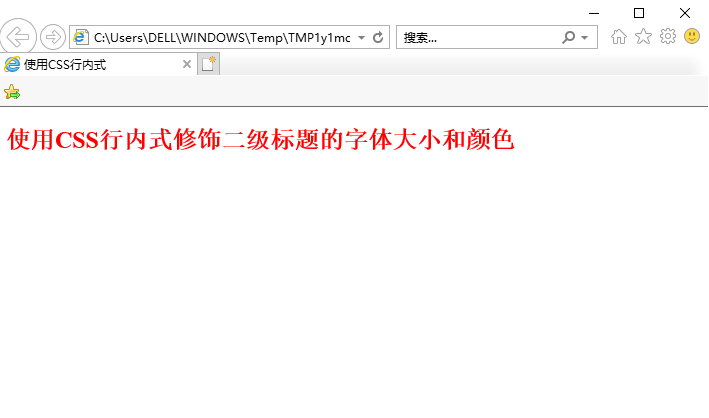
1.CSS rule Selector {Properties 1: Properties; Properties 2: Properties 2; Properties 3: Properties 3;} For example: H2 {font-size: 20px; color: red;} 2. Introduce the CSS style table (1) Walking inte...
CSS Summary DAY5 <(Detailed) Popular CSS Floating>
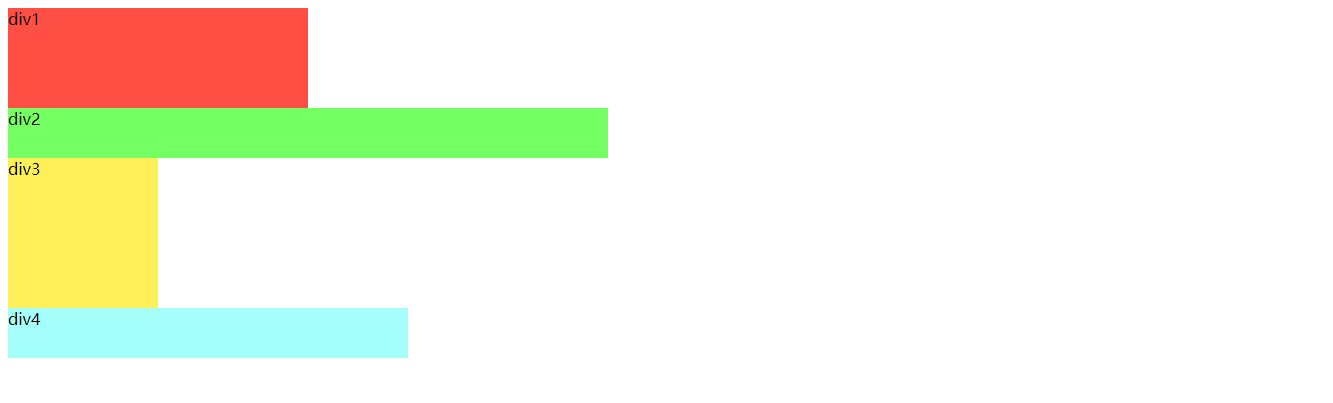
CSS Written in front: Tutorial start: First of all, we must know that DIV is a block-level element, exclusive one line in the page, from top to bottom, is the legendary stream. As shown below: It can ...