Java code confusion tool
tags: Practical tips Java advanced solution java maven jar
1. Download the confusion tool
allatori.jar
allatori-annotations.jar
Create a new lib directory in the project root directory, put it in lib
2. Edit configuration file
<config>
    <input>
        <!-in indicating the need to be confused, out means the confusing jar package, and the name will cover the original jar package->
        <jar in="${project.build.finalName}.jar" out="${project.build.finalName}.jar"/>
    </input>

    <!-Set the level of confusion, Private+ indicates that access permissions on Private (including) will not be confused->
    <keep-names>
        <class access="private+">
            <field access="private+"/>
            <method access="private+"/>
        </class>
    </keep-names>

    <watermark key="WWW.DTDREAM.COM" value="CopyRight (c) DTDREAM"/>
    <property name="random-seed" value="WWW.DTDREAM.COM "/>

    <! --- Confusion method->
    <!--<property name="classes-naming" value="iii"/>-->
    <!--<property name="methods-naming" value="iii"/>-->
    <!--<property name="fields-naming" value="iii"/>-->
    <property name="log-file" value="log.xml"/>

    <!-Used to eliminate some classes that do not need to be confused->
    <ignore-classes>
        <!--<class template="class org.pentaho.**"/>-->
        <class template="class org.springframework.*"/>
        <class template="class com.test.dopware.**.controller.*"/>
    </ignore-classes>
    <! --- Setting the class path for the application of confusing applications->
    <!--<classpath basedir="../lib">-->
    <!-- Adding library.jar to the classpath -->
    <!-- Adding all jars in the lib directory to the classpath -->
    <!--<jar name="*.jar"/>-->
    <!-- Adding all jars in the lib2 directory and its subdirectories to the classpath -->
    <!--</classpath>-->
</config>
3. Configure Maven
    <build>
        <pluginManagement>
            <plugins>
                <plugin>
                    <groupId>org.codehaus.mojo</groupId>
                    <artifactId>exec-maven-plugin</artifactId>
                    <version>1.2.1</version>
                    <executions>
                        <execution>
                            <id>run-allatori</id>
                            <phase>package</phase>
                            <goals>
                                <goal>exec</goal>
                            </goals>
                        </execution>
                    </executions>
                    <configuration>
                        <executable>java</executable>
                        <arguments>
                            <argument>-Xms128m</argument>
                            <argument>-Xmx512m</argument>
                            <argument>-jar</argument>
                            <argument>../lib/allatori.jar</argument>
                            <argument>${basedir}/target/config.xml</argument>
                        </arguments>
                    </configuration>
                </plugin>
            </plugins>
        </pluginManagement>
        <plugins>
            <plugin>
                <groupId>org.apache.maven.plugins</groupId>
                <artifactId>maven-resources-plugin</artifactId>
                <executions>
                    <execution>
                        <id>copy-and-filter-allatori-config</id>
                        <phase>package</phase>
                        <goals>
                            <goal>copy-resources</goal>
                        </goals>
                        <configuration>
                            <outputDirectory>${basedir}/target</outputDirectory>
                            <resources>
                                <resource>
                                    <directory>${basedir}/../config</directory>
                                    <includes>
                                        <include>config.xml</include>
                                    </includes>
                                    <filtering>true</filtering>
                                </resource>
                            </resources>
                        </configuration>
                    </execution>
                </executions>
            </plugin>
        </plugins>
    </build>
Intelligent Recommendation
Spring Boot Java application code confusion introduction
This article briefly introduces the practical application of the open source Java obfuscation compiler ProGuard. We know that in some cases, the author of the software needs to protect the software it...
Posted a automatically compile java, and confusion compiled code
An automatic compiler just wrote, confusion, packaged jar code, to be recorded Used NuGet: ...
Java source code uses ProGuard confusion
Recently, the company needs to study the issue of Java package code confusion. Checked a lot of blogs, there are two ways: The first kind of proguard is a compressed, optimized, and dismutor of a free...

Python code protection | pyc confusion from entry to tool implementation
I have encountered some CTF topics related to Python reverse engineering (the last time it was a game of a certain symbol), some gave Python pseudo-instructions, and some directly gave a pyc file with...
JavaScript (JS) confusion tool
Brief introduction JavaScriptOBFUUUCATOR is a powerful free JavaScript confusion that contains a variety of functions that can confuse the code into a low -readability code. It looks like it is diffic...
More Recommendation

C confusion tool OBFUSCAR
1. Install OBFUSCAR OBFUUSCAR can be installed easily through the Nuget tool 2. Create an OBFUSCAR configuration file illustrate: 1. There are many confusing parameters. You can refer 2. You need to c...
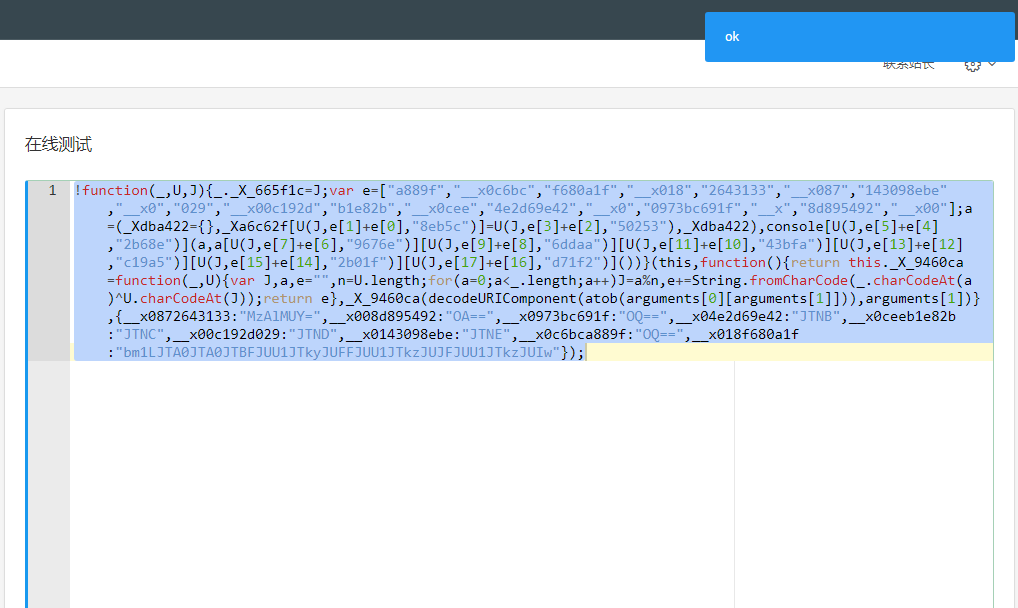
js online confusion tool
http://108.61.183.177:8081/ For temporary rectification, let's test the confusion strength. Today, the object confusion is added. For example, for example. Confusion result: Let's execute:...
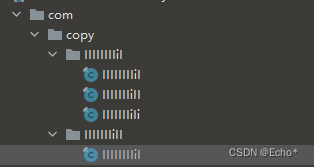
Java code Proguard code confuses GUI use, with confusion MAP mapping
PROGUARD code confuses GUI use, with confusion MAP mapping Preview of confusion results This example uses proguard 7.2.2, you can download it directly on the official website Link: https://pan.baidu.c...
Java spring boot project uses proguard to achieve code confusion
Proguard is an easy-to-use java code obfuscation tool that requires no additional configuration and can be used by adding it to the pom. Below is the specific pom Only need to change two config...

Confusion tool ProGuard GUI usage
Ready to work: Download the ProGuard tool:https://sourceforge.net/projects/proguard/ in the lib directory of the file proguard: Create a .bat script under windows system with the following contents: j...