Using NuttX OS as a library on Atmel Studio 7
tags: Nuttx Atmel SAMD21 Studio7 os
This document explains how to add NuttX OS to your application on Atmel Studio 7, using NuttX OS as a library. With Atmel Studio 7 easy-to-use feature, you can easily set up the project by following below steps. This project will base on Atmel SAMD21 Xplained Pro, a 32bit ARM Cortex-M0+ MCU with up to 48MHz operating frequency.
Before we start it, must make sure you have executed the ./configure.sh to select samd21-xplained\nsh as NuttX OS configuration file. Then now you should execute:
make export
It will take several minutes to cross compile NuttX OS source file and then you will get a zip file like this nuttx-export-7.22.zip. Now let’s start creating the project on Atmel Studio 7. Launch Atmel Studio 7 and select File->New ->Project to create a new project for SAMD21 Xplained Pro.

Please select GCC C Executable Project, input project Name and choose the proper folder you want to save your project.

The last step is to choose the device for the project, of source, we should choose ATSAMD21J18A. Click OK and wait for Atmel Studio 7 generating project file automatically.

Copy exported file to your project folder and modify the fold name to ‘nuttx-7.22’.

Remove unnecessary files from project.

Add nuttx-7.22 header files and libraries to project.

Right click ‘nuttx_samd21’ project and select ‘Properties’, let us configure the project, such as ‘Directories’, Linker library and so on.


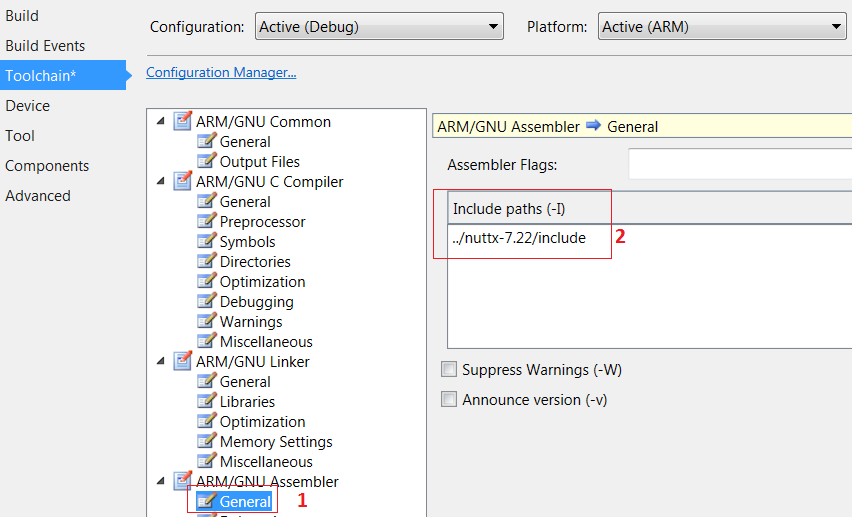
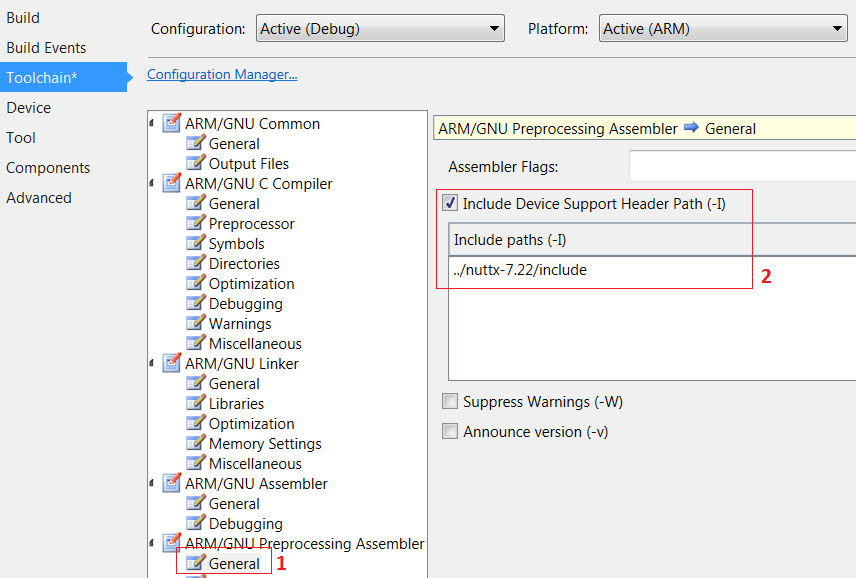
The last step is to copy nsh_main.c from nuttx-7.22\apps\examples\nsh folder to your project and rename the file to main.c. OK, we can compile the project now and wait for the compiling result. Error message will show like below picture. The way to correct these errors is to remove spi_bitband.c.
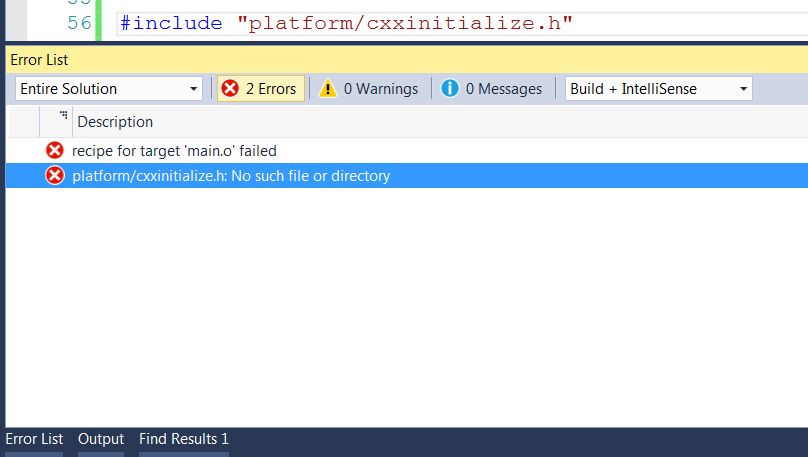

We are luck, only 2 Errors left. In main.c, please comment there are 2 header files.
//#include “platform/cxxinitialize.h”
//#include “nshlib/nshlib.h”
Otherwise the error message will tell you that no such file or directory.

The compiling process was succeeded, flash memory usage was 42 KB and data memory usage was 3.4 KB.

If you do not need to use nsh library, it will take less flash memory usage. Only 24 KB flash memory used for running NuttX on SAMD21 Xplained with rich OS features. That is a big surprise for me.

Before start running NuttX OS on SAMD21 Xplained, we should set up debug tools in Atmel Studio 7.
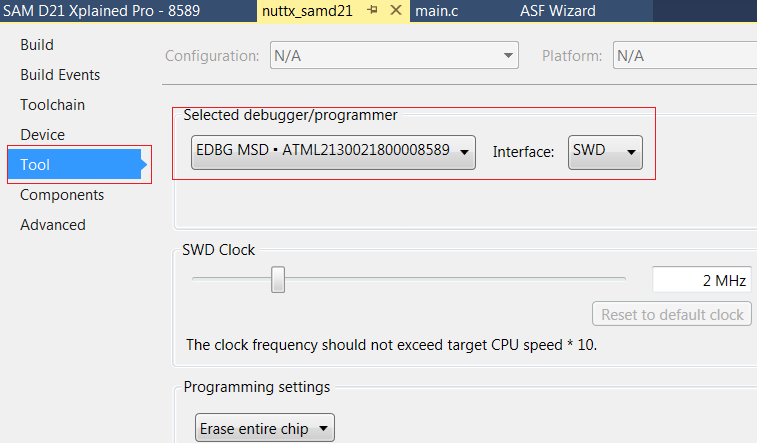
Now we can debug the NuttX OS based project on Atmel Studio 7, have fun with NuttX and Atmel Studio 7 & SAMD21 Xplained.

At the end of this blog, I want to thank Alan for his help and suggestion. The readers can visit his blog and there are many articles about NuttX will helpful for you. Alan C. Assis
Intelligent Recommendation

Atmel Studio-SAM MCU development ---PIO
Today we will learn the input and output of the IO port: 1: Create a new project (please see the content in the previous section) until the following interface 2: Add ASF and IO input and output relat...
atmel studio configuration one-click download
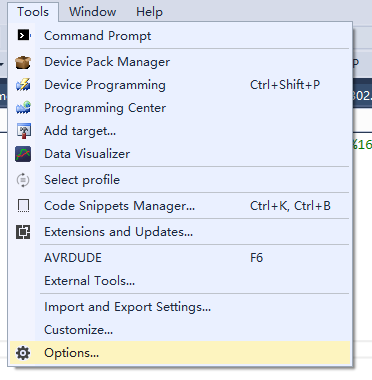
1. Configure one-key download button F6, click Assign. 2. Download AVRDUDESS 3. Next, configure the environment and open Tools 4. command: select the path of AVRDUDESS Arguments: Choose your MCU m328p...
CENT OS 7 Using VNC Remote Access
1, must support the graphical interface; if you don't need to install 2, install VNC Server 3, configure the VNC password After entering the bus, password is the password you want to set, verify is a ...
Using GDB debugging NUTTX under Linux (STM32)
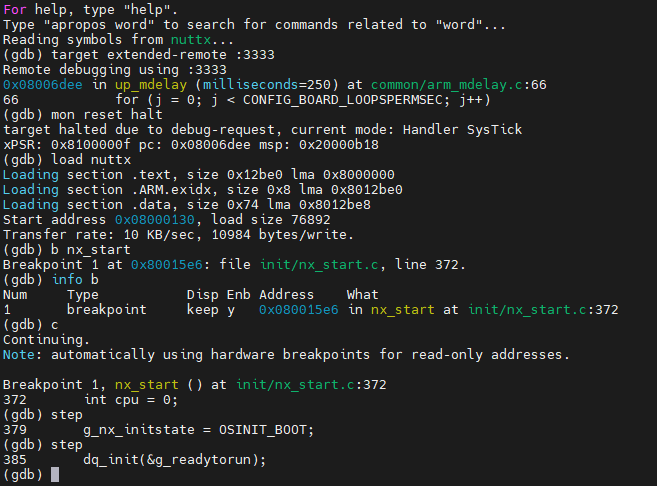
Using GDB debugging NUTTX under Linux (STM32) environment Debug tool, OpenOCD V0.11 JLink V9, Firmware 2021 May 7 Target board, STM32F103-minimum board Host OS, Ubuntu 20 on VMware rely gdb-multiarch ...
Atmel Studio 7.0 Quick Start Guide (based on ASF)
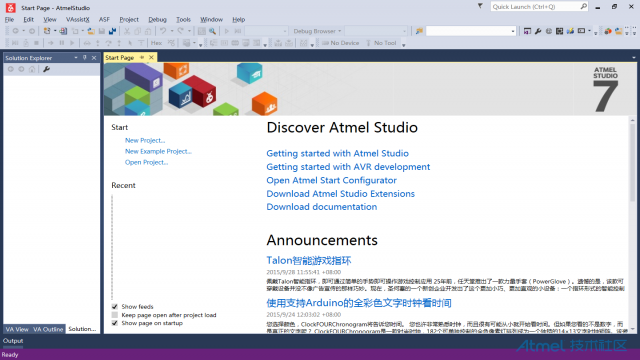
Just recently, Atmel has finally launched a new version of IDE-Atmel Studio 7.0, which uses Microsoft's latest Visual Studio 2015 platform, which is reflected in speed, performance and code visual sty...
More Recommendation
Python08_Automatically install batch library statements using os library
Sometimes we need to use the pip command line to install many python third-party libraries, Therefore, we can consider whether this operation can be programmed and automated We know that the system me...
7. Hooks using the Requests Library
Hooks is a hook method for a certain process that is fixed in a frame is to perform a custom method (hook). The Requests library only supports a RESPONSE hook, that is, when the response is returned, ...
Andorid Studio NDK Development - Using the NDK Library
C languageIs a huge treasure house, Android is a Linux-based open source operating system, many of the system's underlying implementation is based onC languageDevelopment, such as image processing, en...
Openssl library using the Visual Studio environment to build
Recently the project team need to write encryption algorithm, implemented by openssl, openssl here to talk about the environment configuration Openssl library using the Visual Studio environment to bu...
Android Studio-- using OpenCV library grayscale images
1. Install Android Studio (omitted here) version 3.4.1 2. official website to download OpenCV for Android URL:http:opencv.org/downloads.html I downloaded the version in the figure below OpenCV version...