Matlab - Simulink
tags: MATLAB
-
Press the space bar to automatically zoom to display all fit to view; select a module and press enter to double-click
-
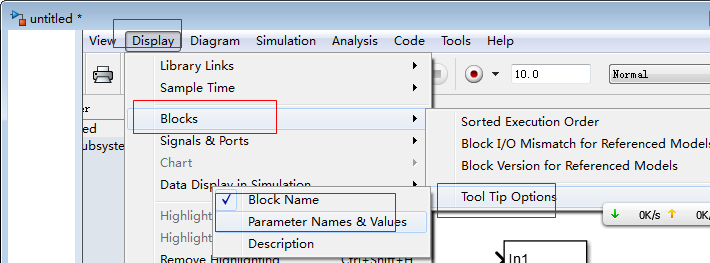
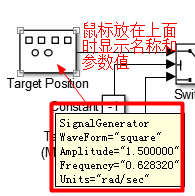
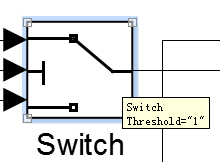
Select some options in "Display- Blocks -Tool tip options", and automatically display related information when the mouse is placed on the block
-
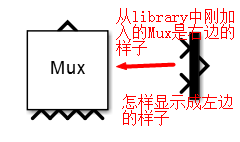
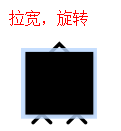
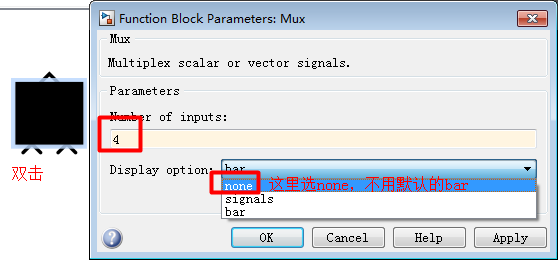
Mux block display format
-
Create subsystemSubsystemMethod: ① First build the structure and select ctrl+g or "Diagram-Subsystem & Model Reference-Create subsystem from selection" or right-click "create subsystem from selection", this method does not need to add input and output ports, after ctrl+g Automatically added; ② You can also drag a subsystem from the "Simulink – ports & subsystems" in the library browser to the model and then edit it.
-
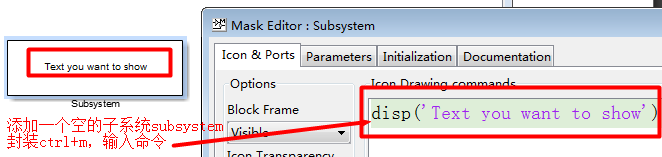
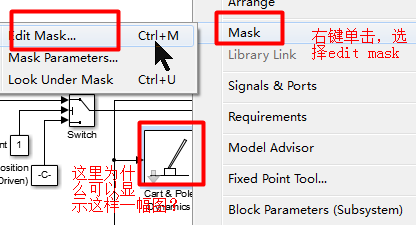
After creating the subsystem, you can proceedEncapsulation mask: Right-click subsystem "mask – create mask" or shortcut key ctrl+m;
(1) After creating the subsystem, double-click the frame of the subsystem to enter the view subsystem. If you encapsulate and add parameters, double-click to pop up a dialog box to change the parameter value.
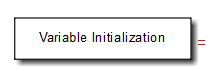
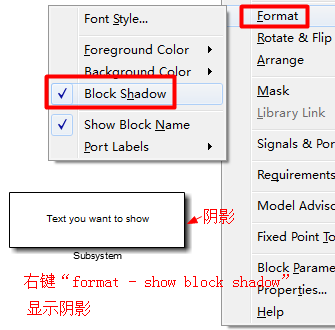
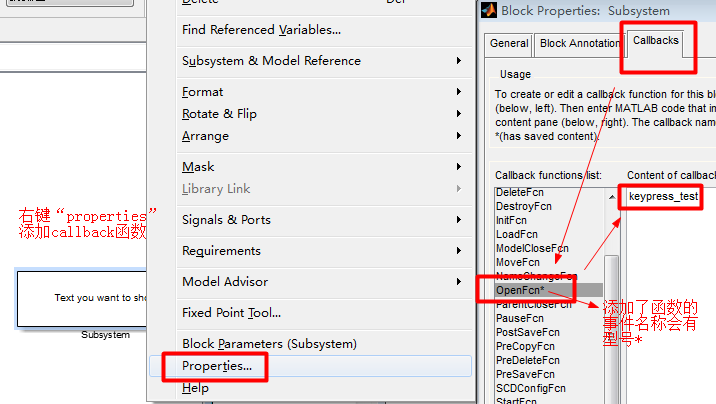
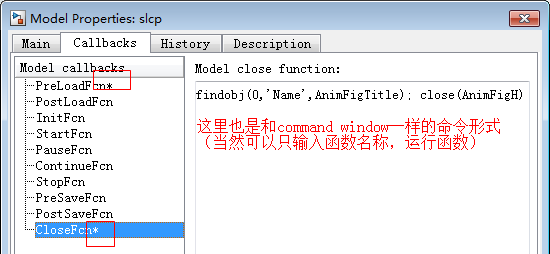
(2) After packaging and adding a callback function by right-clicking "properties-callbacks", double-clicking does not bring up a dialog box nor enter the viewing subsystem, but executes the callback function. For example, the production process of the "variable initialization" box in slcp is:
-
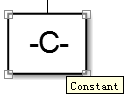
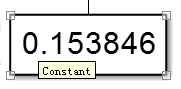
The constant block display is shown in the figure, because the length is too small, and the number cannot be displayed completely; other blocks also have different display effects due to the size relationship.
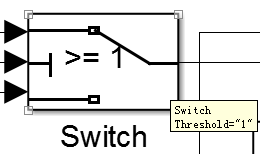
-
Press and hold ctrl to separate the branch line from a connection line; right-click on a block in the model library and select "open xxx library" to display the block in a window
-
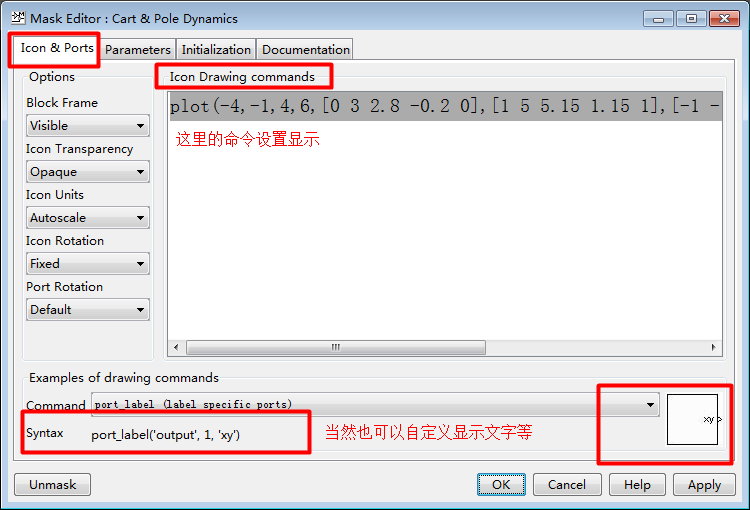
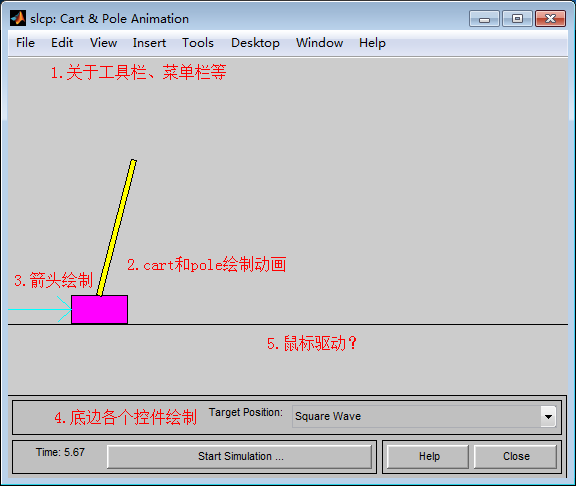
Custom package graphic display (reveals why cart and pole dynamics in routine slcp can be displayed as a custom graphic); icon can be set to display text, read pictures, draw pictures by own plots, etc., display calculation results, etc.
-
Set the overall properties of the model, such as running and loading when the model is opened, right-click on the model blank space-Model Property
-
Other understanding about the self-contained routine sclp: (2015/12/16) There are only two m files, which are initcp.m (registered to run when the model is started and run when the variable initialization subsystem is double-clicked) and animcp.m .
global AnimCpFigH AnimCpAxisH% is unclear at present, it may be used for animcp winName = bdroot(gcs); %bdroot is Matlab's own function, used to return the name of the front-most Simulink model fprintf('Initializing ''fismatrix'' in %s...\n', winName); fismatrix = readfis('slcp.fis'); %Here the slcp.fis file is defined in advance; instead of being regenerated fprintf('Done with initialization.\n'); -
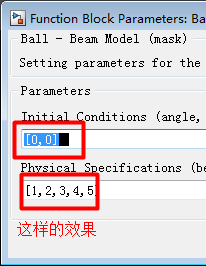
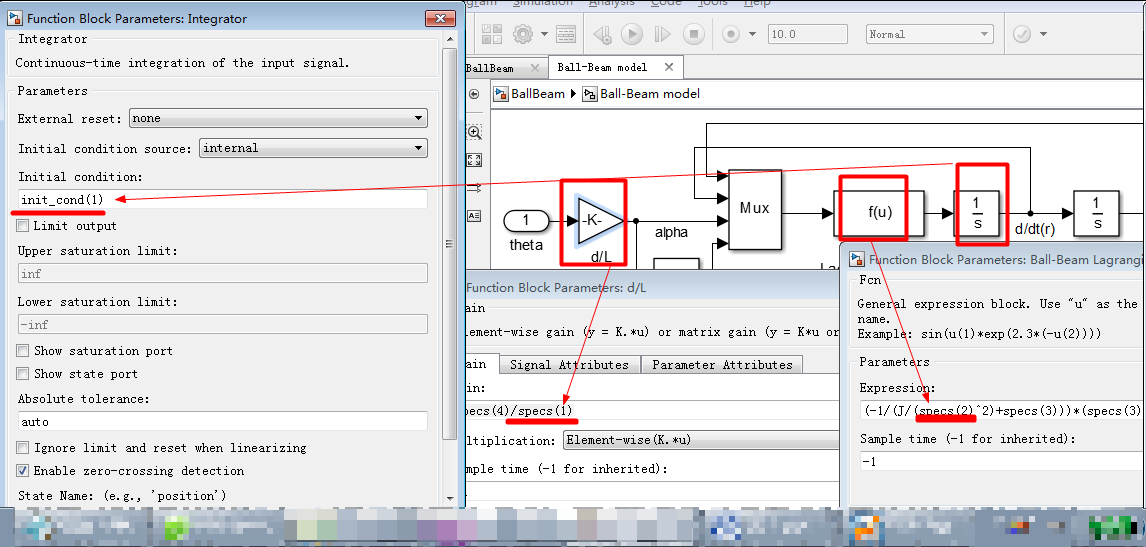
Implement package array (matrix) variables: After adding variables to the subsystem (ctrl+m is edit mask), double-click the subsystem and enter the variable value with brackets, such as "[0,0,0,0] ", and then initialized in the edit mask, otherwise an error is reported
-
Simulation animation
-
Regarding the simulation time, the displayed time should be seconds
 , But if you don’t need so much time in the simulation calculation (for example, there is no complicated algorithm for solving differential equations, etc.), the calculation will be stopped; and for a simulation like slcp, setting 1000s may completely master the simulation performance, you can think This is an infinite time.
Intelligent Recommendation
Matlab/Simulink STM32 development
Original link: Today I accidentally saw this blog write and use【Matlab/Simulink+STM32CubeMX】Tools for the development of STM32, I can’t help but sigh that Matlab’s functions are indeed too...
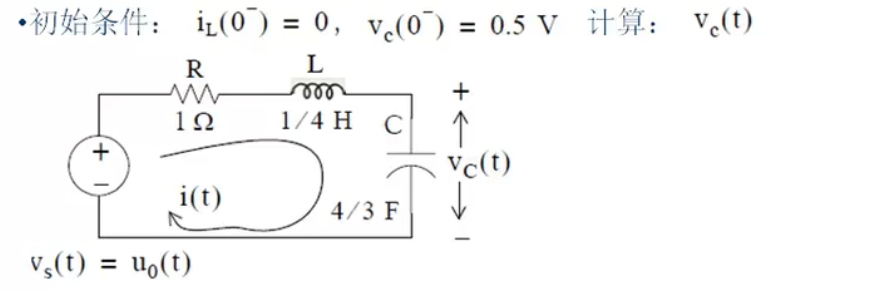
Matlab simulink modeling and simulation
Matlab simulink modeling and simulation 1 Initial simulink 1.1 Introduction to simulink 1.1.1 The relationship between matlab and simulink 1.1.2 What is simulink 1.1.3 Two ways to open simulink 1.2 Pr...
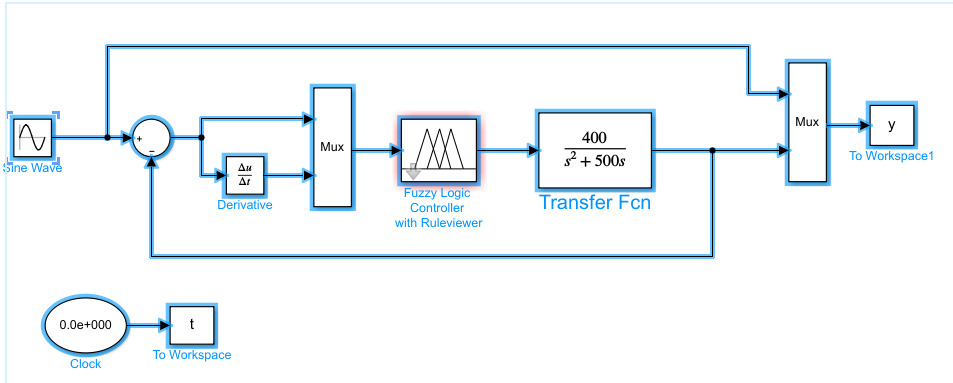
MATLAB Simulink Usage and Examples
MATLAB Simulink Usage and Examples Today we will create a new simulink file as shown in the figure The source code has been uploaded, it only takes 5 points to download it, hehe. . Create a new Simuli...

Simulink foundation of MATLAB
##MATLAB's Simulink foundation Through the previous study, we have mastered the basic operation and analysis methods of MATLAB script and GUI. Today we will talk about another tool in MATLAB-Simulimk....
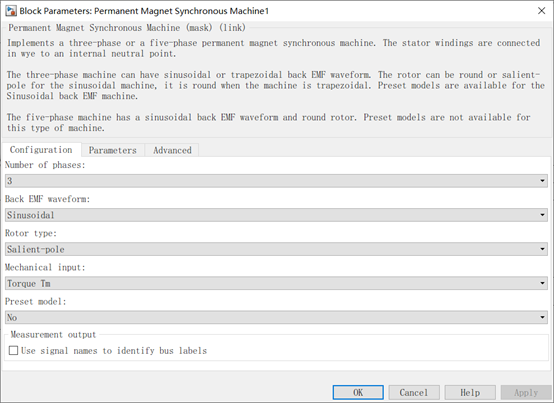
[Matlab/Simulink] PMSM module
Simulink comes with PMSM module 1.Configuration (configuration) 1.1 Number of phases 1.2Back EMF waveform 1.3Rotor Type 1.4Mechanical input 1.5Preset model 2. Parameters (parameter settings) 2.1Stator...
More Recommendation
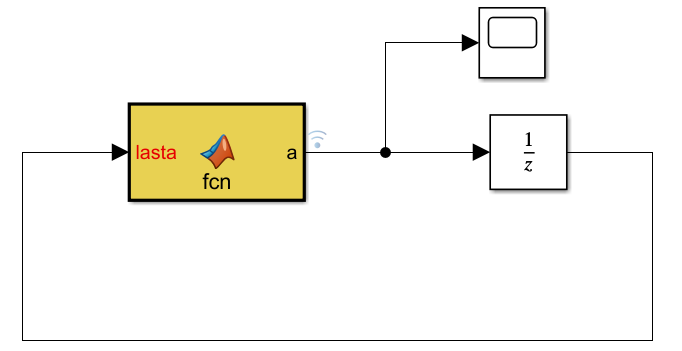
Iterative operations in Matlab Simulink
The iterative operation is required during Simulink under Simulink, so it has been a method and rule of a small experimental test Simulink. Need to useUNITDELAY module+MATLAB FUNCTION module Experimen...
MATLAB - SIMULINK Toolbox (1)
Usage of Matlab-Simulink Toolbox (1) SIMULINK Open mode and basic operation method The SIMULINK toolbox is MATLAB to model, simulate and analyze software packages for dynamic systems. It provides a gr...
Initialization of Matlab Function in SIMULINK
Increase in the next line of the Function header%#codegenSymbols, its role is to make a static code analyzer Code Analyzer diagnostic code and prompting users to fix the illegal ways to cause errors i...
MATLAB Delete Annotation in Simulink
MATLAB Delete Annotation in Simulink Get the location of the Annotation by the Find_System function; Use the Get_Param function to get the ANNOTATION specific annotation content. Some of the following...