Arduino serial port accepts string operations
For the use of the Arduino serial port part, it is somewhat inconvenient. Although the function to be called is officially provided, it is not flexible enough. The following is a summary of the string operation of the Arduino serial port;
(1) Custom function operation mode:
/*Use a custom function to convert characters into strings, and then perform operations*/

 String comdata = "";//Declare string variables

void setup()
{
     Serial.begin(9600); //Set baud rate
}

void loop()
{
   while (Serial.available() > 0)
    {
        comdata += char(Serial.read());
        delay(2);
    }

   if (comdata.length() > 0)
    {
       Serial.println(comdata);
       comdata = "";
    }
}
This method uses a self-defined function to realize the conversion from character to string before proceeding. It is not bad to use, and it is recommended for everyone to use it.
(2) The second, simple and violent method, uses the library function Serial.readString();
void setup()
{
     Serial.begin(9600); //Set baud rate
}

void loop()
{
  String rx_buffer;
  rx_buffer=Serial.readString();
  Serial.print(rx_buffer);
}
This method uses simple violence, but there is a certainty. The default parameters of the official library function make the reading of the serial port operation must be blocked for 1s, and the real-time performance is poor;
Here, provide a modification method:
Find the stream.h file in the Arduino IDE installation path to modify the parameters
①File path: D:\Arduino1_8_5\hardware\arduino\avr\cores\arduino
②Find the file stream.h and modify the parameters: Stream() {_timeout=200;}, the red value unit is milliseconds, modify as needed and save and compile to take effect;
Attach the content of the stream.h file (Highlight the place to be modified: Stream() {_timeout=200;}):
/*
  Stream.h - base class for character-based streams.
  Copyright (c) 2010 David A. Mellis.  All right reserved.

  This library is free software; you can redistribute it and/or
  modify it under the terms of the GNU Lesser General Public
  License as published by the Free Software Foundation; either
  version 2.1 of the License, or (at your option) any later version.

  This library is distributed in the hope that it will be useful,
  but WITHOUT ANY WARRANTY; without even the implied warranty of
  MERCHANTABILITY or FITNESS FOR A PARTICULAR PURPOSE.  See the GNU
  Lesser General Public License for more details.

  You should have received a copy of the GNU Lesser General Public
  License along with this library; if not, write to the Free Software
  Foundation, Inc., 51 Franklin St, Fifth Floor, Boston, MA  02110-1301  USA

  parsing functions based on TextFinder library by Michael Margolis
*/

#ifndef Stream_h
#define Stream_h

#include <inttypes.h>
#include "Print.h"

// compatability macros for testing
/*
#define   getInt()            parseInt()
#define   getInt(ignore)    parseInt(ignore)
#define   getFloat()          parseFloat()
#define   getFloat(ignore)  parseFloat(ignore)
#define   getString( pre_string, post_string, buffer, length)
readBytesBetween( pre_string, terminator, buffer, length)
*/

// This enumeration provides the lookahead options for parseInt(), parseFloat()
// The rules set out here are used until either the first valid character is found
// or a time out occurs due to lack of input.
enum LookaheadMode{
    SKIP_ALL,       // All invalid characters are ignored.
    SKIP_NONE,      // Nothing is skipped, and the stream is not touched unless the first waiting character is valid.
    SKIP_WHITESPACE // Only tabs, spaces, line feeds & carriage returns are skipped.
};

#define NO_IGNORE_CHAR  '\x01' // a char not found in a valid ASCII numeric field

class Stream : public Print
{
  protected:
    unsigned long _timeout;      // number of milliseconds to wait for the next char before aborting timed read
    unsigned long _startMillis;  // used for timeout measurement
    int timedRead();    // read stream with timeout
    int timedPeek();    // peek stream with timeout
    int peekNextDigit(LookaheadMode lookahead, bool detectDecimal); // returns the next numeric digit in the stream or -1 if timeout

  public:
    virtual int available() = 0;
    virtual int read() = 0;
    virtual int peek() = 0;

    Stream() {_timeout=200;}

// parsing methods

  void setTimeout(unsigned long timeout);  // sets maximum milliseconds to wait for stream data, default is 1 second
  unsigned long getTimeout(void) { return _timeout; }

  bool find(char *target);   // reads data from the stream until the target string is found
  bool find(uint8_t *target) { return find ((char *)target); }
  // returns true if target string is found, false if timed out (see setTimeout)

  bool find(char *target, size_t length);   // reads data from the stream until the target string of given length is found
  bool find(uint8_t *target, size_t length) { return find ((char *)target, length); }
  // returns true if target string is found, false if timed out

  bool find(char target) { return find (&target, 1); }

  bool findUntil(char *target, char *terminator);   // as find but search ends if the terminator string is found
  bool findUntil(uint8_t *target, char *terminator) { return findUntil((char *)target, terminator); }

  bool findUntil(char *target, size_t targetLen, char *terminate, size_t termLen);   // as above but search ends if the terminate string is found
  bool findUntil(uint8_t *target, size_t targetLen, char *terminate, size_t termLen) {return findUntil((char *)target, targetLen, terminate, termLen); }

  long parseInt(LookaheadMode lookahead = SKIP_ALL, char ignore = NO_IGNORE_CHAR);
  // returns the first valid (long) integer value from the current position.
  // lookahead determines how parseInt looks ahead in the stream.
  // See LookaheadMode enumeration at the top of the file.
  // Lookahead is terminated by the first character that is not a valid part of an integer.
  // Once parsing commences, 'ignore' will be skipped in the stream.

  float parseFloat(LookaheadMode lookahead = SKIP_ALL, char ignore = NO_IGNORE_CHAR);
  // float version of parseInt

  size_t readBytes( char *buffer, size_t length); // read chars from stream into buffer
  size_t readBytes( uint8_t *buffer, size_t length) { return readBytes((char *)buffer, length); }
  // terminates if length characters have been read or timeout (see setTimeout)
  // returns the number of characters placed in the buffer (0 means no valid data found)

  size_t readBytesUntil( char terminator, char *buffer, size_t length); // as readBytes with terminator character
  size_t readBytesUntil( char terminator, uint8_t *buffer, size_t length) { return readBytesUntil(terminator, (char *)buffer, length); }
  // terminates if length characters have been read, timeout, or if the terminator character  detected
  // returns the number of characters placed in the buffer (0 means no valid data found)

  // Arduino String functions to be added here
  String readString();
  String readStringUntil(char terminator);

  protected:
  long parseInt(char ignore) { return parseInt(SKIP_ALL, ignore); }
  float parseFloat(char ignore) { return parseFloat(SKIP_ALL, ignore); }
  // These overload exists for compatibility with any class that has derived
  // Stream and used parseFloat/Int with a custom ignore character. To keep
  // the public API simple, these overload remains protected.

  struct MultiTarget {
    const char *str;  // string you're searching for
    size_t len;       // length of string you're searching for
    size_t index;     // index used by the search routine.
  };

  // This allows you to search for an arbitrary number of strings.
  // Returns index of the target that is found first or -1 if timeout occurs.
  int findMulti(struct MultiTarget *targets, int tCount);
};

#undef NO_IGNORE_CHAR
#endif
Reference materials:
Welcome to follow Bole BarWeChatOfficial account, from time to time to push the Internet of Things software and hardware development related dry goods information, vernacular hardware development.

Intelligent Recommendation
arduino receives string and int data through serial port
The arduino (0, 1) pin serial port is connected to HC-05 Bluetooth, which can be connected to other Bluetooth or Android mobile phone Bluetooth The source code of serial port receiving string type dat...

arduino serial read string
problem: I want to use a Bluetooth app or other sensors to connect to the Arduino serial port, but what comes from the serial port is a bunch of unreadable numbers (Figure 1)? (1) (Photo 1) answer: Be...
Advanced Usage arduino serial port
1. Configure serial communication data bits, parity, stop bits Usually we useSerial.begin(speed)To complete serial port initialization, in this way, you can only configure the serial port baud rate. T...
097_Try the Arduino serial port again
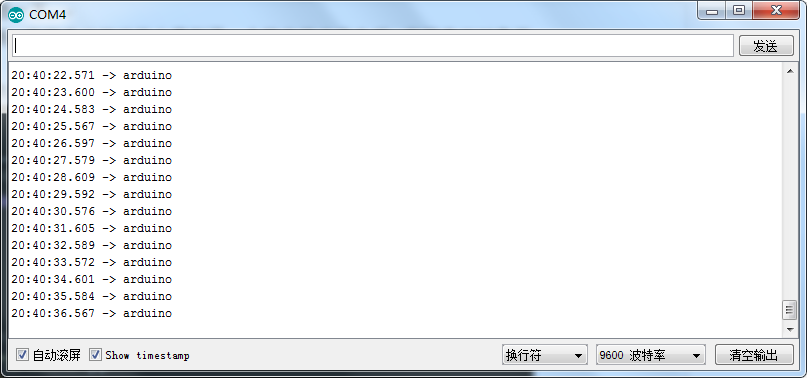
Let’s talk about the serial port again, mainly because we encountered a small problem earlier. Now, this problem has been resolved, but I still think it can be summarized. The main problem I enc...
More Recommendation
Arduino serial port driver for LGT8F328P
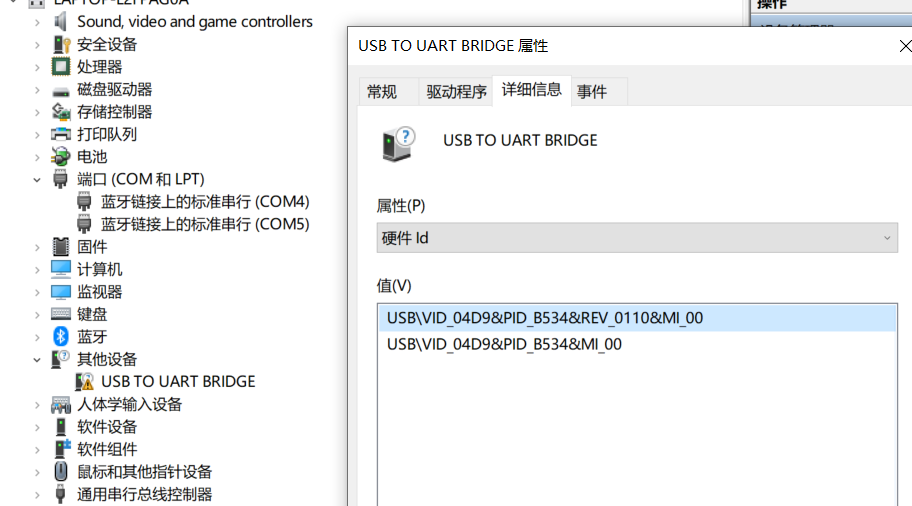
I bought a few LGT8F328P L Arduinos. I don’t know how to fix it these days. Maybe the win10 system has been updated and the driver cannot be installed. The serial port chip is HT42B534-1, HOLTEK...
7. Use of Arduino serial port
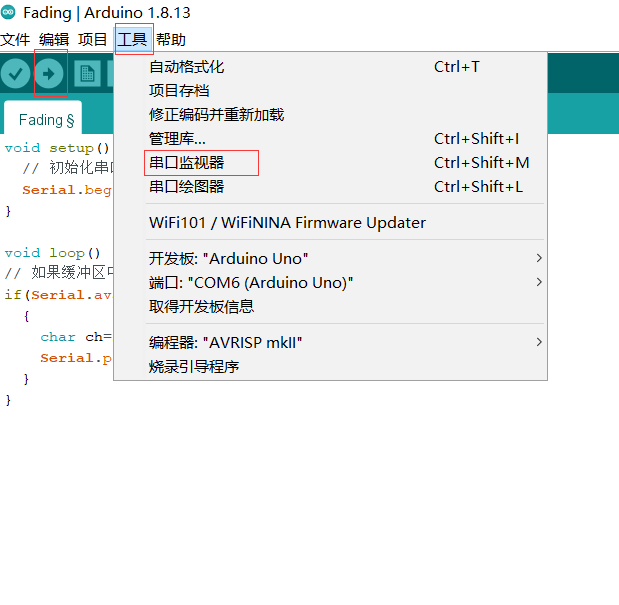
Arduino and computer communication most common way is serial communication When we use the USB cable to connect Arduino UNO and computers, Arduino UNO will virtualize a serial device on your computer....
Arduino hard serial port serial.peek ()
Serial.peek(); illustrate The data (character type) of the next byte in the serial cache, but does not delete the data from the internal cache. In other words, the continuous call () will return...
Arduino communicates with host serial port through serial serial port
ARDUINO part 2. Python section...
C # operations on the serial port
Initialize the serial port Send data to the serial port Receive data ...