[3D Vision] PCL Point Cloud Library Installation
tags: 3D visual
1, Installation dependency item
sudo apt-get updatesudo apt-get install git build-essential linux-libc-devsudo apt-get install cmake cmake-guisudo apt-get install libusb-1.0-0-dev libusb-dev libudev-devsudo apt-get install mpi-default-dev openmpi-bin openmpi-commonsudo apt-get install libflann-devlibflann1.8sudo apt-get install libeigen3-devsudo apt-get install libboost-all-devsudo apt-get install libvtk7.1-qt libvtk7.1 libvtk7-qt-devsudo apt-get install libqhull* libgtest-devsudo apt-get install freeglut3-dev pkg-configsudo apt-get install libxmu-dev libxi-devsudo apt-get install mono-completesudo apt-get install openjdk-8-jdk openjdk-8-jre
2, download the PCL source code
//downloadPCLSourcegit clone https://github.com/PointCloudLibrary/pcl.git//Compilecd pclmkdir releasecd releasecmake -DCMAKE_BUILD_TYPE=None -DCMAKE_INSTALL_PREFIX=/usr \ -DBUILD_GPU=ON-DBUILD_apps=ON -DBUILD_examples=ON \ -DCMAKE_INSTALL_PREFIX=/usr ..make
[Explanation:] Sudo Make: The basic use of Make is automatically compiled according to the command in the Makefile.
3. Install the program to the system
sudo make install[Explanation: Make Install: Install the program to the system. If the original code is compiled, and the execution result is correct, you can install the program to the system-preset executable to save the path. Default / usr / local / bin
4, test
cd ~/pcl/testpcl_viewer office1.pcd //Executing this command is displayed, indicating that the installation is complete
5. Execute your own CPP file
5.1 Creating a folder with Test_PCL
mkdir test_pclcd test_pcl
5.2 Creating a build folder in the TEST_PCL folder
mkdir build5.3 Copy the code to TEST_PCL.CPP
vim test_pcl.cpp # Copy the following code, launch save
#include <iostream>

#include <pcl/common/common_headers.h>

#include <pcl/io/pcd_io.h>

#include <pcl/visualization/pcl_visualizer.h>

#include <pcl/visualization/cloud_viewer.h>

#include <pcl/console/parse.h>

int main(int argc, char **argv) {

std::cout << "Test PCL !" << std::endl;


pcl::PointCloud<pcl::PointXYZRGB>::Ptr point_cloud_ptr (new pcl::PointCloud<pcl::PointXYZRGB>);


uint8_t r(255), g(15), b(15);


for (float z(-1.0); z <= 1.0; z += 0.05) {


for (float angle(0.0); angle <= 360.0; angle += 5.0) {


pcl::PointXYZRGB point;


point.x = 0.5 * cosf (pcl::deg2rad(angle));


point.y = sinf (pcl::deg2rad(angle));


point.z = z;


uint32_t rgb = (static_cast<uint32_t>(r) << 16 | static_cast<uint32_t>(g) << 8 | static_cast<uint32_t>(b));


point.rgb = *reinterpret_cast<float*>(&rgb);

point_cloud_ptr->points.push_back (point);

}


if (z < 0.0) {


r -= 12;
g += 12;


}


else {


g -= 12;


b += 12;


}


}


point_cloud_ptr->width = (int) point_cloud_ptr->points.size ();


point_cloud_ptr->height = 1;

 pcl::visualization::CloudViewer viewer ("test");


viewer.showCloud(point_cloud_ptr);


while (!viewer.wasStopped()){ };


return 0;

}
vim CMakeLists.txt # Copy the content below into cmakelists.txt and exit save
cmake_minimum_required(VERSION 2.6)
project(test_pcl)
find_package(PCL 1.2 REQUIRED)
include_directories(${PCL_INCLUDE_DIRS})

link_directories(${PCL_LIBRARY_DIRS})

add_definitions(${PCL_DEFINITIONS})
add_executable(test_pcl test_pcl.cpp)
target_link_libraries (test_pcl ${PCL_LIBRARIES})
install(TARGETS test_pcl RUNTIME DESTINATION bin)
5.4 operation
cd build # Enter the Build folder, perform the following command
cmake ..make./test_pclproblem:/usr/lib/x86_64-linux-gnu/libSM.so:right'uuid_generate@UUID_1.0’Unselected reference/usr/lib/x86_64-linux-gnu/libSM.so:right'uuid_unparse_lower@UUID_1.0’Unselected referencecollect2: error: ld returned 1 exit statusoutofcore/tools/CMakeFiles/pcl_outofcore_viewer.dir/build.make:368: recipe for target 'bin/pcl_outofcore_viewer' failedmake[2]: *** [bin/pcl_outofcore_viewer] Error 1CMakeFiles/Makefile2:1730: recipe for target 'outofcore/tools/CMakeFiles/pcl_outofcore_viewer.dir/all' failedmake[1]: *** [outofcore/tools/CMakeFiles/pcl_outofcore_viewer.dir/all] Error 2feng@feng-All-Series:~/pcl/release$ ldd /usr/lib/x86_64-linux-gnu/libSM.so |grep uuidlibuuid.so.1 => /lib/x86_64-linux-gnu/libuuid.so.1 (0x00007fb9c9a1c000)
solve:
sudo rm /home/anaconda3/lib/libuuid.so.1sudo ln -s /lib/x86_64-linux-gnu/libuuid.so.1 /home//anaconda3/lib/libuuid.so.1
refer to:
Solve libapr-1.so.0: undefined reference to ‘uuid_generate@UUID_1.0’
Intelligent Recommendation

See the knowledge of 3D point cloud dependence from the PCL library
The first time I used the PCL library, it was 2017. At that time, in order to extract the fire line (fire envelope: concave package), because the convex hull is very simple, but it does not meet the a...

Point Cloud Library (PCL)
PCL (PointCloudLibrary) is actually an open source c++ code base, which implements a large number of point cloud-related general algorithms and efficient data management structures, not only in the fi...

[3D Point Cloud Series] Data files and IO operations of PCL point cloud library
Click aboveblue font,Follow us Since the project involves point cloud target recognition and positioning and other related content, I started to get in touch with PCL-based 3D point cloud processing. ...
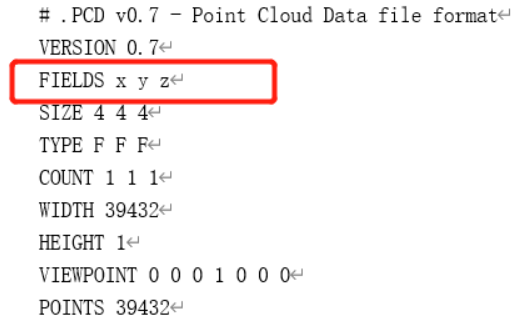
[PCL] Point cloud library PCL Common Error
This article is reprinted in "Point Cloud Library PCL from Getting Started to Exemption Implementation Compilation" Original connection: (1)error c4996: ‘fopen’: This function or...
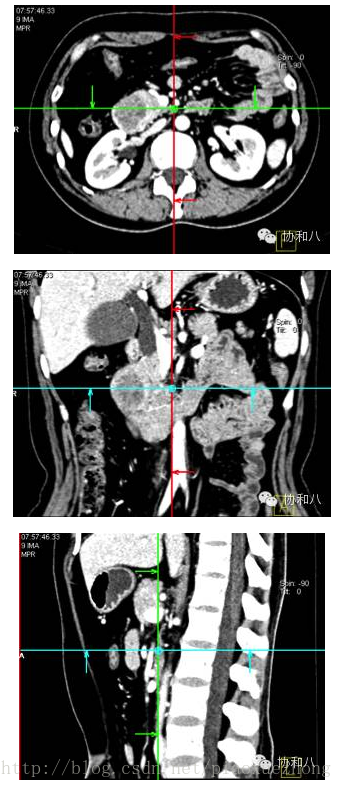
CT 3D reconstruction and 3D visualization data: opengl+VTK+PCL point cloud library
I have done my work on the 3D reconstruction of the edge contour. I am very interested in seeing an introductory article on CT 3D reconstruction today. There are six basic post-processing methods for ...
More Recommendation
Installation and demo of PCL point cloud library under Ubuntu16.04
Prerequisite component installation PCL point cloud library installation Note: If libpcl-all is installed under Ubuntu 14.04, the library version with the dev suffix and the library version without an...
The latest installation method of PCL point cloud library under Ubuntu16.04 (2020)
This article is based on the blog link: https://blog.csdn.net/qq_43145072/article/details/85953948 Thanks to the boss In the first step There will be a prompt that libappindicator1 is missing. The sol...
Preliminary learning of slam (two)--installation of PCL point cloud library
This article is reproduced from:http://www.linuxdiyf.com/linux/24123.html The following website details the dependent libraries for installing pcl. PCL is installed for an hour, which is normal. One, ...
Compilation installation PCL point cloud library, Kinect2 driver
Compilation and installation PCL point cloud library Official website and documentation Source code official website: https://github.com/pointcloudlibrary/pcl Installation method method one: Co...
Start ROS programming from zero - PCL point cloud library installation
System environment: ubuntu 18.04 Qt version: 5.9.9 VTK : 8.1.0 PCL : 1.9.1 Download link:https://github.com/PointCloudLibrar...