Android custom LINT debugging
tags: andorid Android Lint Android Lint
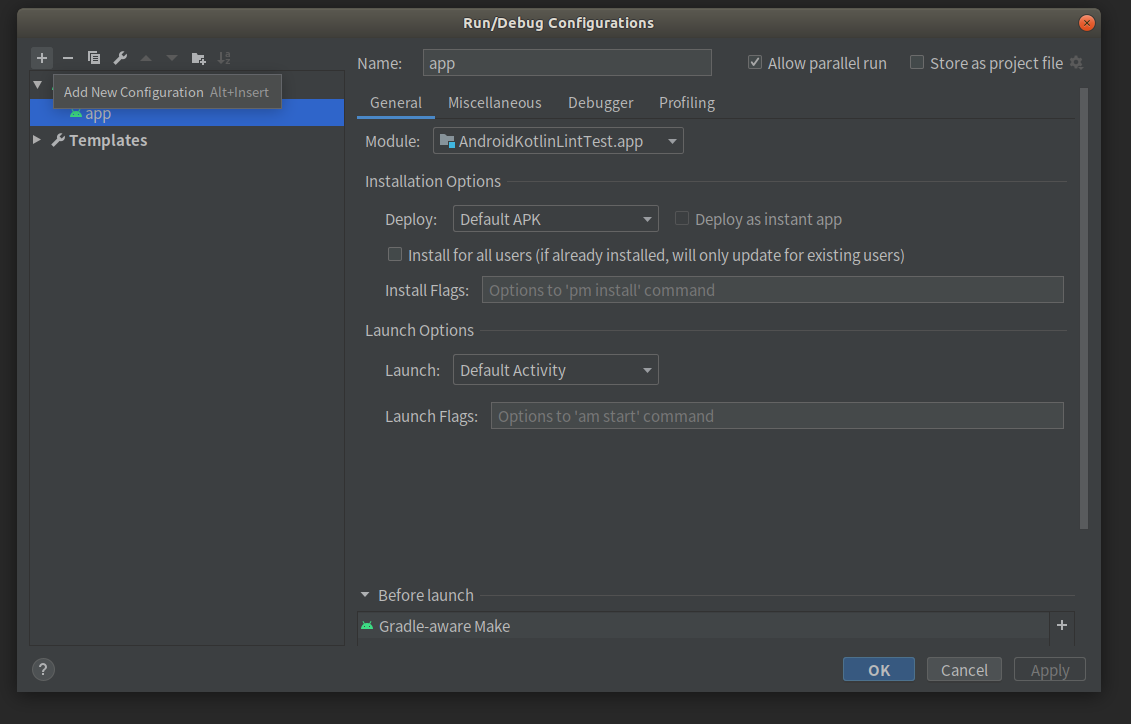
1. Click Edit Configurations

2. Click the + number Add New Configuration button
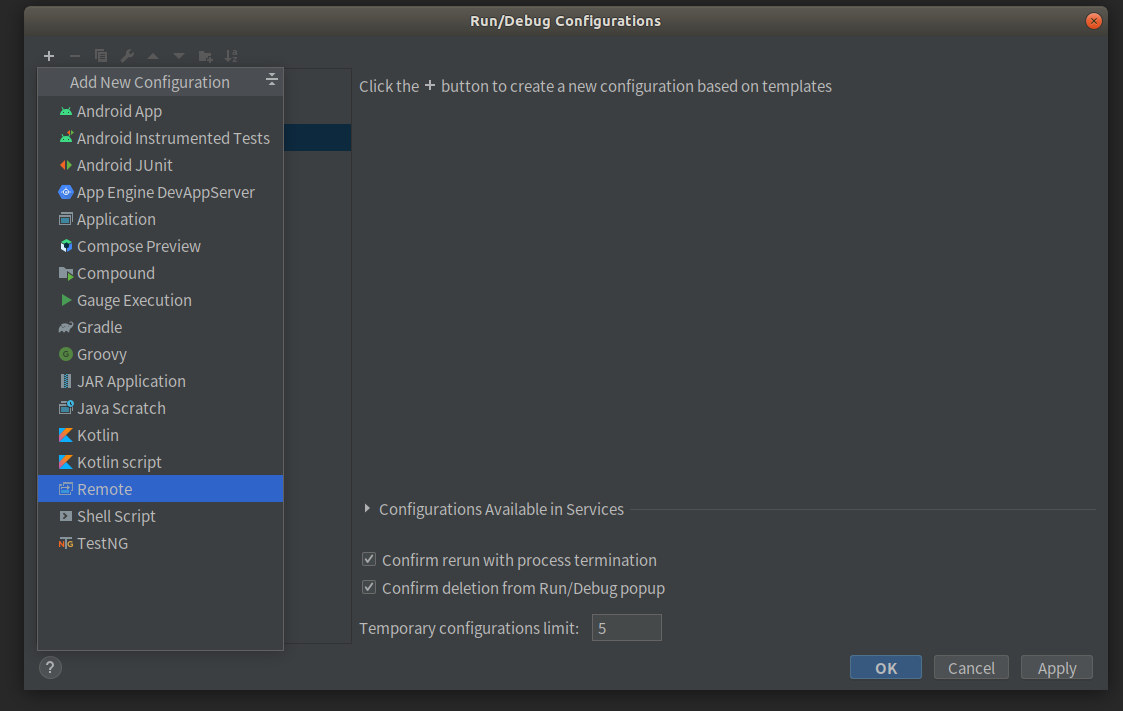
3. Select Remote
4. There is no special situation, you can use the default template directly, fill in the configuration name, here is a LinTdebug
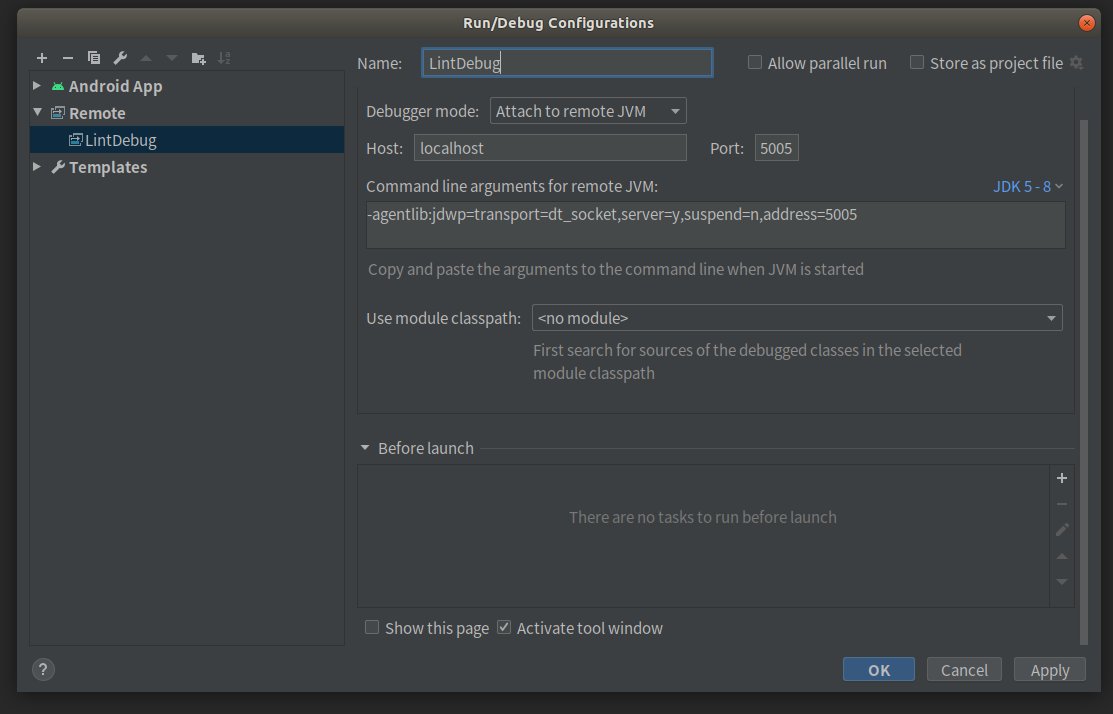
5. Select the configuration created by the Configuration, LintDebug

6. In the preparation of the LINT inspection rules, you need to adjust the breakpoints. Perform the following command under the Teminal window
./gradlew --no-daemon -Dorg.gradle.debug=true :app:lintDebug
Window output into the following state, waiting for Debug

7. Click the Debug button to enter the debug mode

8. Subsequent tests, repeat 5, 6, 7 steps
Intelligent Recommendation

[My Android Advanced Tour] Android Custom Lint Practice
background In August 2017, I started to promote static code detection tools such as Lint and FindBugs in the company. Then I found that the Issue detected by the system's Lint does not meet the specif...

Android Custom Lint Practice 2-Improve Native Detector
Previous blog"Android Custom Lint Practice"In the article, we introduced how Meituan App uses custom Lint for code inspection. In the process of using Lint, we have found some problems and d...
Android custom Lint implements static code scanning tool
Article Directory About static code scanning tools Simple use of Lint 1. Combination of Lint and IDE Two, the combined use of Lint and gradle commands The specific location is as follows: The generate...
Introduction to custom Lint rules
Last month, I listened to Matthew Compton's speech about writing his own Lint rules at the BarCamp seminar at Droidcon in Paris. After being deeply inspired, the author would like to do further explor...
Custom LINT rules
Google is still more important to this piece, and can be seen from frequent updates. AndroidStudio2.0 + need to manually copy the lint.jar to .android / LINT / under; AndroidStudio3.0 + supports the f...
More Recommendation
Custom LINT check rules
Article catalog First, the basic use of the LINT Interface operation 2 command line run Second, custom LINT rules Step 1: Create a LINT rule library 1.1 Defining ISSUE 1.2 Defining Detector 1.3 Define...
Android studio lint check
android studio 3.2.1 Android:debuggable="true" When compiling and generating debug version, it will not be checked by lint. will not be checked when compiling and releasing the release versi...

Android development optimization (Lint)
Use Lint to find problems in your own code: 1. Top toolbar found :Analyze-->Inspect Code Find the tool.png 2. Select the range to check (default whole project) Check range.png 3. View the results C...
Introduction to Android Lint
My blogoriginal English original: http://tools.android.com/tips/lint Reference article: First, the introduction Android Lint It is a tool introduced after SDK Tools 16 (ADT 16). It scans and checks An...
Android Lint use
Android Line source integrated in the 16 newer version and Android SDK Tools, you can call Lint checks Analyze> Inspect Code path of Android Studio, you can also use the command line call: 1. Confi...