6.CMake find_package use summary
background
In many cases, compiling a project requires linking to a third-party library. In this case, you need to know the following information about the third-party library:
- .h header file address
- Dynamic library .so or static library .a file address
- The name of the linked library
Common library
Some commonly used libraries will provide oneFindXXXX.cmakeFile, at this point we only need to use the following command (log4cppFor example)
# Add REQUIRED parameter to indicate that this is a required dependency library
find_package(LOG4CPP REQUIRED)
include_directories(${LOG4CPP_INCLUDE_DIR})
Directory Structure
In order to be able to wrap multiple Finder, you need to organize the following directory structure to add related modules later.
├── CMakeLists.txt
│   ├── cmake
│ │ ├── modules # to store FindXXXX.cmake
│   │   │   └── FindLOG4CPP.cmake
│   │   └── toolschain
 │ │ └── Tiny4412.cmake # for storing toolschain.cmake
Add the modules path to the top level CMakeLists.txt
set(CMAKE_MODULE_PATH
    APPEND "${CMAKE_SOURCE_DIR}/cmake/modules/"
    )
Unusual library
Sometimes, some libraries do not provide CMake module files, or usemakefileTo compile, you need to write the Finder, build./cmake/modules/A directory to hold the Finder used by this project. Top layerCMakeLists.txtAdd the following command
set(CMAKE_MODULE_PATH
    APPEND "${CMAKE_SOURCE_DIR}/cmake/modules/"
    )
(still using log4cpp as an example) to create a nameFindLOG4CPP.cmakeThe contents of the file are as follows
# - Find Log4cpp
# Find the native LOG4CPP includes and library
#
#  LOG4CPP_INCLUDE_DIRS - where to find LOG4CPP.h, etc.
#  LOG4CPP_LIBRARIES   - List of libraries when using LOG4CPP.
#  LOG4CPP_FOUND       - True if LOG4CPP found.

 # Determine if log4cpp is already included
if (LOG4CPP_INCLUDE_DIR)
  set(LOG4CPP_FIND_QUIETLY TRUE)
endif ()

 # Find header file location
 # PATH_SUFFIXES Path suffix, normal installation of log4cpp is located in the system path /log4cpp/ folder
find_path(LOG4CPP_INCLUDE_DIR
  NAMES Category.hh
     # You can manually create a search path by using the following command:
  # PATHS /usr/local/include
  PATH_SUFFIXES log4cpp
  DOC "Log4cpp include directories"
)

 # Find library file location
find_library(LOG4CPP_LIBRARY
  NAMES log4cpp
  DOC "Log4cpp library"
)

 # Assign a value to the relevant variable when both the header file location and the library file location are found
if (LOG4CPP_INCLUDE_DIR AND LOG4CPP_LIBRARY)
  set(LOG4CPP_FOUND TRUE)
  set(LOG4CPP_LIBRARIES ${LOG4CPP_LIBRARY})
  set(LOG4CPP_INCLUDE_DIRS ${LOG4CPP_INCLUDE_DIR})
else ()
  set(LOG4CPP_FOUND FALSE)
  message(WARNING "LOG4CPP not found")
endif ()

 # Print some error messages
if (LOG4CPP_FOUND)
  if (NOT LOG4CPP_FIND_QUIETLY)
    message(STATUS "Found LOG4CPP: ${LOG4CPP_LIBRARIES}")
  endif ()
else ()
  if (LOG4CPP_FIND_REQUIRED)
    message(STATUS "Looked for LOG4CPP libraries named ${LOG4CPPS_NAMES}.")
    message(FATAL_ERROR "Could NOT find LOG4CPP library")
  endif ()
endif ()

 # This option is not very understandable, it seems to be used for cmake gui
mark_as_advanced(
  LOG4CPP_LIBRARIES
  LOG4CPP_INCLUDE_DIRS
)
link
At this point, you only need to write the relevant variables in the way of the common library.include_directoriesYes, link when generating the executable
add_executable(test test.cc)
target_link_libraries(test ${LOG4CPP_LIBRARIES})
Intelligent Recommendation
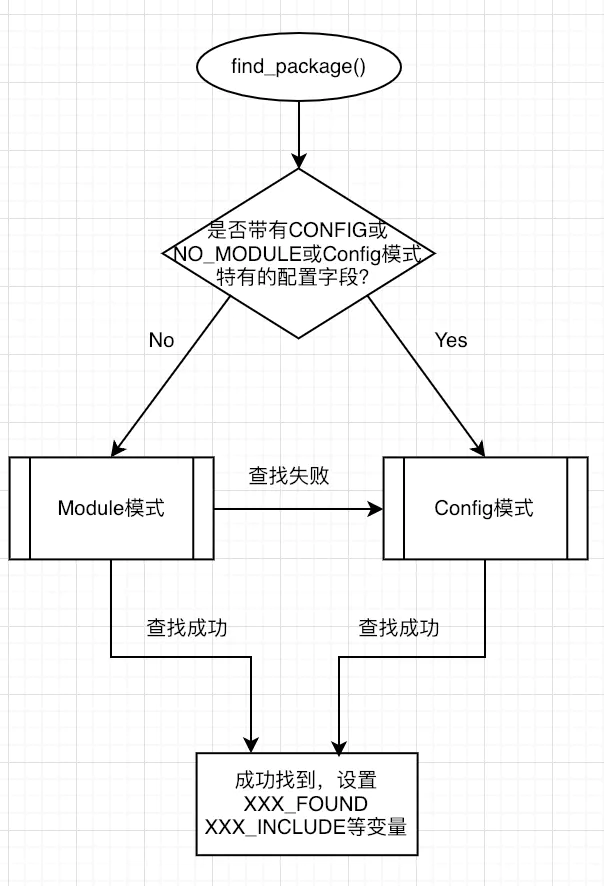
Use of find_package()
The find_package() command is used to find dependent packages. Ideally, a sentence find_package() will get the header file including path, library path, library name, version number, etc. of the entir...
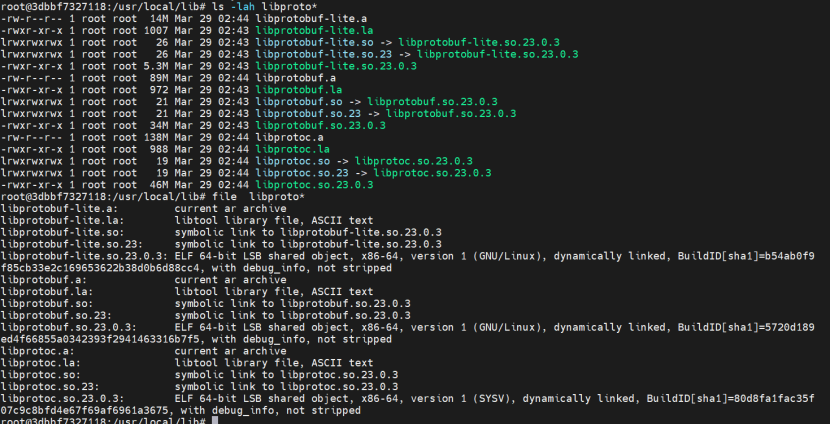
[Cmake / protobuf] When cross-compile, use Find_Package failed in CMAKE
content 1, problem description 2. Problem 3, solution 4, DEMO verification 1, problem description In the ARM environment, look for the Protobuf library with protobuf_generate_cpp, use protobuf_generat...
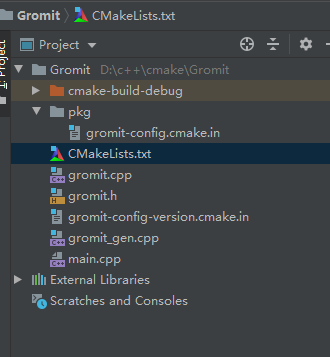
cmake learning (2) create a library and use find_package to find the package
Chapter 5 of Mastering_CMake creates its own package and uses find_package in other projects to find its own created package ide is clion, gcc environment is MinGW Project directory and files 1. Creat...
Cmake entry (four) find_package
Find_package is a very important instruction in Cmake.Simple to use, powerful。 Let's first introduce its operation process, taking the most used opencv as an example: 1.find_packageLook for OpenCV con...
find_package () in order to find * .cmake
1、 find_package(<Name>)Command first looks for the module pathFind<name>.cmakeThis is a typical way to find the library. Find a specific path followed by CMake: variable${CMAKE_MODULE...
More Recommendation
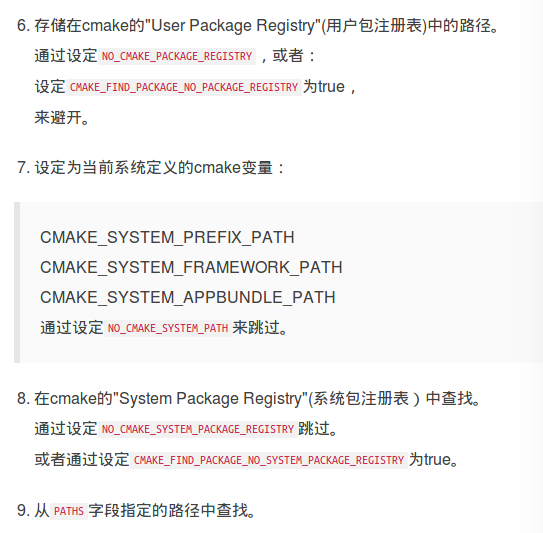
CMake learning log find_package
Reprinted and summarized fromIn-depth understanding of CMake (3): the use of find_package() CMake learning log find_package First, first clarify the default search path Second, understand the two mode...

cmake find_package opencv not found
cmake find_package opencv not found #find opencv lib find_package(OpenCV REQUIRED NO_MODULE # should be optional, tells CMake to use conf...
CMAKE: Detailed Find_Package
referenceCMAKE official documentation find_package()There are two usage:Basic Signature and Module ModewithFull Signature and Config Mode。 in front of CMAKEModulesFind under the directoryFind<Packa...
Study in cmake in Find_Package
One problem that is often encountered when cmakelists.txt compiles the corresponding package, such as an error is as follows: Our own cmakelists.txt writtenfind_package(catkin REQUIRED COMPONENTS ,[RE...
CMAKE FIND_PACKAGE Specified Path
CMAKELISTS.TXT The result is not found to find Torch. Let Find_Package toSpecify pathSearch, there are three ways: Set DIR Set Torch_Dir in cmakelists.txt Set PATHS CMAKELISTS.TXT modification Specify...