Enter the service mysql status in Centos Linux error Mysql.Service Could Not Be Found
Enter the service mysql status error
[root@template-centos7 bin]# service mysql status
Redirecting to /bin/systemctl status mysql.service
Unit mysql.service could not be found.
Check if there is mysql in the environment, see again in the USR directory and MySQL
[root@template-centos7 bin]# whereis mysql
mysql: /usr/lib64/mysql /usr/share/mysql
[root@template-centos7 bin]# chkconfig --list | grep off
Or use the yum list | grep mysql command to find the YUM source has mysql, seeing my environment is
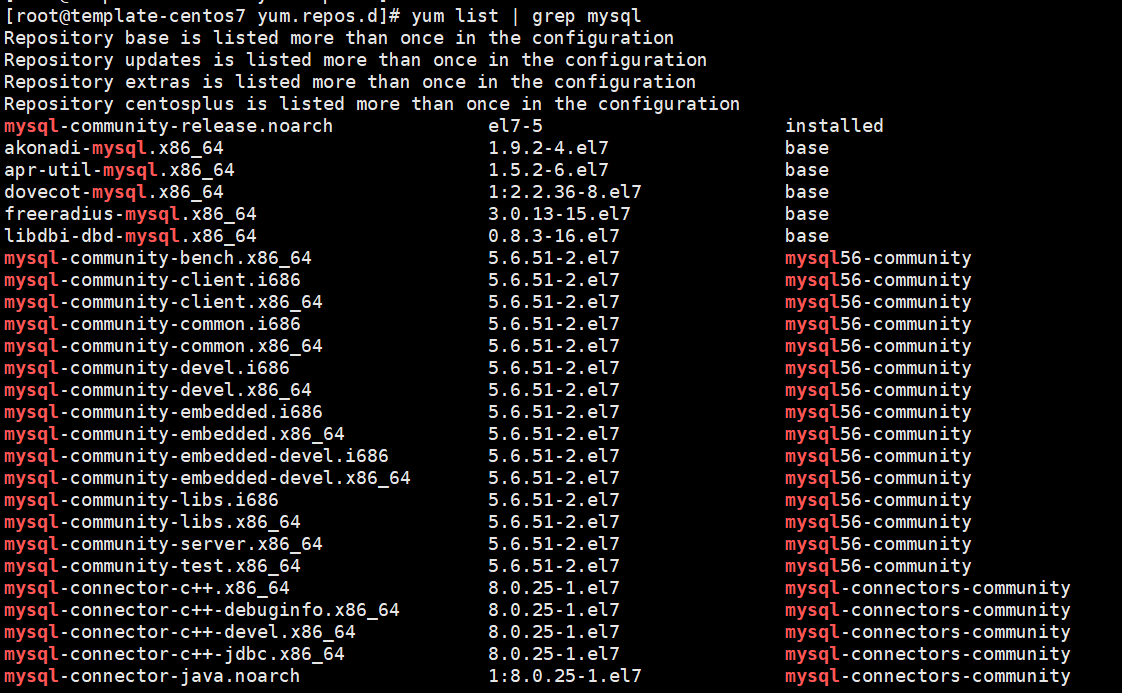
It can be seen that there is not a shadow of MySQL-Server, then there is no mysql-server service in the judgment environment.
First download MySQL's REPO source
wget http://repo.mysql.com/mysql-community-release-el7-5.noarch.rpm
[root@template-centos7 ~]#  wget http://repo.mysql.com/mysql-community-release-el7-5.noarch.rpm
--2021-05-25 11:20:43--  http://repo.mysql.com/mysql-community-release-el7-5.noarch.rpm
Resolving repo.mysql.com (repo.mysql.com)... 184.26.84.248
Connecting to repo.mysql.com (repo.mysql.com)|184.26.84.248|:80... connected.
HTTP request sent, awaiting response... 200 OK
Length: 6140 (6.0K) [application/x-redhat-package-manager]
Saving to: ‘mysql-community-release-el7-5.noarch.rpm’

100%[====================================================================================================>] 6,140       --.-K/s   in 0s

2021-05-25 11:20:44 (19.6 MB/s) - ‘mysql-community-release-el7-5.noarch.rpm’ saved [6140/6140]
Install the source package, install mysql-community-release-EL7-5.NOARCH.RPM package
sudo rpm -ivh mysql-community-release-el7-5.noarch.rpm
[root@template-centos7 ~]# sudo rpm -ivh mysql-community-release-el7-5.noarch.rpm
Preparing...                          ################################# [100%]
Updating / installing...
   1:mysql-community-release-el7-5    ################################# [100%]
After installing this package, you will get two MySQL Yum Repo sources:
/etc/yum.repos.d/mysql-community.repo and
/etc/yum.repos.d/mysql-community-source.repo。

Install mysql
$ sudo yum install mysql-server
[root@template-centos7 yum.repos.d]# sudo yum install mysql-server
Loaded plugins: fastestmirror, product-id, search-disabled-repos, subscription-manager

This system is not registered with an entitlement server. You can use subscription-manager to register.

Repository base is listed more than once in the configuration
Repository updates is listed more than once in the configuration
Repository extras is listed more than once in the configuration
Repository centosplus is listed more than once in the configuration
Loading mirror speeds from cached hostfile
 * base: mirrors.aliyun.com
 * extras: mirrors.aliyun.com
 * updates: mirrors.aliyun.com
mysql-connectors-community                                                                                             | 2.6 kB  00:00:00
mysql-tools-community                                                                                                  | 2.6 kB  00:00:00
mysql56-community                                                                                                      | 2.6 kB  00:00:00
(1/3): mysql-connectors-community/x86_64/primary_db                                                                    |  80 kB  00:00:00
(2/3): mysql-tools-community/x86_64/primary_db                                                                         |  88 kB  00:00:00
(3/3): mysql56-community/x86_64/primary_db                                                                             | 297 kB  00:00:01
Resolving Dependencies
--> Running transaction check
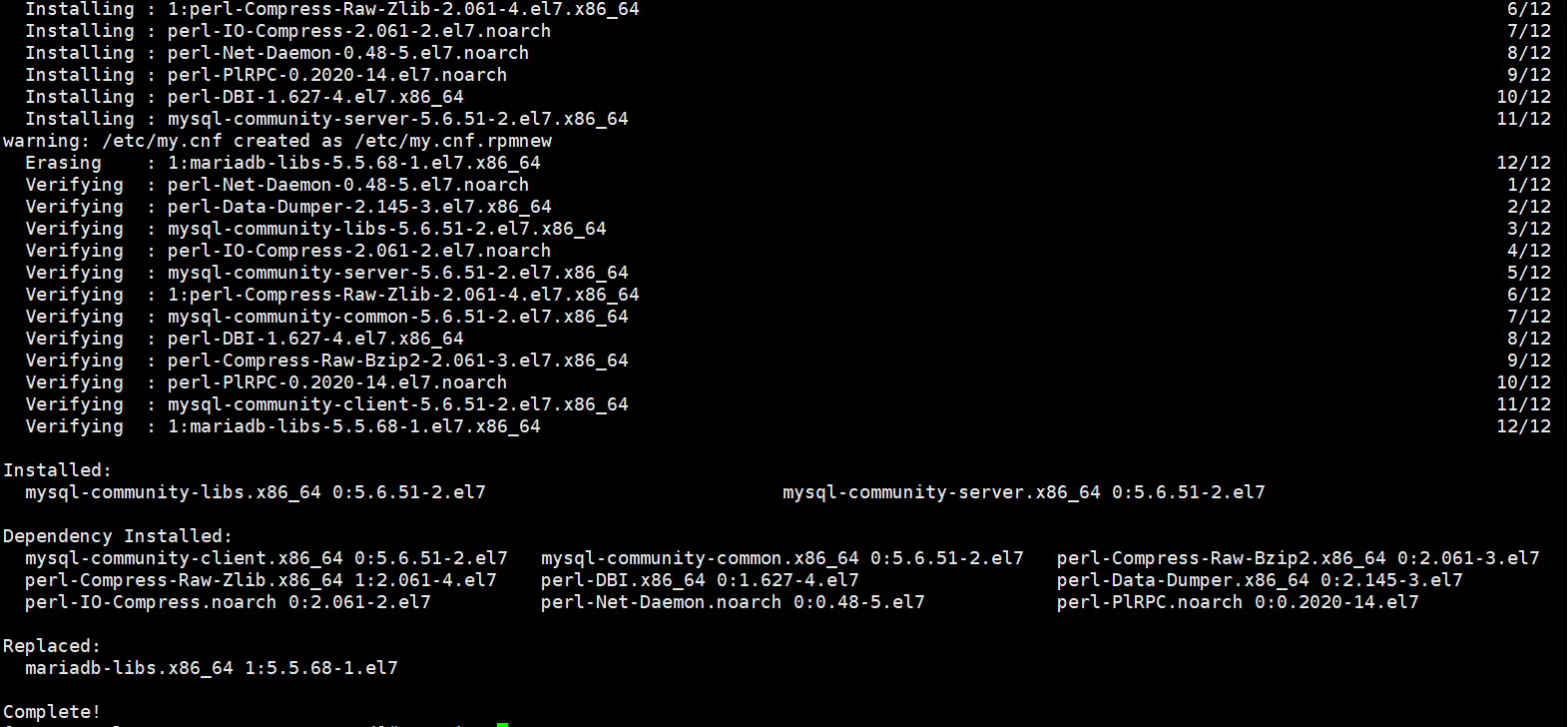
Enter service mysql status
[root@template-centos7 yum.repos.d]# service mysql status
Redirecting to /bin/systemctl status mysql.service
● mysqld.service - MySQL Community Server
   Loaded: loaded (/usr/lib/systemd/system/mysqld.service; enabled; vendor preset: disabled)
   Active: inactive (dead)
Enter the service mysqld start start service.
Intelligent Recommendation
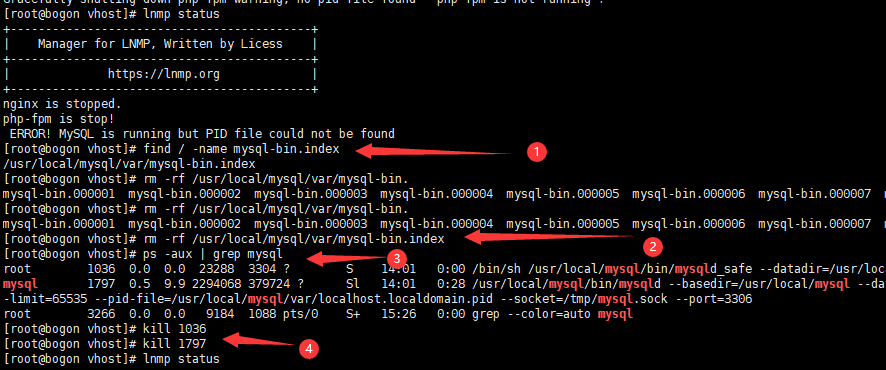
ERROR! MySQL is running but PID file could not be found
ERROR! MySQL is running but PID file could not be found solve Start, restart, or view the MySQL status in CentOS ERROR! MySQL is running but PID file could not be found solve Step 1: Find the mysql-bi...
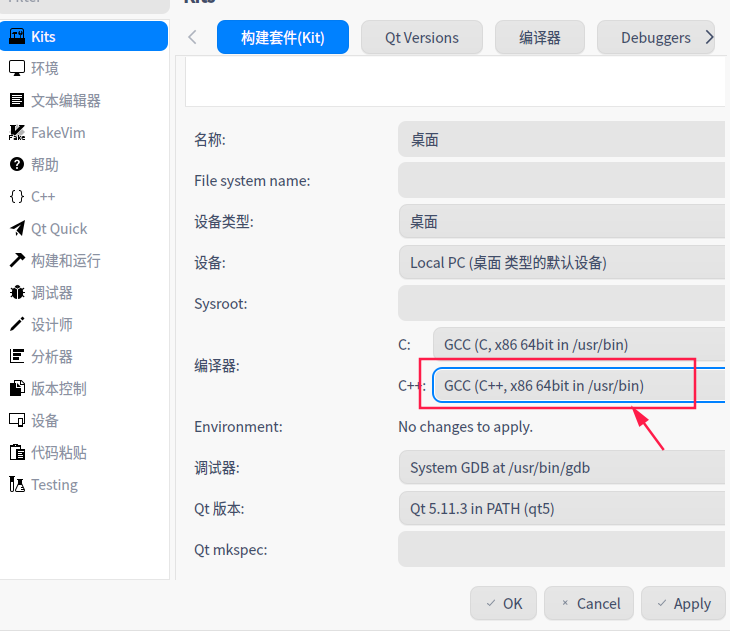
uos linux Qtcreator Error::NO CMAKE_CXX_COMPILER could be found
question: Open the CMAKE project with QTCREATOR and find that CMAKE prompts to find the C ++ compiler solve: Add C ++ compiler...
【linux】CMake Error in CMakeLists.txt: No CMAKE_CXX_COMPILER could be found.
– The C compiler identification is GNU 7.5.0 – The CXX compiler identification is unknown – Check for working C compiler: /usr/bin/cc – Check for working C compiler: /usr/bin/c...
Error: HTTP Status 500 - Could not write content: No serializer found
If you have no Session, please refer toSpringDataJpa - NoSession analyze and solve problems After you configure lazy loading, no error no serializer deserializer appear The reason: jpa lazy load the o...
Systemctl Status Network error: Unit Network.service Could Not Be found
@Systemctl Status Network error: Unit Network.service Could Not Be foundtoc Systemctl Status Network error: Unit Network.service Could Not Be found CENTOS7, in the Using the Command Systemctl Status N...
More Recommendation
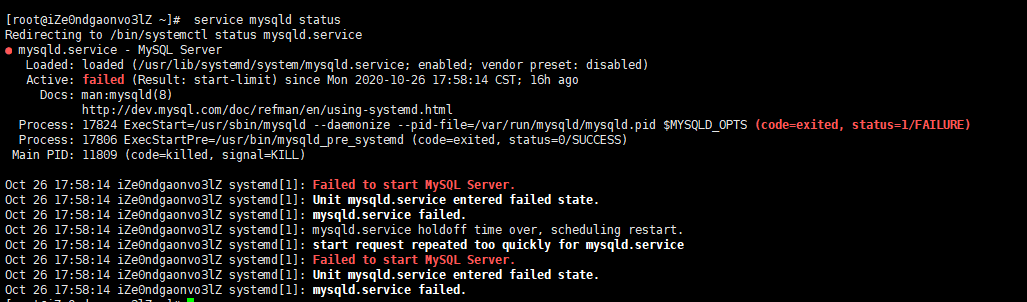
linux view MySQL service status
Recently, my blog server always hangs down. Although I am using Alibaba Cloud with a relatively low configuration, it has been well and relatively stable before. I feel that this set of Road Cloud is ...
Centos solves bash: service: command not found error
forward from: In the centos system, if there is no service command in the /sbin directory, it will appear. 1 The solution steps are as follows: 1, input 1 Will appear: 1 (In fact, there are thr...
View the status of the firewall under Linux. Unit iptables.service could not be found
Original link: View firewall status under linux [root@localhost src]# service iptables status In CentOS 7 or RHEL 7, the firewall is managed by firewalld. If you want to add a range exception port, su...

The mysqld service fails to start under CentOS 7 and the error log cannot be found: mysqld.service: main process exited, code=exited, status=1/FAILURE
**Some reference posts: https://www.cnblogs.com/waycx/p/10084447.html [CentOS 7 mysqld service failed to start the ultimate solution] https://blog.csdn.net/huanghaifei922/article/details/54018508【The ...
Mysql error: Error! MySQL Server Pid File Could not be found!
Mysql error: Error! MySQL Server Pid File Could not be found!...