Communication between Matlab&Simulink and ROS (detailed graphics)
tags: Matlab/simulink matlab Autopilot Development language


foreword
As we all know, Matlab&Simulink is a powerful data processing and algorithm design tool, and provides an interactive interface with ROS, which allows the two to establish a connection to realize the information interaction between Windows and Ubantu systems. At the same time, Matlab/Simulink can also design and develop such as machine Robot application algorithms such as vision and motion control, realize rapid prototyping and integration of algorithms in ROS, and accelerate the design process and verification of complex algorithms for robots. Based on the communication mechanism of the ROS system, Matlab/Simulink can be used as a ROS master or a common node to realize the management and communication of nodes in ROS respectively. the
Required knowledge: ROS, Ubantu, Matlab, Simulink related knowledge.
The first step: get ubantu address
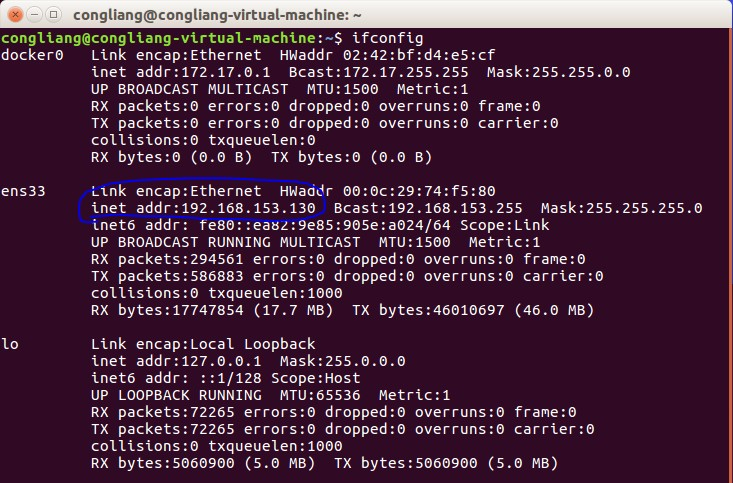
Obtain the IP under the Ubantu system, open a terminal and enter ifconfig, which is slightly different from the ipconfig of windows, and then you can see the IP address of the virtual machine:
Step 2: Configure the Matlab environment
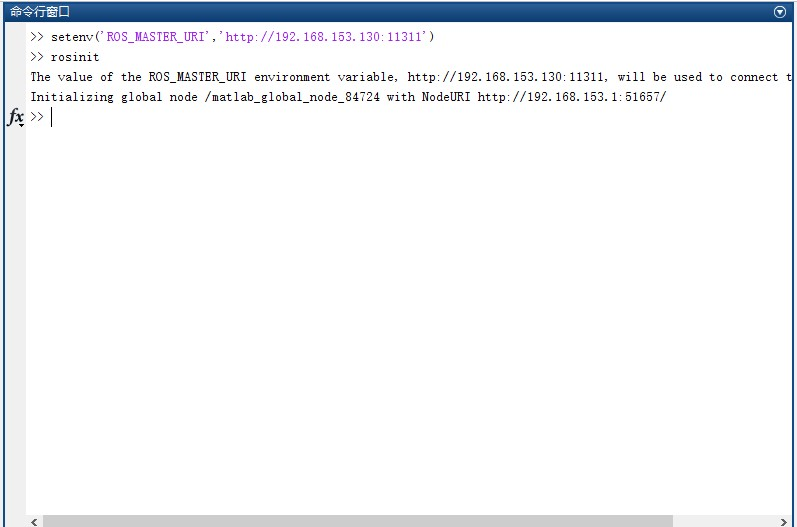
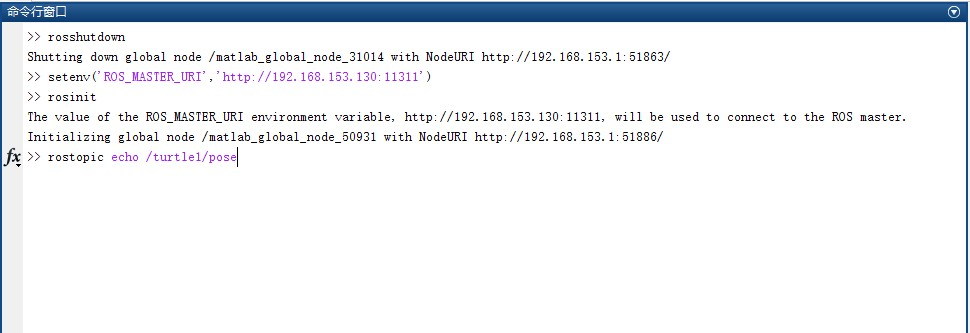
Open Matlab: enter setenv('ROS_MASTER_URI','http://192.168.153.130:11311') (the IP address of Ubuntu, you can see the same information after running the ROS master node), then enter rosinit, pay attention to the need before entering ronsinit Run roscore, otherwise you will not be able to connect to ROS.
The configuration in the Matlab environment is as follows:
 Step 3: Run the Ros node
In this way, matlab and Ros will establish communication, and then run the turtle example for illustration:
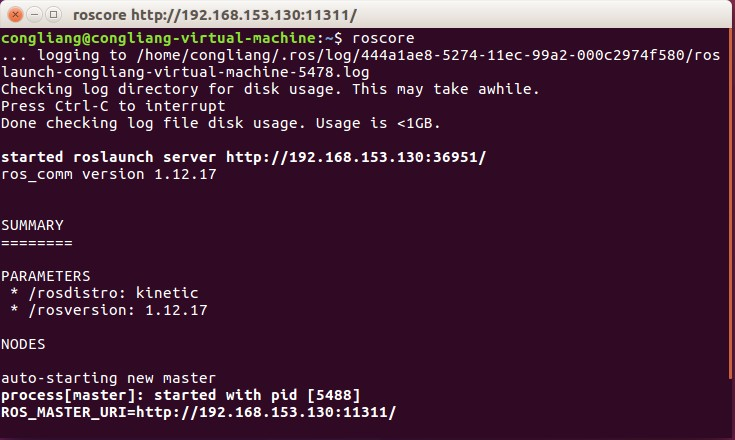
First, we run the master node:roscore
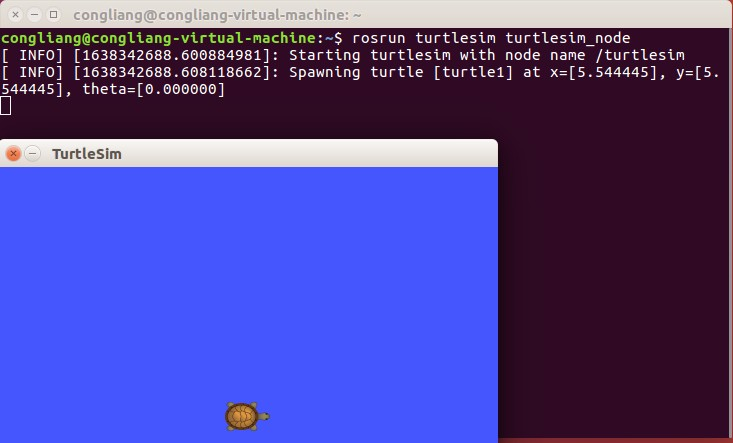
Then, open a new terminal and run the turtle node:$ rosrun turtlesim turtlesim_node
Then, the shortcut key Ctrl+Alt+T runs a keyboard node to control the movement of the turtle:$ rosrun turtlesim turtle_teleop_key
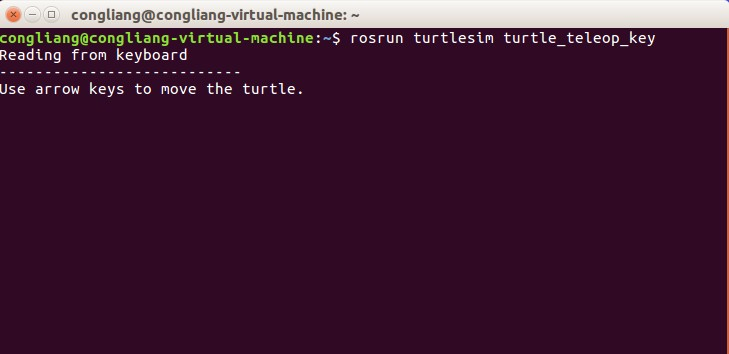
Immediately afterwards, place the mouse on the last opened new terminal, and press the up, down, left, and right arrows on the keyboard to control the movement of the turtle. In order to verify whether ROS and matlab can communicate, we open a new terminal and display a topic information
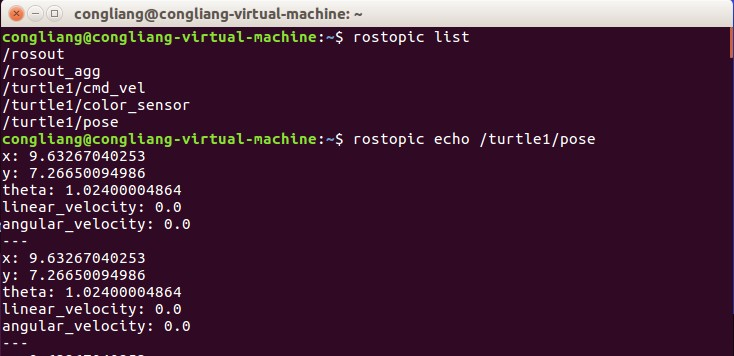
Step 4: Run Matlab
Similarly, enter rostopic echo /turtle1/pose in the matlab command window at this time
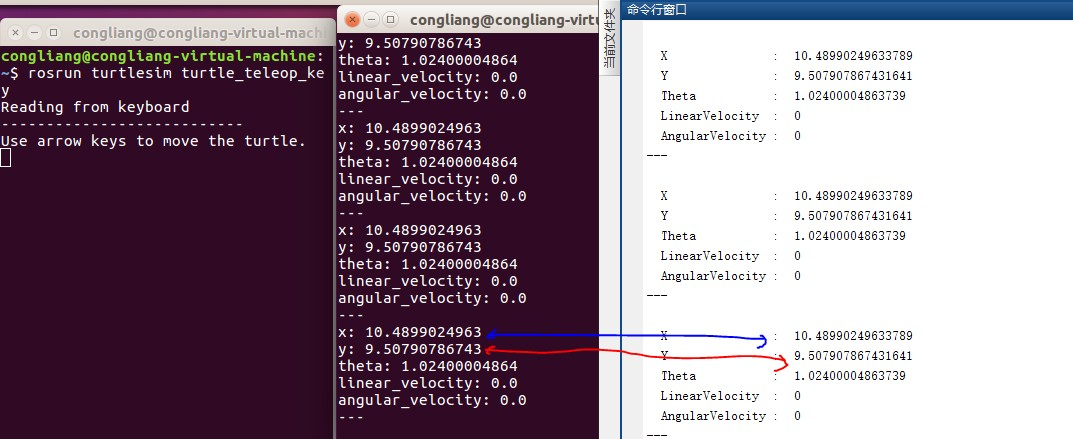
Then move the turtle, you can see that the terminal display on Ubantu is consistent with the Matlab command window display:
Step 5: Configure simulink model and run
We open Simulink, create a new model in simulink, introduce the subscription (Subscirbe) module, and add Busselector to select the signal we want to observe.
Double-click the Subscribe module and select Configure network addresses:
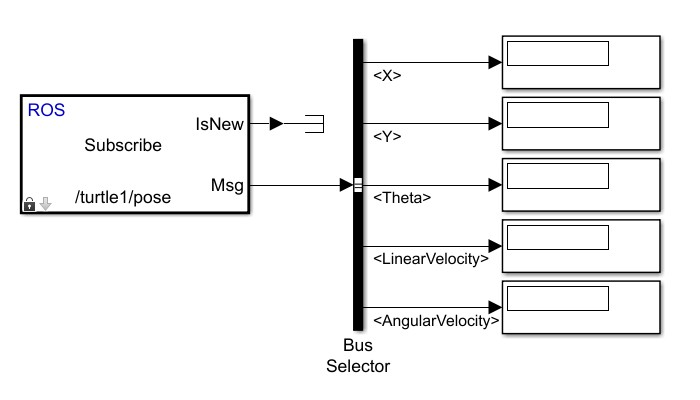
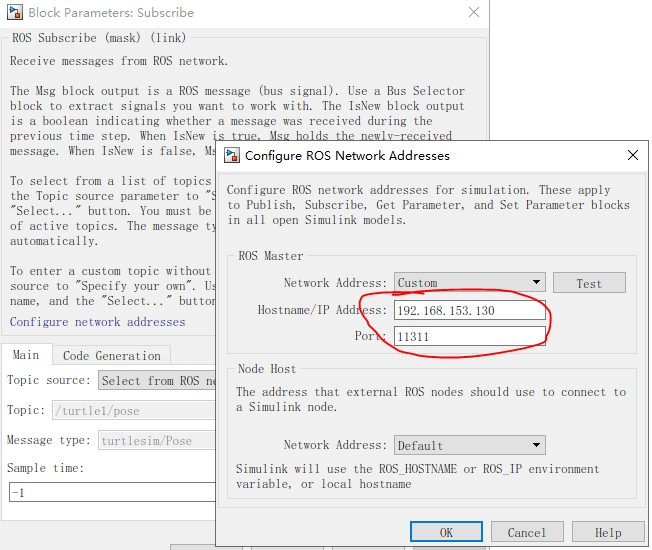
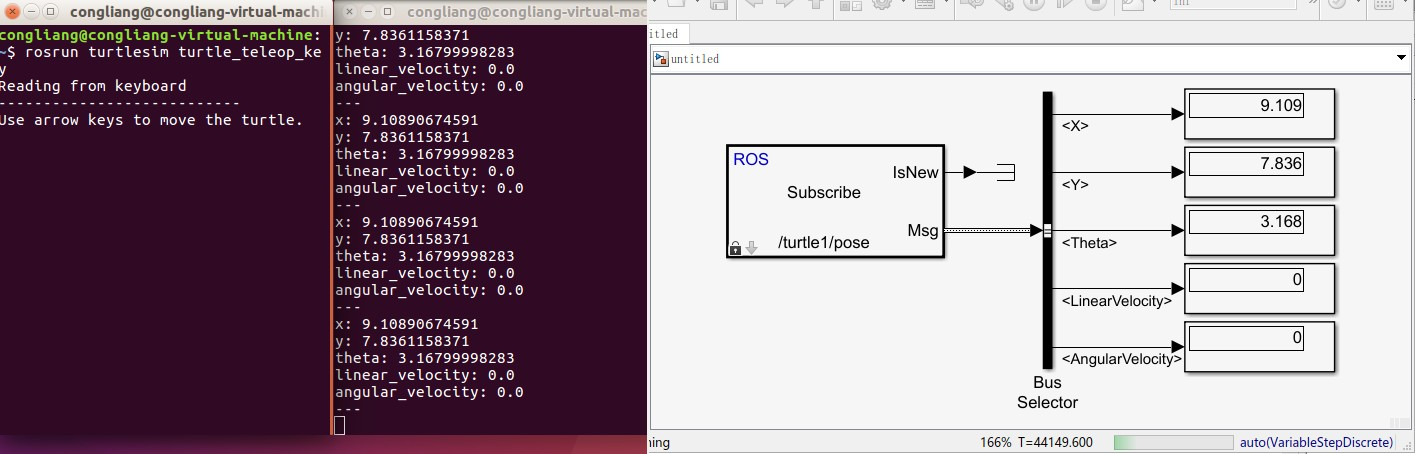
After the above configuration is done, change the simulink simulation time to inf, click Run, and control the movement of the turtle on ubantu, you can see that the pose of the turtle on ubantu is the same as that in simulink
Intelligent Recommendation
ROS communication between different computers
table of Contents 1. Use chrony for time synchronization 2. Use Zeroconf for ROS networking 3. Test connectivity 4. Set environment variables 5. Run ROS nodes separately on two devices A typical appli...
Serial communication between stm32 and ros
Recently the teacher customized a pneumatic grip. The principle of the grip is simple. It is mainly inflated by an air pump and controlled by 24v voltage. Then the grip is closed and opened by powerin...

Servial communication between STM32F103C8T6 and ROS
Servial communication between STM32F103C8T6 and ROS Foreword Introduction <1> The final agreement <2> The function of the API implementation provided by this program principle <1> Br...
Communication between ROS and STM32 2
Use Jetson Nano to perform communication between ROS and STM32 2 The ROS side sends a message to STM32 1. STM32 end acceptance program 2. ROS sending program 3. Configure the launch file 4. Configurat...
Communication between ROS and STM32 1
Use Jetson Nano to perform communication between ROS and STM32 1 Hardware condition STM32 Send a message to the ROS side 1. STM32 needs to inform the ROS side IMU and speed information 2. The data fro...
More Recommendation
Matlab establishes communication with Ros
(Windows system MATLAB + virtual machine Ubuntu Ros) 1. Use the ipconfig command to find the ip address of the physical machine. 2. Use the ifconfig command to find the ip address of Ubuntu. 3. Enter ...
ROS and MATLAB communication
The communication between ros and matlab uses the master-slave strategy in ros. 1 Preparation conditions 1. First of all, we need to install the "Robotics_System_Toolbox" toolbox on matlab. ...
A test of ROS and MATLAB communication
Test environment: Ubuntu version: 14.04, ROS version: indigo, MATLAB version: R2015b; Requirements: ROS host and MATLAB slave must be in the same LAN. How to view the ip address under windows: open th...
Matlab and ROS-communication
1. Communication ROS system terminal input matlab side Turtle walking in circle...
Communication between simulink and c++
I was working on a small project recently and needed to call simulink in C++, so I investigated this development technology. The following are three implementation methods. In theory, all three method...