Robotics Toolbox: (4) Commonly used functions
forward fromHere
Build the robot:
Link

SerialLink. name

SerialLink. plot

SerialLink.display
Kinematics:
SerialLink.A

s = R.A(jlist, q)% returns the homogeneous matrix of the jlist joint, the joint variable is q

SerialLink.trchain


SerialLink.getpos

q = R.getpos(),% Returns the angle of each joint of the robot at the current position in the graph

SerialLink.fkine

T = R.fkine(q, options),% for positive kinematics, options can be set to ‘deg’
Inverse kinematics:
SerialLink.ikine6s
q = R.ikine6s (T),% seek the inverse kinematics of a 6-DOF robot with spherical wrist
SerialLink.ikine
q = R.ikine(T)% inverse kinematics
q = R.ikine(T, q0, options),% inverse kinematics, can be used for greater than or equal to6Articulated robot
SerialLink.ikine3
q = R.ikine3 (T),% Seeking inverse kinematics of a robot without a wrist joint (three degrees of freedom)
SerialLink.ikine_sym
q = R.IKINE SYM (k, options),% finds the inverse kinematics where the end pose matrix is a symbolic matrix typeJacobian matrix:
SerialLink.jacob0

j0 = R.jacob0 (q, options),% seeking Jacobian matrix, in the world coordinate system

V = j0*QD

SerialLink.jacobn

jn = R.jacobn(q, options),% seeking Jacobian matrix, in the end manipulator space

V = jn*QD

SerialLink.jacob_dot

jdq = R.jacob_dot (q, qd),% find the differentiation of the Jacobian matrix

XDD = J(q)QDD + JDOT(q)qd
dynamics:
SerialLink.pay

tau = R.PAY(w, J),% According to the terminal load w and the Jacobian matrix j, find the joint force

tau = R.PAY(q, w, f),% According to the terminal load w and the joint variable is q Jacobian matrix, find the joint force. f = 0, world coordinate system. f = 1, the end joint coordinate system.

tau = J'w

SerialLink.paycap

 [wmax,J] = R.paycap(q, w, f, tlim),% Find the joint variable is q, the effective load is w, and the reference force that the joint can bear is tlim, the maximum allowable force wmax at the end, and the joint J that reaches the force limit at this time

SerialLink.payload

R.payload(m, p),% In the end joint coordinate system, the coordinate is at p, and the load with mass m is added

SerialLink.dyn ,% Back to kinetic parameters

SerialLink.rne

tau = R.rne(q, qd, qdd),% Inverse kinetics, to reach the predetermined (q, qd, qdd), the required force tau

tau = R.rne(q, qd, qdd, grav, fext),% Inverse dynamics, reaching the predetermined q, qd, qdd), the acceleration of gravity is grav, the end force is fext, and the force required by each joint tau

SerialLink.fdyn

[T,q,qd] = R.fdyn(T, torqfun)

% Time [0, T], return time, position, speed, joint initial position and speed are 0. The user-supplied function of the torque on the joint provides:

TAU = TORQFUN(T, Q, QD)

The% torque is a function of time, position, and speed.

[ti,q,qd] = R.fdyn(T, torqfun, q0, qd0)
In the torque function, you can customize the parameters:
[T,q,qd] = R.fdyn(T1, torqfun, q0, qd0, ARG1, ARG2, ...)
TAU = TORQFUN(T, Q, QD, ARG1, ARG2, ...)
For example, for PD control
function tau = mytorqfun(t, q, qd, qstar, P, D)
tau = P*(qstar-q) + D*qd;
The calling format is:
[t,q] = robot.fdyn(10, @mytorqfun, qstar, P, D) Intelligent Recommendation
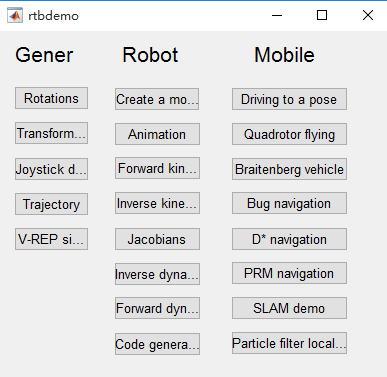
robotics toolbox (a)
Toolbox official website 1 after extracting the file folder "rvctools" toolbox copied to the file folder installation path matlab 2 Open matlab, click file- "setpath-" add with sub...

MATLB ROBOTICS Toolbox Robotics Toolbox
Matlab robot tool box plot/team visualization program array cross -border error/solution Error information Solution running result Error information Be inMatlab 2019 and aboveUse in the versionRobotic...
Motion functions and dynamic functions in the Robotics system toolbox (self-learning records)
1. Prev: Dynamics Peter's Robotics toolbox is derived using Newton-Euler,The middle part is introduced. The following are the motion functions and dynamics functions in the Robotics system toolbox. 2,...
Robotics toolbox toolbox use
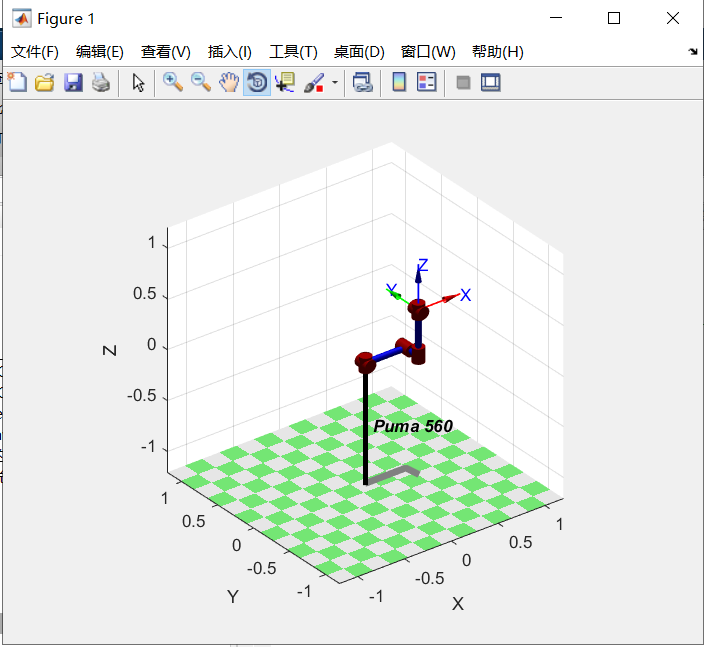
original: Another article has written common function links in the toolbox: 1. MATLAB simulation of PUMA560 To create a PUMA560 robot object, we first need to understand the PUMA560's D-H parameters. ...
Robotics Toolbox Toolbox of Matlab
1. The definition of the default p560 joint space 1.1 The joint space is all 0 1.2 The joint space rotates around different joints The figure is rotating around the fir...
More Recommendation
Robotics Toolbox Toolbox
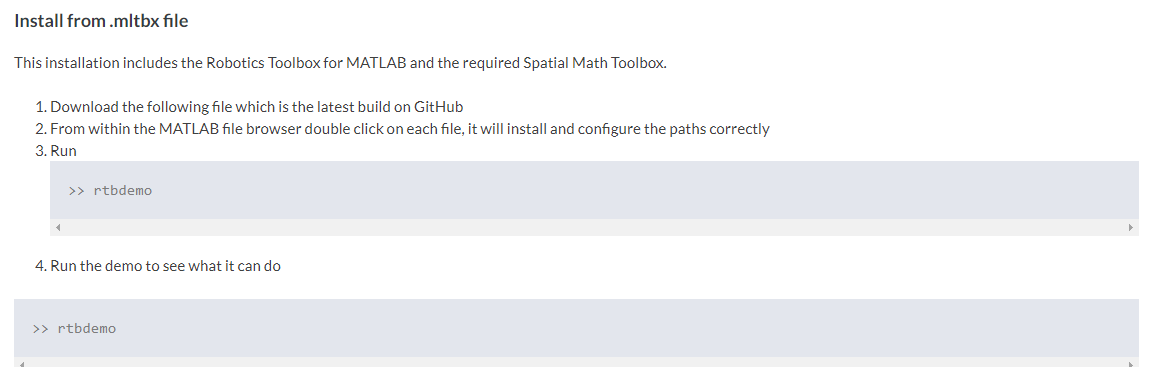
1.ROBOTICS TOOLBOX Toolbox Introduction The Robotics Toolbox Toolbox is a powerful robotic toolbox containing robots, reverse motion, positive, reverse kinetics, trajectory planning, etc., which makes...

4.fiddler toolbar commonly used functions
1. Remark function, select a session, add notes for the current request 2. Playback function, select a session, click Playback to play back the session, play back the keyboard shortcut key is R key, s...

Numpy quick start (4): commonly used functions
1. Find the power of the natural constant The natural constant is an irrational number approximately equal to 2.71828182845904523536.... The Exp function returns the power of e (the base of the natura...
iOS runtime (4) - commonly used functions
Class 1 1.1 Creating Objects eg: 1.2 Get the class name eg 1.3 Get the parent class eg 1.4 Get the size of the class 2 member variables 2.1 Get the member list eg: 3 properties 3.1 Get the member list...
MySQL learning: 4, commonly used functions
AVG function Function: Average COUNT function: count the number MAX Function: Find the maximum value MIN Function: Find the minimum SUM Function: Summation...