Win10-UWP application C++/CX programming-transfer data between pages
During the UWP development process, switching between pages is very common. In the process of switching, we want to pass some parameters or data that we need at the same time. The function of page navigation has prepared the function of parameter passing for us, so we can use it directly.
Basic instructions:
public:
 virtual bool Navigate(TypeName sourcePageType, Platform::Object ^ parameter, NavigationTransitionInfo ^ infoOverride) = Navigate;
//The first parameter is the type of page that needs to be navigated
//The second parameter is what we need
//The third is navigation animation
Add under the event function that needs to perform navigation operations
Frame->Navigate(TypeName(UserPage::typeid), nullptr, ref new DrillInNavigationTransitionInfo());
Add under the UserPage.xaml.cpp file of the navigation target page
void MyAPP::UserPage::OnNavigatedTo(Windows::UI::Xaml::Navigation::NavigationEventArgs^ e)
{
	//code
}
Add in the corresponding header file UserPage.xaml.h
public ref class MainPage sealed
{
	//Some code already there
	protected:
		virtual void OnNavigatedTo(Windows::UI::Xaml::Navigation::NavigationEventArgs^ e) override;
}
example:
Now we have to pass the content of a textbox control
/**SourcePage*****************************************************************************/
Frame->Navigate(TypeName(UserPage::typeid), UserName->Text, ref new DrillInNavigationTransitionInfo());

/**TagetPage*****************************************************************************/
void MyAPP::UserPage::OnNavigatedTo(Windows::UI::Xaml::Navigation::NavigationEventArgs^ e)
{
	auto Name = e->Parameter->ToString();
	//In this way, what is stored in the Name is the string entered in the textbox of the navigation page.
}
Reference link:
1.VC++ UWP app OnNavigatedTo( NavigationEventArgs^ ) won’t compile
2.Passing information between pages
3.Navigate(Type, Object, NavigationTransitionInfo)
Intelligent Recommendation

win10 [UWP application] release isolation
Written by combining resources found on the Internet with my own use Windows store has [ins twitter] Finally you can make these UWP software kxsw 1. Obtain the SID of the application through the regis...
Data transfer between pages in WeChat applet
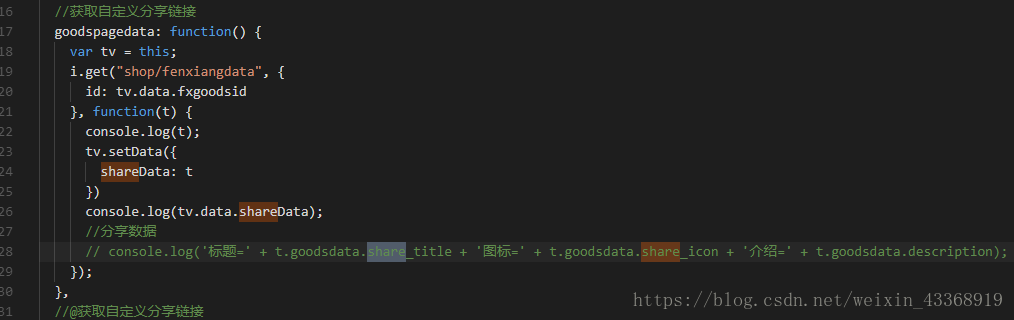
First, on the index.js page 1. The goodspagedata method in index.js sends the data shareData from the logical layer to the view layer through setData from the background get data (I understand that th...
Session to achieve data transfer between different pages
Data is communicated between index.php and i.php index.php i.php logout.php ··· session_start(); session_destroy(); echo"<script>alert("exit");window.location...
WeChat applet - communication and data transfer between pages
The applet's page jump APIs like wx.navigateTo(), wx.redirectTo(), etc. all jump to a brand new page. When the page is a form, sometimes it needs to jump to other pages. After the information is retur...
sessionStorage implements data transfer between pages/components
But there will be a problem, the component sideSec.vue may be loaded first than articleComp.vue. Causes author information to be different in both components. Delay loading with setTimeout(). Vuex sho...
More Recommendation
Data transfer between JSP pages and Java
2019 Unicorn Enterprise Heavy Gold Recruitment Python Engineer Standard >>> Reprinted at: https://my.oschina.net/dou2016/blog/703767...
Use URL address to transfer data between pages
Transfer some between pagesUnimportant and no more than 4kbData can be transferred using URL But the data isTransmitted in JONS format and the data is transcoded, So we need to encapsulate a function ...

Data transfer between WeChat applet pages
The WeChat applet jump interface transfers data, and the data to be transferred is spliced after the url Let's look at a simple demo to transfer data To transfer the interface wxml js&n...
HTML5 window.postMessage, data transfer between two pages
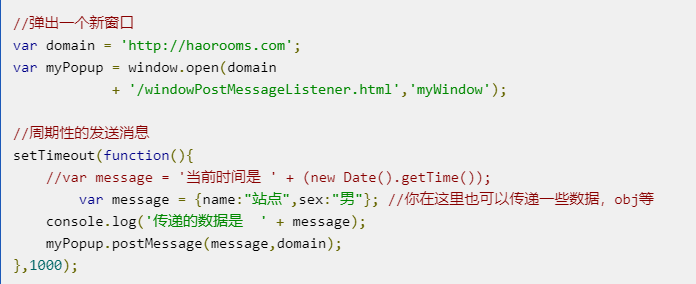
About postMessage Although window.postMessage is a function of html5, it supports IE8 +. If your website does not need to support IE6 and IE7, you can use window.postMessage. Regarding window.postMess...
js to transfer data between web pages
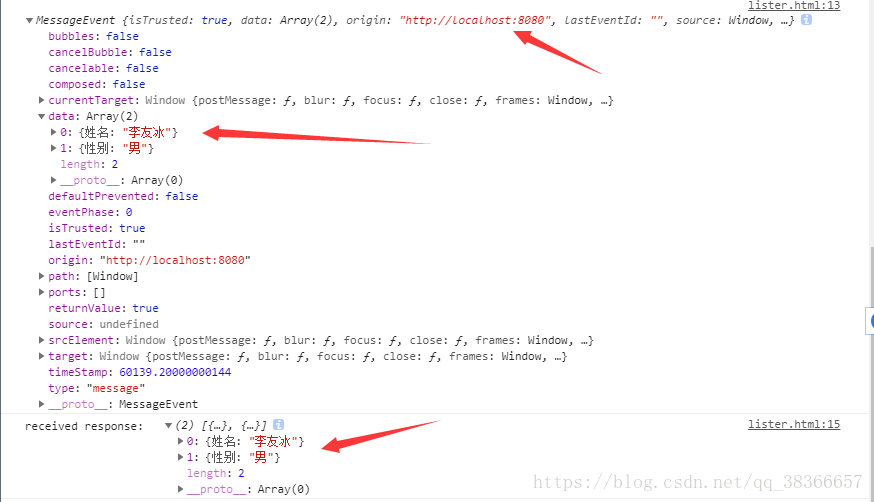
1. It is estimated that few people knowHTML5There is a window.postMessage API in APIS.window.postMessageThe function is to allow programmers to send data information between two windows/frames across ...