Simple introduction to scons
Simple introduction
hello world
Scons is used as an entry point to control how to compile. Sconstruct itself is a python file, so you need to follow the python syntax and be able to use some python methods. (If we can use print to debug)
This has a very simple hello.cpp
#include <iostream>

int main() {
    std::cout << "hello world" << std::endl;
}
And a very simple Sconstruct
Program("hello.cpp")
Program is a compilation method (builder_method) in Scons that tells Scons that we want to compile hello.cpp into an executable.
Ensure that Sconstruct and hello.cpp are in the same folder, execute scons, and compile and generate executable file hello.
scons: Reading SConscript files ...
scons: done reading SConscript files.
scons: Building targets ...
g++ -o hello.o -c hello.cpp
g++ -o hello hello.o
scons: done building targets.
As you can see, we only specified a cpp file. Scons will give the executable a name by default and complete the .o file generation, which is very smart. Of course, we can also specify the name of the output file.Program("target_name", hello.cpp")
In addition, in addition to Program, there are many other builder_method, such asObject, SharedLibrary,StaticLibrary,LoadableModule,StaticObject,CFile
Compile multiple files
Compiling multiple files is very simple
Use list directly
Program(["a.cpp", "b.cpp", "c.cpp"])Just fine.-
You can also use the Glob method.
source = Glob("src/*.cpp")
Print source # python syntax, you can print out the debug
Program(["hello.cpp"] + source)
In this way, add the files under src
Program(Split("a.cpp, b.cpp c.cpp")Split is also a method provided by SCons, as the name suggests.
Compile a library
Change Program to Library (or StaticLibrary, the two are the same).
Library("t", Glob("src/*.cpp"))
This will get a static library. If you want a dynamic library, you can use SharedLibrary.
Link a library
Above we learn how to compile a library, then how to link? It's also very simple, just add a parameter
source = Glob("src/*.cpp")
SharedLibrary("t", source)
Program(["hello.cpp"], LIBS=["t"], LIBPATH=".")
Program can be understood as a method of python, many parameters have default values, we only need to override its default value. As above, we specify to introduce LIBS. Similarly, the LIBS parameter can also be a str, LIBPATH can also be a list, put all the paths to be found, such as ['/usr/lib', '/usr/local/lib'], so I won't go into details here.
Slightly more advanced features
Determine if you need to recompile
SCons are smart and only compile content that needs to be compiled. For example, if I just finished executing scons and executed it again, I will promptscons: . is up to date.. So how did he do it? Not complicated, relying on a Decider method, and a.sconsign.dblitefile.
By default, if the md5 value of a file changes, it will be recompiled. Every time you compile, SCons will save md5. When it is executed again, if md5 has not changed, you don't need rebuild.
If we don't want to use md5, but use file modification time? Very simple, increaseDecider('timestamp-newer') (md5 by default). Can also be used'MD5-timestamp, then they will change together to rebuild.
We also said earlier that Decider is a method, it is obvious that we can also write a decider method, you can see in detailscons-user.pdf 6.1.5, not detailed here. .
env
Env is divided into three types
External enviroment is stored in os.environ, and it doesn't really matter much with scons. It saves some system-defined environment variables, such as PATH.
-
construction environment
This is more important, we may want different source files to use different compilation parameters, then we can set a different compilation environment, specify which file to use which compiler. Some parameters related to the build are saved in the construction environment.
Use as follows
Env1 = Environment(CXX = 'gcc') # Create an env
 Print env1["CXX"] # Get parameters
 Env2 = env1.Clone(CXX = 'g++') # Copy an env
 env1.Replace(CXX = 'g++') # Modify parameters
 Env1["CXX"] = "clang++" #Modify parameters again

 env1.MergeFlags("-g") #add a flag
It is possible to construct an env, except that the CXX is modified, the other parameters are unchanged. In addition, we can also get the contents of env like a dict.
-
execution enviroment
This is actually a variable ENV in the construction environment.
env = Environment()
print env["ENV"]

env2 = Environment(ENV=os.environ)
env3 = Environment(ENV = {"PATH" : os.environ["PATH"]})
A few simple examples, I understand at a glance.
Command line input parameters
For example, we want to control whether to enable debug mode through a debug field. How to do it? Can pass ARGUMENTS
env = Environment()
debug = ARGUMENTS.get("debug", 0)
if int(debug):
    print "in debug mode"
scons debug=1That's it.
summary
The above is just a summary of what I did while I was watching. I can see (documentation) in detail [https://scons.org/doc/production/PDF/scons-user.pdf]Many things have not been written, and you can experience it little by little in your daily work.
Intelligent Recommendation
Scons tool
Compiling C projects under Linux is actually very simple, no extraordale compilation tool, source code, compile dependence, compile options. Now most of us, we are all dependent on the Make tool, incl...

[Note Sharing] [SCons] Qualcomm SCons Overview
From: 80-N3984-1_A_SCons_Overview.pdf Main build system scritps: Core/bsp/build/scripts Targ config scripts: Build/ms Tools/build/tcfg AU scirpts: Source code is everywhere PublishPublicApi and Requir...
Scons uses one or two
Inadvertently saw a tool scons to write makefiles in python, use it, it feels good, record it. installation use Take the simulator of FreeRTOS built before as an example. First you need to create a fi...
Windows system Install SCons
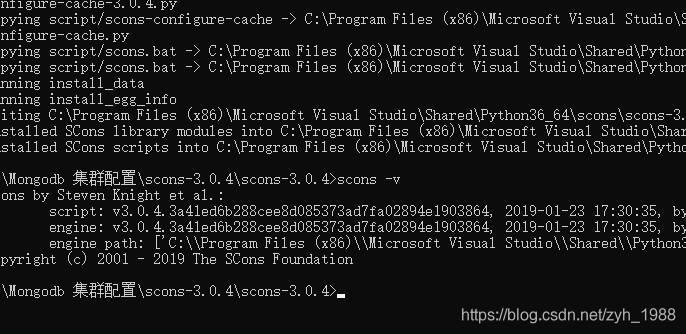
1. Install python2.7 or above, execute the python2.x installation package program python-2.7.12.amd64.msi to install 2. Install scons Download the scons-3.0.4.zip archive and unzip it, (http://sourcef...
More Recommendation
How to use scons and advanced
Schons brief description Article directory Schons brief description Written in front What is the difference between scons and make Scons installation Basic use of scons 1. Compile a single file and in...
Automated build tool - scons
I have only used make and cmake before, and I accidentally saw a build tool with such a c/c++ project. I want to give it a try. installation Scons official website, can be downloaded here https://scon...
SCons get started
Refer to this article:Easily build programs with SCons。 If you want to see the environment, such as the C++ compiler used, use the following SConstruct: The output on my ma...
Armcc integrated into scons
Armcc integrated into scons Armcc integrated into the scons is not an easy thing, if only modify CC / CXX / AR / LINK several environment variables, scons will use is called Visual C ++ parameters, su...
SCons function (a) I use
Introduction SCons About the SConsIBMThere is a good article on here posted content point make this tool since the 1970s Stuart Feldman developed at Bell Labs, it has been one of class UNIX programmer...