WordPress Forgot your password and the email could not send a solution when you retrieve your password link.
tags: cloud website Win10 skills mysql linux database wordpress pagoda
WordPress Forgot your password and the email could not send a solution when you retrieve your password link.
Problem Description
The front of the author built a WordPress blog and accidentally forgot password. . . After you click forgot your password, the mailbox also has a message to receive any email. . . It's too lazy to delete the website. . .
Try to solve
Login Tower Web UI
Browser:
https://ip:8888
pop up:
Please use the correct portable login panel
 Error Cause: The current new installation has already enabled the security portal login, the new machine will randomly a 8-digit security entry name, or you can modify it at the panel settings, such as you have no record or don't remember, you can use the following way solution

 Solution: Enter one of the following commands in the SSH terminal to solve

1. View panel entry: /etc/init.d/bt default

2Turning off safety entry: rm -f /www/server/panel/data/admin_path.pl

 Note: [Close the safety entry] will make your panel login address is directly exposed to the Internet, very dangerous, please take carefully
Logged in in Secure CRT and see the pagoda login entry. Normal login of the treasure tower web ui.
Find the ROOT password of MySQL in the pagoda
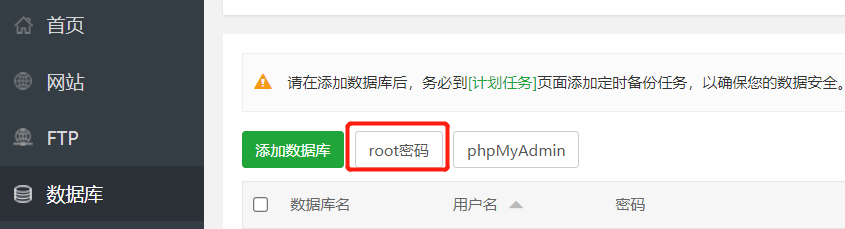
As shown in the figure, find the database → root password on the left side of the Pagoda, you can view the ROOT password of MySQL. Because the performance of ECS is weak, the author does not plan to be an important thing to be abnormal, and do not configure a variety of remote tools.
Modify the mysql password in the pagoda shell
Click on the terminal on the left to open the shell.
MySQL -UROOT -P here to write the root password you just see;
After logging in to MySQL, you can operate the WordPress database:
mysql> show databases;
+--------------------+
| Database           |
+--------------------+
| information_schema |
| mysql              |
| performance_schema |
| sys                |
| wordpress          |
+--------------------+
5 rows in set (0.00 sec)

mysql> use wordpress;
Database changed
mysql> show tables;
+-----------------------+
| Tables_in_wordpress   |
+-----------------------+
| wp_commentmeta        |
| wp_comments           |
| wp_links              |
| wp_options            |
| wp_postmeta           |
| wp_posts              |
| wp_term_relationships |
| wp_term_taxonomy      |
| wp_termmeta           |
| wp_terms              |
| wp_usermeta           |
| wp_users              |
+-----------------------+
12 rows in set (0.00 sec)

mysql> select * from wp_users;
Here you can see the user and password, but the password is encrypted:
+----+--------------+------------------------------------+---------------+-------------------+---------------------+---------------------+-----------------------------------------------+-------------+--------------+
| ID | user_login   		  | user_pass           | user_nicename | user_email        	| user_url     | user_registered     | user_activation_key                           | user_status | display_name |
+----+--------------+------------------------------------+---------------+-------------------+---------------------+---------------------+-----------------------------------------------+-------------+--------------+
|  1 |  This goods are WordPress login account |  This string code is a cryptographic password |  Nothing     |  This product is a website initialized mailbox |  Website IP or domain name |  Registration time  |  Nothing ovate string code |           0 |  It seems that there is no egg |
+----+--------------+------------------------------------+---------------+-------------------+---------------------+---------------------+-----------------------------------------------+-------------+--------------+
1 row in set (0.00 sec)
Understand the content of the database, you can modify your password:
update wp_users set user_pass = '$P$BWZhQxx/R9UCBgECUhxsV0EKfqfEh31' where user_login='Write the username you see on the side;
This string code isadminThe encryption code. I don't know where, it is very useful. . .
Try login
The author has no domain name, I have to be in the browser:
https://ip/wp-login.php
Enter the username just viewed, password write admin, and find successful login! ! !
Change your password after logging in
Of course, this password cannot be. . .

On the left side → profile, the right side can set a new password.
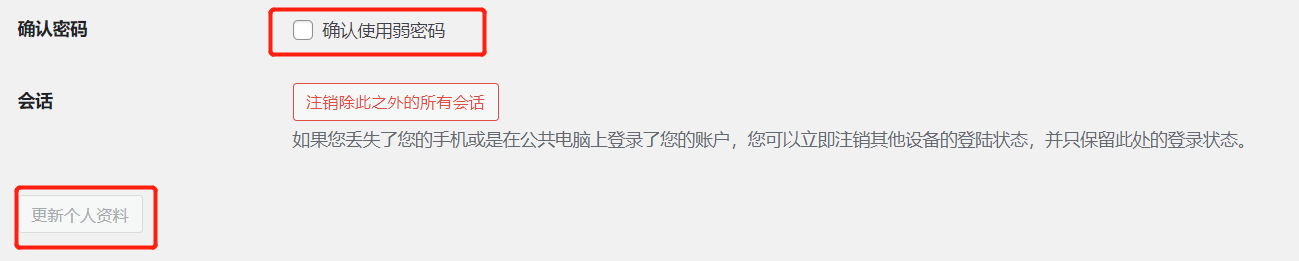
If you prompt the password level, you need to point to confirm using a weak password. After updating your personal information, you can change your password.
Intelligent Recommendation

Forgot your password wordpress how to do
Open the database administration tool Navicat for mysql Open Table wp-user The password to 5d41402abc4b2a76b9719d911017c592 This 5d41402abc4b2a76b9719d911017c592 after hello encrypted Then use hillmay...
Linux Centos7 Mysql forgot password how to retrieve your password
1, skip the verification database permissions 2, Mountains is normally about 10 seconds to wait for a terminating ctrl + c 3, enter mysql to enter 4, modify the new password 5, refresh grant tables 6,...
Forgot your password link set period
The basic idea is to click on the current time message processing on the URL suffix string of random time and then take time to compare two current time Reproduced in: https: //www.cnblogs.com/f...

WP Tutorial: WordPress Retrieve Password Reset Link Prompts your password reset link is invalid, please request a new link below How to solve...
Xiaobian recently tried to retrieve the password function of the wordpress account when using the wordpress website to build the program website. The following problems were found: System recovery pas...
WordPress forgot password solution
What should I do if I forget my WordPress login password? Introduce this addresshttps://localhost/wordpress/wp-login.phpLog in to Wordpress and forget the password solution 1. Normal modification If y...
More Recommendation

WordPress database account password forgot how to change your password
Because you can't log in, you can't receive the mailbox, you can only modify the bound database. If this happens, you need to reset the WordPress password directly in the database. The easiest way is ...
Database in xshell Forgot your password after reset your password solution!
Database forgot your password and reset: 1. Modify the primary configuration file, add skip-grant-tables, skip the license table [mysqld] skip-grant-tables as shown below 2. Restart mysqld 3. No need ...
Mysql8. Forgot your password and modify your password perfect solution
1. View the automatically generated password MySQL will automatically generate a random password after installation. The command is as follows: Because the automatic generated password cannot be used ...

Forgot your password wordpress can not send mail, try WP Mail SMTP by WPForms
wordpress password recovery error, suggesting Can not send e-mail, possible causes: your host may have disabled the mail () function. wordpress in wp_mail () call to the mail () function e-mail, if yo...
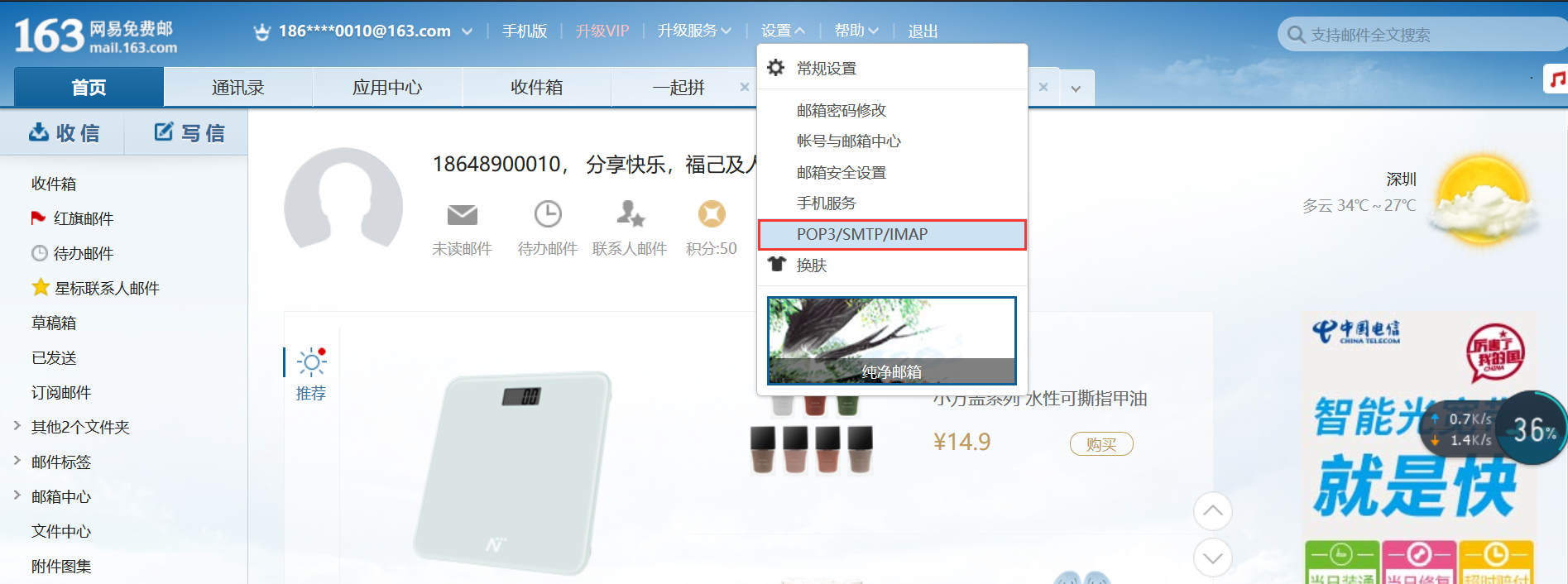
Yii2.0-Send email to retrieve password
You can call yii's own mail class when sending emails. You only need to have a mailbox and do some related configuration and then call it. Here I take 163 NetEase mailbox as an example. Set mailbox En...