JSP | Use pure JAVA driver to connect to MySQL database
tags: mysql jsp connect mysql
The integrated development environment adopted by this program is eclipse.
The database used is the MySQL database integrated in JspStudy.
The java connection driver for MySQL is in the Tomcat -> lib folder under the installation directory of jspstudy:
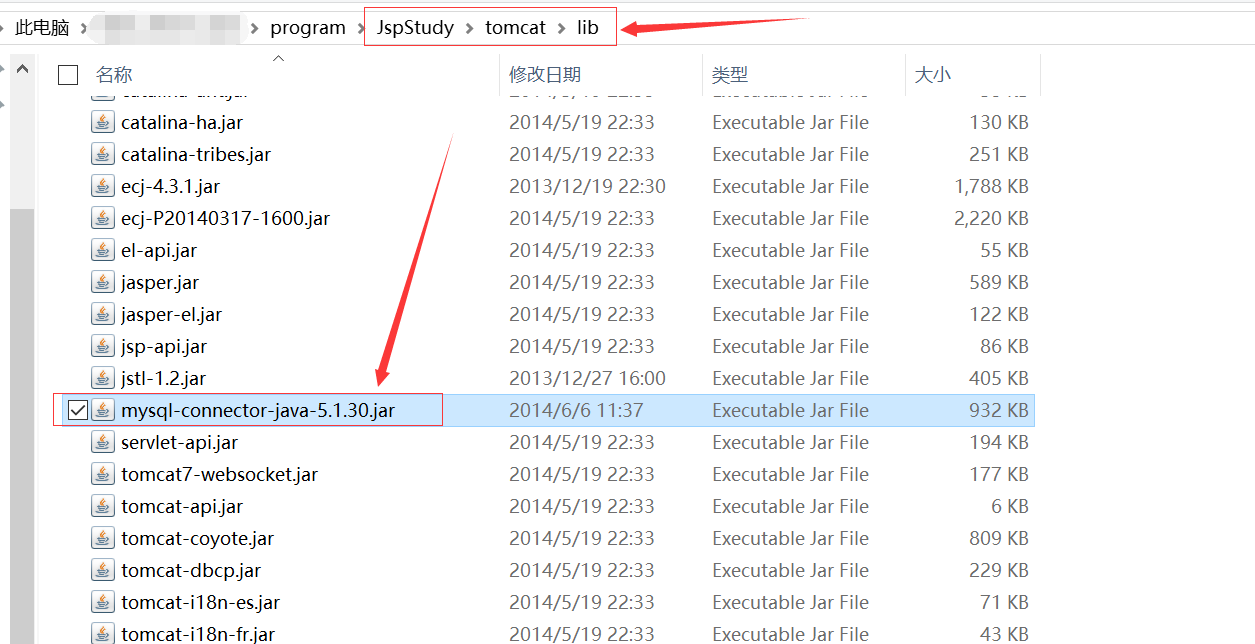
If jspstudy is not installed, mysql java driver can be downloaded from the official website: https://dev.mysql.com/downloads/connector/
When this program uses eclipse to lay out the web project, this driver needs to be arranged inwebcontent——>WEB-INF——>libUnder contents.
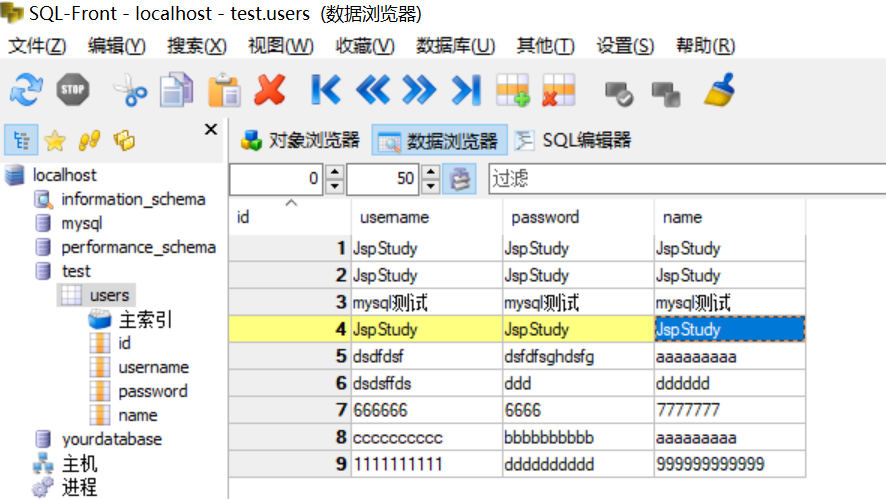
This is the users table under the database text for testing in the mysql database, and then connect it to the test.
test program:
<%@ page language="java" contentType="text/html; charset=GBK" pageEncoding="GBK"%>
<%@ page import="java.sql.*"%>
<html>
<head>
<title>useMySQL.jsp</title>
</head>
<body bgcolor="lightblue">
	<%
		Connection con = null;
		Statement st = null;
		ResultSet rs = null;
		try {
			Class.forName("com.mysql.jdbc.Driver");
		} catch (ClassNotFoundException e) {
			e.printStackTrace();
		}
		try {
			con=DriverManager.getConnection("jdbc:mysql://localhost:3306/test", "root", "root");
			st=con.createStatement();
			rs=st.executeQuery("select * from users");
			out.print("<table border=1>");
			out.print("<tr>");
				out.print("<th>id</th>");
				out.print("<th>username</th>");
				out.print("<th>password</th>");
				out.print("<th>name</th>");
			out.print("</tr>");
			while(rs.next()){
				out.print("<tr>");
					out.print("<td>"+rs.getString(1)+"</td>");
					out.print("<td>"+rs.getString(2)+"</td>");
					out.print("<td>"+rs.getString(3)+"</td>");
					out.print("<td>"+rs.getString(4)+"</td>");
				out.print("</tr>");
			}
			out.print("</table>");
		} catch (SQLException e) {
			e.printStackTrace();
		}finally{
			try{
				if(rs!=null){
					rs.close();
				}
				if(st!=null){
					st.close();
				}
				if(con!=null){
					con.close();
				}
			}catch (SQLException e) {
				e.printStackTrace();
			}
		}
	%>
</body>
</html>
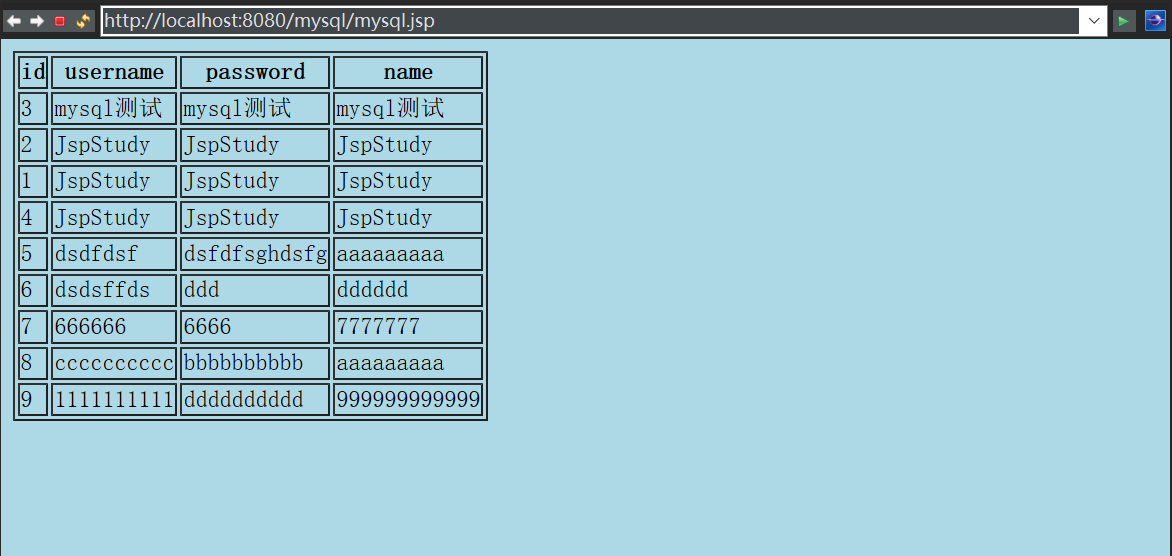
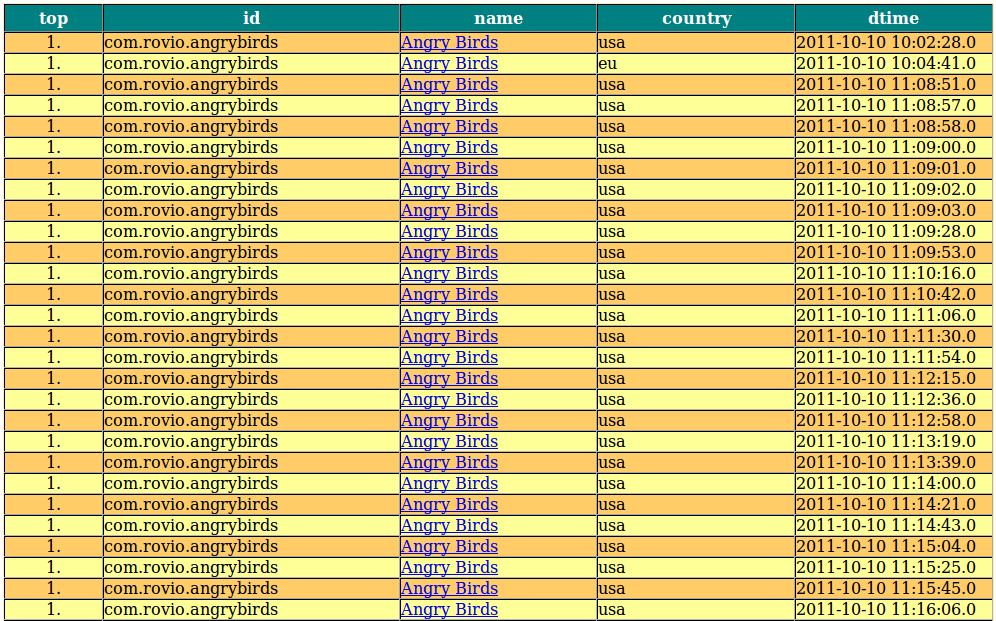
The test results are as follows:
Intelligent Recommendation
JDBC: Java uses Driver driver to connect to MySQL database
Java uses Driver driver to connect to the database: Create driver instance Driver driver=new com.mysql.cj.jdbc.Driver(); Prepare the request parameters needed to connect to the database url, user, pas...
Connect to the database and use in JSP
table of Contents 1. Database management system 2、MySQL 3、JDBC 4. Database operation 4.1 Query 1. Result set and query: 2. The column name and number of the result set 3. Random query 4. Condition que...
Java learning note 028 - pure JSP operation Mysql database instance
Two pages login2.jsp and check2.jsp The user name and password are stored in the data sheet. Enter the username password on the login2.jsp page. If successful, display "Login Success", if yo...

jdbc pure java connect to the database
Note: The above use log4j logging exception Inquire Example: Use PreparedStatement to avoid SQL injection...
Use mysql driver to connect mysql and mysql installation in Java
It’s been a long time. As the Java course progresses, the editor is also constantly learning, and also encountered many problems. Let’s talk about the use of mysql driver to connect to mys...
More Recommendation
Linux JSP connect to MySQL database
Linux (Ubuntu platform)JSPConnect to the MySQL database through JDBC, similar to the Windows platform, the steps are as follows: downloadjdbc:mysql-connector-java-5.1.18.tar.gz Unzipjdbc:tar-zxvfmysql...

jsp test MySql to connect to the database
How to get the database connection and get the data in the database on the jsp page? (It's relatively simple, it's pretty playful) 1. Preliminary preparation (database and table creation) Here I direc...
JSP (MyEclipse) connect to MySQL database
After studying jsp for a period of time, I would like to share my experience with you about how to connect jsp to MySQL. The editor used by the blogger is MyEclipse. Just use this to explain. Preparat...
JSP NetBeans connect to MySQL database
1. Add a Tomcat server Tools->Server->Select Tomcat or TomEE server 2. Start MySQL Open cmd, open the directory where MySQL is located, open the bin directory, and enter the command: mysqld --co...
JSP How to connect Mysql Database
Download Mysql-Connector-Java-5.1.13-bin.jar before connecting. If you use Eclipse to place the package in: items -> WebContent-> Web-Inf-> LIB can now. Connect to mySQL database code:...