Mysql takes up a lot of disk space problems and solutions
tags: Mysql takes up a lot of disk space problems and solutions Mysql delete binlog log
Foreword
When we use mysql or other data, we will always encounter a large amount of disk space occupied by the database, resulting in insufficient disk space, which causes other problems (for example, the database cannot be started after restarting; the database cannot write data, etc.).
To solve this problem, the method is to delete some unnecessary files in the database. The mysql database occupies a lot of disk space is generally binlog log, because it records the changes in the data in the database, so it will continue to grow over time, the significance of its existence is to facilitate the data according to the log later Time or location based recovery and error handling.
The following describes the solution to solve the mysql database takes up a lot of disk space.
Solution
[Method 1] Manually delete
[1] Check if the mysql binlog log is too large
Due to the installation version or installation mode of mysql, the location or log name of the binlog log is different. You need to check the log size according to your own situation.
(general location is /var/lib//mysql/ or /usr/local/mysql/var/)
<1>View
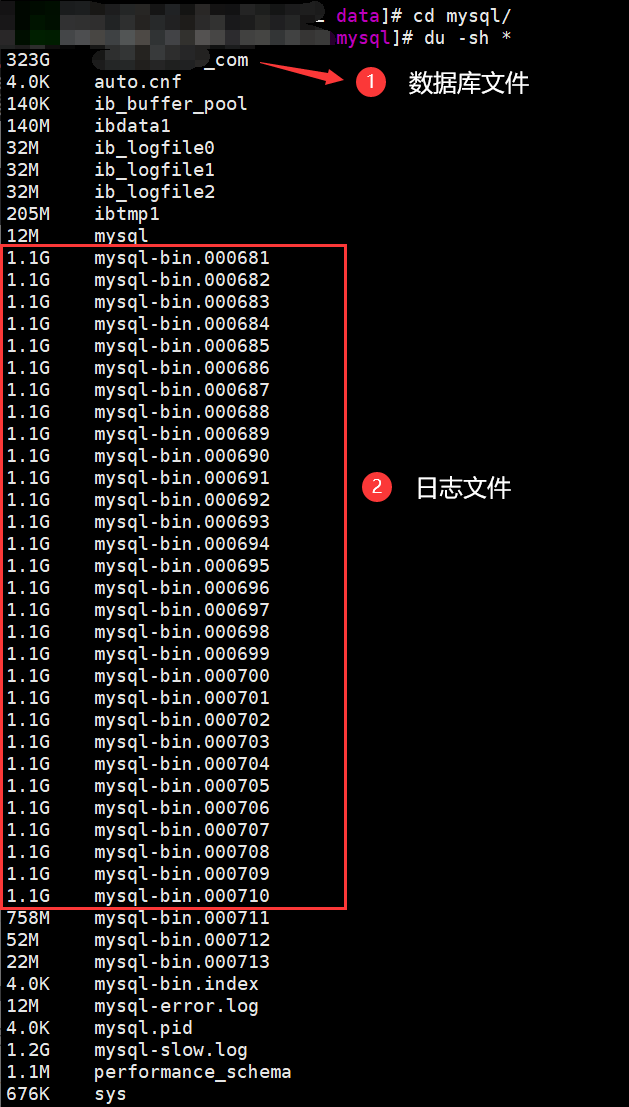
cd /mysql/data/
du -sh *
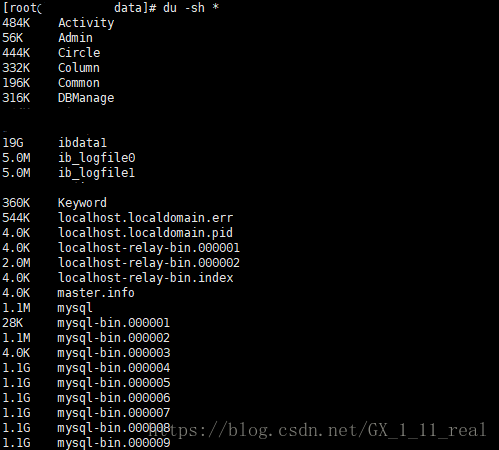
The figure above shows the location of the actual binlog log. As can be seen from the above figure, it is true that the mysql binlog log is too large, taking up disk space.
[2] Delete log file
There are two situations
Case 1: The database is not master
<1> Delete log
Executed in the database:
reset master;
If the database has master-slave, you can also use this command, but it is easy to cause master-slave synchronization to fail.
Case 2: The database has been mastered
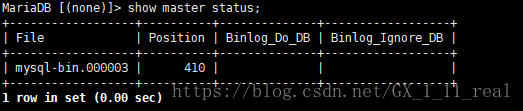
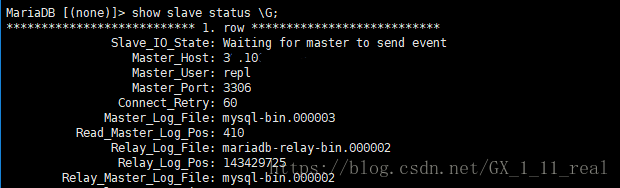
<1>View which file is the main library and the binlog that each slave library is using.
show master status;
show slave status\G;
<2> Delete all binary logs in the log index before or before the specified log sequence number
purge master logs to’mysql-bin.000003’;
purge master logs before’2018-08-29 12:00:00’;

Note:
Cannot delete the binlog being used
Time and file name cannot be written incorrectly (depending on your own situation)
[3] difference between reset master and purge binary logs
Reset master: Delete all binglog log files, clear the log index file, and restart the new log file.
purge binary logs: delete logs based on a certain point in time
[Method 2] The system periodically deletes the binlog file.
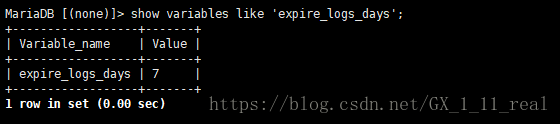
<1>View the current log save days
show variables like ‘expire_logs_days’;
<2>Set a binlog that only keeps 3 days
(Temporary, restart mysql this parameter will fail)
set global expire_logs_days = 3;
(Permanent, added in my.cnf, effective after restart),
expire_logs_days = 3
Note:
The default value is 0, which means "auto delete is not enabled"
The expiration time should be set appropriately
[Method 3] Disable binlog
If you use master-slave, disable this operation
<1> Comment out the following in my.cnf
#log-bin=mysql-bin
#binlog_format=mixed
<2> restart mysql
systemctl restart mysql (centos 7)
/etc/init.d/mysql restart (centos 6)
Intelligent Recommendation
Linux mysql (log) occupies a lot of disk space causes and solutions
1. View 2. Log in to the database/delete log files reference: Solution [Method 1] Manually delete [1] Check whether the binlog of mysql is too large Due to the mysql installation version or ins...
/var/lib/docker/overlay2 takes up a lot, clean up the disk space occupied by Docker
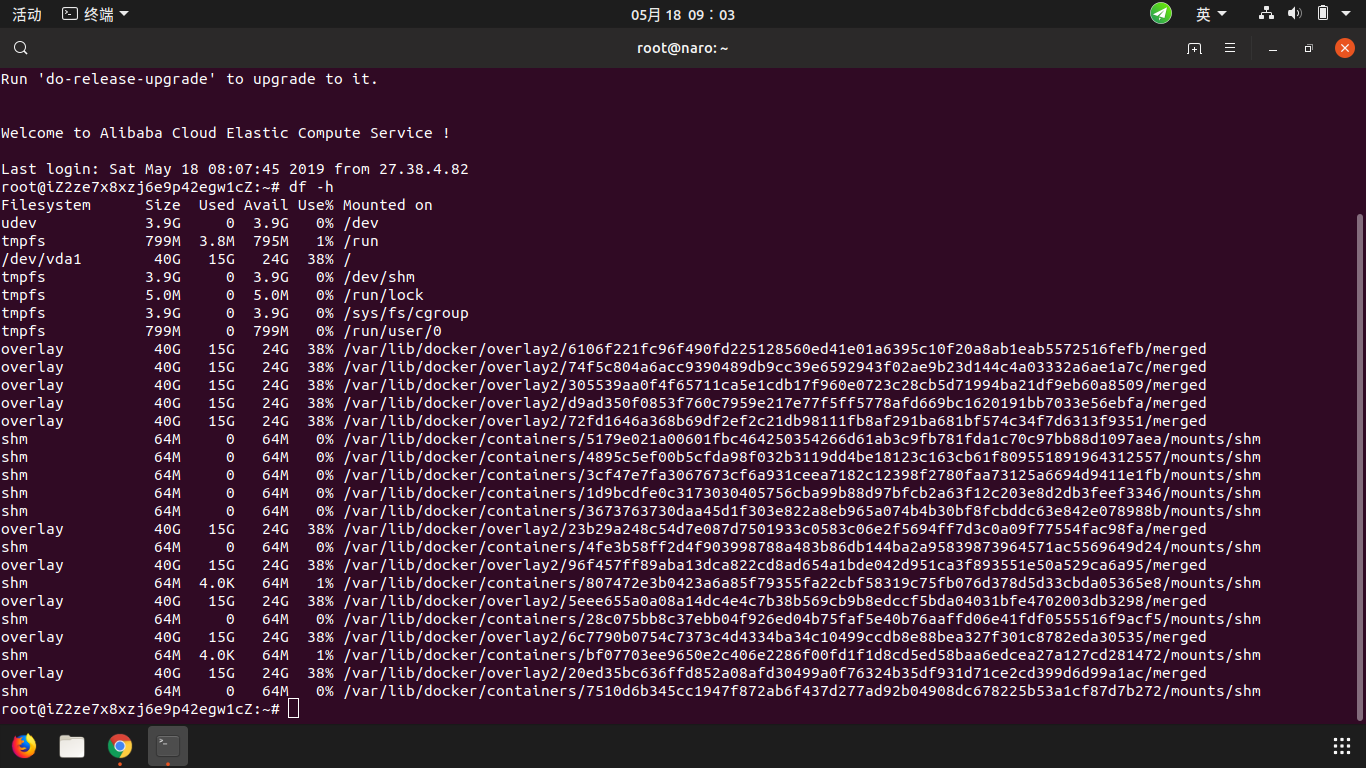
The blogger received a notification from the customer in the middle of the night that the system had crashed, so he went to the background df -h When then this is normal disk usage, before /dev/vda1, ...
Problems and solutions for disk space
Problems and solutions for disk space Wrong solve See disk space occupancy Enter the root directory to see the directory of the current directory Located to the problem file Wrong solve See disk space...
Tables occupy a lot of space, and single data takes up a lot of space.
I recently encountered a problem in the project, let me check it out for a long time, record it here. The data that needs to be stored in the project is very large. When the table is built, the field ...
Linux disk space takes up a lot, but you can't find a large file
Linux disk space takes up a lot, but you can't find a large file 1. Background introduction Tomcat applications were deployed on the Linux system. After running for a period of time, it was found that...
More Recommendation

Clickhouse: What should I do if the log table takes up a lot of disk space?
background clickhouse has many system tables (seehttps://clickhouse.com/docs/en/operations/system-tables), some of which are used to store logs, such as query_log, query_thread_log, trace_log. By defa...
Mysql occupies a lot of disk space
Mysql occupies a lot of disk space The server is installed three square packs and uses, the capacity of server memory is gradually decreasing, so it is necessary to consider whether it will bring trou...
Mysql table takes up space
Reprinted at: https://www.jianshu.com/p/f0016a82021d...
Who takes up your CentOS disk space
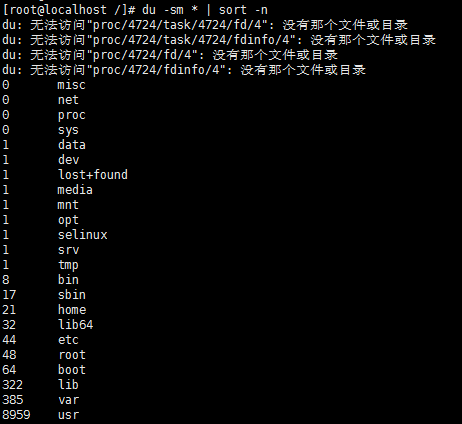
Written in front: I installed the CnetOS virtual machine on my computer, restarted the virtual machine when the disk space was insufficient, and the result was a black screen after entering the passwo...

crfclust.bdb takes up huge space and the disk is full
crfclust.bdb takes up huge space and the disk is full problem analysis: As soon as I went to work, I received an on-site call from the user saying that a set of RAC database could not be access...