On Unity's script execution sequence
First, the order of adding scripts
This is an official script sequence diagram
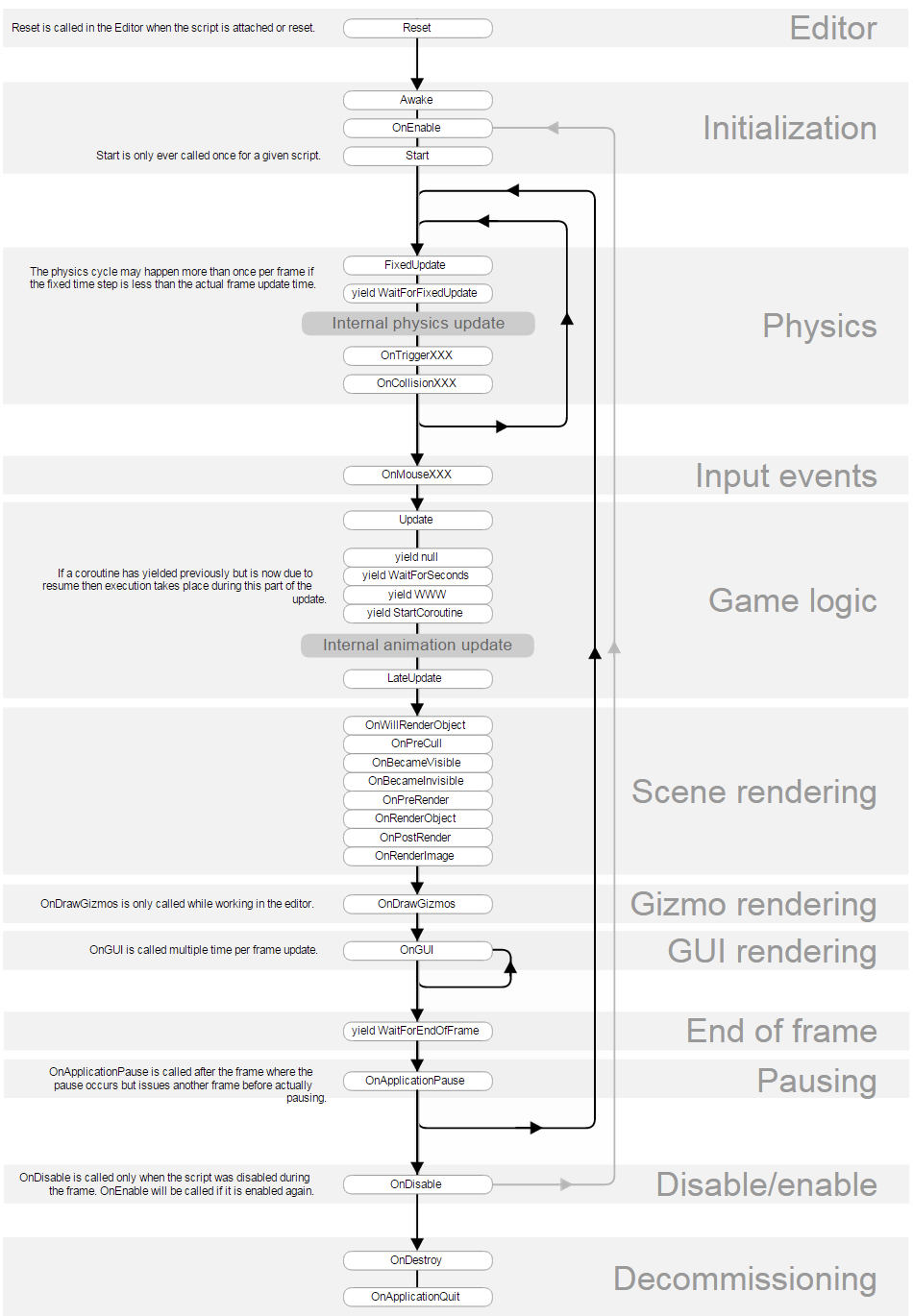
Generally, when we bind the script to the game object, or click the reset button of the bound script, Reset() will be called
When we initialize an object, we will first call Awake() and then call OnEnable()
GameObject.instantiate(o);
start() is called before the first call to update(), sometimes start() will be executed immediately after Awake(), OnEnable() is executed, in the same frame
The execution order of onDisable() and onDestroy() is a bit special:
The first situation:
For different scripts on different objects, there is no order of execution, and they must be executed in pairs (onDestroy() must be called after onDisable() is called)
eg:
gameobject1:
    sc1.cs
    sc2.cs
gameobject2:
    sc3.cs
    sc4.cs
gameobject3:
    sc5.cs
    sc6.cs
gameobject1.sc1.onDisable()->gameobject1.sc1.onDestroy()->gameobject3.sc5.onDisable()->
gameobject3.sc5.onDestroy()
[If you follow the previous rules, the gameobject3 script should be executed first, but this is not the case]
The second situation:
On different scripts of the same object, these two methods follow the script
The index in m_component is executed in sequence, and it is not executed in pairs, the index is executed from small to large, the earliest join the earliest call onDisable() and onDestroy()
gemeobject2.sc3.onDisable()->gameobject2.sc4.onDisable()->
gameobject2.sc3.onDestroy->gameobject2.sc4.onDestroy()
Here these scripts first call onDisable() before calling onDestroy().
Second, how to customize the execution order of multiple scripts
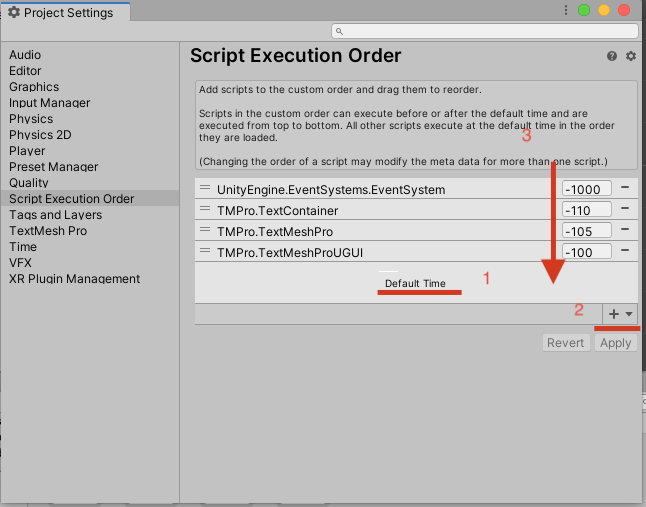
Key points: in unity, you can click edit->project settings->Script->Execution Order to customize the script execution order,
When we do not set the script execution order, the script is executed according to the standard of Default Time (you can add objects in the hireachy unity and add scripts in the inspector
Treated as a stack, according to the first-in first-out principle, the first added script of the added object is executed first.
You can click the + sign to add objects to the execution list
1 is the execution order of the script. When the value of your execution order is smaller, it will be executed first. It is executed before the default time above the default time and below the default time
Executed after the default time
The above setting is achieved by modifying the excution order of the meta file (go to your own code directory) corresponding to each script.

Third, the nature of the script execution sequence
In our scene file .unity, the scene file is a YAML document
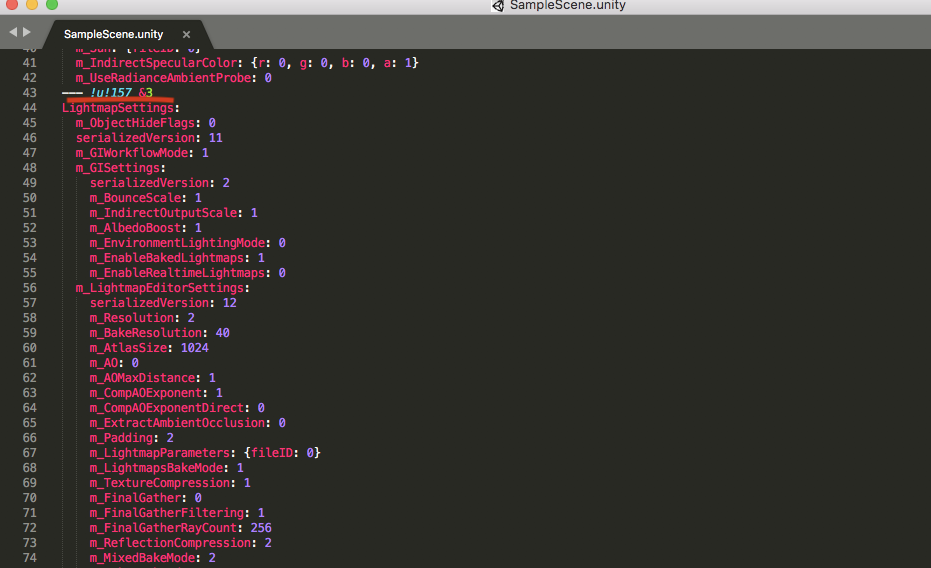
Each script corresponds to a fileid, the smaller the fileid, the more it will be executed first
4. Use
If your script A will use an object c in another script B, in order to prevent you from calling c before B initialization, a null pointer appears, you must let script B mount after A (so that B will first initialization),
Another important point is that you must write the initialization of object c in the Awake() method of script B, because start() is not called immediately after initialization, but when the current update frame, start( )
It will be called once before the first call to update(). In this case, if you write the initialization of object c in the start() method of script B, it is likely that the awake() of all scripts has run out, but the object c has not initialization,
In this way, a null pointer appears. Therefore, it is safe to initialize the object c in the awake() method of script B, and write the calling object c in the start() of script A
Intelligent Recommendation
Unity's modification of other script objects
Focus on the front Assuming to modify the object of another script under this script If the object that needs to be modified is a reference type, you can directly declare the same type object under th...
Unity's Lua simulates C# and other coroutine execution
I won’t say much about the coroutine. Just search for a bunch of introductions and usages about the coroutine. Let’s just look at the problem I want to solve:Wait for the execution of a co...
Execution script
...
Script Execution
echo command output: the output to the specified content on the screen. echo [options] [Content] Options :( own inquiries for more details) -e: Support backslash character conversion control (similar ...
Double-click the redirect script in Unity's Console window.
Double-click the redirect script in Unity's Console window. Because sometimes you write your own scripts. For example, the output Debug.Log will have a different color, or Debug.Log will send data to ...
More Recommendation
About Unity's Learning II - Script Life Cycle
1. The code used to initialize the script must be placed in the Awake or Start method. The Awake method is run at load time. The Start method is called before the scene is called for the first time af...
Unity's special folders and script compilation order
Script compilation order 1: In the Standard Assets, Pro Standard Assets and Plugins foldersRuntime script(The Standard Assets folder needs to be a first-level subfolder of Assets.) 2: The script in th...

The sequence of the script output columns in the SSIS execution variable is different from that of the SQL query column
This problem is encountered by a friend, make oneSSISProgram to import data intotxt. Then useOracleImport tools intoOracle. But whenSSISWhen executing variable steps in, I found that the output column...
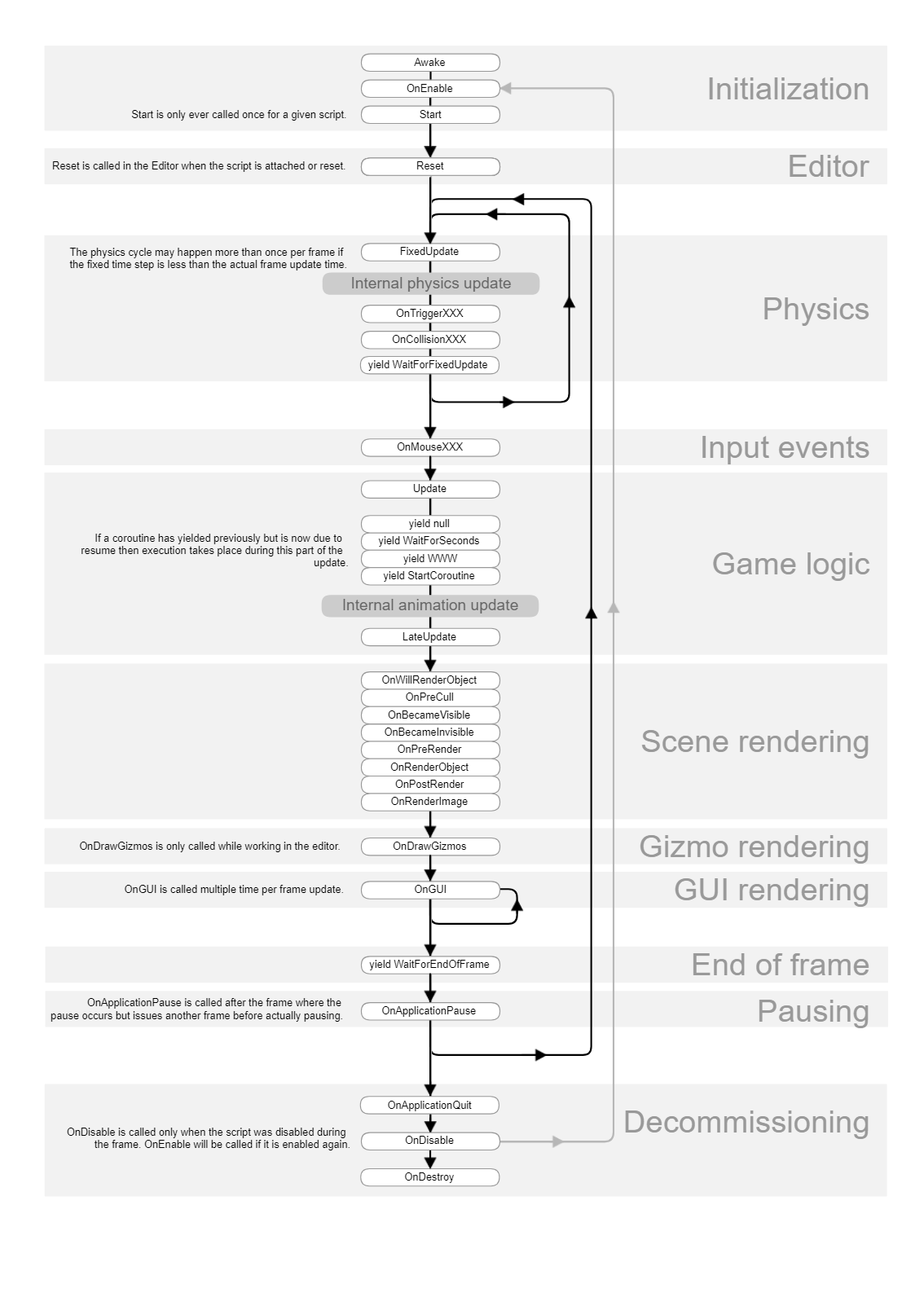
Unity API common methods and classes (1)-the basic content of the created script, the execution timing and sequence of each event function
1. Open the basic content of the created script The corresponding class of the script we created by ourselves → inherited from the MonoBehaviour class MonoBehaviour class → inherited from Be...