vuex
vuex
Vuex It is a special forVue.js Status management mode developed by the application. It usesCentralized storage managementThe status of all components of the application, and the state is guaranteed in a predictable manner in a predictable manner.
- state: Store public data
- mutations: Store Some functions for changing the properties in Store in the Store.
1. Triggered through CommMit;THIS. $ store.commit (the function name in 'mut ", passing to the parameters of Options)
2. The function in Mutations must be synchronous functions in principle - actions: Store some functions used to process asynchronous operations, but these functions should be modified
stateThe data must be passedmutationsFunction in.
The function in the Actions triggered by DispatchTHIS. $ store.dispatch ('Action Function ", PARM). Generally used to set AJAX requests. - getters: Sticker some functions is the computational properties of VUEX
- modules: Divide the module, only large projects will be used. If in the module
mutationsoractionsThe attribute name is executed with the repetition of the root Store. Can be added to the module to add attributesnamespaced:truePay attention to triggerMUTATIONS or ACTIONSThe corresponding module path must be added when the event is incident.
Only Actions in Modules can get rootstate and rootgetter. Mutations can with Actions
import Vue from 'vue'
import Vuex from 'vuex'
Vue.use(Vuex)
let store = new Vuex.Store({
  state: {
    count:100,
    color:'red'
  },
  mutations: {
    addCount(state,options){
      state.count+=options;
    },
    minusCount(state,options){
      state.count-=options;
    },
    changeColor(state,color){
             / / At this time, the color is the object incoming object {Type: 'ChangeColor', Col: 'Blue'}
      state.color=color;
    }
  },
  actions: {
      changeColorAsync(store,options){
        setTimeout(()=>{
          store.commit('changeColor','green')
        },3000)
      }
  },
  modules: {
  },
     Some functions are also stored in // getters, in fact, the computational properties of VUEX
  getters:{
    type(state){
             Return State.count% 2 === 0? 'even': "odd"
    }
  }
})
export default store
Auxiliary function:
- mapState
- mapMutations
- mapActions
- mapGetters
// parent component
<template>
  <div>
         <h1> parent components {{ $store.state.count }}</h1>
    <my-a></my-a>
    <my-b></my-b>
  </div>
</template>
<script>
import a from "./a";
import b from "./b";
export default {
  data() {
    return {};
  },
  components: {
    "my-a": a,
    "my-b": b,
  },
};
</script>
<style lang='less'>
</style>
// subcomponent A
<template>
  <div>
         <h1> component {{ $store.state.count }}</h1>
         <Button @ click = "minus"> Reduce </ button>
  </div>
</template>
<script>
export default {
  name: "my-a",
  data() {
    return {};
  },
  methods:{
      minus(){
                     / / Trigger changeCount in Mutation
          this.$store.commit('minusCount',10)
      }
  }
};
</script>
<style lang='less'>
</style>
// Subcaps B
<template>
  <div>
    <h1 :style="{ color: $store.state.color }">
             B component {{ mycount }}{{ myCount2 }}
    </h1>
    <p>{{ type }}</p>
         <Button @ click = "add"> Add </ button>
         <Button @ click = "AddCount (5)"> Add 2 </ Button>
         <Button @ click = "color"> Change color </ button>
         <Button @ Click = "ChangeColorasync"> Change Colors 2 </ Button>
  </div>
</template>
<script>
 Import {MapState, MapGetters, MaPActions, MapMutations} from "Vuex"; // Auxiliary function
export default {
  data() {
    return {};
  },
  methods: {
    ...mapMutations(["addCount"]),
    ...mapActions(["changeColorAsync"]),
    add() {
      this.$store.commit("addCount", 5);
    },
    color() {
      //   this.$store.commit({
      //       type:'changeColor',
      //       col:'blue'
      //   })
      this.$store.dispatch("changeColorAsync", [1, 22, 3]);
    },
  },
  computed: {
    // type() {
    //   return this.$store.getters.type;
    // },
    // count() {
    //   return this.$store.state.count;
    // },
         // ... mapState (['count']), // If you are in the same time for the attribute name to be called and the attribute name in the Store, if you are different, you will be in the object.
    ...mapState({
      mycount: "count",
      myCount2: function (state) {
        return state.count + 100;
      },
    }),
    ...mapGetters(["type"]),
  },
};
</script>
<style lang='less'>
</style>
Intelligent Recommendation
Get the public item between two NUMPY arrays
numpy.intersect1d(ar1, ar2, assume_unique=False, return_indices=False)[source] Find the intersection of two arrays. Return the sorted, unique values that are in both of the input arrays. Note: A...
Two-point lookups containing repeating elements, find the rightmost end, output the subscript
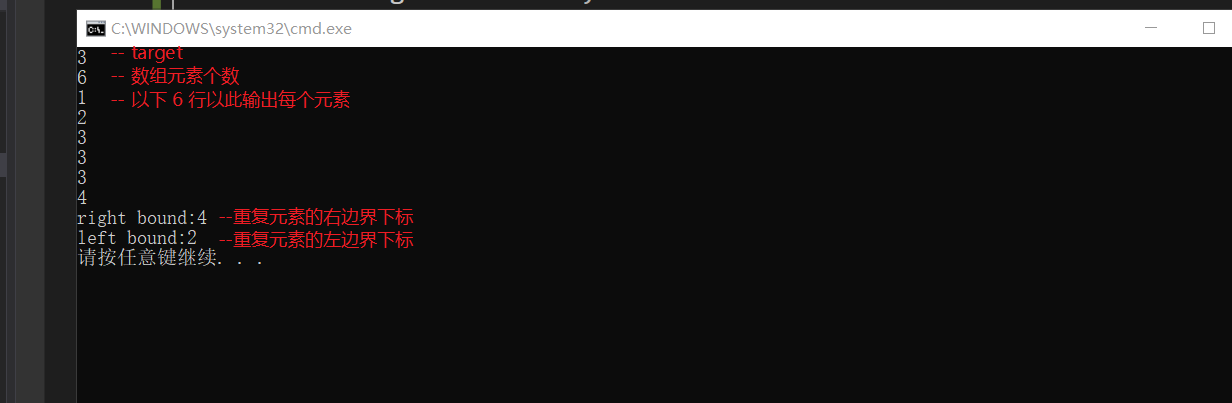
Into the two-point lookup containing the repeating element, find the rightmost end, output the subscript. Topic Description: The first line inputs the element T The second line inputs the number of ar...
[Wireshark Experiment] Analyze Tears Attack
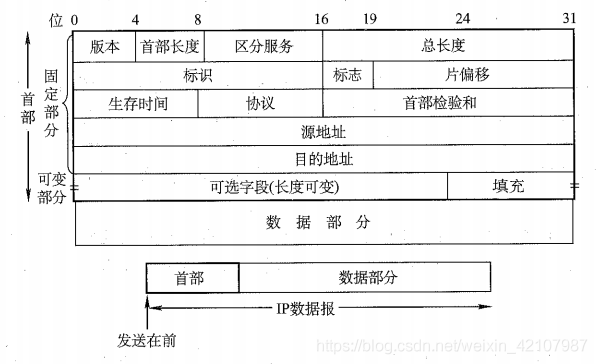
Article catalog 0x01 tear attack principle 0x02 IP protocol format 0x03 Judging the source of the attack according to the TTL value 0x01 tear attack principle Attack method for IP protocol, mainlyForg...
Python date module -- timezone
– Start Click here to watch this series of companion videos. – See more:Python Highlights – Description: Reprint please indicate the source – Last Updated on 2018-09-23 –...
Align the input element with the text
sample code The above code covers three questions: 1. The single (check) selection box is not aligned with the following prompt text. Use label for the prompt text and set vertical-align: middle; the ...
More Recommendation

Harris angle detection in OpenCVTwo
Harris corner detection in Opencv There is a function cv2.cornerHarris() in Opencv to implement this algorithm, The parameters are: src- input picture, need grayscale and type float32 blockSize-is the...
Spark--DataDrame learning (1)
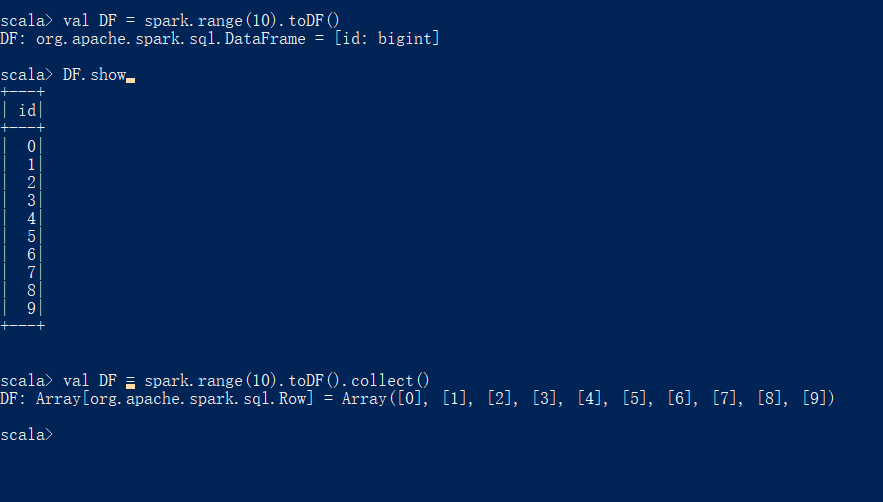
1. Structured API-DataFrame Spark structured API is a tool for processing various data types, which can process unstructured log files, semi-structured csv files, and highly structured Parquet files. ...
[Paper reading] YOLOX study notes
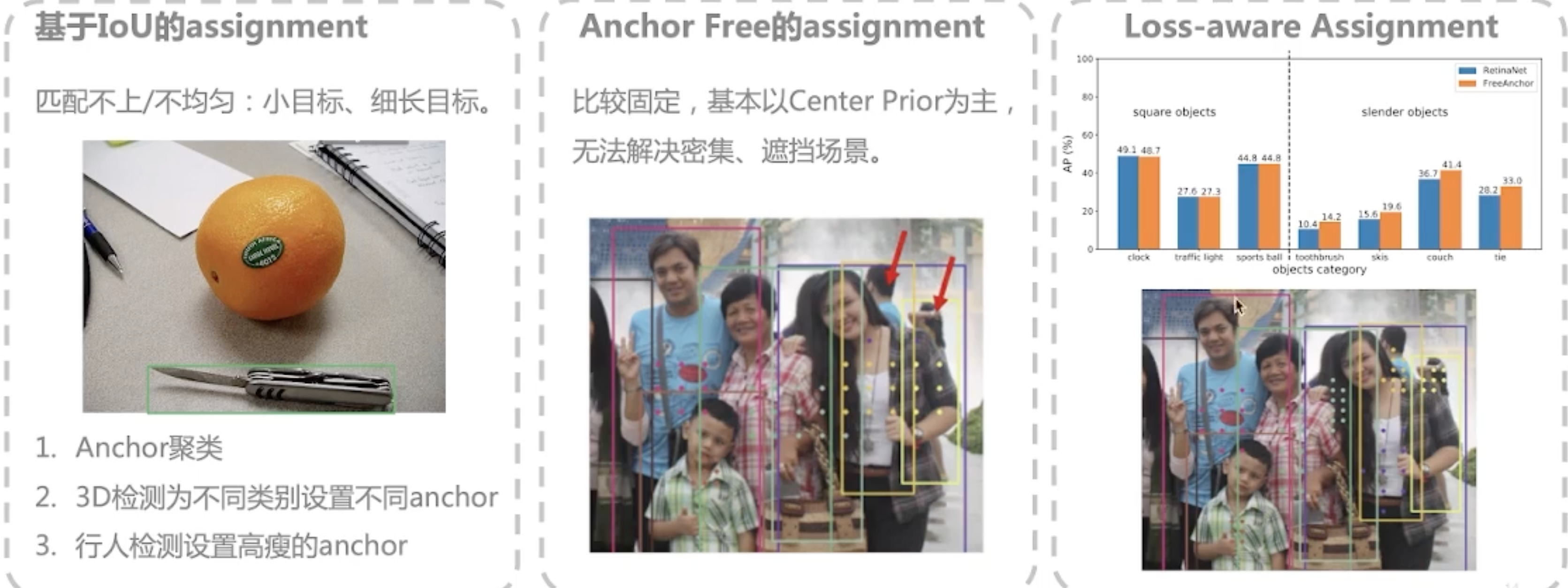
Birth background of YOLOX YOLOv1: A pioneering work, setting a one-stage framework for real-time high-performance target detection YOLOv2-YOLOv3: Absorbing the latest achievements in academia, the per...
android-iconify usage details
iconify is a vector icon library that can save android application developers from making multiple use of different screen sizes The method of use is as follows: 1. Import dependencies: 2. Init...
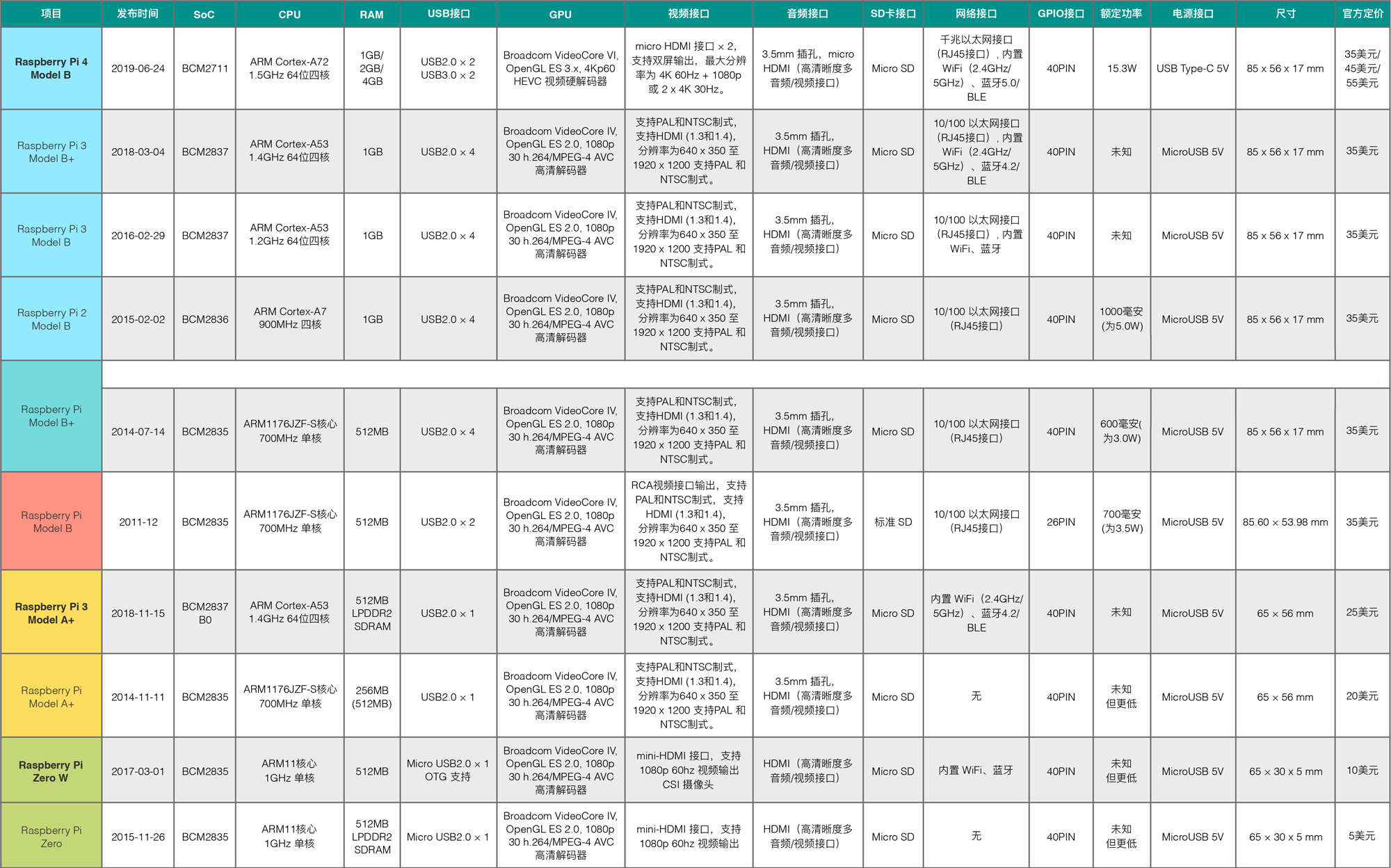
"Do something with the Raspberry Pi" -001- Raspberry Pi 4B early adopters
Bloggers QQ: 1356438802 "Raspberry Pi do something with" QQ group: 879 921 733 As the Android system engineer, whether it is a variety of frequently used commands and tools for the Linux pla...