How to solve the problem that window.__nuxt__ is too large
tags: front end
Original link
My own website-----How to solve the problem that window.__nuxt__ is too large
Advance notice
After solving window.__nuxt__, my rendered homepage (html only) shrank by 40%
problem
Because nuxt is used for ssr, it will be rendered on the server side, but a problem was discovered when doing seo not long ago, as shown below:
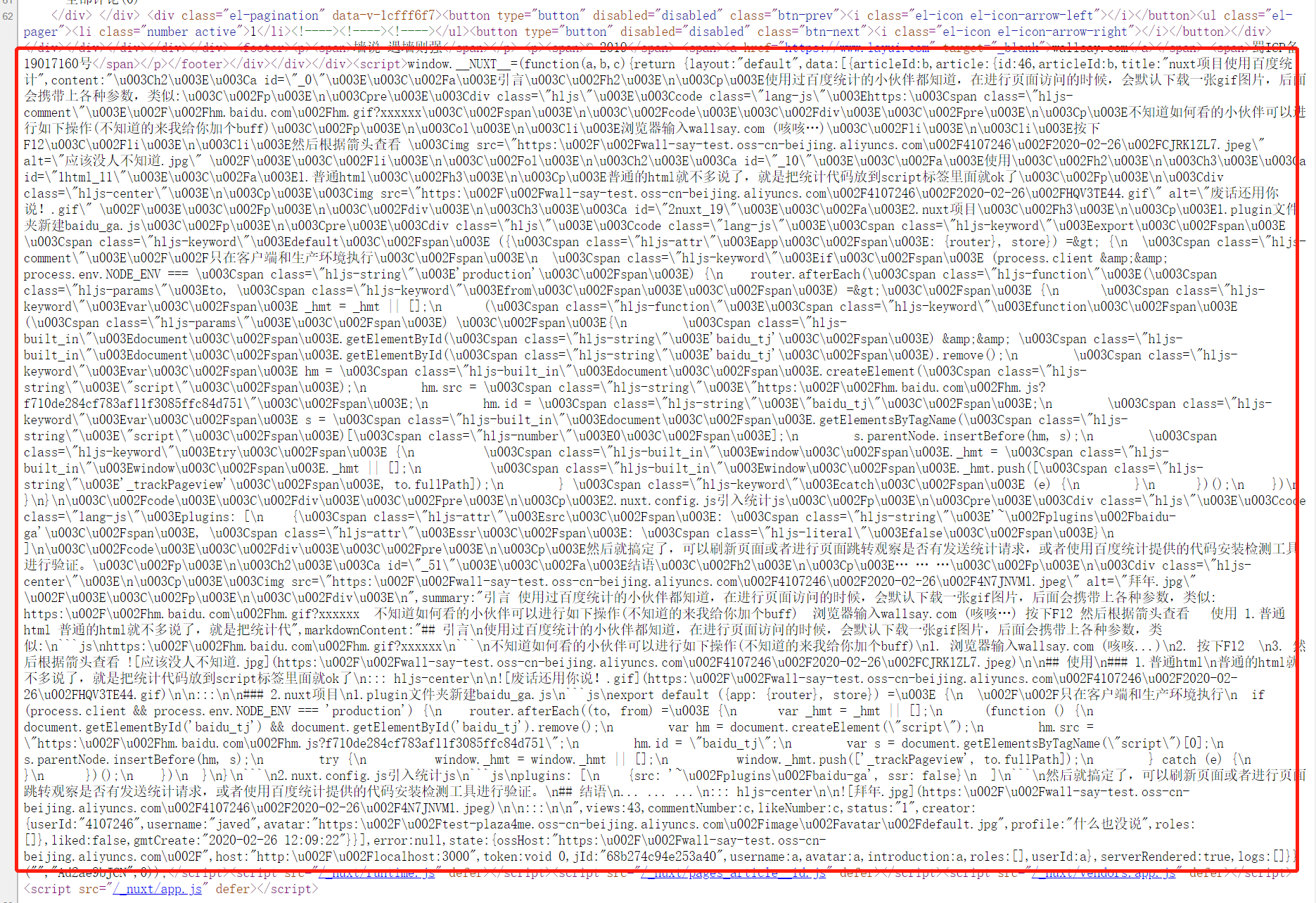
You can see the script in the red box, which contains the data needed for server-side rendering (or the data that the developer needs), but this part of the data is only needed by the server Yes, there is no need to transmit it back to the client.
solve
1. For Baidu (google) programming (Internet search)
Now Baidu searches for a lot of changes to the source code. I don’t know if the crawlers are too powerful or they like plagiarism. Many people’s solutions are exactly the same, and there will be unexpected bugs after the modification.
window.__nuxt__ to remove the source code of the program
2. Seek solutions by yourself through the community (What is the difference between this TM and the aboveヽ(●-`Д´-)ノ)
window.__nuxt__ Solution source
There is a toolkit mentioned in this issuecheerio, This toolkit is like jquery, it can be very convenient to operate dom (this is how I understand (~ ̄▽ ̄)~), the key is how to use this tool to find window.__nuxt__ and then remove it.
The code below
Add the following configuration in nuxt.config.js
hooks: {
    'render:route': (url, result) => {
      this.$ = cheerio.load(result.html,{decodeEntities: false});
      //Since window.__nuxt__ is always located in the first script in the body,
      //So I removed the first script tag in the body
      this.$(`body script`).eq(0).remove();
      result.html = this.$.html()
    }
  }
Implementation
1. Install cheerio
npm install cheerio
2. Modify nuxt.config.js
const cherrio = const cheerio = require('cheerio');
export default {
//The rest configuration is omitted
hooks: {
    'render:route': (url, result) => {
      this.$ = cheerio.load(result.html,{decodeEntities: false});
      //Since window.__nuxt__ is always located in the first script in the body,
      //So I removed the first script tag in the body
      this.$(`body script`).eq(0).remove();
      result.html = this.$.html()
    }
  }
}
to sum up
The problem-solving process is painful, but the happiness when the problem is solved will turn the pain experienced into a good memory (even if you think you were very SB at the time). Finally, this solution may not be applicable to your project. The specific reason is clearly commented in the code. You may need to think of a solution yourself and use your brain.
Intelligent Recommendation
Solve com.mysql.jdbc.PacketTooBigException: Packet for query is too large problem
May 10, 2017 09:45:55 Read count: 1659 In doing database query operations, reported above error because the MySQL max_allowed_packet set too small caused, I started setting is 1M, and later cha...
Solve the problem that the vue packaging wendor is too large
1. Find out the reason Under normal circumstances, there will not be excessive problems, but when you introduce some UI component library, it will cause the problem of too large package files. Therefo...
Solve the problem of too large SpringBoot jar package
This article mainly solves the problem that the springboot maven package jar is too large. SpringBoot web applications generally add the spring-boot-maven-plugin plug-in Maven xml code <build>&n...
Mongdb memory usage is too large to solve the problem
I enable MongoDB through the following command /usr/bin/mongod --config /etc/mongod.conf --fork --wiredTigerCacheSizeGB 8 The key is --wiredTigerCacheSizeGB 8 Limit the cache memory size to 8GB...
More Recommendation

Solve the problem of too large font library
In daily development, we often encounter the font library being too large, causing the front-end page to load too slowly or the size of the APP to increase. To solve this kind of problem, you need to ...

Solve the problem that the pyinstaller packager is too large
Project scene I'm heregithubonforkA usepythonWrittenflappybirdGame, and then think about packing it up. download link https://github.com/XavierJiezou/FlapPyBird Game screenshots Project packaging Inst...
Gitlab memory is too large to solve the problem
1. Official hardware requirements Officially recommended minimum physics configuration is2 cores 4G 2. Memory optimization settings (modify gitlab.rb fi...
How to solve Pycharm's cache is too large
Problem background: With more and more projects, pycharm's cache on the C drive by default is getting larger and larger, close to 40G. Solution: Open the pycharm installation directory and find...