Differences and configuration methods of ConfigureWebPack and ChainWebPack in the Vue project
tags: vue webpack javascript
ConfigureWebPack with ChainWebPack
configureWebpack
This object will bewebpack-merge Incompetentwebpack Configuration.
If you need to configure behavior based on environment, or you want to change the configuration directly, then replace it into a function (this function is lazy after the environment variable is set). The first parameter of this method receives a configuration that has parsed. In the function, you can modify the configuration directly, or return a object that will be merged:
Object-based writing:
const path = require("path");
function resolve(dir) {
  return path.join(__dirname, dir)
}

function getPlugins() {
  let plugins = []
  if (process.env.VUE_APP_ENV === 'test') {
    plugins.push(
      // Add a plugin
    )
  }
  if (process.env.VUE_APP_ENV === 'production') {
    plugins.push(
      // Add a plugin
    )
  }
  return plugins
}

module.exports = {
  publicPath: "/",
  lintOnSave: false,
  devServer: {
    // Configure the server
    port: 8086,
    open: true,
  },
  configureWebpack: {
    // Overwrite WebPack default configuration is here
    resolve: {
      // Configure the parsing alias where: @        , @ c represents the src / components folder, etc.
      alias: {
        "@": path.resolve(__dirname, "./src"),
        "@a": path.resolve(__dirname, "./src/assets"),
        "@c": path.resolve(__dirname, "./src/components"),
      }
    }
    plugins: getPlugins()
  },
};
Function type writing:
// vue.config.js

const path = require("path");
function resolve(dir) {
  return path.join(__dirname, dir)
}
function getPlugins() {
  let plugins = []
  if (process.env.VUE_APP_ENV === 'test') {
    plugins.push(
      // Add a plugin
    )
  }
  if (process.env.VUE_APP_ENV === 'production') {
    plugins.push(
      // Add a plugin
    )
  }
  return plugins
}

module.exports = {
  publicPath: "/",
  lintOnSave: false,
  devServer: {
    // Configure the server
    port: 8086,
    open: true,
  },
  configureWebpack: (config) => {

    if (process.env.NODE_ENV === 'production') {
      / / Configuration for production environment ...
      config.mode = 'production'
    } else {
      / / For the development of environment modification configuration ...
      config.mode = 'development'
    }

    // mode 1:
    // Object.assign(config, {
    //   resolve: {
    //     alias: {
    //       '@': path.resolve(__dirname, './src'),
    //       '@a': path.resolve(__dirname, './src/assets'),
    //       '@c': path.resolve(__dirname, './src/components'),
    //     }
    //   }
    //   plugins: getPlugins()
    // })

    // mode 2:
    const name = '111'
    const resolve = {
      alias: {
        '@': path.resolve(__dirname, './src'),
        '@a': path.resolve(__dirname, './src/assets'),
        '@c': path.resolve(__dirname, './src/components'),
      }
    }
    const plugins = getPlugins()
    return { name, resolve, plugins }
  }
};
chainWebpack
Vue CLI insidewebpack Configuration is passedwebpack-chain Maintain. This library provides onewebpack Originally configured upper abstraction, which can define a nameloader Rules and a list of plugins, and have the opportunity to enter these rules later and modify their options.
It allows us to control its internal configuration finer
An example of an official code:
config
  .plugin(name)
  .use(WebpackPlugin, args)
Parameter Description:
- Name is
webpack-chainThe key is to join the plugin to joinwebpack-chainIn the configurationkey, Is our name of our custom plugin - WebpackPlugin
webpackInsert name, here, you can use the plugin directly, no need to instantiate, it is not necessarynew WebpackPlugin() - The parameter information of the Args plugin. pay attention,
argsIs an array,E.g[{},{}]This way, you can configure multiple plug-in instances
Example:
use webpack-aliyun-oss Plug-in implementation: The project is automatically uploaded when the project is packaged.aliyun Here, here can be writtenconfigureWebpack Can also writechainWebpack in
'use strict'
const path = require('path')
const defaultSettings = require('./src/settings.js')

// Automatically upload aliyun
const WebpackAliyunOss = require('webpack-aliyun-oss')
const Oss = require('./oss')

const UglifyJsPlugin = require('uglifyjs-webpack-plugin')

function getPlugins() {
  let plugins = []
  if (process.env.VUE_APP_ENV === 'test') {
    plugins.push(
      new WebpackAliyunOss({
        from: './dist/**',
        dist: '/web/dist/',
        region: Oss.region,
        accessKeyId: Oss.accessKeyId,
        accessKeySecret: Oss.accessKeySecret,
        bucket: Oss.bucket,
        // test: true,
        setOssPath: filePath => {
          // some operations to filePath
          const index = filePath.lastIndexOf('dist')
          const Path = filePath.substring(index + 4, filePath.length)
          return Path.replace(/\\/g, '/')
        },
        setHeaders: filePath => {
          return {
            'Cache-Control': 'max-age=31536000'
          }
        }
      })
    )
  }
  if (process.env.VUE_APP_ENV === 'production') {
    plugins.push(
      new UglifyJsPlugin({ //  Production environment removal console and annotation
        uglifyOptions: {
          output: {
            comments: false //  Removal
          },
          compress: {
            // warnings: false,
            drop_debugger: true,
            drop_console: true, // console
            pure_funcs: ['console.log'] //  Remove Console
          },
        },
        sourceMap: false,
        parallel: true,
      })
    )
  }
  return plugins
}
function resolve(dir) {
  return path.join(__dirname, dir)
}

const name = defaultSettings.title || 'vue Admin Template' // page title
const port = process.env.port || process.env.npm_config_port || 9528 // dev port

module.exports = {
  publicPath: '/',
  outputDir: 'party_dist',
  assetsDir: 'static',
  lintOnSave: false,
  productionSourceMap: false,
  devServer: {
    port: port,
    open: true,
    overlay: {
      warnings: false,
      errors: true
    },
    proxy: {
      '/api': {
        target: 'xxxxxx',
        changeOrigin: true,
        pathRewrite: {
          //  Path rewriting
          '^/api': ''
        }
      }
    },
    before: require('./mock/mock-server.js')
  },
  configureWebpack: {
    name: name,
    resolve: {
      alias: {
        '@': resolve('src')
      }
    },
    // plugins: getPlugins()
  },
  chainWebpack(config) {
    config.plugin('preload').tap(() => [
      {
        rel: 'preload',
        fileBlacklist: [/\.map$/, /hot-update\.js$/, /runtime\..*\.js$/],
        include: 'initial'
      }
    ])
    config.plugins.delete('prefetch')

    config
      .when(process.env.NODE_ENV !== 'development',
        config => {
          config
            .plugin('ScriptExtHtmlWebpackPlugin')
            .after('html')
            .use('script-ext-html-webpack-plugin', [{
              inline: /runtime\..*\.js$/
            }])
            .end()
          config
            .optimization.splitChunks({
              chunks: 'all',
              cacheGroups: {
                libs: {
                  name: 'chunk-libs',
                  test: /[\\/]node_modules[\\/]/,
                  priority: 10,
                  chunks: 'initial'
                },
                elementUI: {
                  name: 'chunk-elementUI', // split elementUI into a single package
                  priority: 20,
                  test: /[\\/]node_modules[\\/]_?element-ui(.*)/
                },
                commons: {
                  name: 'chunk-commons',
                  test: resolve('src/components'), // can customize your rules
                  minChunks: 3, //  minimum common number
                  priority: 5,
                  reuseExistingChunk: true
                }
              }
            })
          config.optimization.runtimeChunk('single')
        }
      )
    if (process.env.VUE_APP_ENV === 'test') {
      config.plugin('WebpackAliyunOss')
        .use('webpack-aliyun-oss', [{
          from: './dist/**',
          dist: '/web/dist/',
          region: Oss.region,
          accessKeyId: Oss.accessKeyId,
          accessKeySecret: Oss.accessKeySecret,
          bucket: Oss.bucket,
          // test: true,
          setOssPath: filePath => {
            // some operations to filePath
            const index = filePath.lastIndexOf('dist')
            const Path = filePath.substring(index + 4, filePath.length)
            return Path.replace(/\\/g, '/')
          },
          setHeaders: filePath => {
            return {
              'Cache-Control': 'max-age=31536000'
            }
          }
        }]
        )
    }
  }
}
Summarize:
configureWebpack and chainWebpack There is no difference in essence, just the former configurationeasy and convenientThe latter canMore granularly controlled configuration
Intelligent Recommendation
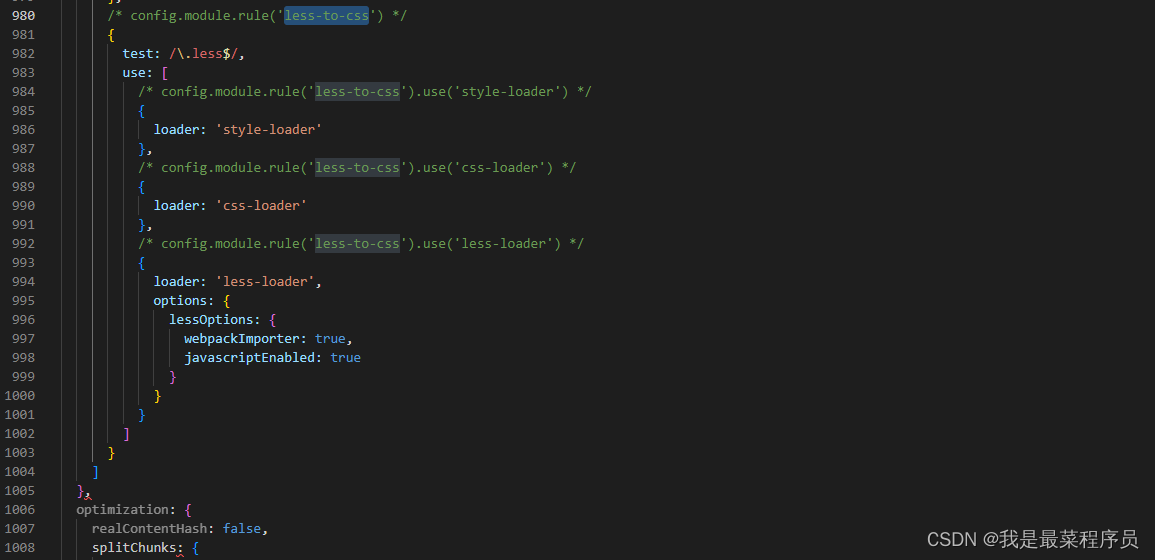
Custom CHAINWEBPACK configuration analysis less
1. C custom analyze Less in vue.config.js TIP (background): Custom configuration of CHAINWEBPACK is used to compile the LESS file. 1.1 Modify the Babel configuration file style attribute babel.config....
Differences and influence of methods in VUE
html js Do not add parentheses <button @ click = "test"> test, the execution is: Add parentheses <button @ click = "test ()"> Test results: Add parentheses, <button ...
Configuration and call of public methods in the Vue project
In the project, there are always many public methods to extract, and three forms can be used substantially in Vue. First, the filter Usually used directly in the instance template, used to process dat...
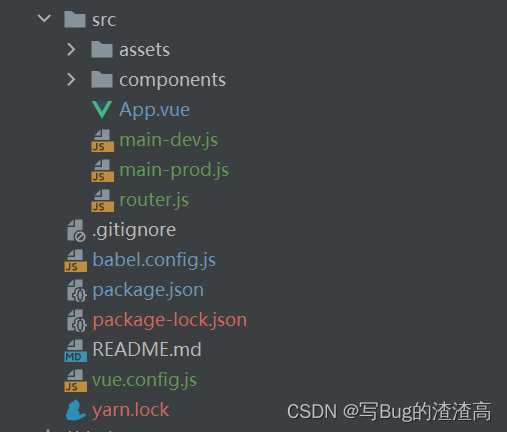
[Vue] Customized packaging entrance through chainWebpack
1. Create Main-Dev.js and Main-PROD.JS Copy the content of main.js, create two new main-dev.js and main-prod.js files, copy the content, and then delete main.js 2. Create vue.config.js File structure ...
Vue modify the custom packaging entrance through chainwebpack
Vue modify the custom packaging entrance through chainwebpack First create a new vueconfig.js file in the root directory Then configure the interface configuration in main.js Finally this is the code ...
More Recommendation
Project Optimization - Custom Package Entrance via CHAINWEBPACK
1. By default, the WebPack configuration is hidden by default, but project development and release default sharing a packaging entry (ie src / main.js). In order to separate the development and releas...
Calculating differences vue] [Properties and Methods
Computed Property method the difference Results of the two identical Calculated attribute is cached based on their dependence only when the relevant dependent changes, they will be re-evaluated, that ...

[Vue] computed with the methods of the similarities and differences
https://blog.csdn.net/biaoboke/article/details/71713601 In vue.js, there are two ways of methods and computed as the dynamic method used as follows: The results are two ways in this case is the same D...
Vue Methods and Computed attribute differences
The two are defined from the perspective of define attributes, but in Methods, functions need to be executed manually, and Compute, the function is called attribute, and it can be understood as a cach...
Vue Differences between Compute and Methods
Computed with Methods Difference: 1. Computed as a variable, Methods is called as a method. 2, compute call once when the system is just running. Only when the dependency changes will be called. The M...