Springdoc, Openapi how to write Multipart/form-data, file upload interface
tags: SpringDoc java spring boot
Springdoc, Openapi how to write Multipart/form-data, file upload interface
First go to the official document of Swagger:
https://swagger.io/specification/#schema
The SpringDoc version I use is 1.69
Reference content:
Special Considerations for
multipartContentIt is common to use
multipart/form-dataas aContent-Typewhen transferring request bodies to operations. In contrast to 2.0, aschemais REQUIRED to define the input parameters to the operation when usingmultipartcontent. This supports complex structures as well as supporting mechanisms for multiple file uploads.When passing in
multiparttypes, boundaries MAY be used to separate sections of the content being transferred — thus, the following defaultContent-Types are defined formultipart:
- If the property is a primitive, or an array of primitive values, the default Content-Type is
text/plain- If the property is complex, or an array of complex values, the default Content-Type is
application/json- If the property is a
type: stringwithformat: binaryorformat: base64(aka a file object), the default Content-Type isapplication/octet-stream
The translation is:
Special precautions for Multipart content
When transmitting the request body to the operation, Multipart/Form-Data is usually used as the Content-Type. Unlike 2.0, when using multiple parts, the mode is required, which is used to define the input parameters of the operation. This supports complex structure and supports multi -file upload mechanism.
When passing multiple parts, the boundary can be used to separate the various parts of the content that is being passed on. Therefore, the following default content type is defined for multiple parts:
- If the attribute is the base of the base element or the element value, the default Content-Type is Text/PLAIN
- If the attribute is complex or a complex value, the default Content-Type is Application/JSON
- If the attribute is Type: String, the format is: binary or format: base64 (also known as File object), then the default Content-Type is Application/OCTET-Stream
Example Examples:
requestBody:
  content:
    multipart/form-data:
      schema:
        type: object
        properties:
          id:
            type: string
            format: uuid
          address:
            # default Content-Type for objects is `application/json`
            type: object
            properties: {}
          profileImage:
            # default Content-Type for string/binary is `application/octet-stream`
            type: string
            format: binary
          children:
            # default Content-Type for arrays is based on the `inner` type (text/plain here)
            type: array
            items:
              type: string
          addresses:
            # default Content-Type for arrays is based on the `inner` type (object shown, so `application/json` in this example)
            type: array
            items:
              type: '#/components/schemas/Address'
According to the above instruction
(You can change the commonresult to string)
@Operation(summary = "upload files")
@PostMapping("/files/upload")
@RequestBody(content = {@Content(
    mediaType = "multipart/form-data",
    schema = @Schema(type = "object"),
    schemaProperties = {
        @SchemaProperty(
            name = "multipartFile",
            schema = @Schema(type = "string",format = "binary")
        ),
        @SchemaProperty(
            name = "info",
            schema = @Schema(type = "object")
        )}
)})
public CommonResult<String> upload(MultipartFile multipartFile,
                     String info){
    return CommonResult.success(multipartFile.toString() + info);
}
http: // localhost: 8888/v3/api-docs:
{
  "/files/upload": {
    "post": {
      "tags": [
        "File Management"
      ],
      "summary": "upload files",
      "operationId": "upload",
      "requestBody": {
        "content": {
          "application/form-data": {
            "schema": {
              "type": "object",
              "properties": {
                "file": {
                  "type": "string",
                  "format": "binary"
                },
                "info": {
                  "type": "object"
                }
              }
            }
          }
        }
      },
      "responses": {
        "200": {
          "description": "OK",
          "content": {
            "*/*": {
              "schema": {
                "$ref": "#/components/schemas/CommonResultString"
              }
            }
          }
        }
      }
    }
  }
}
Swagger-UI: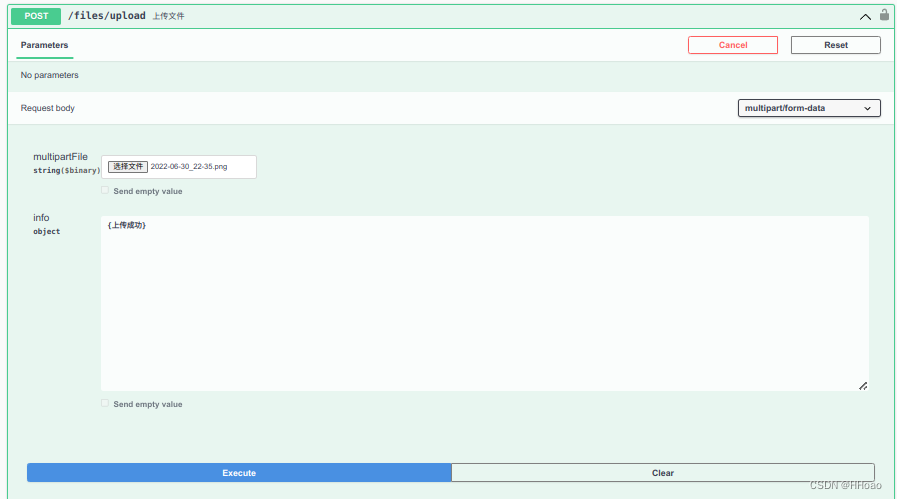
Send requests and responses:
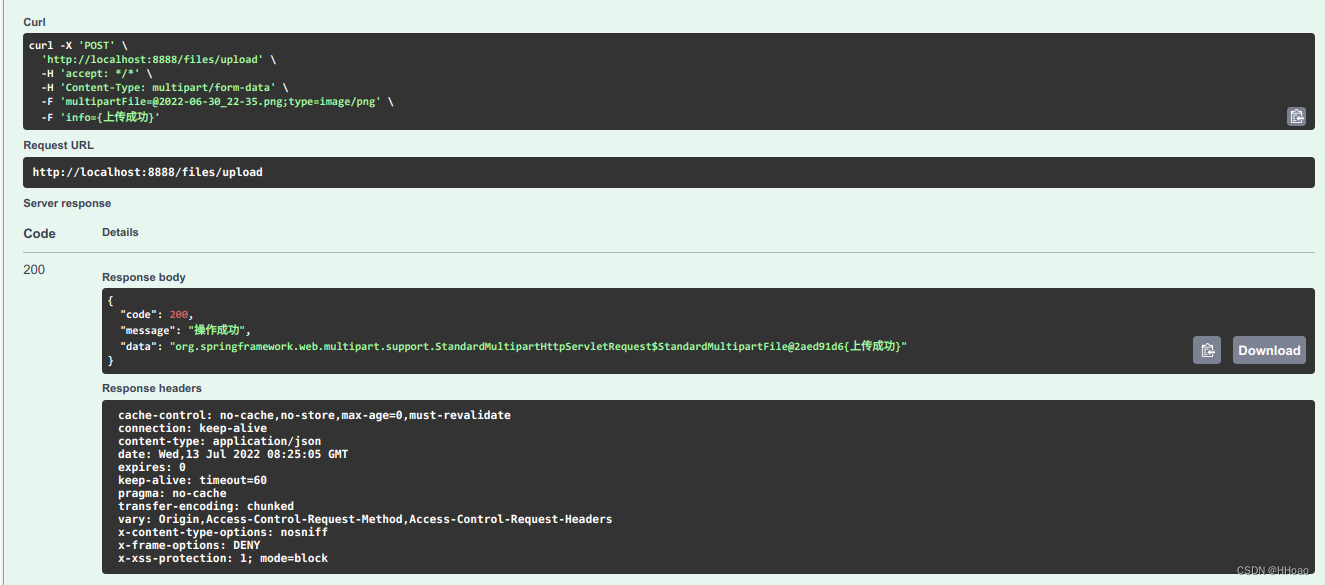
success!
Summary: The official documentation must be carefully read
Intelligent Recommendation
Multipart / form-data POST file upload Detailed
theory Simple HTTP POST We sent via HTTP POST request to the server to submit data, are submitted by the expression form, as follows: Such data will be issued (irrelevant portion has been removed head...
AngularJs implement Multipart/form-data file upload
Due to the needs of the company, we have shifted from the traditional JSP in the Java backend to use a completely separated frontend and backend for development. The background fully provides an inter...
Multi-file upload multipart/form-data
Preface Uploading files in web development is relatively simple. An ordinary post form can be completed by adding file type tags. The uploading work is done by the browser. But when uploading files on...
File upload-processing data in the form of MultiPart
1. Configure the multipart parser (inject the implementation class) DispatcherServlet does not implement any function of parsing multipart request data. It delegates the task to the implementation of ...
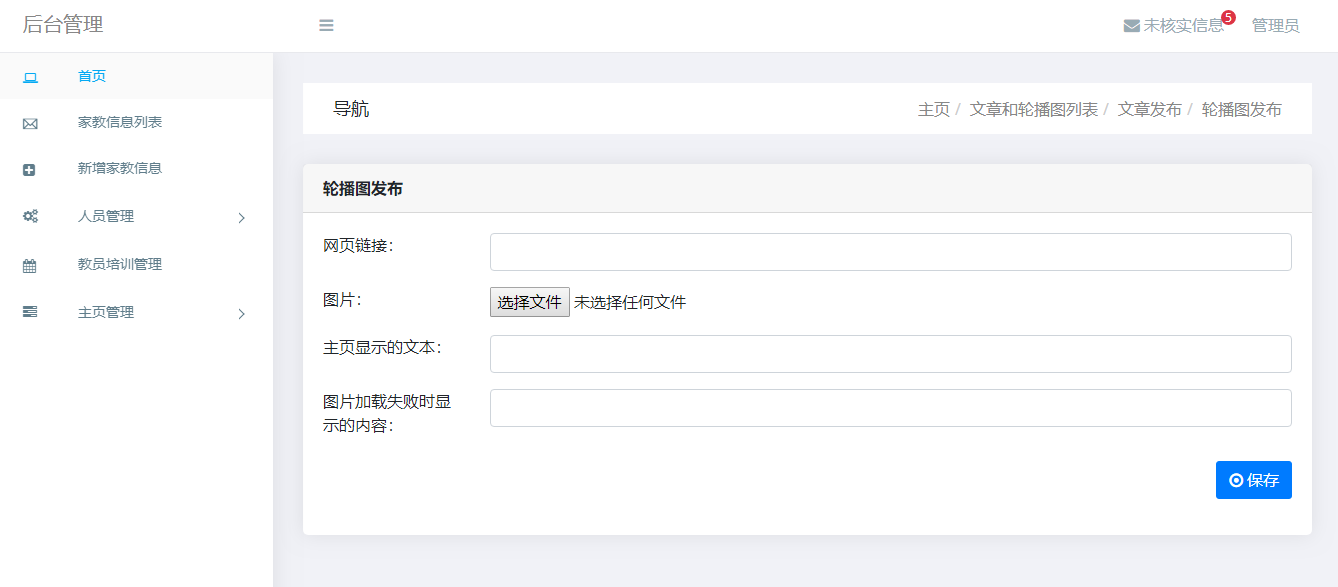
JSP file upload enctype="multipart/form-data"
problem When uploading files, the form needs to be set enctype="multipart/form-data", that is: At this time, if there are other types of content in the form in addition to the file, the requ...
More Recommendation
Upload file multipart/form-data description
Upload file multipart form-data boundary description Meaning ENCTYPE="multipart/form-data" Description: Upload files through http protocol rfc1867 protocol overview, the client sends content...
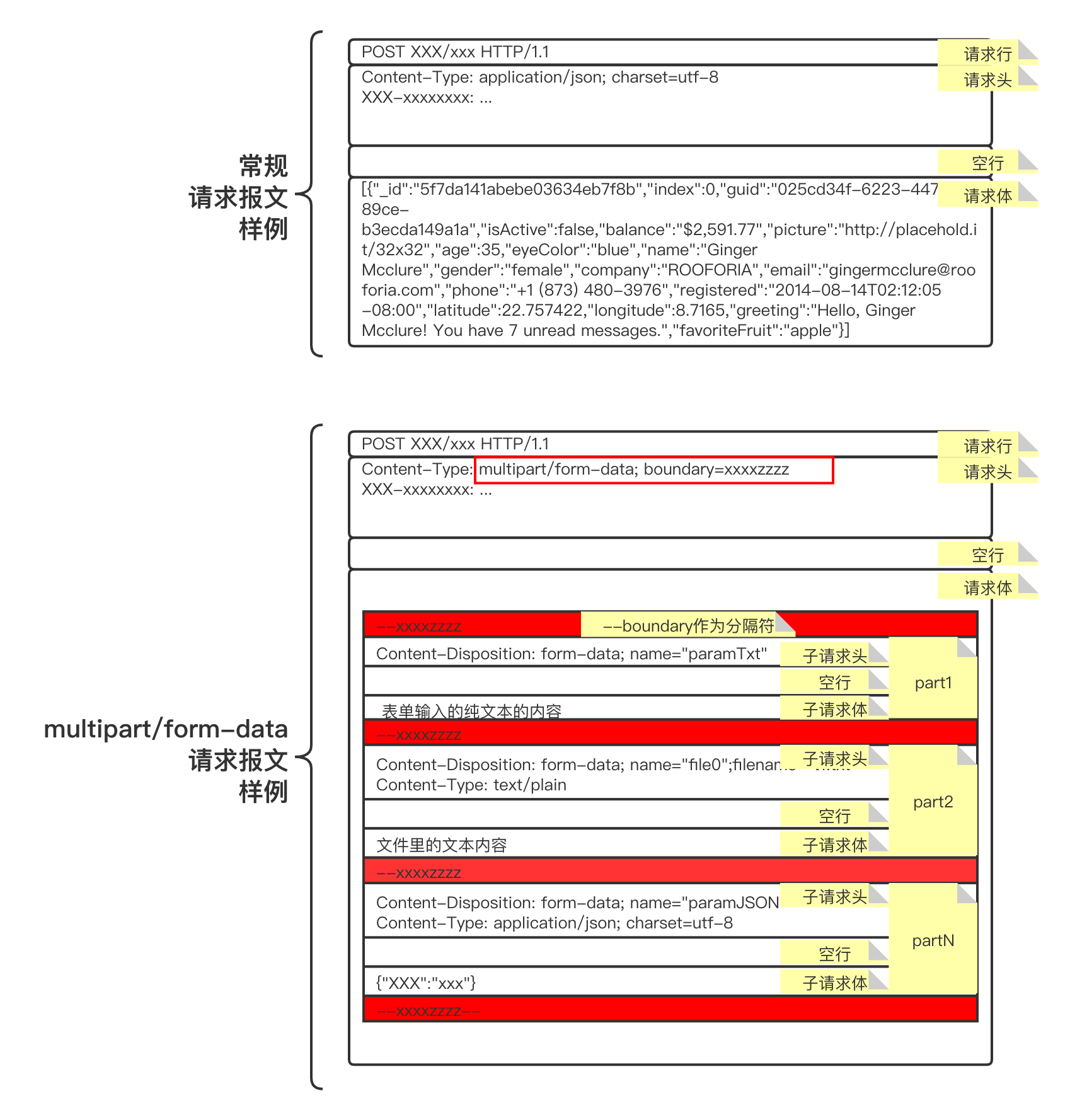
Multipart/form-data and httpclient file upload
Written in front: The content discussed in this article is based on the Java technology stack. File upload is a relatively common functional requirement whether it is developed in the traditional HTML...
Data in the form of Multipart in SpringMVC (file upload)
1. The jar package required for file upload Raw servlet Processing uploaded data data, springmvc ⼜ ⼜ ⼜ serlvet Packaging, RequiredjarBag two. Configuration piece upload parser three.front endForm Four...
GO transit file Upload Multipart/Form-Data;
A slightly large project may have a transit project. Today I will say that the files encountered when uploading the transfer of the transit. If you use the post request directly as a transit, you will...