Ubuntu ifconfig view network card information lo enp2s0 wlp3s0 specific meaning
tags: Linux ubuntu ifconfig enp2s0 wlp3s0
Meaning
How to check the local IP through commands?
Windows:ipconfig /a
Linux:ifconfigoriwconfig
I will see 3 items:
lo
wlp3s0
enp2s0
parse one by one:
loMeanslocalwlMeanswlan(Wireless Local Area Network)enMeansethernetEthernet- The coordinates of the physical location of the PCI interface
(bus, slot), Where bus represents the bus and slot represents the slot.
Look again:
wlp3s0Indicates the location of the WLAN PCI interface: bus=3, slot=0.enp2s0Indicates that Etnernet PCI interface location: bus=2, slot=0.
PCI Peripheral Component Interconnect
shell operation
wuyujin@ubuntu18:~$ ifconfig
enp2s0: flags=4099<UP,BROADCAST,MULTICAST>  mtu 1500
        ether [xxx]  txqueuelen 1000  (Ethernet)
        RX packets 0  bytes 0 (0.0 B)
        RX errors 0  dropped 0  overruns 0  frame 0
        TX packets 0  bytes 0 (0.0 B)
        TX errors 0  dropped 0 overruns 0  carrier 0  collisions 0

lo: flags=73<UP,LOOPBACK,RUNNING>  mtu 65536
        inet 127.0.0.1  netmask 255.0.0.0
        inet6 ::1  prefixlen 128  scopeid 0x10<host>
        loop  txqueuelen 1000  (Local Loopback)
        RX packets 16285  bytes 1914437 (1.9 MB)
        RX errors 0  dropped 0  overruns 0  frame 0
        TX packets 16285  bytes 1914437 (1.9 MB)
        TX errors 0  dropped 0 overruns 0  carrier 0  collisions 0

wlp3s0: flags=4163<UP,BROADCAST,RUNNING,MULTICAST>  mtu 1500
        inet [IP address]  netmask [Gateway address]  broadcast [Subnet mask]
        inet6 [IPV6]  prefixlen 64  scopeid 0x20<link>
        ether [xxx]  txqueuelen 1000  (Ethernet)
        RX packets 926526  bytes 1261489274 (1.2 GB)
        RX errors 0  dropped 0  overruns 0  frame 0
        TX packets 377109  bytes 50598690 (50.5 MB)
        TX errors 0  dropped 0 overruns 0  carrier 0  collisions 0

wuyujin@ubuntu18:~$
Others
wuyujin@ubuntu18:~$ whatis ifconfig
ifconfig (8)         - configure a network interface
wuyujin@ubuntu18:~$ whatis iwconfig
iwconfig (8)         - configure a wireless network interface
wuyujin@ubuntu18:~$
ifconfig is used to configure the network interfaceInterFace config
iwconfig is used to configure the wireless network interfaceInterface Wlan config
Intelligent Recommendation
[Network] udp senior day03 Linux commands (ping, ifconfig) + view or configure the network card information: ifconfig + test remote host connectivity: ping
Article Directory Linux commands (ping, ifconfig) View or configure the network card information: ifconfig Test the remote host connectivity: ping Linux commands (ping, ifconfig) View or configure the...
Ubuntu can't be online: ifconfig view only lo, no ens33 problem solving reference method
1. Problem description: Under the Ubuntu system, the browser cannot access the Internet. The terminal enters ifconfig to view, only the local loopback network card of lo can be seen, but the ens33 net...
[Linux] ifconfig get network card information
ifconfig [parameter] Get network card information 1. Parameter description parameter Description -a Display all interface information -s Show summary information <interface> address Set the ipv4...

ubuntu ifconfig has no wireless network card
After I installed ubuntu with the RK3288 board, because there was no onboard wifi, I used a usb wireless network card for networking. But when I wanted to connect to the Internet, I found that ifconfi...
After Ubuntu 16.04 ifconfig, only lo and no ens
After a long time without using Ubuntu on the virtual machine, today I suddenly found that Ubuntu can not connect to the Internet, toss for a long time, and finally found a solution. The initial quest...
More Recommendation
Ubuntu can only view the local loop network card using ifconfig, without ENS33
Prerequisite First confirm that your Ubuntu's network connection mode is a bridge mode! Intersection Intersection Problem Description You can only see the LO local loop network card through ifconfig W...
Modify the network card name wlp3s0 under Linux ubuntu16
Recently found that the linux ubuntu use the ifconfig command to display the name of the network card is wftp3s0 such a strange name, look at the information, why not use eth0, wlan0 these simple name...
ubuntu network card information
System: ubuntu18.04 Kernel: Linux version 5.3.0-61-generic 1. ifconfig lo means local, that is, local loopback enp0s25: en means ethernet. p0s2 indicates that the network card has PCI bus=0, slot=2, a...
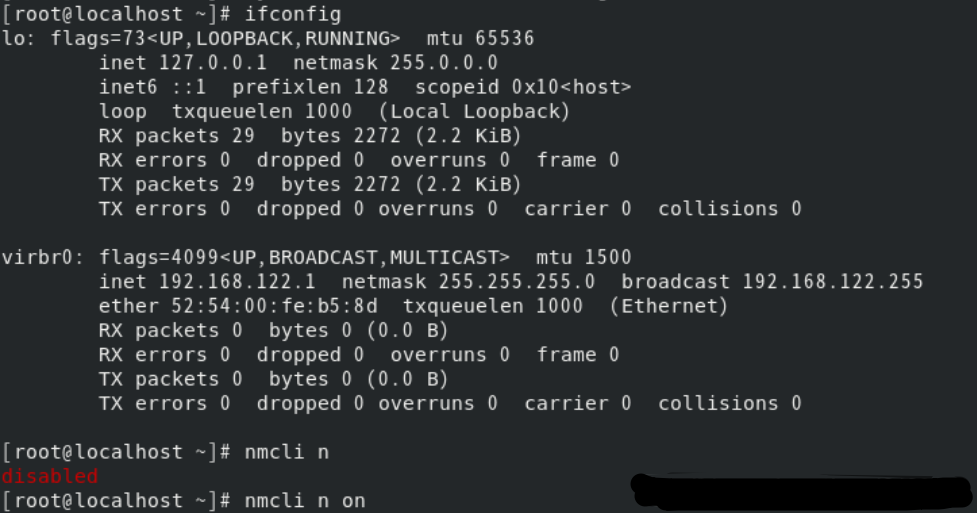
Record a CENTOS8 use ifconfig without ENS33 network card information
Centos8 uses ifconfig without ENS33 network card The screenshot of the problem is as follows: solve: Net card successfully started: ...