Install Conda and PANDAS, NUMPY, Scikit-Learn, Seaborn, Matplotlib, Xlutils
tags: linux python pycharm vscode Operation and maintenance
MINICONDA installation
1. Download the installation package (-c if the download is interrupted, you can continue the last installation, you can omit it)
wget -c https://mirrors.tuna.tsinghua.edu.cn/anaconda/miniconda/Miniconda3-py39_4.11.0-Linux-x86_64.shNote: You can go to the mirror website: https://mirrrs.tuna.tsinghu.edu.cn/anaconda/miniconda/ Find the version you want to install, I choose here is what I chooseMiniconda3-py39_4.11.0-Linux-x86_64.sh
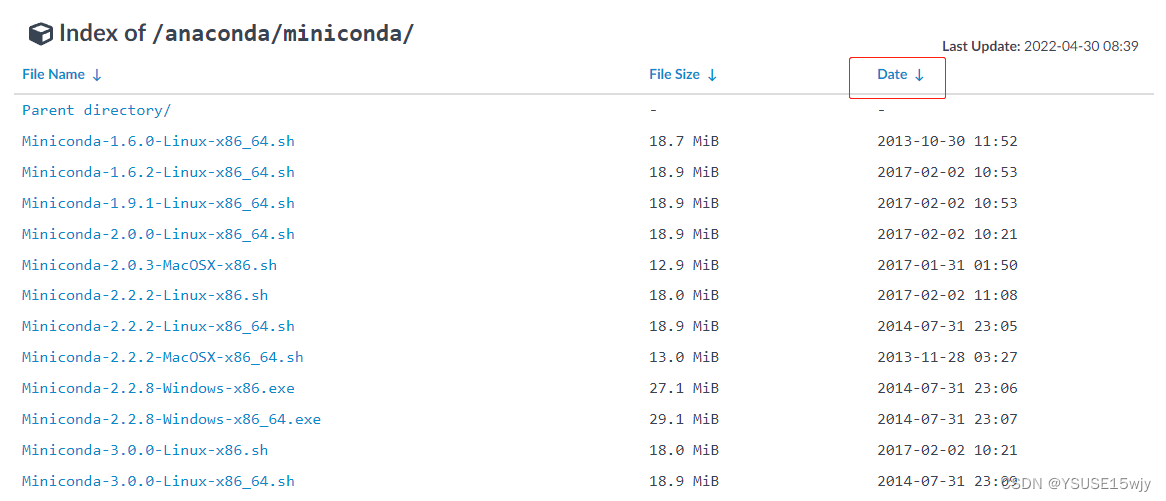
Sort by time, find the latest bag
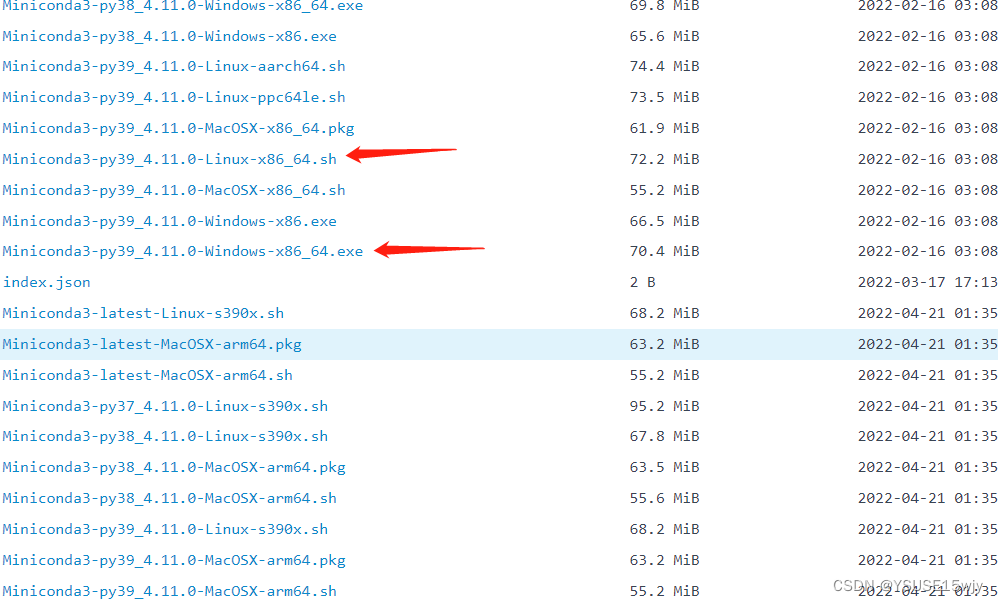
2. Install MINICONDA3 just downloaded, bash is the meaning of running .sh file
bash Miniconda3-py39_4.11.0-Linux-x86_64.sh3. Similar to restart, reload the configuration file .bashrc
source .bashrc4. Some basic commands
#View the version of the Conda, check whether the installation is successful
conda --version


 #View the installed bag
conda list
5. Add some mirror images to facilitate installation software later, faster speed
conda config --add channels genomedk
conda config --add channels https://mirrors.tuna.tsinghua.edu.cn/anaconda/pkgs/free/
conda config --add channels https://mirrors.tuna.tsinghua.edu.cn/anaconda/pkgs/main/
conda config --add channels https://mirrors.tuna.tsinghua.edu.cn/anaconda/cloud/conda-forge/
conda config --add channels https://mirrors.tuna.tsinghua.edu.cn/anaconda/cloud/bioconda/
conda config --set show_channel_urls yes

 #View the configuration mirror
conda config --show

 #Delete a certain mirror source
conda config --remove channels https://mirrors.tuna.tsinghua.edu.cn/anaconda/pkgs/free/
6. Installation package
conda install numpy
conda install pandas
conda install scikit-learn
conda install seaborn
conda install matplotlib
 #Python read and write operation Excel -Install the third -party library (XLRD, XLWT, Xlutils, OpenPyxl)
conda install xlutils
7. Install and upgrade the MKL package
When using the FAISS package to build a KNN index, the FAISS package often appears abnormal when importing the mkl package
#Add these two lines to solve the problem
import mkl
mkl.get_max_threads()

Intel MKL FATAL ERROR: Cannot load libmkl_avx512.so or libmkl_def.so
After adding these two lines of code, the problem that FAISS throws out can be theoretically solved, but if the MKL package on the server is incomplete or the version is low, new problems will be encountered
#mkl is more difficult to install
conda install -c conda-forge mkl

 #Look at whether Mkl is installed
pip list|grep 'mkl'

 #If there is:
mkl-fft(1.0.10)
mkl-random(1.0.2)
 #Completion
 #first
 # python/pip version
which python  # ~/anaconda2/bin/python
python -V  # Python 2.7.16 :: Anaconda, Inc.

which pip  # ~/anaconda2/bin/pip
pip -V  # pip 20.2.3 from /home/work/anaconda2/lib/python2.7/site-packages/pip (python 2.7)

 #Github's method of installing MKL-Services is to use one of the following two Conda commands, but it is easy
conda install -c intel mkl-service
conda install -c conda-forge mkl-service

 #Conda list is a complete MKL+MKL-Service+MKL_FFT+MKL_RANDOM, but PIP List only has two packets of MKL_FFT+MKL_RANDOM
 #Therefore, to update MKL directly
conda update mkl
 #
conda update conda
conda update --force conda
If the PIP error is reported after updating Conda
#Installation or upgrade PIP
curl https://bootstrap.pypa.io/get-pip.py -o get-pip.py
python get-pip.py
8. Powerful installation, then update later (helpless)
#Installation
pip install -i https://pypi.douban.com/simple pandas

python -m pip install pandas -i https://pypi.tuna.tsinghua.edu.cn/simple

py -3 -m pip install pandas -i http://pypi.douban.com/simple/ --trusted-host pypi.douban.com

pip install pandas 1.4.2
9. Using pycharm is easy to report an error
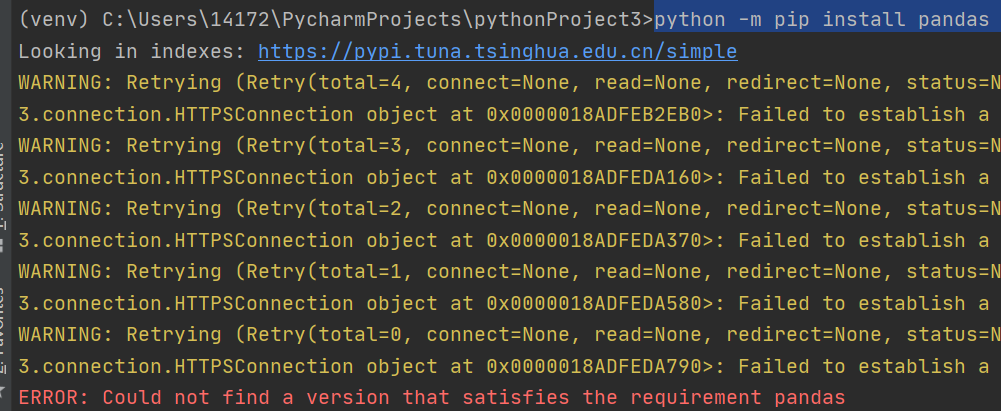
If you can't find pandas in Setting's resources
At https://pypi.org/project/pandas/#Files
Download the version corresponding to your own (Python version must correspond to)
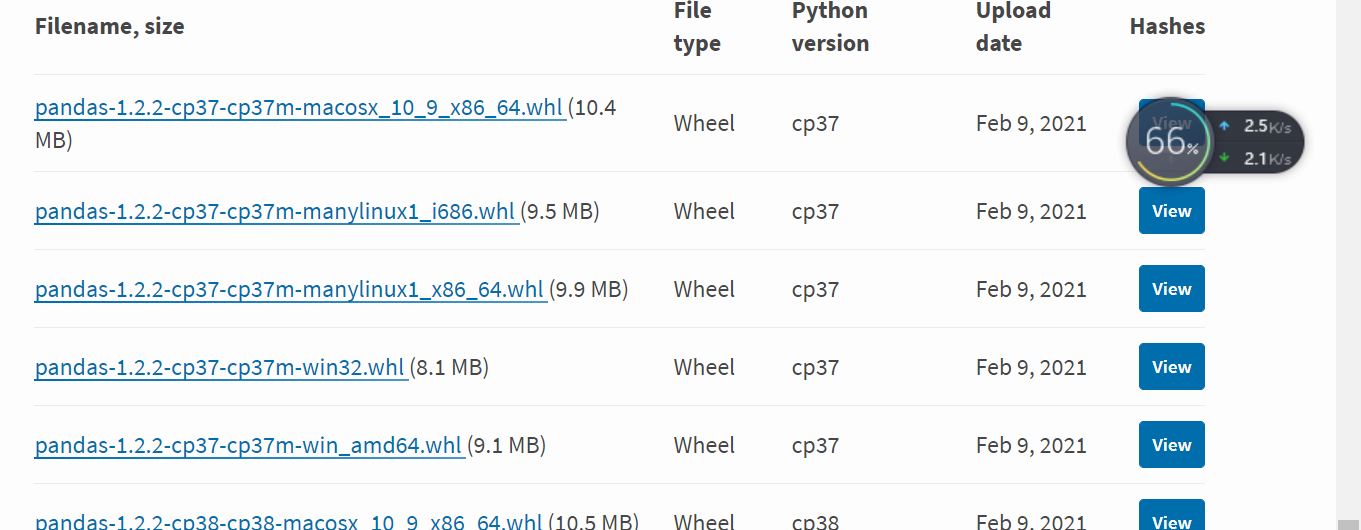
Copy to this directory:
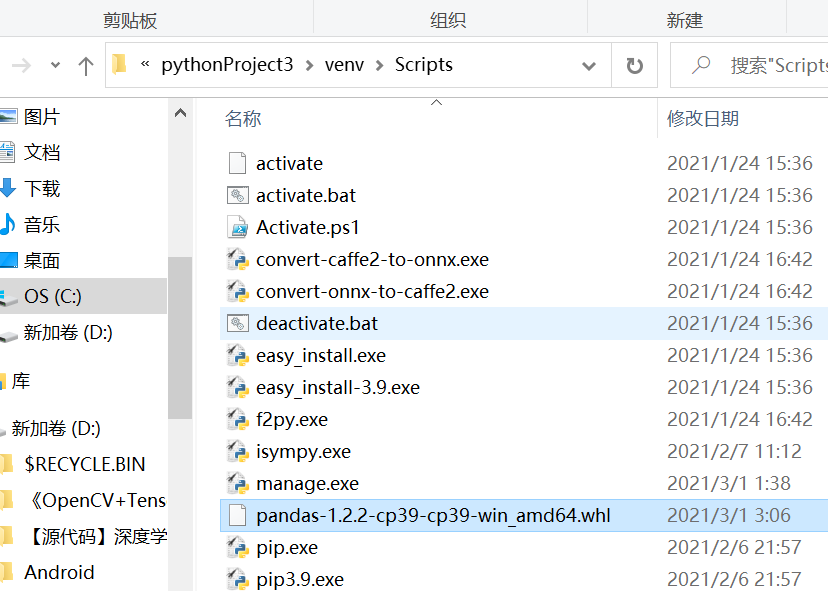
Enter the folder input:
pip install pandas-1.2.2-cp39-cp39-win_amd64.whlThe download was successful. Then I found that PyCharm already had this package.
10. Install Matplotlib
First make sure that Python has been installed, and then use PIP to install the MatplotLib module.
Enter the CMD window, execute Python -m PIP Install -u PIPsetuptoolsUpgrade.
Then type the python -m PIP Install Matplotlib for automatic installation, and the system will automatically download the installation package.
After the installation is completed, you can use the Python -m PIP List to view all the modules of the installation of the machine to ensure that the Matplotlib has been successfully installed.
As wellDownload first, then install it directly in the command line
We need to download the files that Matplotlib depends on:
1,kiwisolver-1.2.0-cp37-cp37m-win_amd64.whl
2,python_dateutil-2.8.1-py2.py3-none-any.whl
3,numpy-1.19.0-cp37-cp37m-win_amd64.whl
3,Pillow-7.2.0-cp37-cp37m-win_amd64.whl
4,matplotlib-3.3.0-cp37-cp37m-win_amd64.whl
The version of the above file depends on the configuration version and Python version of your computer!
My computer is 64 -bit Win10 operating system, and the Python version is 3.7, so it corresponds to Win_AMD64 and CP37.
After the download is completed, the file is moved to the scripts directory in the Python installation directory, waiting for installation. CMD opens the command line, switch to the scripts directory of the Python installation directory, and then install it in order with PIP
Finally install Matplotlib
pip install matplotlib-3.3.0-cp37-cp37m-win_amd64.whlIntelligent Recommendation

pycharm: numpy, pandas, matplotlib, scikit environment construction
1. Download Ide on the pycharm official website (ubuntun14.04) 2. Open the terminal and enter in sequence sudo apt-get install python-pip pip install scikit-learn pip install numpy pip install pandas ...
[Linux] Ubuntu18.04 uses [python2] to install PIL, opencv, numpy, matplotlib, pandas, seaborn
reference: 1. Query the default pip version If the printed result is python3.x, you need to install pip under python2. 2. Install pip for python2 If the output is python3.x, install the pip tool for p...
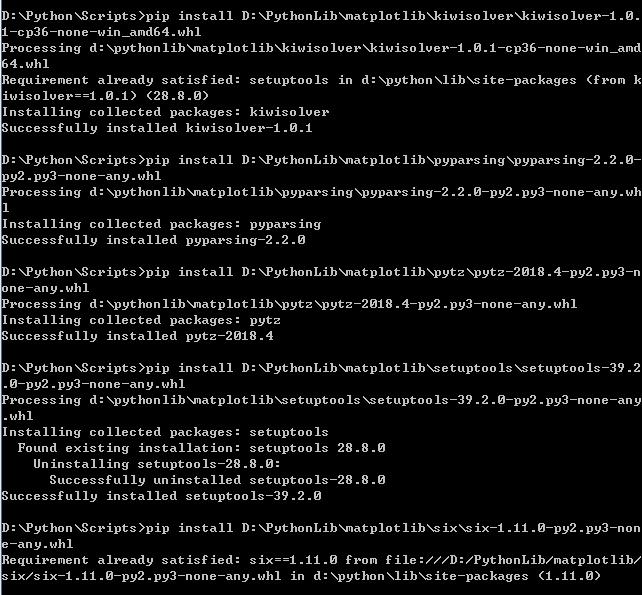
In Windows by installing pip Numpy, Scipy, Matplotlib, Pandas, StatsModels, Scikit-Learn, PyWavelets, Graphviz, TSNE
Numpy Numpy provide support for the array, and the corresponding processing function efficiently. Since Numpy still a lot of high-level extensions dependent libraries, usually before you install other...

Tencent Cloud Ubuntu14.04 builds machine learning environment (jupyter and numpy, scipy, matplotlib, pandas, scikit-learn)
Build a machine learning cloud server Preface I have a cloud server on hand and I have been idle. I just recently wanted to see the content of machine learning. It is not very convenient to do it on m...

Install Python with graphics, automatically download and install Numpy+MKL, Scipy, matplotlib, scikit-learn
First of all, I successfully installed Python, Numpy+MKL, Scipy, matplotlib, scikit-learn at 5 am on 2020.07.23 Here is the installation instructions of Python 3.8.1. Many tutorials teach you to downl...
More Recommendation

Win10 install Numpy, Scipy, Matplotlib, Scikit-lea
NumPy-Basic packages needed for scientific computing in Python (a fundamental package needed for scientific computing with Python) SciPy-A software for mathematics, science, and engineering (is softwa...
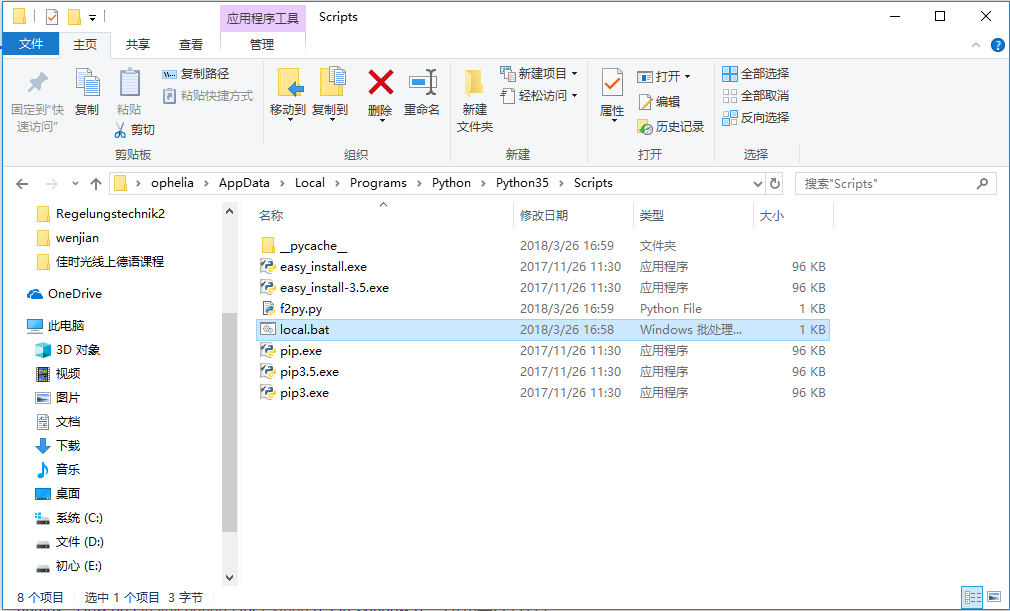
Install numpy, pandas, scipy and matplotlib
First find python installation folder, the new in pathon35 / Script folder a bat file (I installed the 3.5 version), a text editor to write cmd in it, click on it to open a command of the direct path ...
Python install scikit-learn, Numpy, Matplotlib and other packages and how to use them later
Going a lot of detours, taking a day Part1: Installation package method 1 Slowly loading yourself Download the package first, the website:https://www.lfd.uci.edu/~gohlke/pythonlibs/ Select the appropr...
Install python development of learning record --Numpy, Scipy, Matplotlib, Scikit-learn and other library
In fact, very simple, git bash, enter: See Successfully installed, description OK. Note: The previous method, at the time of installation, we encountered problems, so please refer to the follow...
Install Numpy, Matplotlib, Scipy, scikit-learn and other python libraries under Mac
Step 1. Install Pip on Mac first, enter in the console curl -O https://bootstrap.pypa.io/get-pip.py Step 2. Enter in the console If it is python2.7: python3: Step 3. Install Numpy, Scipy, Matplotlib, ...