Three ways to install python packages in pycharm
(1) Command line installation
pip install XXX or conda install XXX
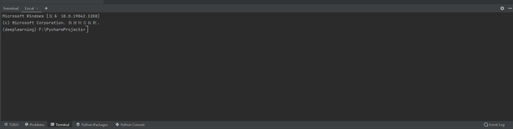
XXX is the name of the package, the command input location is shown in the figure below (both can be used, if one fails to install, the other will be used)
(2) Installation of the operating interface
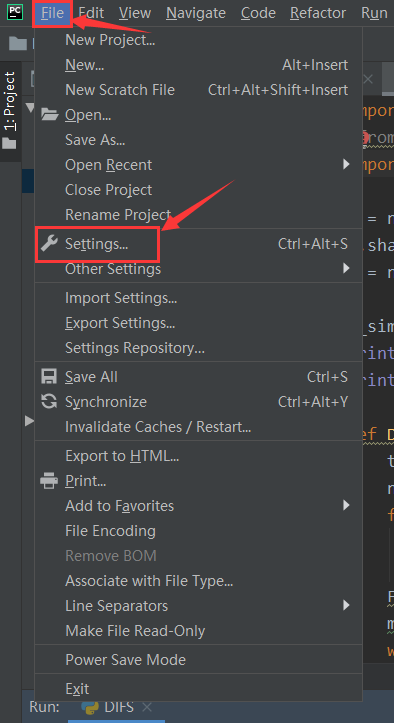
(i) Click file-settings in turn, and the following interface appears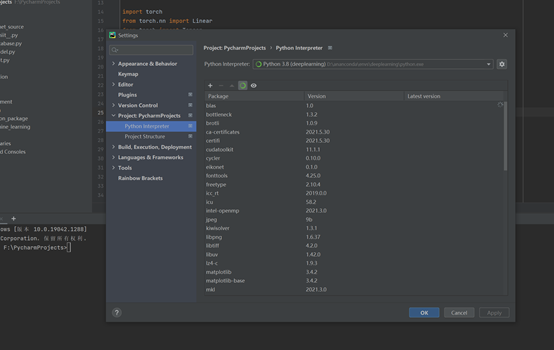
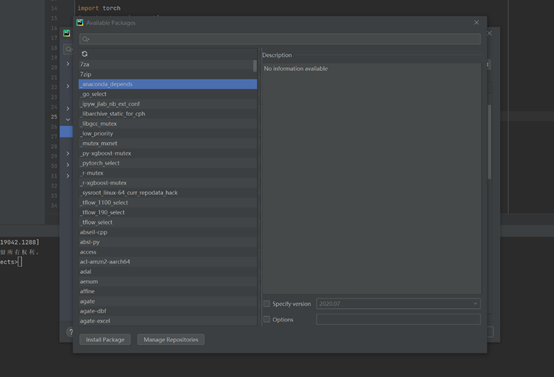
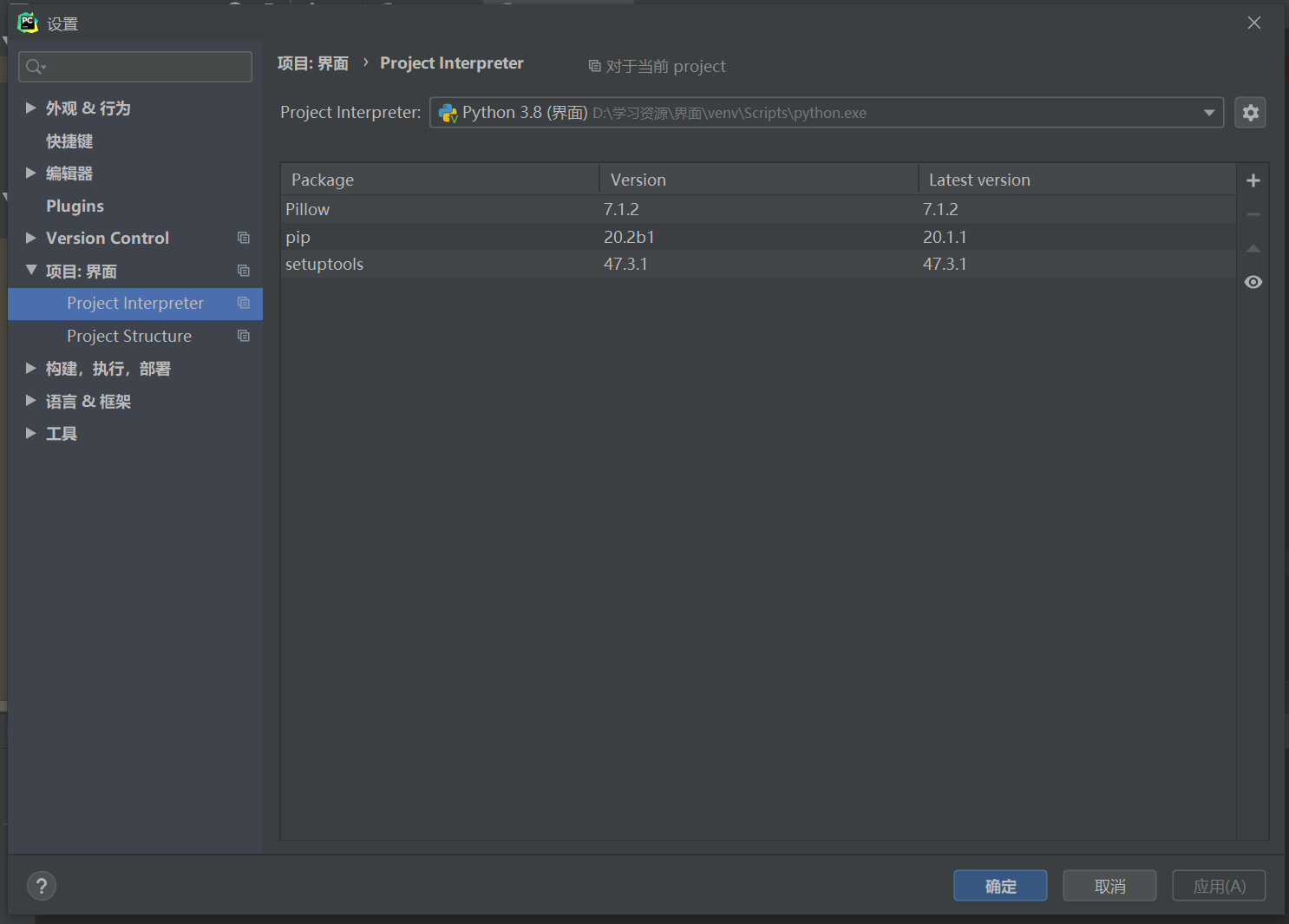
(2) Click + in the picture, and the following interface appears. Enter the name of the corresponding package in the search box, and click install Package after selecting it.
(3) Install directly according to the prompts
Open a python source program, and all red wavy lines are uninstalled packages. Move the cursor to the red wavy lines. The install packages option will appear. Just click it.
Intelligent Recommendation
pycharm Install packages failed
Install the SKIMAGE plug -in using PyCharm to report an error Try to run this command from the system terminal. Make sure that you use the correct version of ‘pip’ installed for your Pytho...
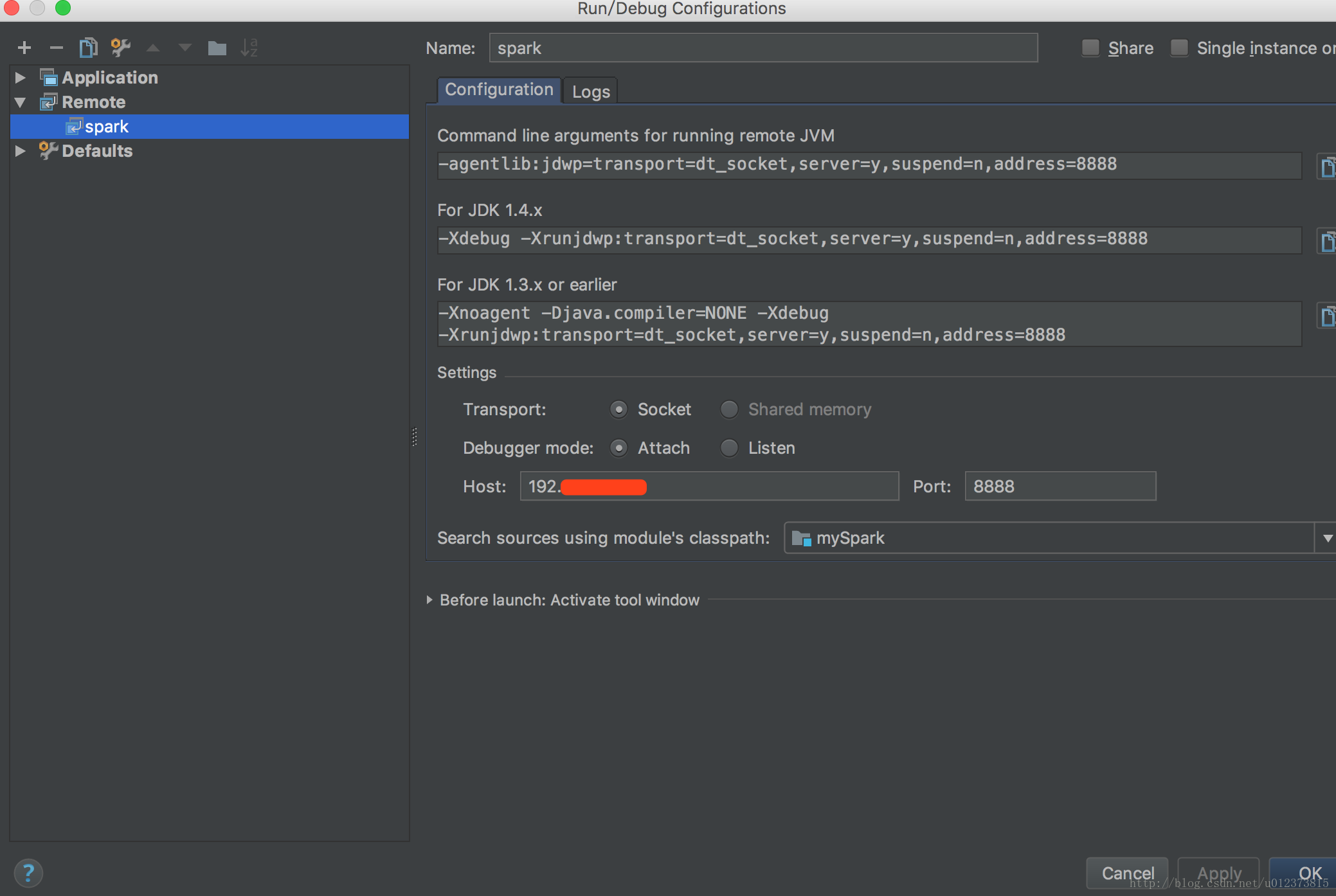
PyCharm three ways to debug Python remotely
Copyright statement: This article isBloggerOriginal articles may not be reproduced without the permission of the blogger. When using PySpark to develop cluster tasks, due to the limitation of cluster ...
iOS packages in three ways
Follow these steps to go, to be packaged successfully, I do not say a variety of reasons, we talk about the steps: Simple and crude! ! ! First you have to have an Apple developer account. If not, appl...

Python introduces packages through pycharm instead of pip install
to sum up: 1) In this way, there is no wavy line in the package installed with pip, no code prompt, etc.; 2) After using pycharm, there is no need to use virtual for virtualization, pycharm will help ...
About using the python editor pyCharm to install other packages can not be installed
This problem is really entangled with me in the morning. All the time is wasted searching information and resources! But the problem is not so difficult, often think hard! First, let me talk about wha...
More Recommendation
[Python] Use the pip command to install third-party packages for PyCharm
One, the problem 1. Background: Win10,Install Anaconda first, then install PyCharm(Use anaconda's python.exe). 2. Problem: When installing third-party packages for PyCharm using conventional methods (...

Python Learning Notes - How to Install Third-Party Packages on PyCharm
When we write programs in Python, we often use third-party packages. So what is a third-party package? The package mentioned here refers to a collection of Python modules that implement a specific fun...
Three ways to run Pycharm
1. Normal operation mode Create a file of test_01.py, when the test framework such as Pytest framework is not used in the file, select the normal mode to run the script Click the plus sign in the uppe...

A quick way to install packages in pycharm
A quick way to install packages in pycharm When creating the environment, I chose to create a virtual environment Select in settings: Click the plus sign on the right side of the screen Bottom left co...
Install third-party packages in pycharm
Install third-party packages in pycharm Sometimes we are using pycharm to edit python and we need to import various packages. These packages cannot be used directly and need to be installed first. Oth...