Windows 10 compiles PostgreSQL extension plpgsql_check with Visual Studio
tags: plpsql_check Postgres
Reference address:https://blog.2ndquadrant.com/compiling-postgresql-extensions-visual-studio-windows/
Foreword
This article records the use of vs for source code compilation, the compiled version is x64 bit.
Operation Center: windows 10
Compilation tool: vs2013
Download and install
1, open the URL:https://pgxn.org/dist/plpgsql_check/0.9.3/Click the icon to download the plpgsql_check plugin source.
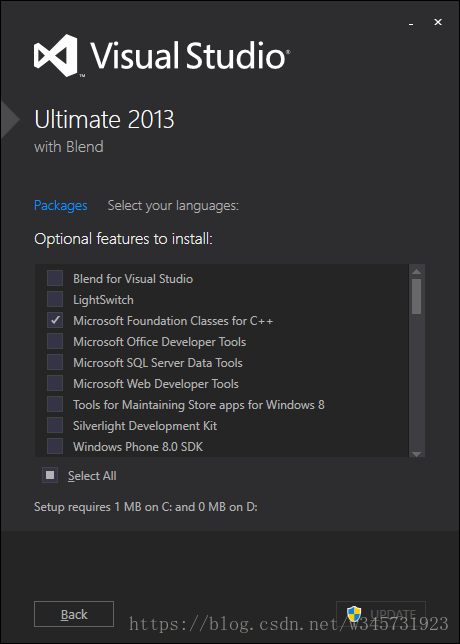
2, download and install Microsoft Visual C++ 2010 (test through 2010 and 2013, only install C++ module)
New Project
1. Create a new C++ project, File -> New -> Project...

2, create a source file, click Source Files right -> Add -> New Items...
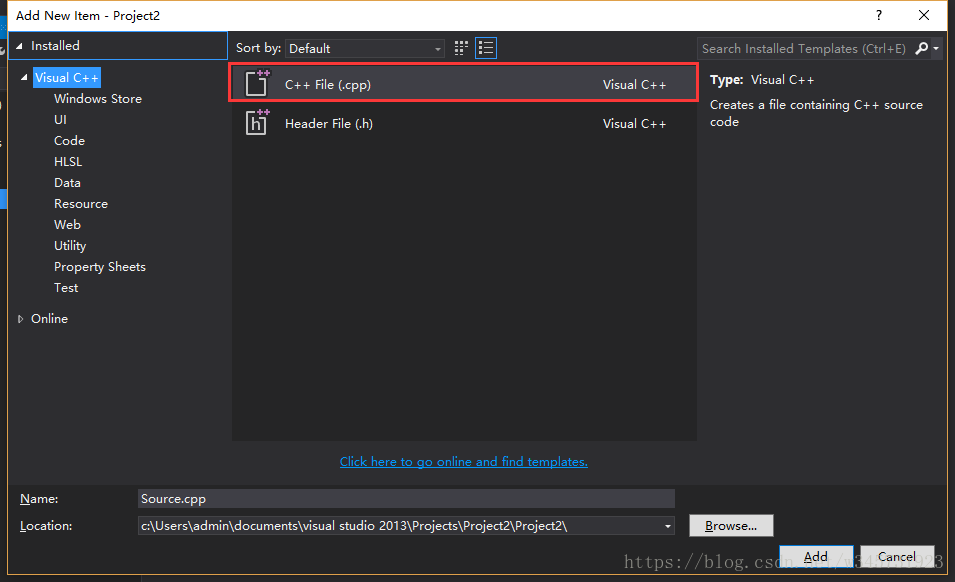
Copy the source code plpgsql_check.c into it, there will be some errors, don't worry, slowly fix it later.
3, copy the plpgsql_check_builtins.h file under the source file to the include file under pg
My path is: D:\Program Files\PostgreSQL\10\include
Project configuration
1. Add x64 bit program configuration. The default vs. win32 configuration. Select Release, click Configuration Manager...

Select the Win32 drop-down box and click Add. Select x64 bit and click OK.
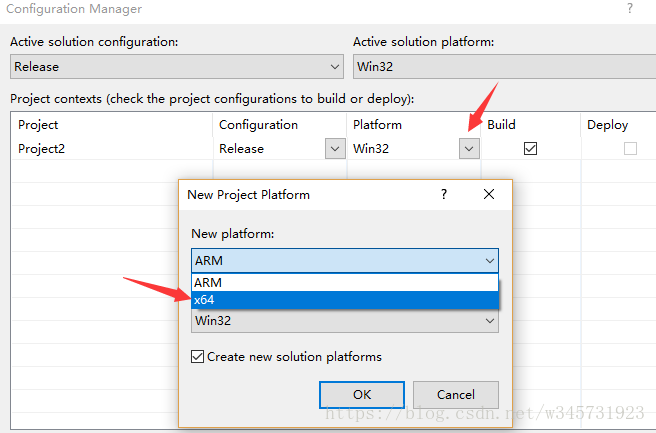
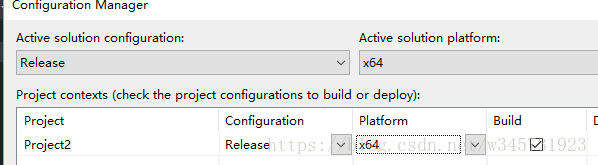
Right click on the project name -> Click on Properties, select the Release in the Configuration drop-down box in the upper left corner and select x64 bit.
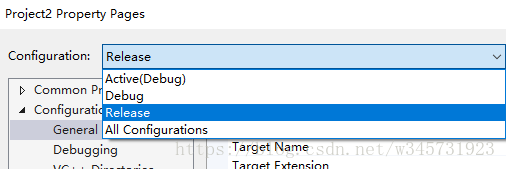
Note: The names here can be customized and can be added in Configuration Manager. Different names represent different project configurations.
2. Select Configuration Properties -> General and set the "Configuration Type" to "Dynamic Library (.dll)".
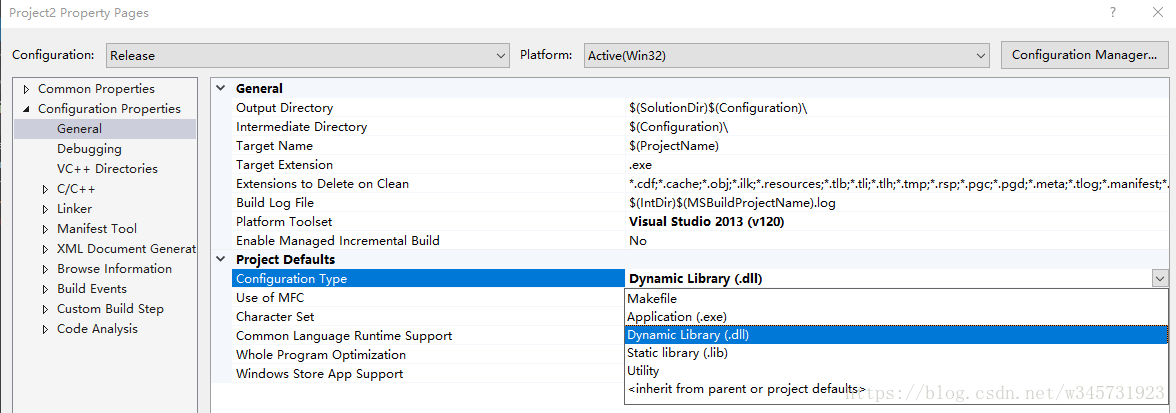
3. Select C/C++ -> Preprocessor -> Preprocessor Definitions -> <Edit...>, add the command WIN64

4. Select C/C++ -> Code Generation and set "Enable C++ Exceptions" to "No".

5. Select C/C++ -> Advanced and set "Compile As" to "C Code".
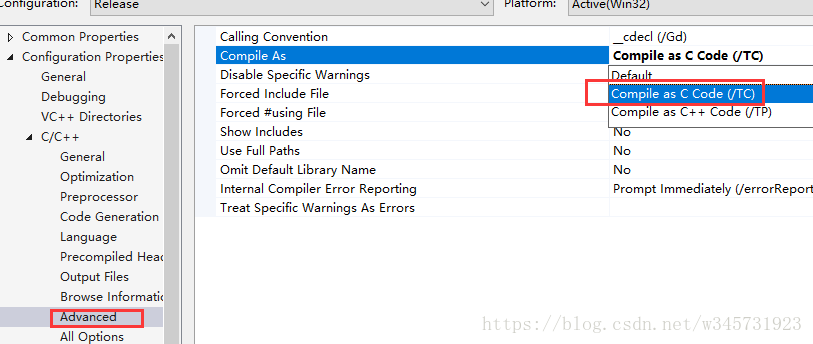
6. Select Linker -> Manifest File, set "Generate Manifest" to "No".
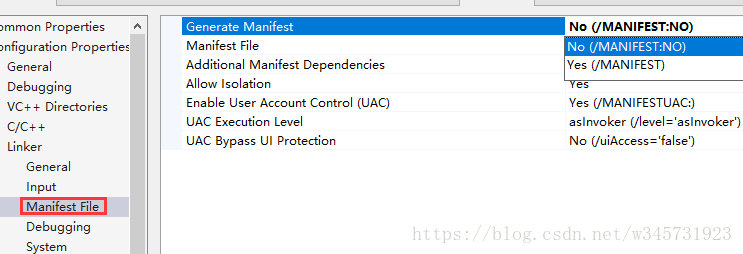
7. Select Linker -> Input -> Additional Dependencies and add postgres.lib to the repository list.

Import and library catalog
Now you need to add the required include directory.
1. Configuration Properties -> C/ C++ -> General -> Additional Include Directories, drop the arrow to the right of the text box and select. Now, by pasting the path or selecting a folder, add the following folder to the PostgreSQL installation directory in the following order:
include\server\port\win32_msvc
include\server\port\win32
include\server
include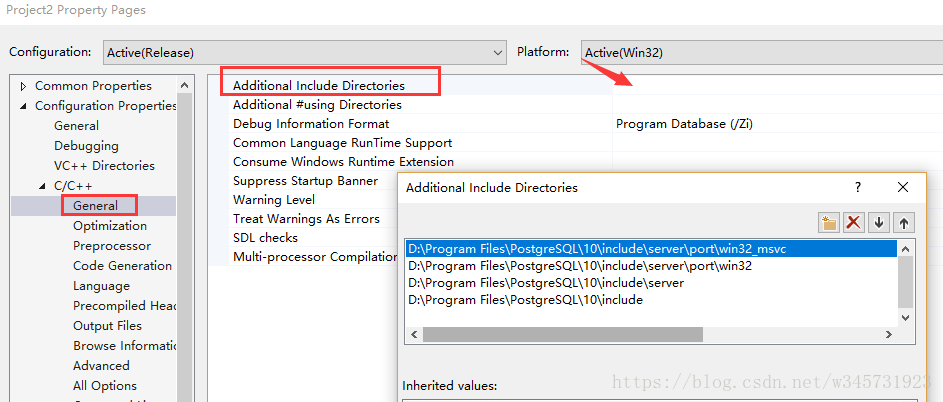
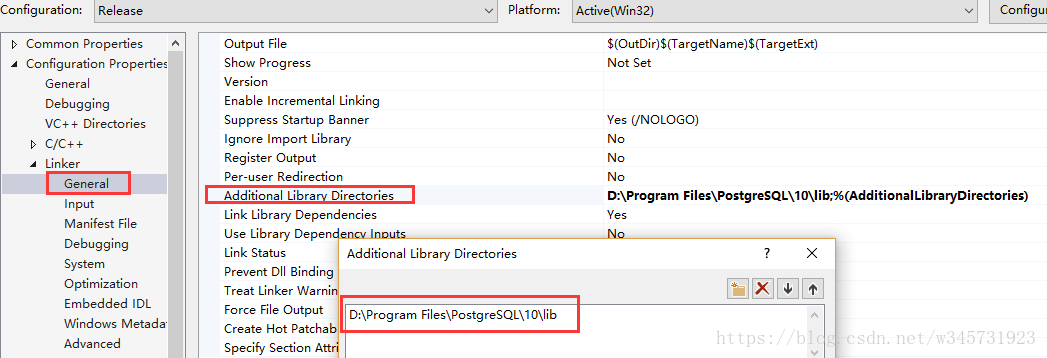
2, you also need to set the path of the library. Select "Linker" -> "General", in Additional Library Directories.
3, solve the source code highlight error
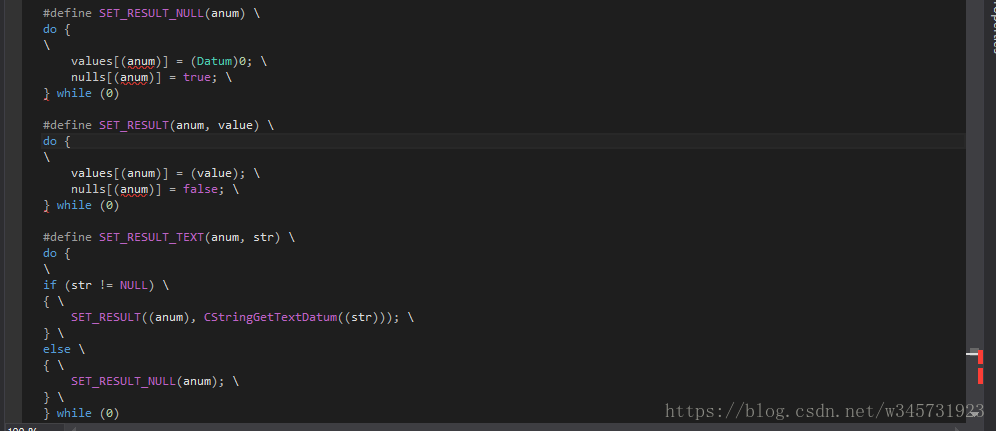
Here are a few grammatical errors, in fact, when copying the source code, accidentally copy the newline character, we open the source to see
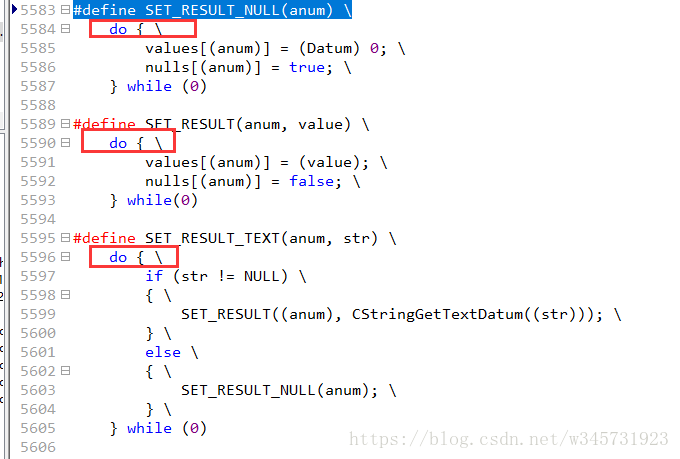
Move these 3 "\"s to the previous line.
Click "OK". When the source file is returned, the error highlighting on the extension file should disappear.
Package build
1, right click project -> Rebuild
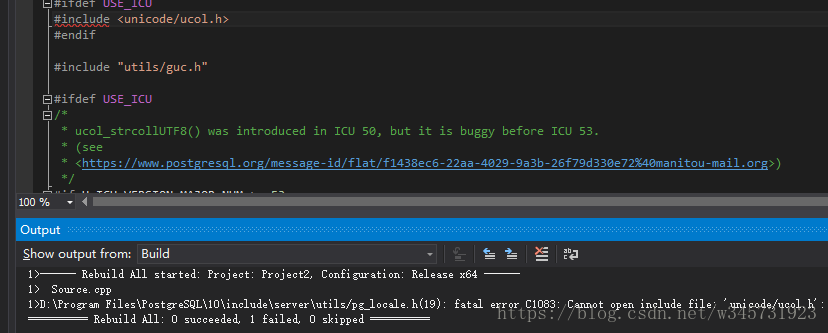
fatal error C1083: Cannot open include file: 'unicode/ucol.h': No such file or directory
Double-clicking on this line of error will open the pg_locale.h file and find that there is a syntax error, but it is really less packaged, but less is not a PG package.
Need to install the ICU package under IBM. Portal:http://site.icu-project.org/download/62
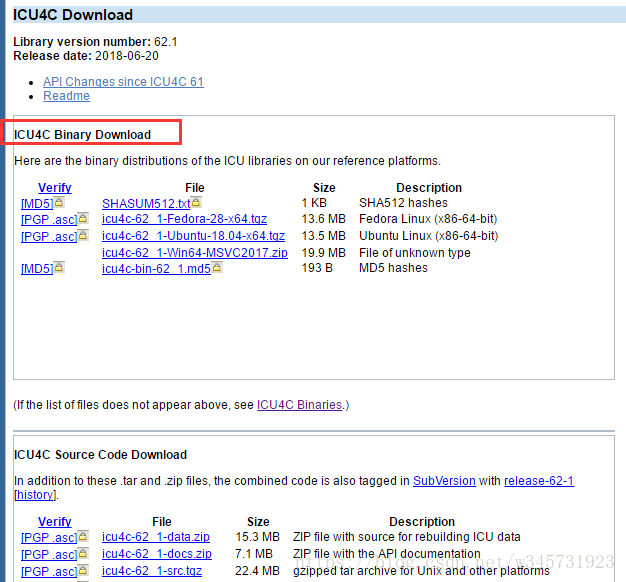
Download ICU4C Binary Download, don't download the source code, because the source files are very scattered, and you need to import a lot of folders.
Introduced after decompression
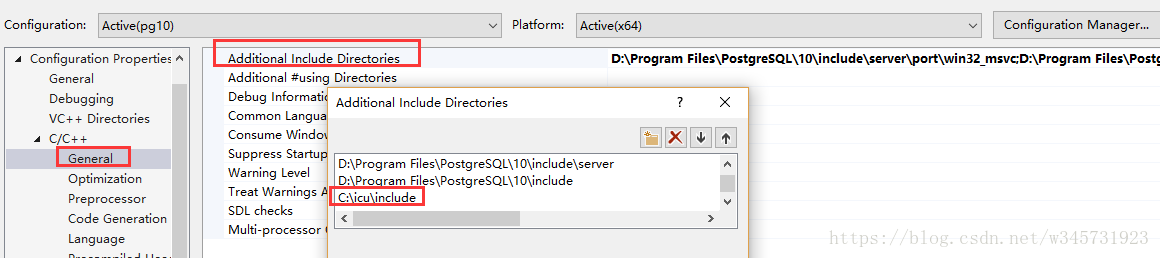
2. Rebuild.

Found a package missing plpsql error, introduced plpsql.lib
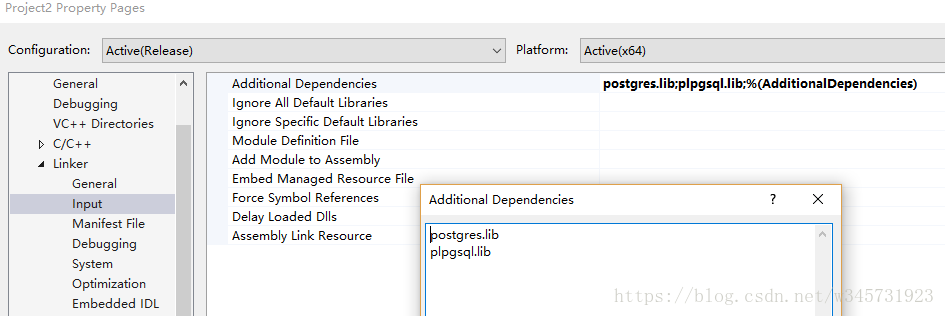
Plpgsql.lib file, please seeWindows 10 installs PostgreSQL database plpgsql_check extension
3. Build again. Congratulations on your success.

use
1. Open the folder of the successful directory and rename the .dll file to the plpgsql_check.dll file.
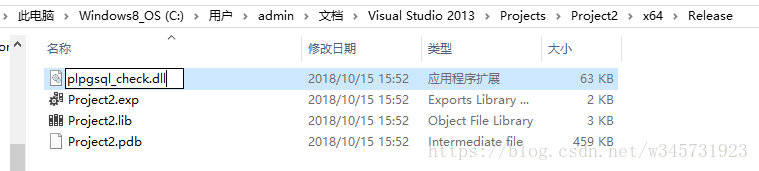
2. Copy the plpgsql_check.dll file to PostgreSQL\10\lib.
Ok, this article is recorded.
Intelligent Recommendation

Install Visual Studio 6.0 on Windows 10
https://www.codeproject.com/Articles/1191047/Install-Visual-Studio-on-Windows If a large-capacity U disk is connected, please unplug it, otherwise the search time will become longer. C:\Windows can cr...
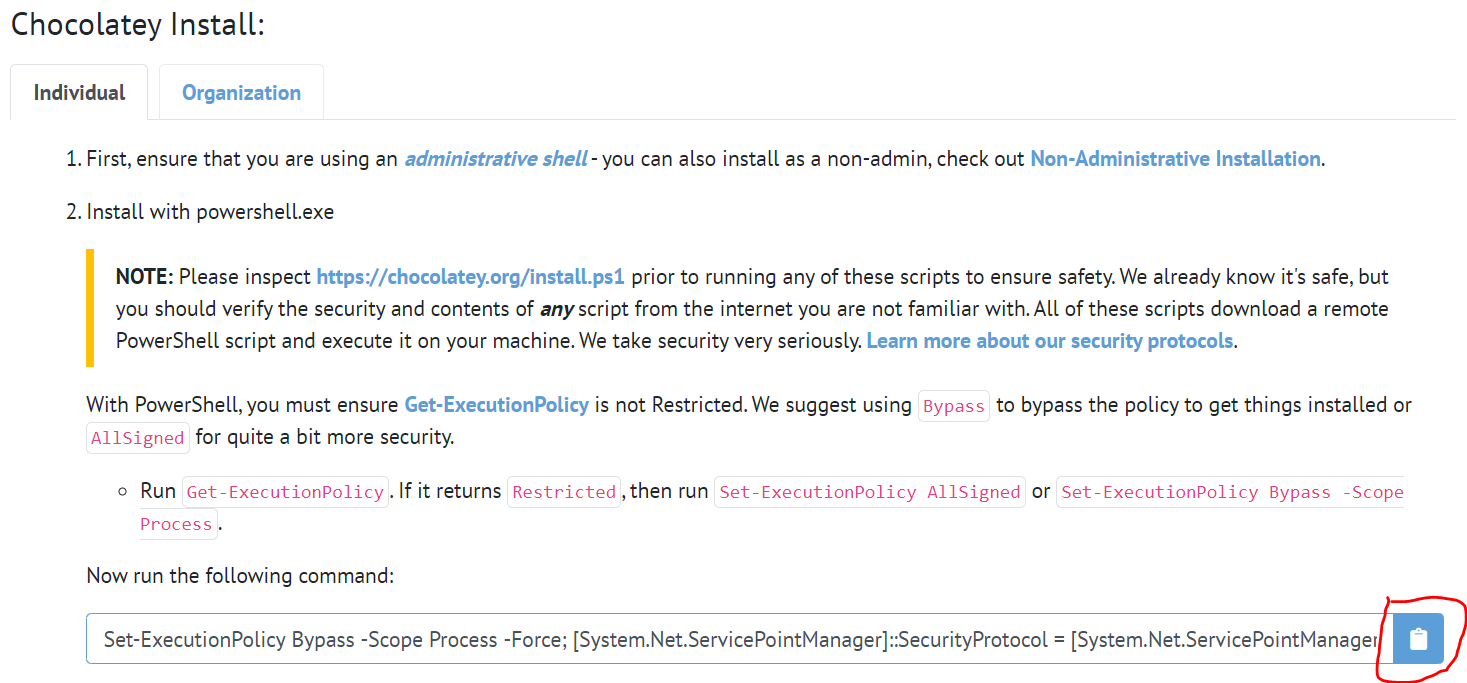
gRPC compiling with Visual Studio 2019 on Windows 10
Article Directory Introduction Prepare the environment Download gRPC source code VS2019 compile gRPC source code Introduction Compiling and installing gRPC from source code on Windows requires MSVC co...
Postgresql (windows version) plugin wal2json is compiled by Visual Studio 2019
Postgresql (windows version) plugin wal2json is compiled by Visual Studio 2019 Download related plugins: Visual Studio 2019 download address installation wal2json compilation Visual Studio imports wal...

Visual Studio 2017 compiles LLVM7.0
1,Compiler Environment Win7 64 bit Visual studio 2017 15.6 Windows Kits 10.0.14393.0 2Source code http://releases.llvm.org/download.html#7.0.0 2.1 llvm llvm-7.0.0.src.tar.xz Extract to llvm 2.2...
Visual Studio 2019 compiles ncnn
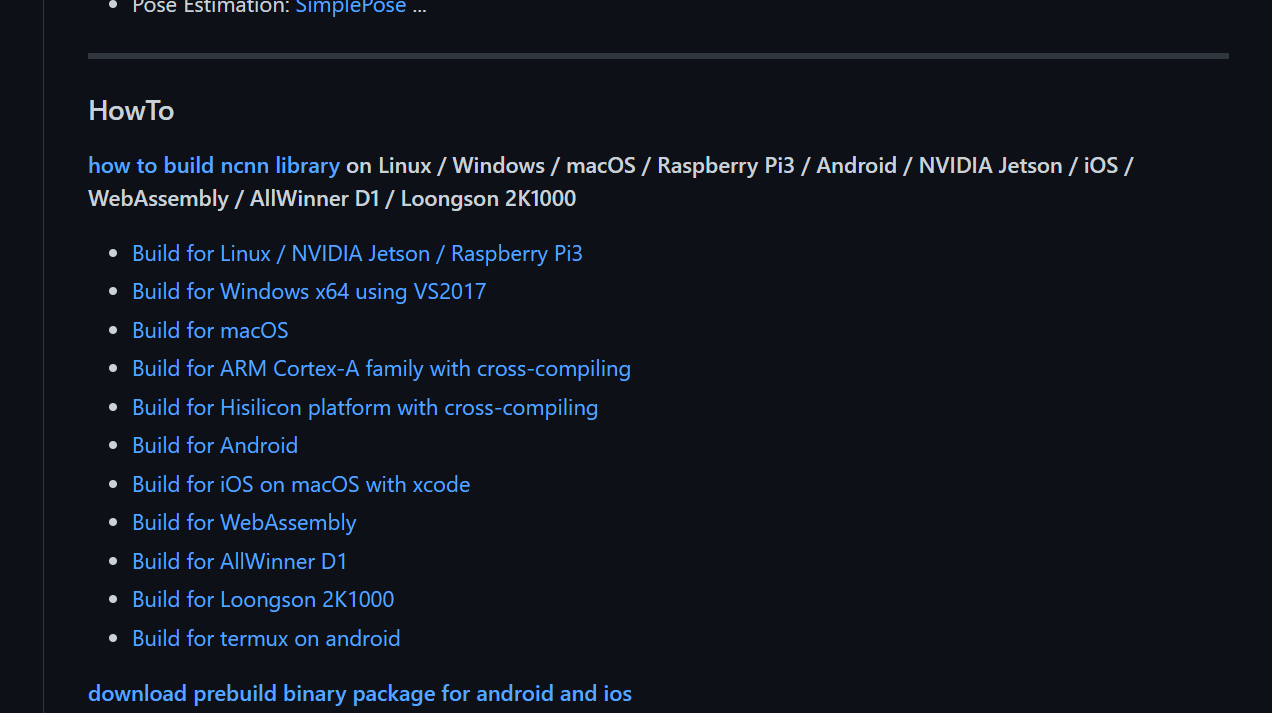
Prerequisite: vs 2019 has been installed. First enter github:Tencent/ncnn: ncnn is a high-performance neural network inference framework optimized for the mobile platform (github.com)https://github.co...
More Recommendation
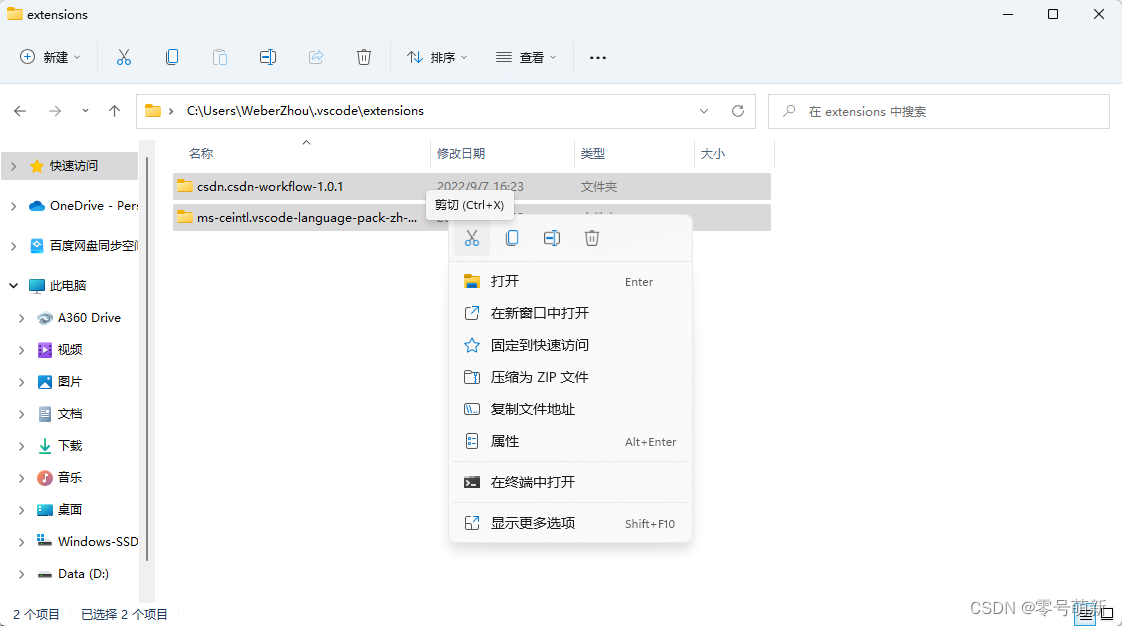
How to change the installation location of Visual Studio Code extension in Windows?
Table of contents 1. Preface 2. First cut the extension plug-in extensions from the default installation path to the location you really want to store. 3. Method 1: Use VSCode's " --extensions-di...
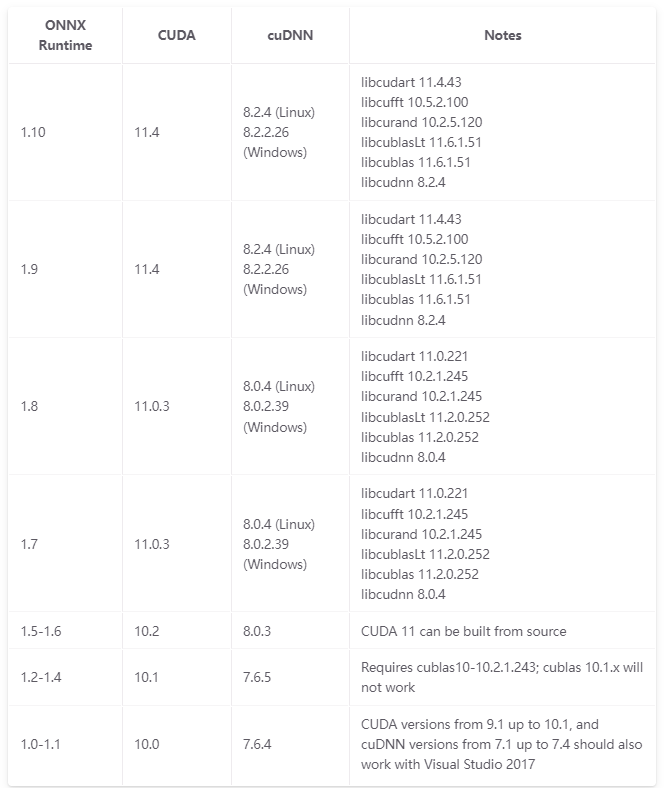
Windows 10 compiles onnxruntime
Foreword The tutorial on the online tutorial on the online compilation of onnxruntime under Windows10 can be described as wind -haired rhombus. After a few days of hard work, I spent the power of nine...

CMake compiles the ITK5.1.2 process record of CMake compiling Visual Studio 2017 C++ in Win 10 system.
CMake compiles the ITK5.1.2 process record of CMake compiling Visual Studio 2017 C++ in Win 10 system. Table of contents Configuration preparation Download CMake3.22.4 Download ITK5.1.2 source code Vi...
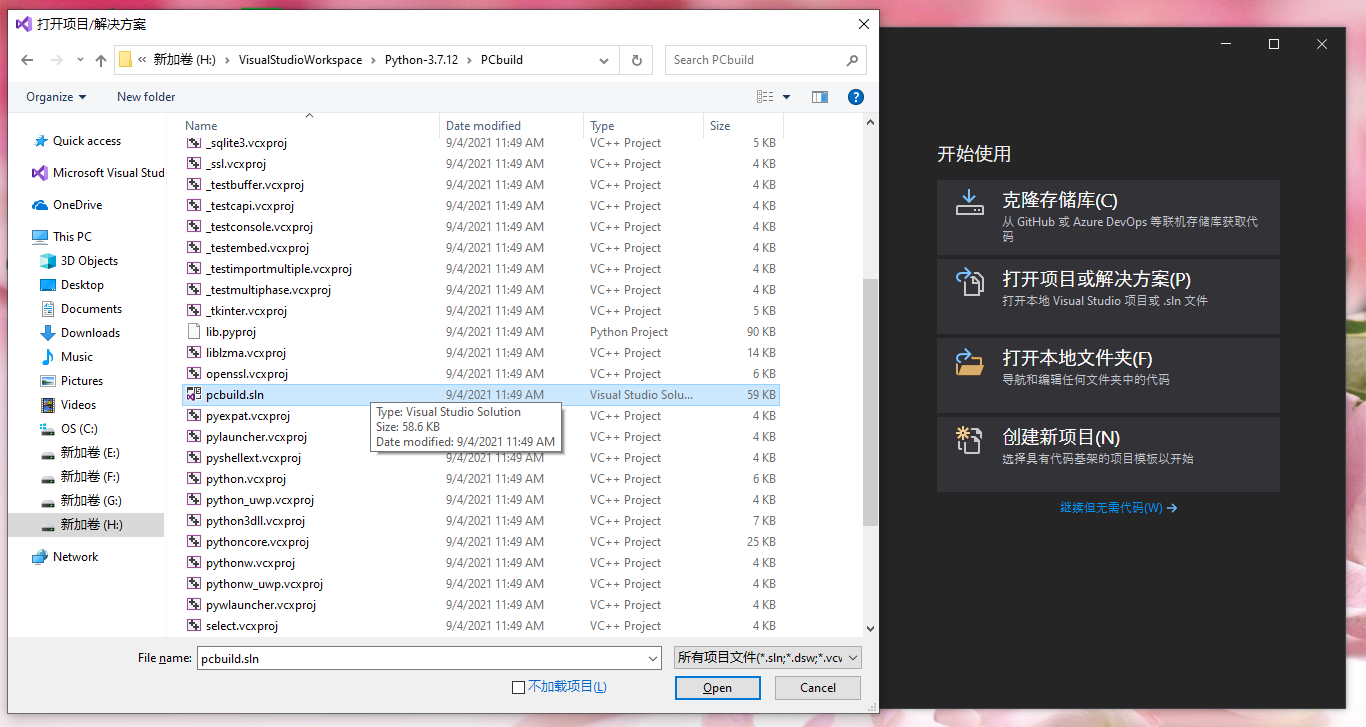
Windows Visual Studio 2019 compiles Python 3.7.12 and Python 3.10.0 source code
1. Python source code download Python source code download address:https://www.python.org/downloads/source/ Python 3.7.12 Source code download address:https://www.python.org/downloads/release/python-3...