WPF programming, C# background setting control Margin method.
For example, the foreground has a button control named btnName, and now its Margin is set to 5, there are two ways.
btnName.Margin=new Thickness(5);
btnName.Margin=new Thickness(5,5,5,5);
Intelligent Recommendation
WPF programming, C# background dynamically creates a Grid, creates a row, and adds a control to a specified row.
Execute the following code in the event: among them: There is another way to set the control to occupy the ranks in the Grid: ...
WPF programming, curve control DynamicDataDisplay method (5)
The following code is based on version 0.3 version DLL The main write of how to set the data source to the curve in the background code. Where Plotter is the name of the control Method 1: Point Method...
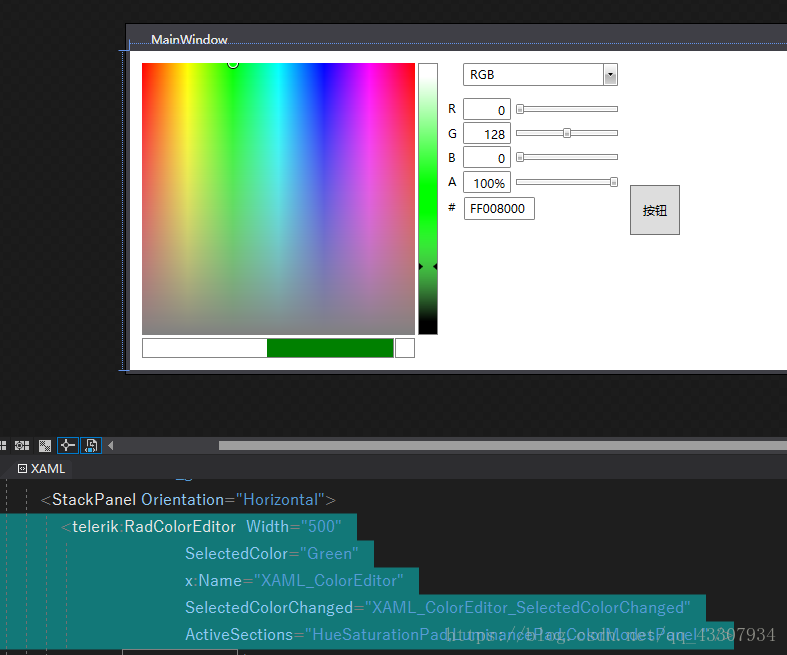
VS programming, WPF, background C# create a Telerik color picker, color picker, a method of color palette
The previous article said how to create a color picker in the foreground through the XAML language. This shows a way for background code to create a color palette. 1, the foreground XAML format effect...

More Recommendation
WPF- Setting some background for TextBox
Initial plan I thought I thought is to put a rectangle, adjust margin and width, and it is okay. I feel stupid after writing, because of this, the content of TextBox cannot be copied. . . However, it ...
How to modify the control property ButtonProgressAssist of materialDesign wpf in C# background code
Front-end code After code...
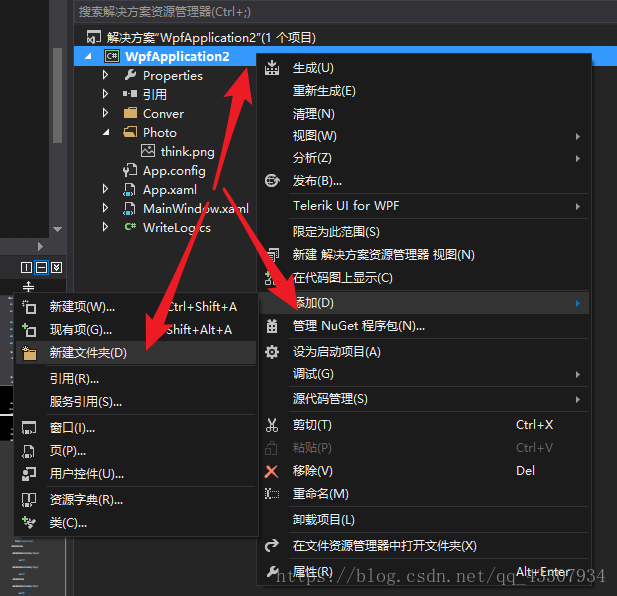
VS programming, a method of adding background images to telefik:RadButton in WPF
1, create a new folder to store pictures 2, right click on the picture folder, open in the resource manager, put the required picture in the folder 3. Include the image in the project 4, increa...
WPF background binding method
1. Create Bingding 2. Set Bingding...