Java.lang.RuntimeException: Unable to start activity
tags: Android Run error collection station
Exception information
java.lang.RuntimeException: Unable to start activity ComponentInfo{com.lwm.myapplication/com.lwm.myapplication.MainActivity}
Java.lang.IllegalStateException: You need to use a Theme.AppCompat theme (or descendant) with this activity.
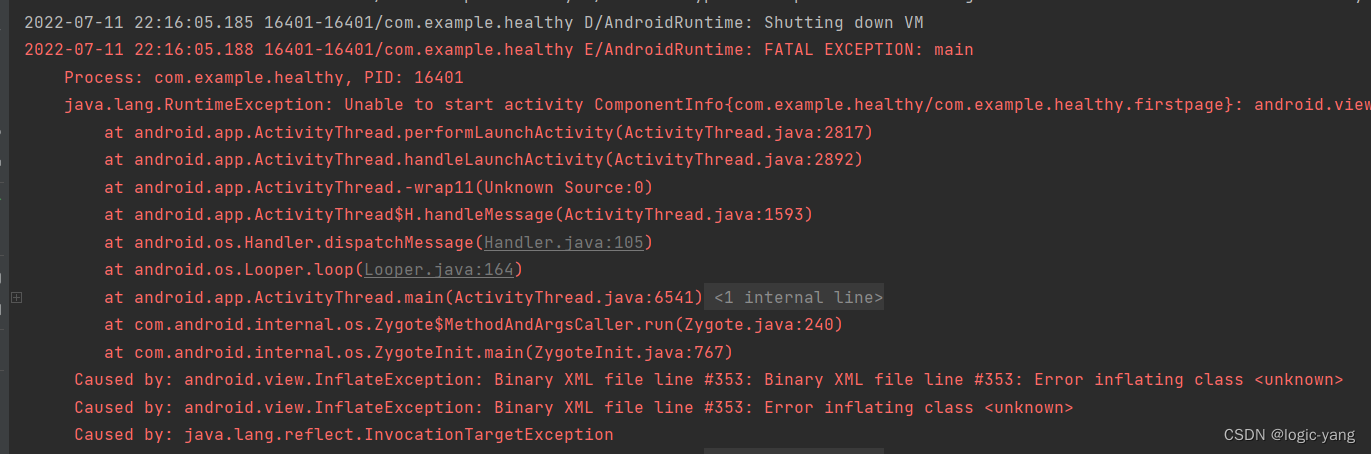
Exception screenshot

Anomaly analysis
The exception means: you need to use a theme.appcompat theme (or descendant) with this activity. Why this happens is because Activity inherits AppCompatActivity, as follows:
public class MainActivity extends AppCompatActivity {

    @Override
    protected void onCreate(Bundle savedInstanceState) {
        super.onCreate(savedInstanceState);
        setContentView(R.layout.activity_main);
    }
}
But the appTheme I use is the theme of the normal Activity, so an error will be reported. The error message requires us to use the theme (or descendant) that inherits theme.appcompat.
    <application
        android:allowBackup="true"
        android:icon="@mipmap/ic_launcher"
        android:label="@string/app_name"
        android:supportsRtl="true"
        android:theme="@android:style/Theme.NoTitleBar.Fullscreen">
        <activity android:name=".MainActivity">
            <intent-filter>
                <action android:name="android.intent.action.MAIN" />

                <category android:name="android.intent.category.LAUNCHER" />
            </intent-filter>
        </activity>
    </application>
Exception resolution
The first method: change the theme so that the theme inherits fromtheme.appcompat.xxx
This is an AppTheme that is automatically created when we create a new project. Note that it is inherited from Theme.AppCompat.xxx
    <style name="AppTheme" parent="Theme.AppCompat.Light.DarkActionBar">
        <!-- Customize your theme here. -->
        <item name="colorPrimary">@color/colorPrimary</item>
        <item name="colorPrimaryDark">@color/colorPrimaryDark</item>
        <item name="colorAccent">@color/colorAccent</item>
    </style>
The second method: change the inheritance of the class from AppCompatActivity to Activity or FragmentActivity.
public class MainActivity extends Activity {

    @Override
    protected void onCreate(Bundle savedInstanceState) {
        super.onCreate(savedInstanceState);
        setContentView(R.layout.activity_main);
    }
}
Reprinted:
Intelligent Recommendation

Android development notes - a solution to the problem of java.lang.RuntimeException: Unable to start activity ComponentInfo{...}
When I implement a message round-trip, I get an APP flashback: Print the log out: The specific content is: The problem is the LooperTextView: Add com.ghl.intelligence in front of the LooperTextView to...

Error in usbCameraTest runtime in UVCCamera project--java.lang.RuntimeException: Unable to start activity ComponentInfo
Error report details: Process: com.serenegiant.usbcameratest, PID: 4409 java.lang.RuntimeException: Unable to start activity ComponentInfo{com.serenegiant.usbcameratest/com.serenegiant.usbcameratest.M...
The new version of AS does not fit java.lang.RuntimeException: Unable to start activity ComponentInfo error
Android Studio reports the following error: java.lang.RuntimeException: Unable to start activity ComponentInfo{com.xx.xx/com.xx.xx.MainActivity}: android.view.InflateException: Binary XML file line #:...
The new version of AS does not adapt to the error java.lang.RuntimeException: Unable to start activity ComponentInfo
Android Studio reports the following error: java.lang.RuntimeException: Unable to start activity ComponentInfo{com.xx.xx/com.xx.xx}: android.view.InflateException: Binary XML file line #: Error inflat...
Android development java.lang.RuntimeException: Unable to start activity ComponentInfo xxx: java.lang.NullPoin
Error message: Reason 1: The error of xxx, if it is R.layout.main, it should be the tag usage error in the main.xml file. The most common error that the compiler will not prompt is the confusion betwe...
More Recommendation
Android report: java.lang.RuntimeException: unable to start activity componentInfo --- GetSupportActionBar () is NULL
Report error message: wrong reason: Actionbar is an empty pointer in the code. Solution: Check if the THEME of the AndroidManifest.xml file is: Change it to:...
Solution in Android Java.lang.runtimeexception: Unable to Start Activity Componentinfo problem
Virtual machine error display: The project collapsed as soon as it runs. The error prompt given by the compiler: It can be determined that it is the problem of the XML file Focus on observing the caus...

java.lang.RuntimeException: Unable to instantiate activity ComponentInfo
I encountered this runtime exception when writing the demo. Generally, this is because the package name or the Activity name is wrong. Refer to this blog Problems with wrong names After trying these m...

java.lang.RuntimeException: Unable to start receiver com.yeliner.example.fragmentnews.receiver.Offl
problem: Prepare to pop up a dialog box in the onReceive method, and report the above error, and later add a line of code to get it done! Add before alertDialog.show(): Reason: Since it is started in ...
The result of calling startActivity in Android results in: java.lang.RuntimeException: Unable to start activity ComponentInfo{xxx}...
The result of calling startActivity in Android leads to: check the Internet, summarized as follows: The first case: java.lang.RuntimeException: Unable to start activity ComponentInfo{xxx}: java.lang.N...