Literalally, git commit -m is used to submit the file in the staging area; git commit -am is used to submit the tracked file.
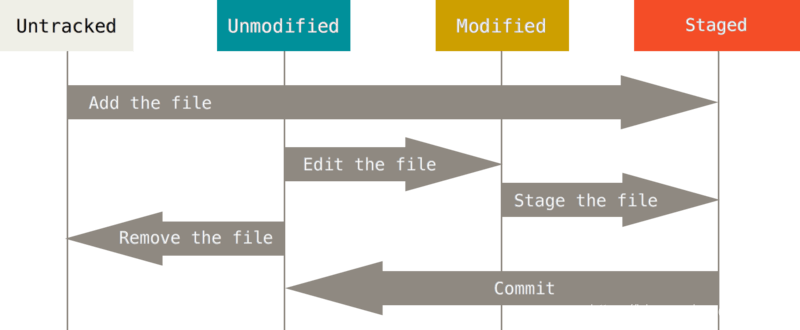
To understand the difference, first understand the git file state change cycle, as shown below
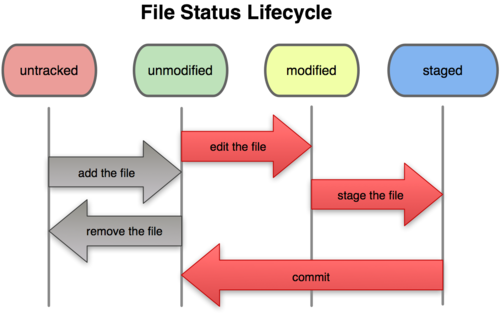
All files under the working directory are nothing more than these two states: tracked or not tracked. Traced files are files that have been included in version control management. They have their records in the last snapshot. After a period of work, their status may be unupdated, modified, or placed in the staging area.
The following is an example
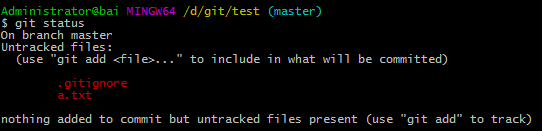
When a new file such as 'a.txt' is added to the project folder, the file is in an untracked untracked state. Files that are not tracked are unsubmitted
Next,Use git add a.txt to make it tracked
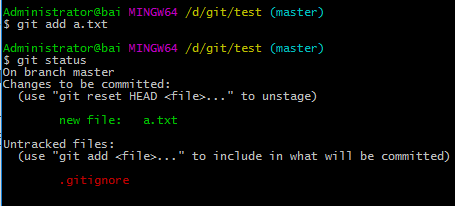
At this time, if you use git commit -m 'add a.txt', you can submit it successfully.
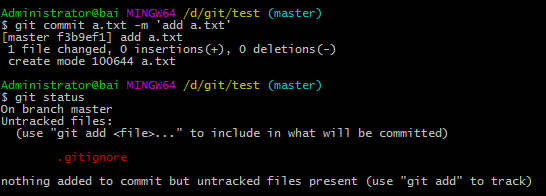
But what is the difference between git commit -m and git commit -am? After the modification of the a.txt file
Next, add the content 'a' to a.txt
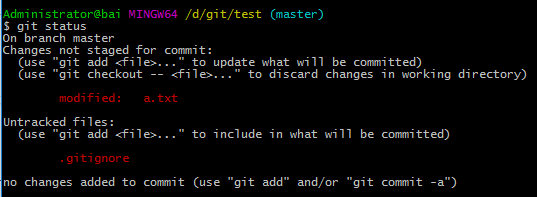
The file a.txt is in tracked but not in a staging state. At this time, if you use git commit -m to submit the latest version of a.txt, the old version a.txt that was originally empty is submitted.
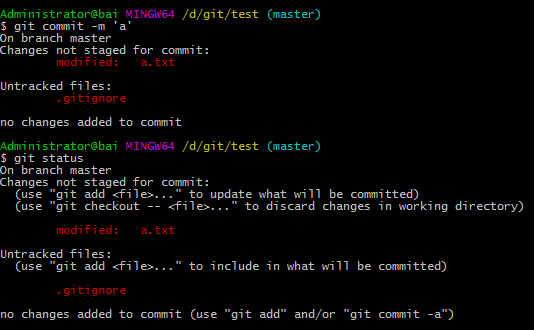
To submit a new version of a.txt, a.txt with the content 'a', you need to use git add a.txt to put the new version of a.txt in the staged staging area before you can use git commit -m submit
If you use git commit -am, you can omit the git add a.txt step, because git commit -am can submit the tracked file, and a.txt has been tracked at the beginning.
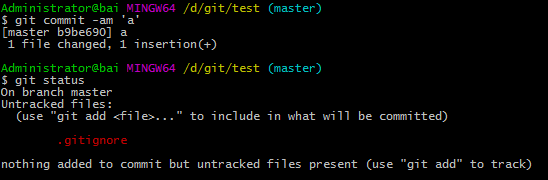
In summary, the key to using these two commands is the git add command.
The git add command is a versatile command. The effect of this command is different depending on the state of the target file: you can use it to start tracking new files, or put the tracked files in the staging area, and also use them when merging. Conflicting files are marked as resolved, etc.
We need to use the git add command to keep track of new files, but if you use git commit -am you can omit the ability to put traced files into the staging area using the git add command.