[Java 8 actual combat notes] use flow
Chapter content
- Filter, slice and match
- Find, match, and stipulate
- Use numerical flow such as numerical range
- Create a stream from multiple sources
- Unlimited flow
Screening and slicing
Filter with predicates
The Stream interface supports the filter method. This action takes a predicate as a parameter and returns a stream that includes all the elements that match the predicate.
E.g:
List<Dish> vegetarianMenu = menu.stream()
                                .filter(Dish::isVegetarian)
                                .collect(toList());
Filter different elements
The stream supports the distinct method, which returns a stream of different elements. For example, the following code filters out all even numbers in the list and makes sure there are no duplicates.
List<Integer> numbers = Arrays.asList(1,2,1,3,3,2,4);
numbers.stream()
        .filter(i -> i%2 ==0)
        .distinct()
        .forEach(System.out::println);
Truncated flow
The stream supports the limit(n) method, which returns a stream that does not exceed a given length n.
E.g:
List<Dish> dishes = menu.stream()
            .filter(d -> d.getCalories() > 300)
            .limit(3)
            collect(toList());
Skip element
The stream also supports the skip(n) method, which returns a stream that throws away the first n elements. Returns an empty stream if there are fewer than n stream elements.
E.g:
List<Dish> dishes = menu.stream()
            .filter(d -> d.getCalories() > 300)
            .skip(2)
            collect(toList());
Mapping
A common data processing routine is to select information from certain objects. In SQL, you can select a column from the table. The Stream API also provides similar tools through the map and flatMap methods.
Apply a function to each element in the stream
The stream supports the map method, which accepts a function as a parameter. This function is applied to each element and mapped to a new element.
E.g:
//Extract the name of the dish
List<String> dishNames = menu.stream()
            .map(Dish::getName)
            .collect(toList());
Flattening of the stream
For a word list, how do I return a list of different characters inside? For example, given a list of words ["Hello", "World"], return the list ["H", "e", "l", "o", "W", "r", "d"].
The initial version might look like this:
words.stream()
    .map(word -> word.split(""))
    .collect(toList());
The problem with this is that the Lambda passed to the map method returns a String[] for each word. So the stream returned by the map is actually of type Stream<String[]>. What I really want is to use Stream<String> to represent a stream of characters.
- Try using map and Arrays.stream()
First, you need a stream of characters instead of an array stream. There is a method called Arrays.stream() that accepts an array and produces a stream, for example
String[] arraysOfWords = {Goodbye", "World"};
Stream<String>  streamOfWords = Arrays.stream(arrayOfWords);
Use it in the front of the pipeline
words.stream()
    .map(word -> word.split(""))
    .map(Arrays::stream)
    .distinct()
    .collect(toList());
The current solution is still not working, because what you get now is a list of streams (because you first convert each word into an array of letters, thenTurn each array into a separate stream)
2. Use flatMap
You can use flatMap to solve this problem like this:
List<String> uniqueCharacters =
        words.stream()
            .map(word -> word.split(""))
            .map(Arrays::stream)
            .distinct()
            .collect(toList());
The effect of using the flatMap method is that each array is not mapped to a stream, but to the contents of the stream. All individual streams generated when using map() are merged, flattened into a stream.
In short, the flatMap method lets you swap every value in a stream to another stream, and then concatenate all the streams into a stream.
test:
1. Given two lists of numbers [1, 2, 3] and [3, 4], return a pair that is divisible by 3.
List<Integer> numbers1 = Arrays.asList(1,2,3);
List<Integer> numbers2 = Arrays.asList(3,4);
List<int[]> pairs = numbers1.stream()
        .flatmap(i -> numbers2.stream()
                .filter( j -> (j+i) % 3 == 0)
                .map( j -> new int[]{i,j})
        )
        .collect(toList());
Find and match
Another common data processing routine is to see if certain elements in the data set match a given attribute. The Stream API provides such tools through the allMatch, anyMatch, noneMatch, findFirst, and findAny methods.
Check if the predicate matches at least one element (anyMatch)
if(menu.stream().anyMatch(Dish::isVegetarian)){
    System.out.println("The menu is vegetarian friendly");
}
The anyMatch method returns a boolean value, so it is aTerminal operation
Check if the predicate matches all elements (allMatch)
menu.stream().allMatch( d -> d.getCalories() < 1000);
Check if the predicate does not match all predicates (noneMatch)
menu.stream().noneMatch( d -> d.getCalories() >= 1000);
Find element
The findAny method will return any element of the current stream:
Optional<Dish> dish =
        menu.stream()
                .filter(Dish::isVegetarian)
                .findAny();
But what is Optional in the code?
Introduction to Optional
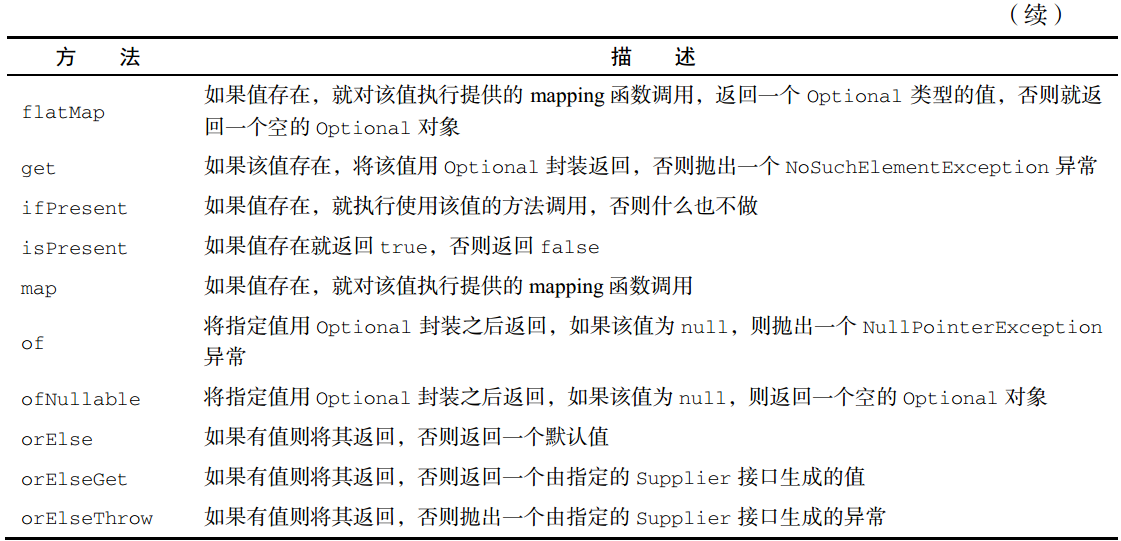
The Optional<T> class (java.util.Optional) is a container class that represents a value that exists or does not exist. Java 8 avoids returning well-known nulls that are prone to problems by introducing Optional<T>.
There are several ways in Optional that can force you to explicitly check for the existence of a value or the absence of a processed value.
- isPresent() will return true if Optional contains a value, otherwise return false
- isPresent(Consumer<T> block) executes the given block of code when the value exists.
- T get() will return a value if the value exists, otherwise throw a NoSuchElement exception.
- T orElse(T other) will return a value if the value exists, otherwise it will return a default value.
For example, in the previous findAny code you need to explicitly check if there is a dish in the Optional object to access its name:
menu.stream()
        .filter(Dish::isVegetarian)
        .findAny()
        .ifPresent(d -> System.out.println(d.getName());
Find an element
Some streams have an order of occurrence to specify the logical order in which items appear in the stream. For this stream, I want to find the first element. There is a findFirst method for this, which works like findAny. The difference is in the parallel constraint. If you don't care which element is returned, use findAny.
Reduction
How do you combine the elements of a stream and express more complex queries? Such as "calculate the total calories in the menu" or "which is the highest calorie in the menu". Such a query needs to combine all the elements in the stream to get a value, such as an Integer. Such a query can be classified as a reduction operation.
Element summation
First look at how to use a for-each loop to sum the elements in a list of numbers:
int sum = 0;
for(int x: numbers){
    sum += x;
}
There are two parameters in this code:
- Initial value of the sum variable
- The operation of combining all the elements in the list
Reduce abstracts the pattern of repeated applications above, and can sum all the elements in the stream like this:
int sum = numbers.stream().reduce(0,(a, b) -> a+b);
Reduce accepts two parameters:
- An initial value
- A BinaryOperator<T> combines two elements to produce a new value.
You can also use method references to make this code more concise. In Java 8, the Integer class now has a static sum method to sum two numbers:
int sum = numbers.stream().reduce(0, Integer::sum);
No initial value
Reduce also has an overloaded variant that does not accept the initial value, but returns an Optional object (considering the fact that there are no elements in the stream and cannot return their sum):
Optional<Integer> sum = numbers.stream().reduce((a, b) -> a+b);
Maximum and minimum
Use reduce to calculate the maximum and minimum
Optional<Integer> max = numbers.stream().reduce(Integer::max);
Optional<Integer> min = numbers.stream().reduce(Integer::min);
Numerical flow
The Stream API also provides primitive type stream specialization, specifically supporting methods for processing numeric streams.
Original type stream specialization
Java 8 introduces three primitive type specialization streams to solve this problem: IntStream, DoubleStream, and LongStream, which specialize the elements in the stream to int, long, and double, respectively, to avoid implied boxing costs. Each interface brings new methods for common numerical reductions, such as the sum of the sum of the numerical streams, and the max of the largest element.
- Map to a numeric stream
Common methods for converting streams to specialized versions are mapToInt, mapToDouble, and mapLong. These methods work the same way as the previous map method, except that it returns a specialization stream instead of Stream<T>. For example, you can use the mapToInt to sum the calories in the menu like this:
int calories = menu.stream()
                .mapToInt(Dish::getCalories)
                .sum();
mapToInt will return an IntStream, and then you can call the sum method defined in the IntStream interface to sum the calories. If the stream is empty, sum returns 0 by default.
IntStream also supports other methods such as max, min, average, etc.
- Convert back to object stream
To convert the original stream to a generic stream, you can use the boxed method as follows:
IntStream intStream = menu.stream().mapToInt(Dish::getCalories);
Stream<Integer> stream = intStream.boxed();
- Default value OptionalInt
Summing is easy because it has a default value of 0. But if you want to calculate the largest element of IntStream, the default value of 0 is the wrong result. How do you distinguish between streams with no elements and streams with a maximum of 0? Optional can be parameterized with reference types such as Integer and String. For the three original stream specializations, there is also an Optional primitive type specialization version: OptionalInt, OptionalDouble, and OptionalLong.
For example, to find the largest element in the IntStream, you can call the max method, which will return an OptionalInt. If there is no maximum value, you can display the OptionalInt to define a default value:
OptionalInt maxCalories = menu.stream()\
                .mapToInt(Dish::getCalories)
                .max();

int max = maxCalories.orElse(1);
Numerical range
For example, generate all numbers between 1 and 100. Java 8 introduces two static methods that can be used with IntStream and LongStream to help generate this range: range and rangeClosed. Both methods accept the start value of the first parameter and the end value of the second parameter. However, range generated by range does not contain an end value, and rangeClosed contains an end value.
IntStream evenNumbers = IntStream.rangeClosed(1, 100)
                              .filter(n -> n%2 == 0);

System.out.println(evenNumbers.count());
Build stream
Next, we'll show you how to create a stream from a sequence of values, arrays, files, and even create functions to create an infinite stream.
Create a stream from a value
Create a stream with explicit values using the static method Stream.of. It can accept any number of parameters.
E.g:
Stream<String> stream = stream.of("Java 8","In","Action");
You can use empty to get an empty stream:
Stream<String> emptyStream = stream.empty();
Create a stream from an array
You can create a stream from an array using the static method Arrays.stream. It takes an array as a parameter.
int[] numbers = {2,3,5,7,11,13};
int sum = Arrays.stream(numbers).sum();
Generating a stream from a file
Many static methods in java.nio.file.Files return a stream. For example, the Files.lines method returns a stream of strings consisting of the lines in the specified file.
Count how many different words in a file:
long uniqueWords = 0;
try(Stream<String> lines = Files.lines(Paths.get("data.txt"),charset.defaultCharset())){
        uniqueWords = lines.flatMap(line -> Arrays.stream(line.split("")))
                          .distinct()
                          .count();
}
catch(IOException e){
}
The above code uses Files.lines to get a stream where each element is a line in the file. Then call the split method on the line to split the line into words. Finally, the distinct and count methods are linked together to count the number of different words.
Generating a stream from a function
The Stream API provides two static methods to generate streams from functions: Stream.iterate and Stream.generate. These two operations can create so-called infinite streams (unlike fixed-size streams like streams created from fixed collections). Streams generated by iterate and generate will create values on demand with a given function, so they can be calculated endlessly. In general, limit(n) should be used to limit the infinite stream to avoid printing infinite values.
- Iteration
Stream.iterate(0, n -> n+2)
        .limit(10)
        .forEach(System,out::println);
Iterate accepts an initial value. There is also a Lambda (UnaryOperator<T> type) that is applied to each new value generated at a time. This operation will generate an infinite stream ----- This stream has no end, because the value is calculated on demand, so this stream is unbounded.
- generate
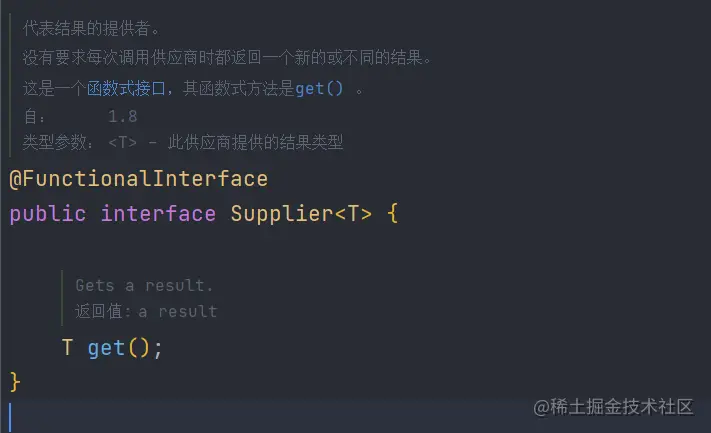
Unlike the iterate method, the generate method does not apply functions to each newly generated value in turn. It accepts a supplier value of the Supplier<T> type to provide new values.
Stream.generate(Math:random)
            .limit(5)
            .forEach(System.out::println)
Intelligent Recommendation
"Java concurrent programming actual combat" Chapter 8 Learning Notes
Learning experience in the sixth week First, the use of thread pool During the use of the thread pool, there is a hidden coupled coupling in the execution policy of the task and task, and different ty...
Java 8 stream actual combat
Overview I usually have more opportunities to work with python. I am used to the simplicity and elegance of python functional programming. After switching to java, I am still a little unaccustomed to ...

Java 8 - Stream actual combat
Article catalog exercise Attachment Trader & Transaction exercise (1) Find all the transactions that occurred in 2011 and sort by the transaction amount (from low to high). - (2) What are the diff...
Java 8 - Optional actual combat
Article catalog Pre Use Optional package that may be NULL values Abnormal comparison of Optional Avoid using basic type Optional objects Pre Java 8 - Optional HybridI believe that you have already und...
Function actual combat in Java 8
Always use during developmentif...else...Judging the operation of abnormality, branch processing, etc. Theseif...else...It has seriously affected the beauty of code code in the code, then we can use J...
More Recommendation
Java 8 combat notes
The book has not been read, this article is updated once a week under normal circumstances. Personally think that this writing is not very good, the Chinese translated version is not to mention, some ...
"Java8 actual combat" notes (04): the introduction of flow
Almost every Java application manufactures and processes collections. Although collections are indispensable to almost any Java application, collection operations are far from perfect. Many business l...
Java 8 actual combat reading notes four: efficient Java 8 programming
Three, efficient Java 8 programming Chapter 8 Refactoring, Testing and Debugging The new features of Java 8 can also help improve the readability of the code: With Java 8, you can reduce the lengthy...
Actual combat: use NGINX limited flow
Nginx can not only do web servers, do reverse proxy, load balancing, but also a current limiting system. Here we have an example for Nginx, introduce how to configure a current limiting system. The cu...
Java8 actual combat three-flow use
Flow use to sum up The streams API can express complex data processing queries. You can filter and cut out using Filter, Distinct, Skip, and Limit pairs. You can use Map and FlatMap to extract or conv...