Use ODBC to connect to SQL Server database in C++
tags: C++ database ODBC SQL Server
Summary
Reference official website:https://docs.microsoft.com/zh-cn/sql/odbc/reference/syntax/sqlallochandle-function?view=sql-server-ver15
Useful blog 1:
Useful blog 2:
ODBC access to sql server database is more troublesome. It is not as convenient as using occi to access the oracle database. Bulk operations are not good. For example, to obtain data, after executing sql, you need to cycle to get the data one by one, which is very troublesome, and you need to enter the type of data to be obtained.
Later, it was directly obtained by using the character array type. as follows:
int selectData(const string& sql)
{
    CHAR csql[SQL_MAX_OPTION_STRING_LENGTH] = { 0 };
    strcpy_s(csql, sql.c_str());
    RETCODE ret = SQLExecDirect(hstmt1, (SQLCHAR*)csql, strlen(csql));
    if (ret != SQL_SUCCESS && ret != SQL_SUCCESS_WITH_INFO)
    {
        LLogError("select data error,error code:"<<ret);
        return ret;
    }
    SQLCHAR midData[MAXCHAR] = { 0 };
    SQLLEN midDataLength = 0;
    SQLSMALLINT columnCount = 0;
    SQLNumResultCols(hstmt1,&columnCount);
    int line = 0;
    while (SQLFetch(hstmt1) != SQL_NO_DATA_FOUND)
    {
        // Parameter 1 is the handle of the executed statement,
        // Parameter 2 is the number of columns (in the SQL statement) where the data to be obtained is located,
        // Parameter 3 is the data type, this is more, you need to look at MSDN
        // Parameter 4 is the saved location (address),
        // Parameter 5 is the available position of parameter 4. Since parameter 3 has been set as a long integer, 0 can be used here
        // Parameter 6 is the actual length returned
        stringstream ss;
        ++line;
        ss << line;
        for (int col = 1; col <= columnCount; ++col)
        {
            ret = SQLGetData(hstmt1, col, SQL_C_CHAR, midData, MAXCHAR, &midDataLength);
            if (ret == SQL_SUCCESS || ret == SQL_SUCCESS_WITH_INFO)
            {
                ss << "," << midData;
            }
        }
        //LLogInfo(ss.str());
    }

}
An example of modifying others
This is only for testing and verification. In practice, I encapsulated the class. Otherwise it will be too messy.
#include <windows.h>
#include <sql.h>
#include <sqlext.h>
#include <sqltypes.h>
#include <odbcss.h>
SQLHENV henv = SQL_NULL_HENV;
SQLHDBC hdbc1 = SQL_NULL_HDBC;
SQLHSTMT hstmt1 = SQL_NULL_HSTMT;

/*
    Cpp file function description:
         1. The addition, modification, and deletion in database operations are mainly reflected in SQL statements
         2. Adopt two kinds of direct execution mode and parameter pre-compilation execution mode
*/
int main() {
    return 0;
    RETCODE retcode;
    UCHAR   szDSN[SQL_MAX_DSN_LENGTH + 1] = "dataservice", //odbc database source name, set in odbc data source. After installing sql server manager in windows, the corresponding odbc should also be installed. If not, install one. Then configure an odbc data source (address, account, password, etc.), here is to select which data source to connect to by this data source name.
        szUID[MAXNAME] = "sa",
        szAuthStr[MAXNAME] = "11";
    //SQL statement
        //Direct SQL statement
    UCHAR   sql[74] = "SELECT * FROM[DataService].[dbo].[DailyFacts] where stockId = '600036.sh'";// "insert into test values('aaa','100')";
    //Pre-compiled SQL statement
    UCHAR   pre_sql[29] = "insert into test values(?,?)";
    //1. Connect to the data source
        //1. Environment handle
    retcode = SQLAllocHandle(SQL_HANDLE_ENV, NULL, &henv);
    retcode = SQLSetEnvAttr(henv, SQL_ATTR_ODBC_VERSION,
        (SQLPOINTER)SQL_OV_ODBC3,
        SQL_IS_INTEGER);
    //2. Connection handle
    retcode = SQLAllocHandle(SQL_HANDLE_DBC, henv, &hdbc1);
    retcode = SQLConnect(hdbc1, szDSN, 12, szUID, 2, szAuthStr, 2);
    UCHAR   conInfo[125] = "Provider=SQLOLEDB.1;Persist Security Info=False;User ID=sa;Password=sa;Initial Catalog=DataService;Data Source=10.101.223.13";
    SQLCHAR* pwszConnStr=NULL;
    //retcode = SQLDriverConnect(hdbc1,
    //    GetDesktopWindow(),
    //    pwszConnStr,
    //    SQL_NTS,
    //    NULL,
    //    0,
    //    NULL,
    //    SQL_DRIVER_COMPLETE);


    //Determine whether the connection is successful
    if ((retcode != SQL_SUCCESS) && (retcode != SQL_SUCCESS_WITH_INFO)) {
        printf("Connection failed!\n");
    }
    else {
        //2. Create and execute one or more SQL statements
        /*
                 1. Allocate a statement handle
                 2. Create SQL statements
                 3. Execute the statement
                 4. Destroy the statement
        */
        retcode = SQLAllocHandle(SQL_HANDLE_STMT, hdbc1, &hstmt1);
        //The first way
        //Direct execution
        //Add operation
        retcode=SQLExecDirect (hstmt1,sql,74);
        if (retcode != SQL_SUCCESS && retcode != SQL_SUCCESS_WITH_INFO)
        {
            return 0;
        }
        SQLCHAR sqlnID[MAXCHAR] = {0};
        SQLLEN sqlnIDLength = 0;
        SQLCHAR columnName[MAXCHAR] = { 0 };
        SQLSMALLINT DataType= 0;
        SQLSMALLINT NameLength = 0;
        SQLULEN columnsize = 0;
        SQLSMALLINT dd = 0;
        SQLSMALLINT na = 0;
        SQLSMALLINT ddd = 0;
        ///* SQL data type codes */
        //#define SQL_UNKNOWN_TYPE    0
        //#define SQL_CHAR            1
        //#define SQL_NUMERIC         2
        //#define SQL_DECIMAL         3
        //#define SQL_INTEGER         4
        //#define SQL_SMALLINT        5
        //#define SQL_FLOAT           6
        //#define SQL_REAL            7
        //#define SQL_DOUBLE          8
        //#if (ODBCVER >= 0x0300)
        //#define SQL_DATETIME        9
        //#endif
        //#define SQL_VARCHAR         12
        //#if (ODBCVER >= 0x0300)
        //#define SQL_TYPE_DATE       91
        //#define SQL_TYPE_TIME       92
        //#define SQL_TYPE_TIMESTAMP  93
        //#endif
        TIMESTAMP_STRUCT datetime;
        while (SQLFetch(hstmt1) != SQL_NO_DATA_FOUND)
        {
            /* get data */
            SQLGetData(hstmt1, 1, SQL_C_CHAR, sqlnID, MAXCHAR, &sqlnIDLength);
            SQLDescribeCol(hstmt1, 3, columnName, 128, &NameLength, &DataType, &columnsize, &dd, &na);
            SQLGetData(hstmt1, 5, SQL_C_SHORT, &ddd, sizeof(ddd), &sqlnIDLength);
            SQLGetData(hstmt1, 3, SQL_C_TIMESTAMP, &datetime, sizeof(datetime), &sqlnIDLength);
            // Parameter 1 is the handle of the executed statement,
            // Parameter 2 is the number of columns (in the SQL statement) where the data to be obtained is located,
            // Parameter 3 is the data type, this is more, you need to look at MSDN
            // Parameter 4 is the saved location (address),
            // Parameter 5 is the available position of parameter 4. Since parameter 3 has been set as a long integer, 0 can be used here
            // Parameter 6 is the actual length returned
        }

        //The second way
        //Binding parameters
        char a[200] = "bbb";
        char b[200] = "200";
        INT64   p = SQL_NTS;
        //1 pre-compiled
        //SQLPrepare(hstmt1, pre_sql, 29); //The third parameter is the same size as the array, not the database column
        ////2Bind parameter value
        //SQLBindParameter(hstmt1, 1, SQL_PARAM_INPUT, SQL_C_CHAR, SQL_CHAR, 200, 0, &a, 0, &p);
        //SQLBindParameter(hstmt1, 2, SQL_PARAM_INPUT, SQL_C_CHAR, SQL_CHAR, 200, 0, &b, 0, &p);
        ////3 execute
        //SQLExecute(hstmt1);

        printf("Successful operation!");
        //Release the statement handle
        SQLCloseCursor(hstmt1);
        SQLFreeHandle(SQL_HANDLE_STMT, hstmt1);

    }
    //3. Disconnect the data source
    /*
           1. Disconnect from the data source.
           2.Release the connection handle.
           3. Release the environment handle (if you no longer need to make more connections in this environment)
    */
    SQLDisconnect(hdbc1);
    SQLFreeHandle(SQL_HANDLE_DBC, hdbc1);
    SQLFreeHandle(SQL_HANDLE_ENV, henv);
    return(0);
}
Intelligent Recommendation
C ++ database programming ODBC connection SQL Server database
C ++ database programming introduction C ++ database programming ODBC introduction C ++ database programming ODBC connection SQL Server database C ++ database programming ODBC inserted data C ++ datab...
Use ODBC to connect to Darmon database
1. Check whether the GCC package is installed, and install it if not (because it is required to install ODBC). 2. Upload the ODBC installation package. 3. Install ODBC, execute ./configure and make an...
Connect to sql server database in C#
1. Use Windows authentication: //The server is followed by the name of your server, database is followed by the name of the database you want to connect, SSPI does not need to be modified 2. Use a gen...
C# connect to SQL Server database
Below is the code snippet I used to get the connection, mainly the creation of the connection string. It is a Windows connection (teacher check.. Connection without Sql Server username and password) w...

C# connect to the database Sql Server
First contact with C#, today I tried to connect to Sql Server, I will talk about it in detail below, it is my own summary and impression, if there are any inaccuracies, please point out Simply create ...
More Recommendation
c# Connect to the database (SQL SERVER)
Connect to the database (SQLSERVER 2008) with code...
C # Connect SQL Server Database
Use the advanced language to operate the database, you need to build a database in SQL Server, for example, I have built a database called "Baokan" in SQL Server, followed by Select New Form...
WIN10+VS2017+ODBC failed to connect to SQL SERVER
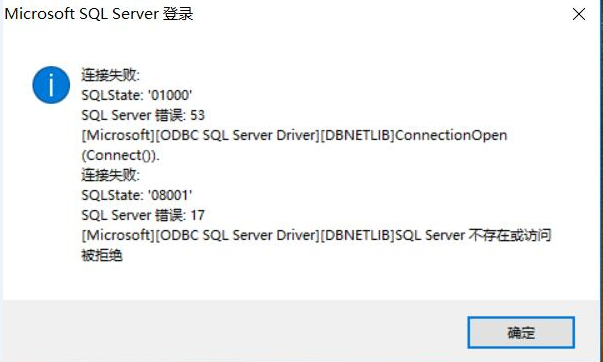
Recently, a database program in VC6.0 was ported to VS2017, and the following error was prompted during database connection: Searching for the solution to this problem on the Internet is all unclear. ...
ODBC can't connect to sql server suddenly
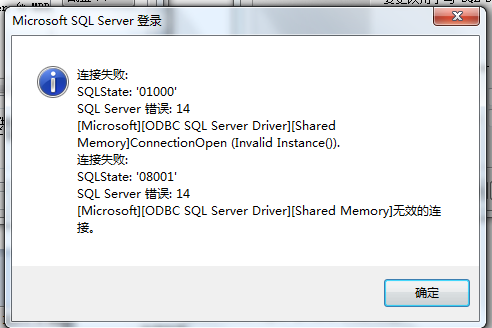
The details of the error are as follows: SQLState:'01000' SQL Server error: 14 [Microsoft][ODBC SQL Server Driver][DBNETLIB] ConnectionOpen (Invalid Instance())....
Use SQLConnection to connect SQL Server database in C#project
Problem Description: The SQL Server database that needs to be connected in the project developed in C#needs to be connected. problem solved: The database displayed by the SQL Server Manager Studio dis...