Qt provides communication between processes through access shared memory implementation
tags: Qt experience summary qt Development language
Qt provides communication between processes through access shared memory implementation
- First, the QSharedMemory class common operation
-
- 1, the creation of QSharedMemory objects
- 2, create shared memory
- 3, associated shared memory
- 4, separation sharing memory
- 5. Judging the association state of shared memory
- 6, set / get the keywords for shared memory
- 7, lock / unlock sharing memory
- 8, wrong reason
- 9, get the address of shared memory
- 10, get the size of shared memory
- Second, sample code
- QT communication communication (shared memory)
- Qt Linux shared memory, QT shared memory implementation process communication (QSharedMemory)
- QT process communication - shared memory
Original link:
Qt provides a QSharedMemory class to access shared memory to implement shared memory.
First, the QSharedMemory class common operation
1, the creation of QSharedMemory objects
When you create an instance object with a QSharedMemory class, you must specify keywords (that is, a name is stored inside the shared). Creating CREATE (), associated attach () can only be performed after the shared memory is set to the keyword. There are two ways to specify keywords for shared memory:
1 Incoming keyword objects by constructor QsharedMemory :: qsharedmemory (const qstring & key, qbject * parent = 0);
E.g:
SharedMemory* sharememory;
sharememory = newQSharedMemory(“QSharedMemoryExample”);
2 Construct an instance object by constructor QsharedMemory :: qsharedmemory (QObject * parent = 0), then call the setKey () function to set the keyword for the instance object.
E.g:
QSharedMemory* sharememory;
sharememory = new QSharedMemory();
sharememory->setKey("QSharedMemoryExample ");
2, create shared memory
bool QSharedMemory::create ( int size, AccessMode mode =ReadWrite )
Creating a spatial size for the QSharedMemory class instance object, the memory space default access method is readable. Shared memory creation successfully returns true, otherwise returns false. QsharedMemory class defines an enumerated variable AccessMode, specifies two access methods for shared memory:
QsharedMemory :: readonly read-only way access shared memory
QsharedMemory :: READWRITE Read and write way access shared memory
3, associated shared memory
bool QSharedMemory::attach ( AccessMode mode =ReadWrite )
The shared memory and current programs named after keyword key will be associated, and the shared memory default access is readable. If the program and shared memory association success, return true, otherwise returns false.
4, separation sharing memory
bool QSharedMemory::detach ()
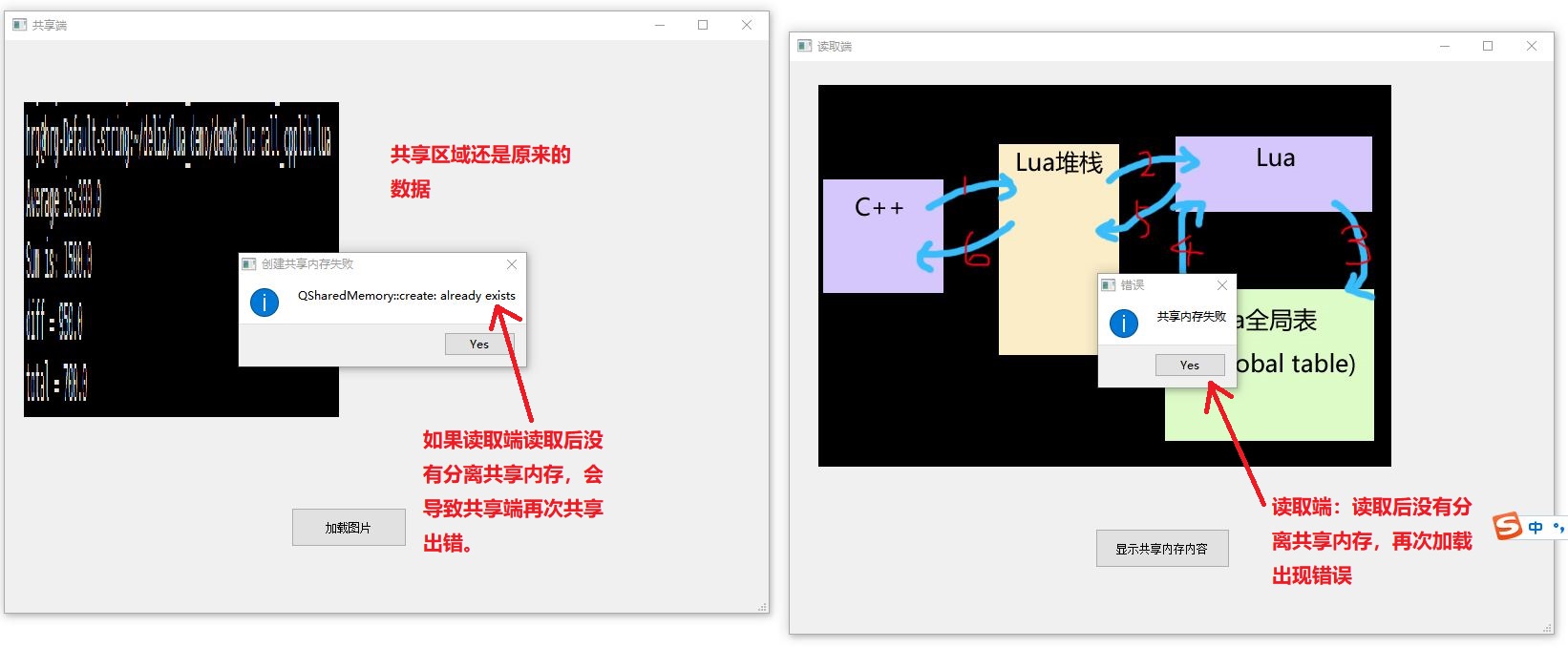
Reverse the association of shared memory and programs, that is, when calling the function, the program cannot access shared memory. If the shared memory is associated by multiple program instances, the shared memory will be automatically released by the operating system when the last program instance is associated with the last program instance and the shared memory release. The separation operation is successful and returns True. If false returns, it is usually meant to fail, or other programs are currently accessing the shared memory, and the separation operation failed.
5. Judging the association state of shared memory
bool QSharedMemory::isAttached ()const
This function is used to determine if the program (program) is associated with shared memory, and is Returning True, and no false.
6, set / get the keywords for shared memory
Qstring QsharedMemory :: Key () const // Get shared memory keywords
Qt application identifies shared memory by keywords. The key () function is used to obtain a keyword for shared memory. If the keywords for specifying instance objects, or the keywords of shared memory are specified by the nativeKey () function, return empty.
Void QsharedMemory :: setKey (const QString & key) // Set shared memory keyword
The setKey () function is used to set the keyword (for shared memory naming) for shared memory segments. If the value of the parameter key and the constructor are the same, the function will not do anything, the function will not do it directly.
7, lock / unlock sharing memory
Bool QsharedMemory :: Lock () // Lock Shared Memory
If the shared memory resource is currently released, the process calls the function to lock the resource in the shared memory and return TRUE. Other processes will not access the shared memory. If the shared memory is occupied by other processes, the function will always be blocked until the other process is used, and the shared memory resources are released.
Bool QsharedMemory :: unlock () // Unlock shared memory
If the shared memory resource is occupied by the current process, calling the function to unlock the shared resource and return to TRUE. If the current process does not take this resource, or if the shared memory is accessed by other processes, do not do anything and return false.
In order to ensure the integrity of data in the shared memory, other processes are not allowed to access the shared area when a process is read and write shared memory. The QSharedMemory class provides a Lock () function and unlock () function to implement this shared memory access mechanism. A program requires calling the loop () function to lock the shared memory before reading and writing the shared memory, and the data in the shared memory is listed, and the data is read and write. Shared memory access, call UNLOCK () functions, release the usage permission of shared memory.
8, wrong reason
SharedMemoryError QSharedMemory::error ()const
When the shared memory is wrong, call the function to display the corresponding error code.
QString QSharedMemory::errorString ()const
When the shared memory is wrong, the function is called to display an error reason in text form.
9, get the address of shared memory
const void *QSharedMemory::constData ()const
void * QSharedMemory::data ()
Const void * QsharedMemory :: data () const // overload function
Under the premise of program association sharing memory, call the function to return the start address of the data in the shared memory. Returns 0 if there is no associated shared memory.
10, get the size of shared memory
int QSharedMemory::size ()const
Calling this function will return the size of the shared memory associated with the program (bytes). Returns 0 if there is no associated shared memory.
Second, sample code
1 main.cpp source file
#include <QtGui/QApplication>
#include "dialog.h"
#include <QTextCodec>
int main(int argc, char *argv[])
{
    QApplication application(argc, argv);
    // qt internationalization
    QTextCodec::setCodecForTr(QTextCodec::codecForName("GB18030"));
    QTextCodec::setCodecForLocale(QTextCodec::codecForName("GB18030"));
    QTextCodec::setCodecForCStrings(QTextCodec::codecForName("GB18030"));
    Dialog dialog;
    dialog.show();
    return application.exec();
}
2 Dialog.h header file
#ifndef DIALOG_H
#define DIALOG_H
#include <QDialog>
// Debug with head file
#include <QDebug>
#include <QMessageBox>
#include <QFileDialog>
#include <QDir>
#include <QPixmap>
#include <QImage>
#include <QDataStream>
#include <QBuffer>
#include <QSharedMemory>
namespace Ui {
class Dialog;
}
class Dialog : public QDialog
{
    Q_OBJECT
public:
    explicit Dialog(QWidget *parent = 0);
    ~Dialog();
public slots:
    void loadFromFile();        // Load image button response function
    void loadFromMemory();      // Display image button response function
private:
    Ui::Dialog *ui;
    QSharedMemory *sharememory; // Define the shared memory instance pointer
    bool first_flag;            / / Judgment is the first load file
};
#endif // DIALOG_H
3 Dialog.cpp source file
#include "dialog.h"
#include "ui_dialog.h"
#define DEBUG           // debugging switch
Dialog::Dialog(QWidget *parent) :
    QDialog(parent),
    ui(new Ui::Dialog)
{
    ui->setupUi(this);
    QObject::connect(ui->PBtn_Load,SIGNAL(clicked()),this,SLOT(loadFromFile()));
    QObject::connect(ui->PBtn_Display,SIGNAL(clicked()),this,SLOT(loadFromMemory()));
    sharememory = new QSharedMemory();              // Structure example object
    sharememory->setKey("QSharedMemoryExample");    / / Specify keywords for instance objects (naming shared memory)
    first_flag = true;
}
Dialog::~Dialog()
{
    delete ui;
}
/ / Load image button response function
void Dialog::loadFromFile()
{
    if(sharememory->isAttached())       // Test the program currently associated shared memory
        sharememory->detach();          // Relationship
    ui->Label_Display->setText(tr("Please select a picture"));
    QString filename = QFileDialog::getOpenFileName(
                this,"Open",QString(),tr("Image (*.png *.xpm *.jpg)"));
    QImage image;
    if(!image.load(filename))           / / Associate the open image file and the qimage instance
    {
        ui->Label_Display->setText(tr("You choose not image file, please re-select"));
        return;
    }
    ui->Label_Display->setPixmap(QPixmap::fromImage(image));
    QBuffer buffer;
    buffer.open(QBuffer::ReadWrite);    // Build and open the data buffer, access mode is read or written
#ifdef DEBUG
    qDebug()<<"The size of the new buffer is:"<<buffer.size();  // Test buffer size (general 0)
#endif
    QDataStream in(&buffer);            / / Establish a data stream object and associate with the buffer
    in << image;                        / / Write data to the buffer
    int size = buffer.size();           // Get the size of the write data (size)
#ifdef DEBUG                             // Debug section
    qDebug()<<"The size of the buffer is:"<<size;
    qDebug()<<sharememory->key();
    qDebug()<<sharememory->nativeKey();
// ShareMemory-> SetKey (Share Memory "); / / Modify the keywords for shared memory, will not access shared memory
    qDebug()<<sharememory->key();
    qDebug()<<sharememory->nativeKey();
    qDebug()<<sharememory->error();
    qDebug()<<sharememory->errorString();
#endif
    if(true == first_flag)
    {
        if (!sharememory->create(size)) // Create a shared memory, size is SIZE
        {
            ui->Label_Display->setText(tr("Unable to create shared memory segments"));
            qDebug()<<sharememory->errorString();
            return;
        }
        first_flag = false;
        qDebug()<<sharememory->size();  / / Display the size of the shared memory
    }
    / / Read and write the shared memory
    sharememory->lock();        / / Lock Shared Memory
    char *to = (char*)sharememory->data();      / / Get the address in the shared memory
    const char *from = buffer.data().data();    / / Get the address of valid data in the buffer
    memcpy(to, from, qMin(sharememory->size(), size));  // copy data in the buffer to shared memory
    sharememory->unlock();      // Release shared memory
}
// Display image button response function
void Dialog::loadFromMemory()
{
    if (!sharememory->attach())     // Associated shared memory
    {
         ui->Label_Display->setText("Unable to associate shared memory");
         return;
    }
     QBuffer buffer;                // Building a buffer
     QDataStream out(&buffer);      / / Establish a data stream object and associate with the buffer
     QImage image;
     / / Read and write the shared memory
     sharememory->lock();           / / Lock Shared Memory
     // Initialize the data in the buffer, the setData function is used to initialize the buffer.
     // This function is not played if it is called after the Open () function is called.
     //buffer.open (QBuffer::readonly); // Remove the comment, the setData function does not work, and the data is not loaded.
     buffer.setData((char*)sharememory->constData(), sharememory->size());
     buffer.open(QBuffer::ReadOnly);    // read-only mode open buffer
     out >> image;                      // Write the data of the buffer to the QImage object
     sharememory->unlock();         // Release shared memory
     sharememory->detach();         // Release the association of the program and shared memory
     ui->Label_Display->setPixmap(QPixmap::fromImage(image));   //display image
QT communication communication (shared memory)
Qt inter-process communication (shared memory)
Brief description
In the previous section, we share how to use the Windows message mechanism to communicate between different processes. But there are many limitations, such as: can't cross the platform, and you must exist at the same time, or the process A sent a message who received it?
Below we will share another way to communicate cross-platform - SHARED MEMORY.
Qt provides the shared memory-based IPC with QSharedMemory classes and QSystemSemaphore classes, QSharedMemory can access shared memory area, as well as shared memory areas of multi-threads and processes. The QSystemSemaphore class is used to access system sharing resources to implement communication between independent processes.
QSharedMemory
QsharedMemory can use Lock () to achieve synchronization when reading and writing. Therefore, if the synchronization is complete, unlock () must be unlocked for shared memory area.
QsharedMemory can use Attach () to access shared memory. The access mode of shared memory can be set by specifying parameters. If you are using QSharedMemory :: Readonly mode, you can only access shared memory via read-only mode. Conversely, use QSharedMemory :: READWRITE mode to access shared memory by reading and writing mode.
QsharedMemory has a process and provides a member function that can return a shared memory area pointer. In shared memory area, member function constdata () can return the memory area pointer in use through the VOID type. When you create a sharing, QsharedMemory can assign a shared memory area in bytes, and can also be provided by the second parameter setting function attach ().
QsharedMemory can set a fixed key for a specific shared memory. The function setnativeKey () can set the key to the shared memory object, which is related to the key to the shared memory of the slave. Instead, using the function setKey () can set the keys with separate and platforms. Function setKey () Creates the key to the platform local key (Native Key).
QSystemSemaphore
QSystemSemaphore can provide a regular system signal. The signal amount uses a mutex, while the mutex can only use 1 lock (Block). Therefore, the QSemaphore class cannot use multi-threads for effective resources, while QSystemSemaphore classes can be implemented in multiple processes or multi-threads.
QSystemSemaphore is different from QSemaphore class, you can access multiple processes. This means that QSystemSemaphore is a heavyweight class. Therefore, when using a single thread or process, it is recommended to use QSemaphore. Before getting resources, member functions acquire () always block. Function Release () is used to release resources, and the function can set parameters. When the parameter> 1 of this function is released, the resource is released.
Precautions
When you initialize QsharedMemory, you must specify a unique identifier Key, the key of the process must be consistent. You can use SetKey to set.
Load into memory
illustrate
Process a- Write
Divided into the following steps:
Detect whether the process is connected to the shared memory segment, if the connection is separated from the shared memory segment.
Get a new shared memory segment from a large memory of the system.
Lock the shared memory segment to prevent the second dialog process from accessing, copy the image in the buffer into the shared memory segment.
Unlock the shared memory segment, then the second dialog process can be accessed.
accomplish
void Dialog::loadFromFile()
{
    if (sharedMemory.isAttached())
    {
        // Separate this process with shared memory
        if (!sharedMemory.detach())
            qDebug() << "Unable to detach from shared memory.";
    }

    QString fileName = QFileDialog::getOpenFileName(0, QString(), QString(),
                                        tr("Images (*.png *.xpm *.jpg)"));
    QImage image;
    if (!image.load(fileName))
    {
        qDebug() << "Selected file is not an image, please select another.";
        return;
    }

    // Load the data into the shared memory
    QBuffer buffer;
    buffer.open(QBuffer::ReadWrite);
    QDataStream out(&buffer);
    out << image;
    int size = buffer.size();

    // Create a shared memory segment
    if (!sharedMemory.create(size))
    {
        qDebug() << sharedMemory.errorString() << "\n Unable to create shared memory segment.";
        return;
    }
    sharedMemory.lock();
    char *to = (char*)sharedMemory.data();
    const char *from = buffer.data().data();
    memcpy(to, from, qMin(sharedMemory.size(), size));
    sharedMemory.unlock();
}
Read from memory
illustrate
Process B-read
Divided into the following steps:
Bind this process with the shared memory segment created by process a
Lock the shared memory segment, copy the data to the buffer, and write it into qimage.
Unlock the shared memory segment and then separate the process with the shared memory segment.
accomplish
void MainWindow::loadFromMemory()
{
    // Bind the shared memory with the process
    if (!sharedMemory.attach())
    {
        qDebug() << "Unable to attach to shared memory segment.";
        return;
    }

    / / Read data from shared memory
    QBuffer buffer;
    QDataStream in(&buffer);
    QImage image;

    sharedMemory.lock();
    buffer.setData((char*)sharedMemory.constData(), sharedMemory.size());
    buffer.open(QBuffer::ReadOnly);
    in >> image;
    sharedMemory.unlock();

    sharedMemory.detach();
    m_pLabel->setPixmap(QPixmap::fromImage(image));
}
Qt Linux shared memory, QT shared memory implementation process communication (QSharedMemory)
Qt provides a secure shared memory implementation QsharedMemory to use safe use in multi-threaded and multi-process programming.
Let's first implement the steps of shared memory, and then use a specific example.
(1) One party provided to the shared memory:
1. Define QSharedMemory ShareMemory, and set the flag name ShareMemory.setKey (), such as ShareMemory.setKey ("ShareImg");
2. Separate ShareMemory.detach () with the main process with the main process;
3. Create a shared memory shareMemory.create ();
4, the memory lock shared lock shareMemory.lock ();
5. Copy the data to be shared in the process to the shared memory;
6, unlock shared memory to unlock ShareMemory.unlock ();
(2) Take data from the shared memory:
1. Define QSharedMemory ShareMemory, and set the flag name shared memory name ShareMemory.setKey () Note that the setting to the party to share the memory share, this example is ShareMemory.setKey ("ShareImg").
2, share the memory lock shareMemory.lock ();
3. Bind ShareMemory.attach () with the main process, so that the process can access the data shared memory;
4, take data from shared memory;
5. After use, unlock shared memory to ShareMemory.unlock (), and finally separate shared memory with the process. ShareMemory.detach ();
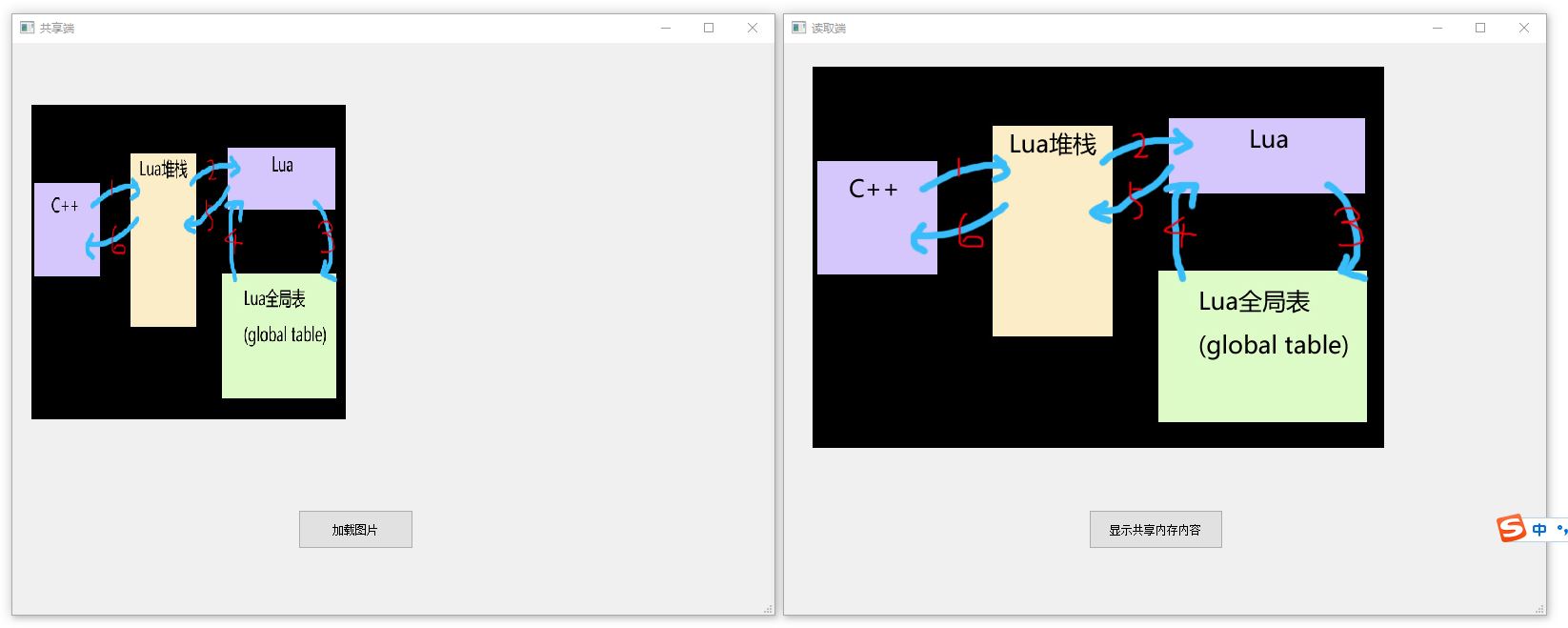
Such as program operation graph:
The above program (called a) reads and displays the picture from the file while copying the read picture data to shared memory. The following program (called b) acquires the image data read directly from the shared memory and displayed.
QT process communication - shared memory
Original link:
Brief description
Shared Memory is a most efficient process communication method, and the process can directly read and write memory without copying of any data. Shared memory is actually a special case of memory mapping. Write in "Windows Core Programming":
In Windows, the most underlying mechanism shared on the same machine is a memory mapping file. This data sharing mechanism is implemented by making two or more processes to map views of the same file mapping object, meaning that the same physical storage page is shared between the processes. Sharing the same file mapping object for multiple processes, the names of the file mapping objects used by all processes must be identical.
The principle of sharing memory is to map a physical memory to a virtual address space of different processes, and other processes open the file mapping object to access the memory block, so that each process can read the same data, thereby implementing Process communication. Because communication is implemented through memory operation, it is a most efficient data exchange method. Since the shared memory is implemented with file mapping, it also has good security, and can only run between the processes on the same computer.
QT provides QSharedMemory class and QSystemSemaphore class, QsharedMemory can access shared memory area, as well as shared memory area of multi-threaded and processes. The QSystemSemaphore class is used to access system sharing resources to implement communication between independent processes.
Code path
Shared end:
Create a QSharedMemory and set a key value
This memory is not used, if you are used, open
Call CREATE for creation
Use memcpy to put the data to be written into QSharedMemory (internally using mutex technology, locked resources)
mainwindow.h
#ifndef MAINWINDOW_H
#define MAINWINDOW_H

#include <QMainWindow>
#include <QBuffer>
#include <QFileDialog>
#include <QDataStream>
#include <QSharedMemory>
#include <QPixmap>

namespace Ui {
class MainWindow;
}

class MainWindow : public QMainWindow
{
    Q_OBJECT

public:
    explicit MainWindow(QWidget *parent = 0);
    ~MainWindow();

private slots:
    void on_pushButton_clicked();

private:
    Ui::MainWindow *ui;

    QSharedMemory *m_sharedMemory;
};

#endif // MAINWINDOW_H
mainwindow.cpp
#include "mainwindow.h"
#include "ui_mainwindow.h"
#include <QMessageBox>

MainWindow::MainWindow(QWidget *parent) :
    QMainWindow(parent),
    ui(new Ui::MainWindow)
{
    ui->setupUi(this);

    // qsharedMemory class provides access to shared memory segments, setting the key value when creating, using shared memory has an identical Key value
    m_sharedMemory = new QSharedMemory("1314");       // You can set the KEY value when you can create, or set it with setKey ()
}

MainWindow::~MainWindow()
{
    delete ui;
}

void MainWindow::on_pushButton_clicked()
{
    / / Judgment if the process has attached to the shared memory segment, if so,
    if(m_sharedMemory->isAttached()) {
        if(!m_sharedMemory->detach()) {
            QMessageBox::information(this, tr("mistake"), tr("Sharing memory failed"), QMessageBox::Yes);
            return;
        }
    }

    // Select the file you want to share
    QString fileName = QFileDialog::getOpenFileName(this,"","","Images(*.png *.jpg)");
    QImage image(fileName);
    ui->label->setPixmap(QPixmap::fromImage(image).scaled(330, 330));

    QBuffer buffer;
    buffer.open(QBuffer::ReadWrite);
    QDataStream out(&buffer);
    out << image;

    // Create a shared memory segment, failure, display error reasons
    if(!m_sharedMemory->create(buffer.size())) {
        QMessageBox::information(this, tr("Creating a shared memory failed"), tr(m_sharedMemory->errorString().toLatin1().data()), QMessageBox::Yes);
        return;
    }

    m_sharedMemory->lock();          // Lock the shared memory segment when data is entered, and other processes will not access the shared memory.
    char *to = (char*)m_sharedMemory->data();
    const char *from = buffer.data().data();
    memcpy(to, from, qMin(m_sharedMemory->size(), (int)buffer.size()));      // Use memcpy to copy the data to be written into the shared memory
    m_sharedMemory->unlock();        // Enter the data unlock shared memory
}
Reading end:
Create a QSharedMemory, set the key value to the same key value as the shared end
Use Attach to connect this QsharedMemory
Read data in QSharedMemory in the way in reading bytes (inside usually uses mutex technology, locking resources)
Connection to this QSharedMemory using the Detach port
mainwindow.h
#ifndef MAINWINDOW_H
#define MAINWINDOW_H

#include <QMainWindow>
#include <QBuffer>
#include <QDataStream>
#include <QPixmap>
#include <QSharedMemory>

namespace Ui {
class MainWindow;
}

class MainWindow : public QMainWindow
{
    Q_OBJECT

public:
    explicit MainWindow(QWidget *parent = 0);
    ~MainWindow();

private slots:
    void on_pushButton_clicked();

private:
    Ui::MainWindow *ui;

    QSharedMemory *m_sharedMemory;
};

#endif // MAINWINDOW_H
mainwindow.cpp
#include "mainwindow.h"
#include "ui_mainwindow.h"
#include <QMessageBox>

MainWindow::MainWindow(QWidget *parent) :
    QMainWindow(parent),
    ui(new Ui::MainWindow)
{
    ui->setupUi(this);

    m_sharedMemory = new QSharedMemory("1314");
}

MainWindow::~MainWindow()
{
    delete ui;
}

void MainWindow::on_pushButton_clicked()
{
    // Try to attach this process to the shared memory segment, successfully returns true
    if(!m_sharedMemory->attach()){
        QMessageBox::information(this, tr("mistake"), tr("Sharing memory failed"), QMessageBox::Yes);
        return;
    }

    / / Read data in shared memory
    QBuffer buffer;
    QDataStream in(&buffer);
    QImage image;

    m_sharedMemory->lock();              // Lock the shared memory segment when reading data, and other processes will not access the shared memory
    buffer.setData((char *)m_sharedMemory->constData(),m_sharedMemory->size());
    buffer.open(QBuffer::ReadOnly);
    in>>image;

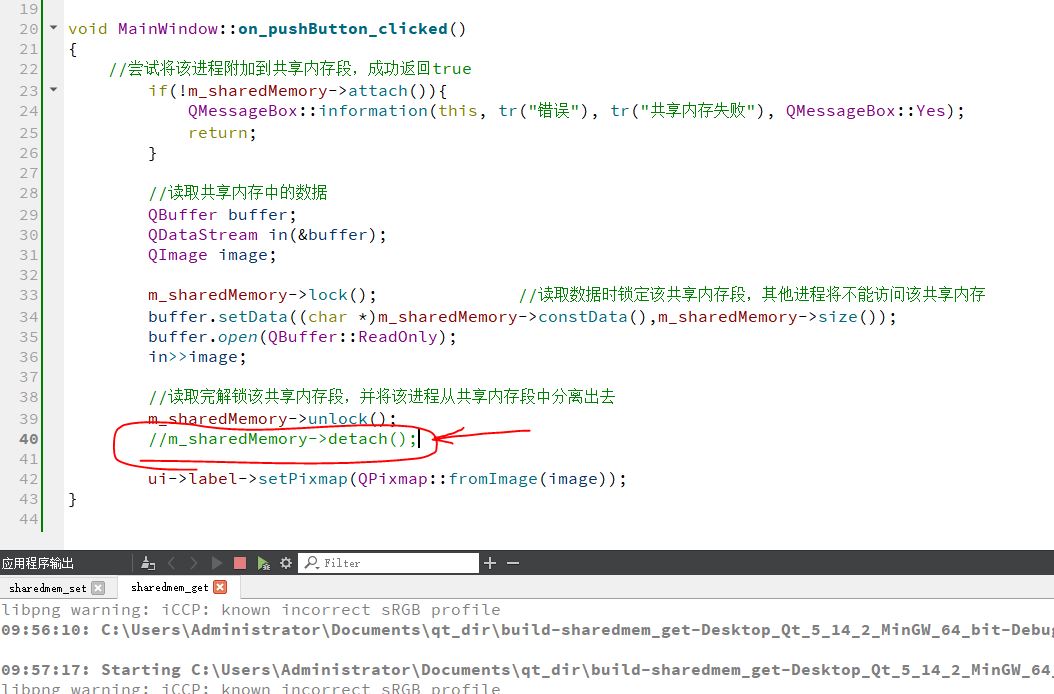
    // Read the contents of the shared memory and separate the process from the shared memory segment.
    m_sharedMemory->unlock();
    m_sharedMemory->detach();

    ui->label->setPixmap(QPixmap::fromImage(image));
}
Intelligent Recommendation
Shared memory between communication methods between processes
Shared memory between communication methods between processes 1 Description To make a metaphor for a couple, such as a men and women, the exchange of information w...

Use shared memory to achieve communication between processes
The sharing of data between processes can be achieved with shared memory.Win32In the process of sharing memory usage between process mapping files. Virtual memory systems have the ability to map real ...
Shared memory and semaphores communication between processes
Shared memory Essence: the same physical memory mapped to a different virtual address space, access time and access common memory no difference. butShared memory is the fastest form of interprocess co...
Win32 processes of communication between shared memory
The writing process Reading process...
Linux shared communication between processes of memory (2)
A shared memory a physical memory management kernel allows different processes simultaneously mapping, multiple processes can be mapped with a memory, a plurality of processes being mapped physical me...
More Recommendation
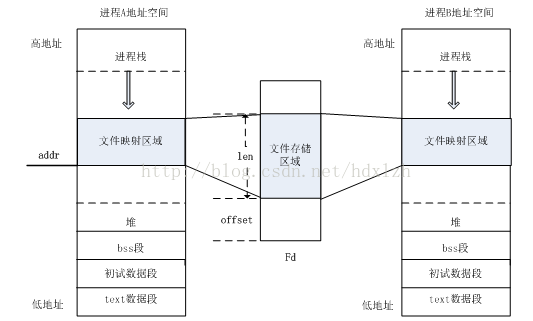
Shared memory articles for communication between linux processes
This article is correctFurther explanation and explanation of shared memory (on) in China 1 The realization principle of shared memory Shared memory is a way of communication between Linux processes; ...
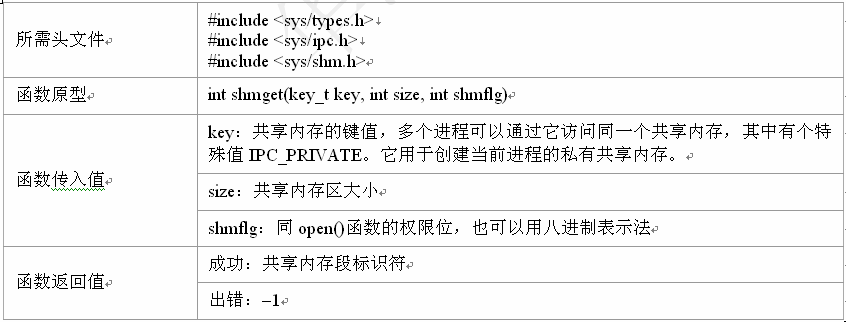
Communication between processes-(three) shared memory
Shared memory Shared memory allows two unrelated processes to access the same logical memory, which is a very effective way to transfer data between two running processes. All processes can access the...
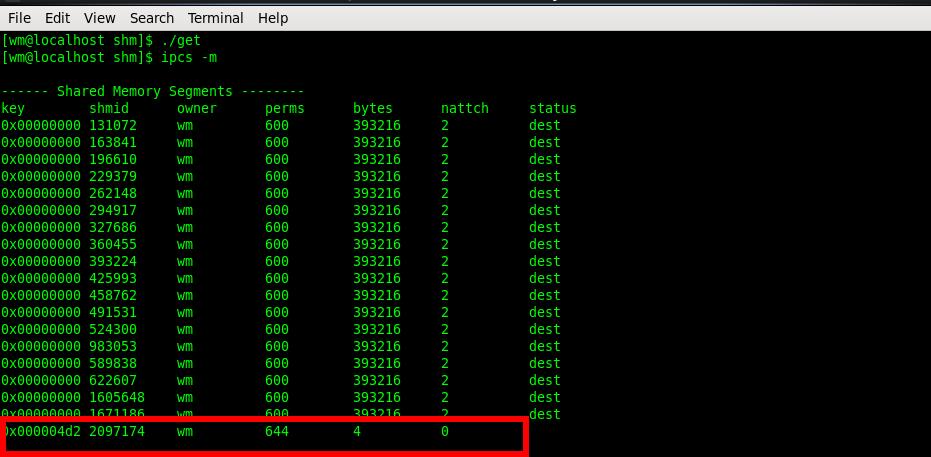
Communication between Linux processes-shared memory
Shared memory concept Shared memory function 1. Create shared memory 2. Delete shared memory 3. Generate key 4. Mount the shared memory into its own address space 5. Unload the shared memory segment f...
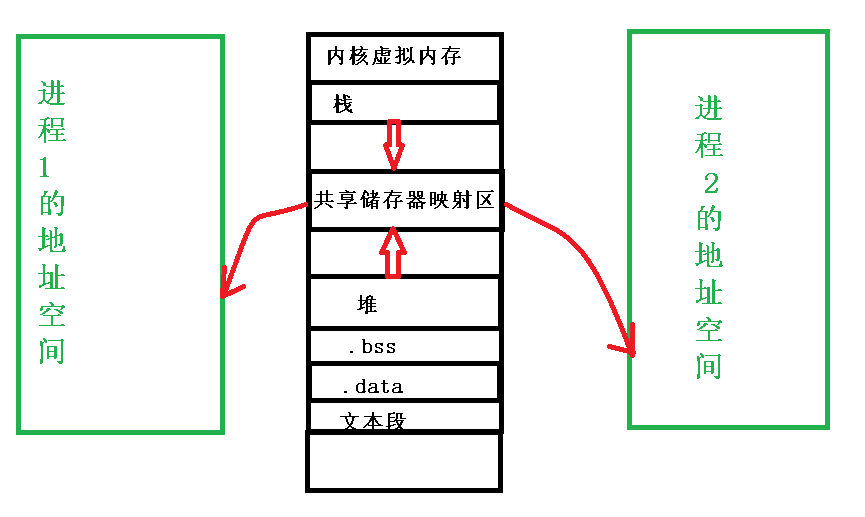
Shared memory for communication between Linux processes
table of Contents Shared memory Functions involved in memory sharing shmget() shmat() shmdt() shmctl() Programming example: operation result Shared memory Shared memory, as the name impl...

C# shared memory communication between processes
1 Theory Multi-process synchronizationThere are two ways of communication:Shared memory (Shared memory), message transmission (Messages passing). Memory-mapped files may seem unfamiliar to deve...