QThread: moveToThread() realizes multithreading
tags: qt
Qt realizes multithreading
There are two ways to implement multithreading in Qt:
 (1) Inherit QThread and rewrite the run() method
 (2) Use moveToThread()
This article only uses the second method to achieve multithreading
Creation steps
1. Create a new thread project
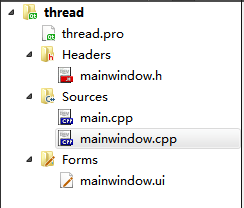
2. Add a new class MyWork
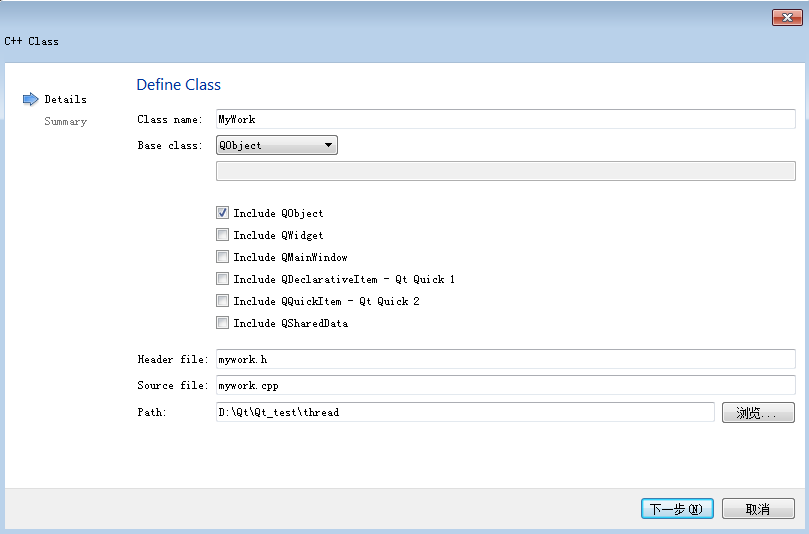
Right-click the project -> add new file -> C++ Class -> enter the class name MyWork, inherited from QObject -> OK.
The functions (functions) we need to implement can be placed in this MyWork class
3. Add a slot function to MyWork
Declare two slot functions in mywork.h
private slots:
    void weima();//Feed the horse
    void pichai();//firewood
Implement them in mywork.cpp
void MyWork::weima()
{
    qDebug()<<"I want to feed the horse..."<<"thread ID:"<<QThread::currentThreadId();
}
void MyWork::pichai()
{
    qDebug()<<"I want to chop wood..."<<"thread ID:"<<QThread::currentThreadId();
}
Add header file
#include <QDebug>
#include <QThread>
4. Use moveToThread()
Declare two variables in mainwindow.h
private:
    Ui::MainWindow *ui;
    QThread *t;
    MyWork *mw;
mainwindow.cpp
	t = new QThread();
    mw = new MyWork();
    mw->moveToThread(t);
    connect(t,SIGNAL(started()),mw,SLOT(weima()));
    connect(t,SIGNAL(started()),mw,SLOT(pichai()));

    qDebug()<<"Main thread id:"<<QThread::currentThreadId();
Add two buttons in mainwindow.ui
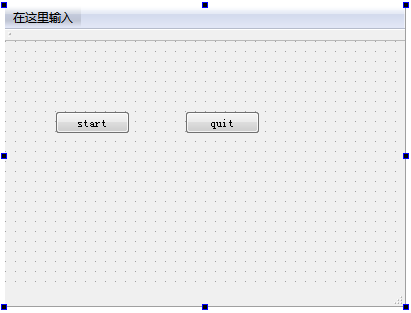
Click event of two buttons
void MainWindow::on_startButton_clicked()
{
    t->start();
    qDebug()<<"t start.";
}

void MainWindow::on_quitButton_clicked()
{
    t->quit();
    t->wait();
    qDebug()<<"t quit.";
}
Run successfully
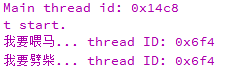
As you can see, the ID of the main thread and the ID of thread t are different.
Since the two events are placed in one thread, they are the same.
You can create a new class DoSports based on the same principle
Implement new functions
//dosports.h
private slots:
    void playFootball();
    void playBasketball();
Put it in another thread t2
//mainwindow.cpp
	t2 = new QThread();
    ds = new DoSports();
    ds->moveToThread(t2);
    connect(t2,SIGNAL(started()),ds,SLOT(playFootball()));
    connect(t2,SIGNAL(started()),ds,SLOT(playBasketball()));
Add buttons the same, separate controls
void MainWindow::on_startButton2_clicked()
{
    t2->start();
    qDebug()<<"t2 start.";
}

void MainWindow::on_quitButton2_clicked()
{
    t2->quit();
    t2->wait();
    qDebug()<<"t2 quit.";
}
operation result:
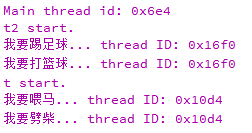
As you can see, the IDs of the two secondary threads are not the same
Intelligent Recommendation
The new method of using QThread threads QObject :: moveToThread
The new method of using QThread threads QObject :: moveToThread April 4, 2012 17:24:11 sydnash read the number 59644 which last night saw a discussion on the use of signal / slot in the thread species...
Use --run and movetoThread usage of Qt threads -QThread
Use Qt threads There are two main methods: Method One: inheritance QThread, rewrite the run () method QThread abstract a very convenient platform for cross-platform native threads. Start a thread is v...
Qt thread-the use of QThread-the usage of run and movetoThread-@ ##
Qt thread-the use of QThread-the usage of run and movetoThread-@ ## Qt uses threads mainly in two ways: Method 1: Inherit QThread and rewrite the run() method QThread is a very convenient cross-platfo...
Qt multi-thread brief description ---- MoveTothread / QThread
Article catalog 0 background 1 MoveTothread automation management thread [recommended] 2 inherited to write qthread 0 background Because the project needs to handle the special fast data from TCP, 600...

Qt multithreading-moveToThread (with demo)
Write in front: The article is a bit wordy, and my writing level is limited, because the author encountered many strange problems when he first came into contact with QT (often the novices are more li...
More Recommendation
Multithreading based on moveToThread
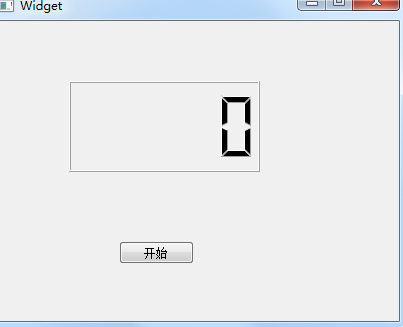
Use moveToThread to achieve multi-threading, directly on the code. interface: 【reference:】 1....
QT5 QThread multithreading
QT5 Thread thread inherits QThread mode First, analyze the secret between the QTimer Class and the Sleep() function. QTimer *t = new QTimer(*parent); //Create a QTimer object T->start(_time); //Tim...
Qt multithreading inherits QThread
There are 2 common ways to use multithreading in Qt 1. Inherit QThread rewrite run function The thread cannot release the thread object during execution. QThread *thread = new QThr...
The use of QThread multithreading
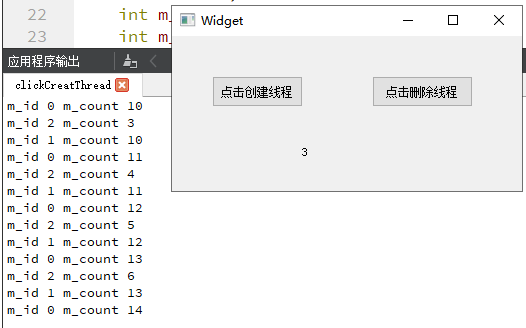
Click Create Thread, the program will create a thread and print the increment number every 1s. Click Delete Thread to delete the most recently created thread. The number below shows the current number...