Get the network card configuration and IP address information through GetAdaptersInfo in C++
Source:
There may be more than one network card on a machine, but there is only one network cardMACAddress, and each network card may be configured with multipleIPAddress; as in ordinary notebook computers, there will be two kinds of wireless network cards and wired network cards (network cable interface); therefore, if you want to get all the network cards of this machineIPwithMACAddress information, each network card must be obtained in sequence, and then its information, etc.;windows sdkMedium, useIP_ADAPTER_INFOStructure stores network card information, including network card name, network card description, network cardMACAddress, network cardIPThe main description of the structure is as follows:
typedef struct _IP_ADAPTER_INFO {
  struct _IP_ADAPTER_INFO* Next;//Pointer to the next adapter information in the linked list
  DWORD ComboIndex;//Reserved value
  char AdapterName[MAX_ADAPTER_NAME_LENGTH + 4];//Adapter name expressed in ANSI string
  char Description[MAX_ADAPTER_DESCRIPTION_LENGTH + 4];//Adapter description using ANSI strings
  UINT AddressLength;//The length of the adapter hardware address in bytes
  BYTE Address[MAX_ADAPTER_ADDRESS_LENGTH];//The hardware address is represented by a BYTE array
  DWORD Index;//Adapter index
    UINT Type;//The types of adapters are mainly as follows:
    /*
     *   MIB_IF_TYPE_OTHER     1
     *   MIB_IF_TYPE_ETHERNET     6
     *   MIB_IF_TYPE_TOKENRING     9
     *   MIB_IF_TYPE_FDDI     15
     *   MIB_IF_TYPE_PPP     23
     *   MIB_IF_TYPE_LOOPBACK      24
     *   MIB_IF_TYPE_SLIP      28
     */
  UINT DhcpEnabled;//Specifies whether this adapter is enabled for DHCP
  PIP_ADDR_STRING CurrentIpAddress;//Reserved value
  IP_ADDR_STRING IpAddressList;//The adapter's IPv4 address list
  IP_ADDR_STRING GatewayList;//The gateway IPv4 address list of the adapter
  IP_ADDR_STRING DhcpServer;//IPv4 address list of the adapter's DHCP server
  BOOL HaveWins;
  IP_ADDR_STRING PrimaryWinsServer;
  IP_ADDR_STRING SecondaryWinsServer;
  time_t LeaseObtained;
  time_t LeaseExpires;
  } IP_ADAPTER_INFO,*PIP_ADAPTER_INFO;
There may be multiple network cards, sostruct _IP_ADAPTER_INFO* NextThe field is a pointer to a linked list structure, because a network card may have multipleIP,thereforeIP_ADDR_STRINGThe field should also be a linked list structure, the information is as follows:
typedef struct _IP_ADDR_STRING
{
    struct _IP_ADDR_STRING* Next;  //Point to the same type of node, that is, the next IP (if there are multiple IPs)
    IP_ADDRESS_STRING IpAddress;  //IP address information
    IP_MASK_STRING IpMask; //IP subnet mask
    DWORD Context;//  Network table entry. This value corresponds to the NTEContext parameter in the AddIPAddredd and DeleteIPAddress functions
} IP_ADDR_STRING;
After basically understanding the above information, you can call the GetAdaptersInfo function to obtain the relevant network card information. The general code is as follows:
#include <WinSock2.h>
#include <Iphlpapi.h>
#include <iostream>
using namespace std;
#pragma comment(lib,"Iphlpapi.lib") //Need to add Iphlpapi.lib library

int main(int argc, char* argv[])
{
    //PIP_ADAPTER_INFO structure pointer stores local network card information
    PIP_ADAPTER_INFO pIpAdapterInfo = new IP_ADAPTER_INFO();
    //Get structure size, used for GetAdaptersInfo parameter
    unsigned long stSize = sizeof(IP_ADAPTER_INFO);
    //Call the GetAdaptersInfo function to fill the pIpAdapterInfo pointer variable; where the stSize parameter is both an input and an output
    int nRel = GetAdaptersInfo(pIpAdapterInfo,&stSize);
    //Record the number of network cards
    int netCardNum = 0;
    //Record the number of IP addresses on each network card
    int IPnumPerNetCard = 0;
    if (ERROR_BUFFER_OVERFLOW == nRel)
    {
        //If the function returns ERROR_BUFFER_OVERFLOW
        //It means that the memory space passed by the GetAdaptersInfo parameter is not enough, and at the same time, it sends out stSize, indicating the required space
        //This is why stSize is both an input and an output
        //Free up the original memory space
        delete pIpAdapterInfo;
        //Reapply memory space to store all network card information
        pIpAdapterInfo = (PIP_ADAPTER_INFO)new BYTE[stSize];
        //Call the GetAdaptersInfo function again to fill the pIpAdapterInfo pointer variable
        nRel=GetAdaptersInfo(pIpAdapterInfo,&stSize);
    }
    if (ERROR_SUCCESS == nRel)
    {
        //Output network card information
         //There may be multiple network cards, so judge through the loop
    while (pIpAdapterInfo)
    {
        cout<<"Number of network cards:"<<++netCardNum<<endl;
        cout<<"Network card name:"<<pIpAdapterInfo->AdapterName<<endl;
        cout<<"NIC description:"<<pIpAdapterInfo->Description<<endl;
        switch(pIpAdapterInfo->Type)
        {
        case MIB_IF_TYPE_OTHER:
            cout<<"Network card type:"<<"OTHER"<<endl;
            break;
        case MIB_IF_TYPE_ETHERNET:
            cout<<"Network card type:"<<"ETHERNET"<<endl;
            break;
        case MIB_IF_TYPE_TOKENRING:
            cout<<"Network card type:"<<"TOKENRING"<<endl;
            break;
        case MIB_IF_TYPE_FDDI:
            cout<<"Network card type:"<<"FDDI"<<endl;
            break;
        case MIB_IF_TYPE_PPP:
            printf("PP\n");
            cout<<"Network card type:"<<"PPP"<<endl;
            break;
        case MIB_IF_TYPE_LOOPBACK:
            cout<<"Network card type:"<<"LOOPBACK"<<endl;
            break;
        case MIB_IF_TYPE_SLIP:
            cout<<"Network card type:"<<"SLIP"<<endl;
            break;
        default:

            break;
        }
        cout<<"Network card MAC address:";
        for (DWORD i = 0; i < pIpAdapterInfo->AddressLength; i++)
            if (i < pIpAdapterInfo->AddressLength-1)
            {
                printf("%02X-", pIpAdapterInfo->Address[i]);
            }
            else
            {
                printf("%02X\n", pIpAdapterInfo->Address[i]);
            }
            cout<<"The network card IP address is as follows:"<<endl;
            //Maybe the network card has multiple IPs, so judge through the loop
            IP_ADDR_STRING *pIpAddrString =&(pIpAdapterInfo->IpAddressList);
            do
            {
                cout<<"Number of IPs on this network card:"<<++IPnumPerNetCard<<endl;
                cout<<"IP address:"<<pIpAddrString->IpAddress.String<<endl;
                cout<<"Subnet address:"<<pIpAddrString->IpMask.String<<endl;
                cout<<"Gateway address:"<<pIpAdapterInfo->GatewayList.IpAddress.String<<endl;
                pIpAddrString=pIpAddrString->Next;
            } while (pIpAddrString);
            pIpAdapterInfo = pIpAdapterInfo->Next;
            cout<<"--------------------------------------------------------------------"<<endl;
    }

    }
    //Free up memory space
    if (pIpAdapterInfo)
    {
        delete pIpAdapterInfo;
    }

    return 0;
}
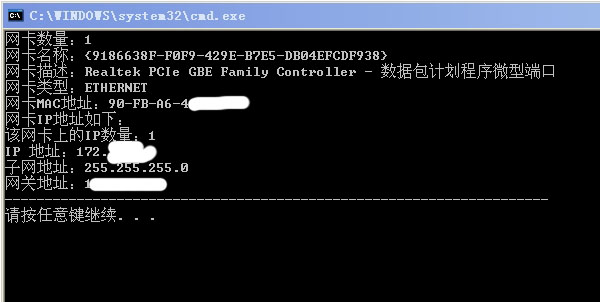
Results of the:
Source:
In the past few days, I want to review the Windows C socket network programming. I have reviewed some information on the Internet. Most of the information is still relatively old. The old interface functions are introduced. Moreover, most of the books do not introduce the support of ipv6 in the API. Interface.
When I was writing a function to get the information of the local network card, I originally wanted to use GetAdapterInfo. Since I haven’t used win32 api in a long time, I checked MSDN and found that this interface is already very old and does not support ipv6. It is clearly recommended in the documentation. Using the GetAdaptersAddresses interface, I checked. In addition to supporting IPV6, the use method is not much different from GetAdapterInfo, but the data structure is much more complicated, especially the handle structure to get the information of the network card. It is quite complicated. Google a bit, I want to find a few samples After searching for a long time, only the not-so-good sample on msdn was searched. The information on CSDN was also very limited. Some people even said that this function cannot be used to obtain a DNS address, so I still recommend the old GetAdapterInfo. I tried it myself, and I can still get the address information, whether it is a hardware address or a network address, it is just a little more troublesome, but it can be obtained, and it also provides a lot of additional information, more comprehensive information than GetAdapterInfo, so this interface function is in It should be very useful in the future.
The interface declaration of this function is like this:
ULONG WINAPIGetAdaptersAddress
);
The first parameter Family is the network protocol family, users can specify ipv6 and ipv4, which is the biggest difference between it and GetAdapterInfo interface. The second parameter is to specify the address type, you can specify unicast, multicast, ipv6, DNS, etc., users can pass different parameters to get different addresses according to demand. The third is to retain the parameters and make up the position. The fourth parameter, AdapterAddresses, is a pointer to the network card information structure. The pointer type is of type PIP_ADAPTER_ADDRESSES. This variable will be described in detail later. The fifth parameter is the value of the data size required by AdapterAddresses.
Among these variables, AdapterAddresses is the core variable, which stores the information required by the user. The variable definition is very long. There are 34 data members in the structure, covering all the information of the network card. Because of the large amount of information, it is not One by one, only a few commonly used data members.
FirstUnicastAddress, FirstAnycastAddress, FirstMulticastAddress; FirstDnsServerAddress, these data members represent unicast address, anycast address, multicast address, DNS server address. Among them, anycast is a data transmission method only available in ipv6, while unicast and multicast have no protocol restrictions. The difference between these several transmission methods can be found in any network textbook, and no redundant description will be made here. These variables are all the head nodes of a linked list. This is the consideration of multi-network card computers. Through the head node, users can enumerate the address information of all network cards. Some people on the Internet say that only three network cards can be enumerated. Information, but I tried it on win7, enumerating all the network cards is no problem, it may be related to the operating system.
Another commonly used data member is PhysicalAddress, which is an array. The data member stores the mac address of the network card, and the size of the array is specified by PhysicalAddressLength. Generally, the size of the array is 6.
Description is a PCHAR type variable that stores the description of the network card, such as 11b/g/n.
OperStatus is a variable describing the status of the network card. It is an enumerated type IF_OPER_STATUS. This type contains the status of 7 kinds of network cards, such as testing, activation, waiting, etc.
In addition to the above information, AdapterAddresses also provides a lot of other useful information, if you are interested you can search on msdn.
- #include
- #include
- #include
- #include
- using
namespace std; -
- int
main() - {
-
PIP_ADAPTER_ADDRESSES pAddresses = nullptr; -
IP_ADAPTER_DNS_SERVER_ADDRESS *pDnServer = nullptr; -
ULONG outBufLen = 0; -
DWORD dwRetVal = 0; -
char buff[100]; -
DWORD bufflen=100; -
int i; -
-
GetAdaptersAddresses(AF_UNSPEC,0, NULL, pAddresses,&outBufLen); -
-
pAddresses = (IP_ADAPTER_ADDRESSES*) malloc(outBufLen); -
-
if ((dwRetVal = GetAdaptersAddresses(AF_INET,GAA_FLAG_SKIP_ANYCAST,NULL,pAddresses,&outBufLen)) == NO_ERROR) { -
-
while (pAddresses) { -
printf("%S, %.2x-%.2x-%.2x-%.2x-%.2x-%.2x: \n", -
pAddresses->FriendlyName, -
pAddresses->PhysicalAddress[0],pAddresses->PhysicalAddress[1], -
pAddresses->PhysicalAddress[2],pAddresses->PhysicalAddress[3], -
pAddresses->PhysicalAddress[4],pAddresses->PhysicalAddress[5]); -
-
PIP_ADAPTER_UNICAST_ADDRESS pUnicast = pAddresses->FirstUnicastAddress; -
pDnServer = pAddresses->FirstDnsServerAddress; -
-
if(pDnServer) -
{ -
sockaddr_in *sa_in = (sockaddr_in *)pDnServer->Address.lpSockaddr; -
printf("DNS:%s\n",inet_ntop(AF_INET,&(sa_in->sin_addr),buff,bufflen)); -
} -
if (pAddresses->OperStatus == IfOperStatusUp) -
{ -
printf("Status: active\n"); -
} -
else -
{ -
printf("Status: deactive\n"); -
} -
-
-
for (i = 0; pUnicast != NULL; i++) -
{ -
if (pUnicast->Address.lpSockaddr->sa_family == AF_INET) -
{ -
sockaddr_in *sa_in = (sockaddr_in *)pUnicast->Address.lpSockaddr; -
printf("IPV4 Unicast Address:%s\n",inet_ntop(AF_INET,&(sa_in->sin_addr),buff,bufflen)); -
} -
else if (pUnicast->Address.lpSockaddr->sa_family == AF_INET6) -
{ -
sockaddr_in6 *sa_in6 = (sockaddr_in6 *)pUnicast->Address.lpSockaddr; -
printf("IPV6:%s\n",inet_ntop(AF_INET6,&(sa_in6->sin6_addr),buff,bufflen)); -
} -
else -
{ -
printf("\tUNSPEC"); -
} -
pUnicast = pUnicast->Next; -
} -
printf("Number of Unicast Addresses: %d\n", i); -
pAddresses = pAddresses->Next; -
} -
} -
else { -
LPVOID lpMsgBuf; -
printf("Call to GetAdaptersAddresses failed.\n"); -
if (FormatMessage( -
FORMAT_MESSAGE_ALLOCATE_BUFFER | -
FORMAT_MESSAGE_FROM_SYSTEM | -
FORMAT_MESSAGE_IGNORE_INSERTS, -
NULL, -
dwRetVal, -
MAKELANGID(LANG_NEUTRAL, SUBLANG_DEFAULT), -
(LPTSTR) &lpMsgBuf, -
0, -
NULL )) { -
printf("\tError: %s", lpMsgBuf); -
} -
LocalFree( lpMsgBuf ); -
} -
free(pAddresses); -
-
return 0; - }
There is nothing special about this applet, it can output the description of the network card, IP address, MAC address and DNS address. However, there are several notable places in this program. The first is the place where GetAdaptersAddresses is called for the first time. The purpose of this call is not to obtain the network card information handle, but to obtain the size value of the structure, which is outBufLen here, and then Allocate memory space for pAddresses, and finally call GetAdaptersAddresses again to get the pointer of the network card information. This usage method is a bit weird, but I have read some information, almost all of it is done. There is also a place where the network address information is obtained by FirstUnicastAddress. The data member can get the value containing the address information. In this case, it is lpSockaddr. This variable is of type sockaddr. I have tried to directly output this variable to get the address information. Later, after consulting some information, I learned that this variable is the operating system data type and is not for users. The reason why the data is not formatted is to adapt to different operating systems and avoid the data from being universal. If you want to initialize or use this data, you must convert it to XXX_in type data. If it is an ipv4 address, you need to convert it to sockaddr_in format data, and ipv6 type address needs to be converted to sockaddr_in6 format data. After the conversion, the work is not finished, you must use InetNtop to convert the data into string type data for user operation, so converting the original format to the user-visible format requires the above two steps.
MIB_IFTABLE structure to get the data flow of network card
Source:
#include
#pragma comment ( lib, "iphlpapi.lib")
The _MIB_IFTABLE structure used when using GetIfTable() to obtain information about each port:
typedef struct _MIB_IFTABLE {
DWORD dwNumEntries; //Number of ports obtained
MIB_IFROW table[ANY_SIZE]; //The information of each port obtained, this structure is the key
} MIB_IFTABLE, *PMIB_IFTABLE;
typedef struct _MIB_IFROW { WCHAR wszName[MAX_INTERFACE_NAME_LEN]; DWORD dwIndex; DWORD dwType; DWORD dwMtu; DWORD dwSpeed; DWORD dwPhysAddrLen; BYTE bPhysAddr[MAXLEN_PHYSADDR]; DWORD dwAdminStatus; DWORD dwOperStatus; DWORD dwLastChange; DWORD dwInOctets; DWORD dwInUcastPkts; DWORD dwInNUcastPkts; DWORD dwInDiscards; DWORD dwInErrors; DWORD dwInUnknownProtos; DWORD dwOutOctets; DWORD dwOutUcastPkts; DWORD dwOutNUcastPkts; DWORD dwOutDiscards; DWORD dwOutErrors; DWORD dwOutQLen; DWORD dwDescrLen; BYTE bDescr[MAXLEN_IFDESCR]; } MIB_IFROW, *PMIB_IFROW;
wzsName: Contains the name of the interface (multi-byte), I don't know the specific meaning, it is a string of numbers.
dwIndex: the index value of the interface, for example, when there are multiple network cards, each network card has an index value, which will change with the number of network cards being used
dwType: The type of the interface, this type is defined by IANA (what association is it), there are the following types:
Among them, 24 is the network card of the network loop (I call it myself), which is 127.0.0.1, which should be available for each machine.
Generally we use 6.
dwMtu: Baidu knows about the MTU, which is the maximum transmission unit of the interface, understood as the size of the largest data packet (in bytes) that can pass through a certain layer of the communication protocol
dwSpeed: The maximum transmission rate of this interface, but it is regarded as a specification of how much data this interface can transmit at most per second.
dwPhysAddrLen: the length of the address pointed to by bPhysAddr
bPhysAddr: pointer to the interface address
dwAdminStatus: The management status of the interface, as I understand it, it is the status manually set: enabled/disabled
dwOperStatus: The operating status of the interface.
0 MIB_IF_OPER_STATUS_NON_OPERATIONAL The status of the network adapter is prohibited;
1 MIB_IF_OPER_STATUS_UNREACHABLE is not connected;
2 MIB_IF_OPER_STATUS_DISCONNECTED cable is not connected;
3 MIB_IF_OPER_STATUS_CONNECTING WAN adapter connection status;
4 MIB_IF_OPER_STATUS_CONNECTED The status of the remote peer connected to the WAN adapter;
5 MIB_IF_OPER_STATUS_OPERATIONAL LAN adapter default connection status;

dwLastChange: the last time the adapter state changed;
dwInOctets: the total received data size of the interface;
dwInUcastPkts As Long'Total received (unicast packets)
 dwInNUcastPkts As Long'Total received (non-unicast packets), including broadcast packets and multicast packets dwInDiscards As Long'Total number of discarded packets after receiving (even without errors)
 dwInErrors As Long'Total number of error packets received
 dwInUnknownProtos As Long'Total number of packets discarded after receipt due to unknown protocol
 dwOutOctets As Long'Total sent (bytes)
 dwOutUcastPkts As Long'Total sent (unicast packets)
 dwOutNUcastPkts As Long'Total sent (non-unicast packets), including broadcast packets and multicast packets
 dwOutDiscards As Long'Total number of discarded packets sent (even without errors)
 dwOutErrors As Long'Total number of error packets sent
 dwOutQLen As Long'Send queue length
 dwDescrLen As Long 'bDescr part effective length
 bDescr(0 To 255) As Byte'Interface description, that is, the name seen on the device manager


The dwInOctets data obtained around one second is subtracted, which is the flow of the interface in this second. Using this method, the instantaneous flow of the computer can be used.

However, when the machine has multiple network cards, how to judge which one is currently being used by the machine, I don't know. I have seen many examples on the Internet. The first structure array obtained by default is currently being used? Seems like this, if there is more detailed, leave a description
| Value | Meaning |
|---|---|
|
Some other type of network interface. |
|
An Ethernet network interface. |
|
A token ring network interface. |
|
A PPP network interface. |
|
A software loopback network interface. |
|
An ATM network interface. |
|
An IEEE 802.11 wireless network interface. |
|
A tunnel type encapsulation network interface. |
|
An IEEE 1394 (Firewire) high performance serial bus network interface. |
Intelligent Recommendation
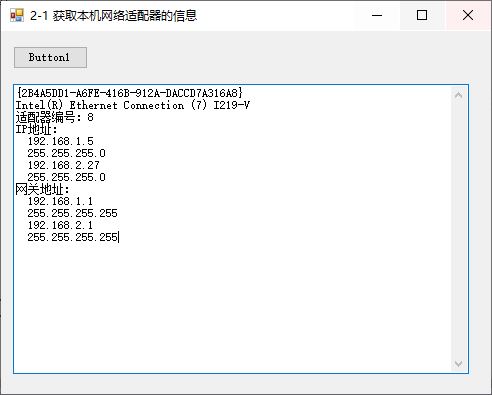
VB.NET Section 1 Get the information of the network adapter of this machine GetadaPtersinfo
Copyright statement: This article is an original article of bloggers. Please indicate the place of this article and the author's net name at a significant position. Section 1 Get the information of th...
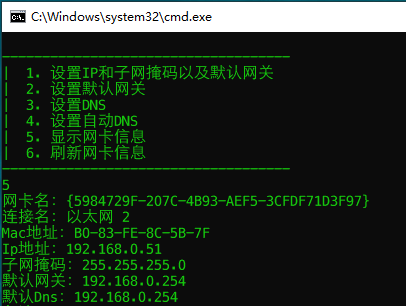
C++ get and set network card information (ip, mask, gateway, Dns)
table of Contents Preface Get network card information Get network card name, mac address, ip address, subnet mask, default gateway Get the connection name and dns address Network card settings Sample...
Java get the network card ip address
JAVA gets local ip ...
Get Local IP address and network card rate
This article describes how to obtain an IP address and a network adapter card all the machine rate can be determined to belong to Gigabit Ethernet or Gigabit speed network in accordance with the speci...
More Recommendation
Get the IP address of the ETH0 network card
Order: Effect: Command explanation: AWK: Text processing command, processed by line. CUT: Text segmentation command, processed by line. -C: Character, extract the data according to the character. CUT ...
CentOS configuration network card IP address
CentOS configuration network card IP address Command 1: ifconf [eth] [ip_addr] netmask [mask] E.g: Command 2: ip addr add/del [ip_addr] /[netmask] dev [eth] E.g:...
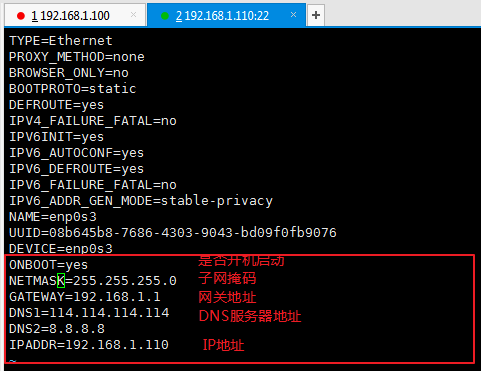
Linux system configuration network card ip address
Here I configure the ip address of the network card by modifying the network configuration file, and the ip address will not be lost when the network service restarts 1. Enter the network configuratio...
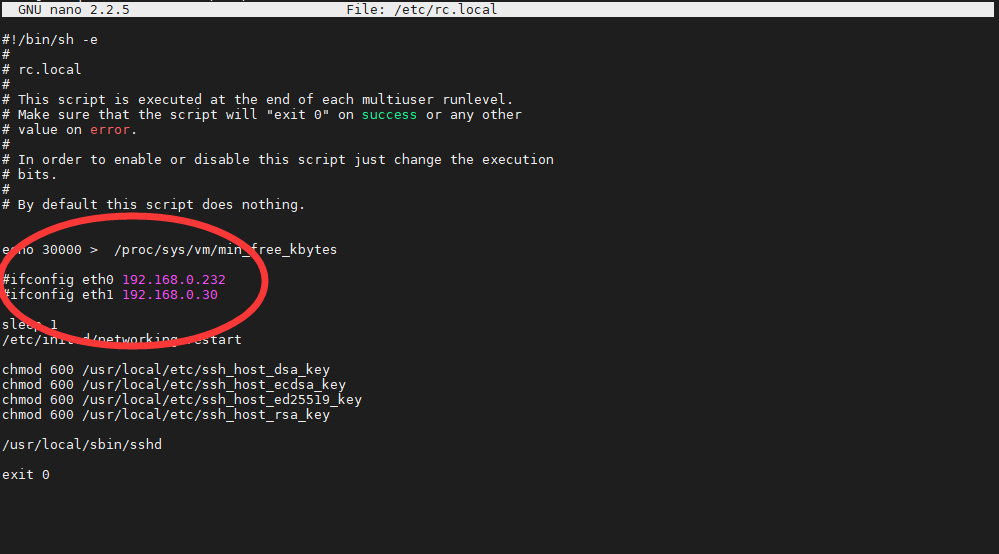
Linux network card configuration static IP address
Static IP The network profile has the following: IP address profile, host name profile, DNS profile. After reference to a lot of network configurations, it is found that there is no effective after be...