Huawei eNSP-single-arm routing experiment
tags: Single arm routing experiment The internet router switch
Article Directory
1. Experimental environment
One router, one switch, two PCs
2. The purpose of the experiment
Realize the communication between PC5 and PC6 through single-arm routing experiment
Three, experimental steps
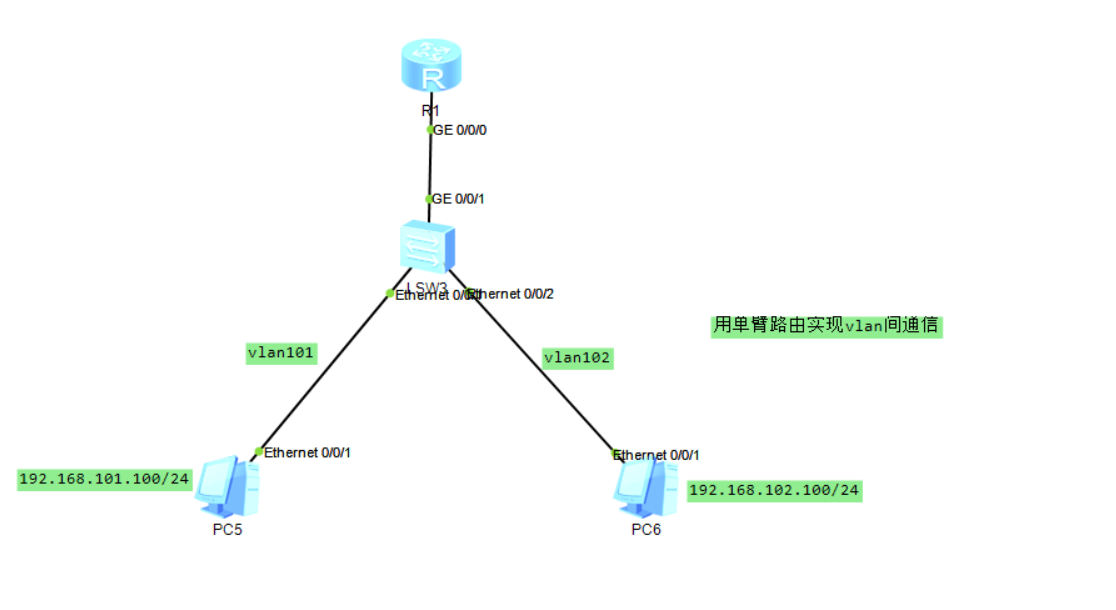
R1
<Huawei>undo terminal monitor
<Huawei>system-view
[Huawei]sysname R1
[R1]user-interface console 0
[R1-ui-console0]id
[R1-ui-console0]idle-timeout 0 0
[R1-ui-console0]quit
[R1]int g0/0/0.1
[R1-GigabitEthernet0/0/0.1]vlan-type dot1q 101 default
[R1-GigabitEthernet0/0/0.1]ip add 192.168.101.1 24
[R1-GigabitEthernet0/0/0.1]quit
[R1]int g0/0/0.2
[R1-GigabitEthernet0/0/0.2]vlan-type dot1q 102 default
[R1-GigabitEthernet0/0/0.2]ip add 192.168.102.1 24
[R1-GigabitEthernet0/0/0.2]quit
[R1]display current-configuration
LSW3
<Huawei>undo terminal monitor
<Huawei>system-view
[Huawei]sysname LSW1
[LSW1]user-interface console 0
[LSW1-ui-console0]idle-timeout 0 0
[LSW1-ui-console0]quit
[LSW1]vlan 101
[LSW1-vlan101]quit
[LSW1]int e0/0/1
[LSW1-Ethernet0/0/1]port link-type access
[LSW1-Ethernet0/0/1]port default vlan 101
[LSW1-Ethernet0/0/1]quit
[LSW1]vlan 102
[LSW1-vlan102]quit
[LSW1]int e0/0/2
[LSW1-Ethernet0/0/2]port link-type access
[LSW1-Ethernet0/0/2]port default vlan 102
[LSW1-Ethernet0/0/2]quit
[LSW1]int g0/0/1
[LSW1-GigabitEthernet0/0/1]port link-type trunk
[LSW1-GigabitEthernet0/0/1]port trunk allow-pass vlan all
[LSW1-GigabitEthernet0/0/1]quit
[LSW1]display current-configuration
Intelligent Recommendation
Huawei eNSP-single-arm routing configuration
Experimental topology 1. Configure sw1 switch 2. Configure R1 router 3. Set the ip address of the PC 4. Test interoperability thanks for reading!...
Huawei eNSP-single-arm routing technology
table of Contents One, single arm routing 1.1.1 Introduction to single-arm routing 1.1.2 Advantages and disadvantages of single-arm routing 2. Case 2.2.1, requirements to achieve communication between...
Ensp single arm routing experiment and principle
Single arm routing and principle Overview: Single-arm routing to achieve communication between different VLANs Link type The port connecting the switch to the host is an access link The port connectin...

Huawei ENSP small experiment (route hair + Easy IP + single arm routing + OSPF + RIP)
Small experiment (routing + Easy IP + single arm routing + OSPF + RIP) Foreword First, experiments and demand 1, experimental questions 2, demand Second, thinking ideas Third, the experimental step 1,...
Single arm routing ENSP
The single arm routing configures sub-interfaces on a router physical interface to communicate with each other through the third layer. The function is consistent with the communication between the VL...
More Recommendation
Huawei Simulator-single-arm routing experiment
Step1: Enter the required command <Huawei>undo terminal monitor (close the automatic pop-up window) <Huawei>system-view (Enter system view) [Huawei]sysname SW5 (name the switch as SW5) [SW...
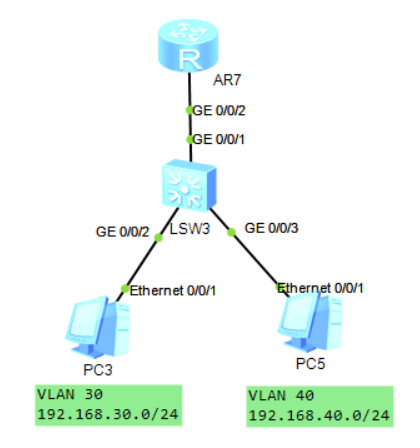
Huawei single-arm routing configuration experiment
Huawei single-arm routing configuration experiment One-arm routing (router-on-a-stick) refers to the implementation of different VLANs (virtual LAN) interconnection and intercommunication. The experim...
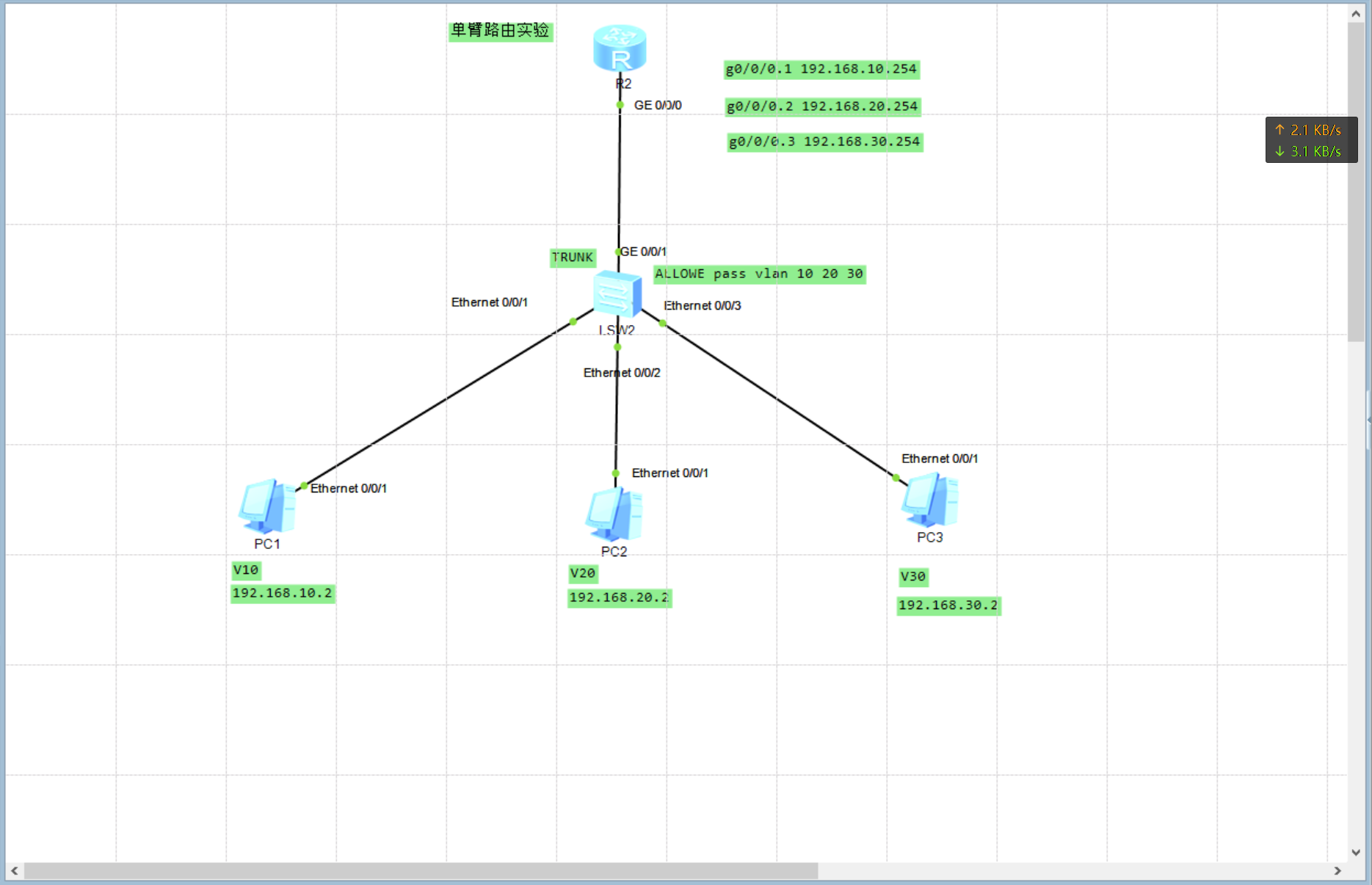
Huawei single-arm routing simple experiment
Reprinted to: In order to save costs, enterprises may have many VLANs because of the large number of departments, but the company's switch is not a three-layer switch, and this networking method can b...
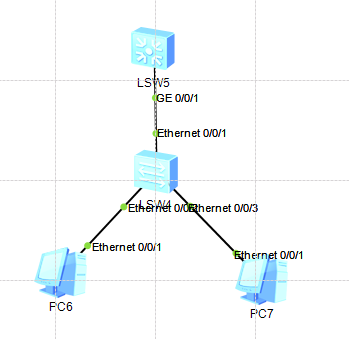
Huawei eNSP Layer 3 switch single-arm routing configuration
1. Experimental topology 2. IP address self-planning design and VLAN division 3. Configure the device (1) Layer 2 switch configuration (2) Layer 3 switch configuration 4. Experimental results PC2 ping...

Huawei switch multi-arm routing and single arm routing configuration experiment
First, the experiment topology map: Second, the experimental requirements: (1) Completion of topology on the left: Multi-arm routing confi...