In win10 system, you need to provide administrator rights to delete this folder
tags: other
https://jingyan.baidu.com/article/ceb9fb10116f1cccac2ba04e.html
The content above is really good
When the Windows 10 system deletes files, a prompt pops up that requires administrator rights, and the file cannot be deleted. What should we do? Let's take a look at the method of operation.
How Win10 solves the need for administrator rights to delete files
Tools/Materials
System: Windows10 1903 Professional Edition
Method/Step
First, let’s take a look at when deleting a file, the prompt "Folder access denied" pops up, and the file cannot be deleted.
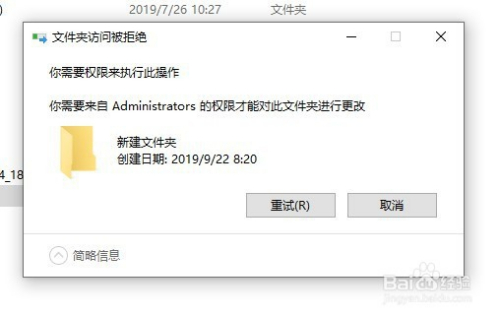
How Win10 solves the need for administrator rights to delete files
At this time, we can right-click the folder and select the "Properties" menu item in the pop-up menu.
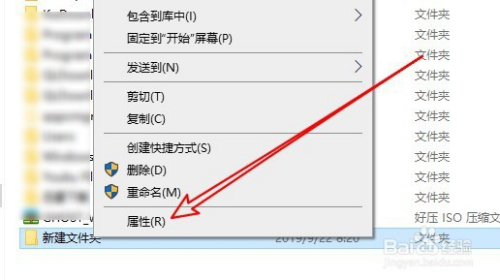
How Win10 solves the need for administrator rights to delete files
Next, click the "Security" tab in the folder properties window that opens.
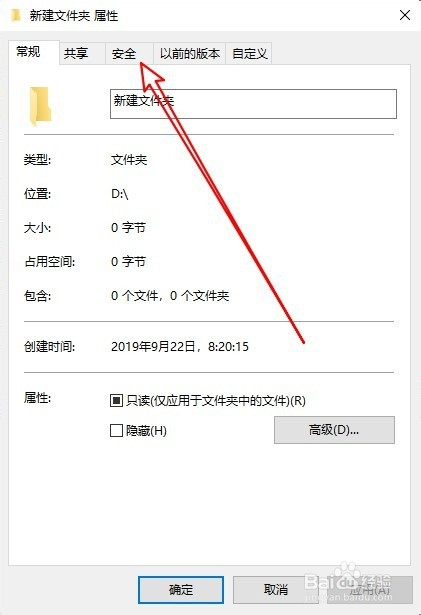
How Win10 solves the need for administrator rights to delete files
Then click the "Edit" button in the open safe window.
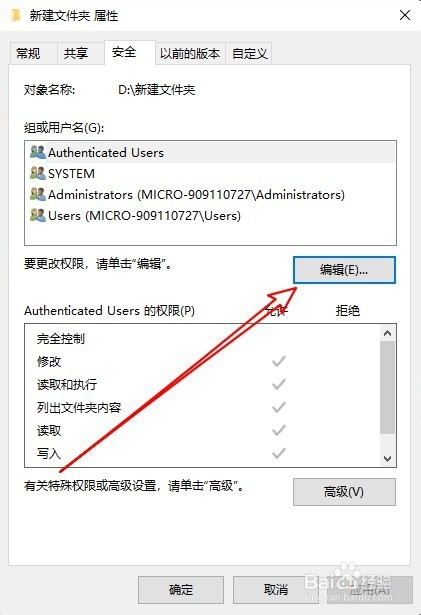
How Win10 solves the need for administrator rights to delete files
Click the "Add" button in the editing permission window of the opened folder.
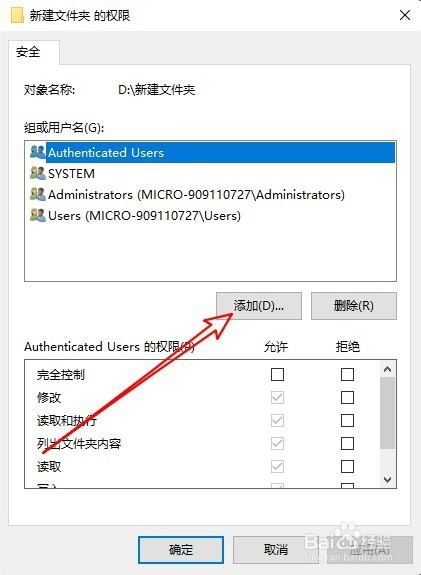
How Win10 solves the need for administrator rights to delete files
Then the "Select User or Group" window will pop up, enter "Administrator" in the window and click the "Check Name" button.
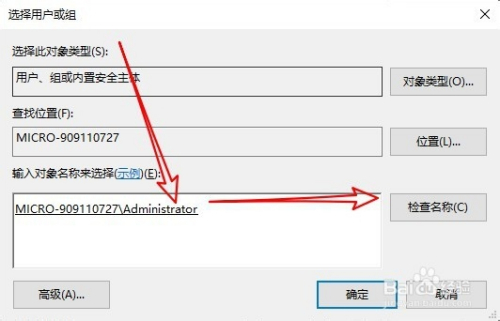
How Win10 solves the need for administrator rights to delete files
Return to the file permissions window, click to select the "Administrator" user just added, and then click the allow option behind "Full Control" below, and check this option. So we can quickly delete the folder.
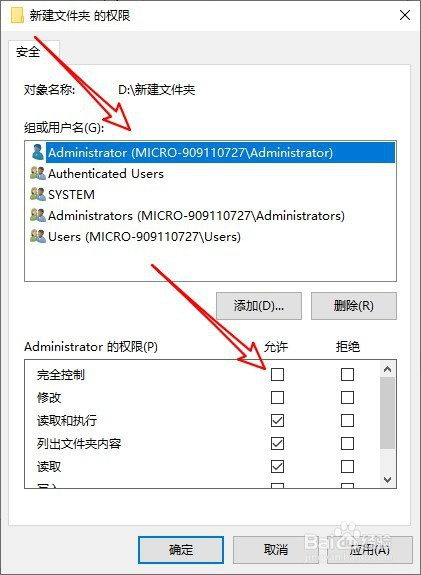
How Win10 solves the need for administrator rights to delete files
Intelligent Recommendation
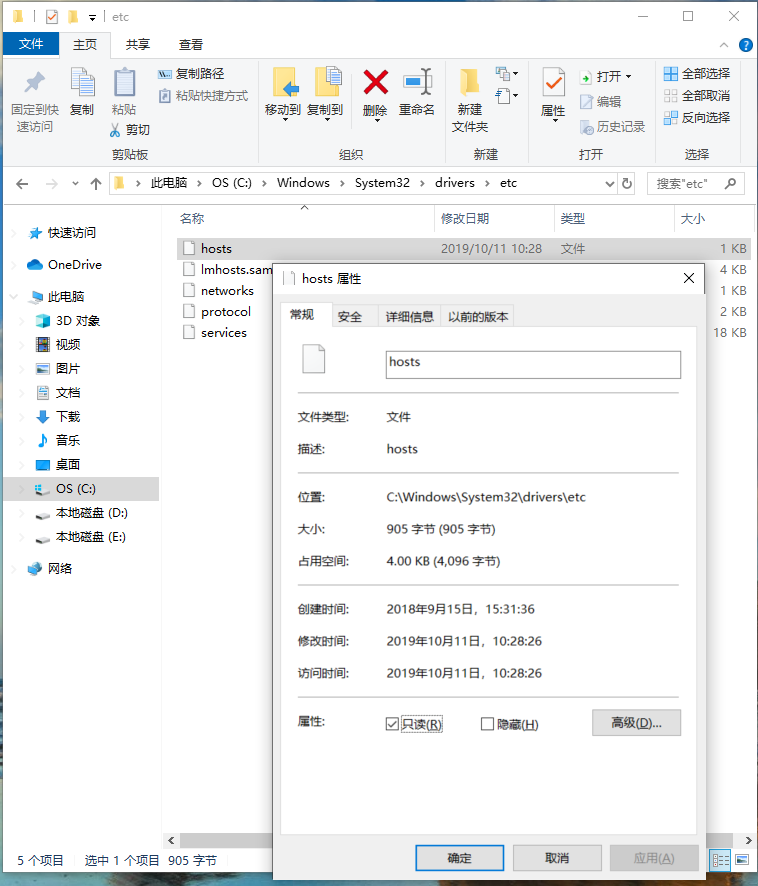
Win10 hosts need administrator rights
Due to the idea problem led to the need to modify the computer's hosts file, First, according to the online method 1: find the gpdit.msc administrator option empowerment, which is not suitable for me,...
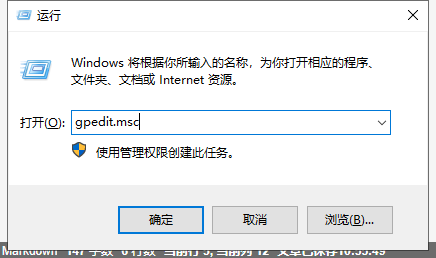
Need administrator rights to delete files
win10 solves the problem of requiring admin permission to delete files 1. Press the "win+R" key. Enter "gpedit.msc" and confirm. 2. Click "Computer Configuration", "...
You need permission from the Administrator to make changes to this folder. win10
Encounter problems: You need permission from the Administrator to make changes to this folder! Baidu has a lot of methods that can't work, and finally find a simple solution and share it with everyone...
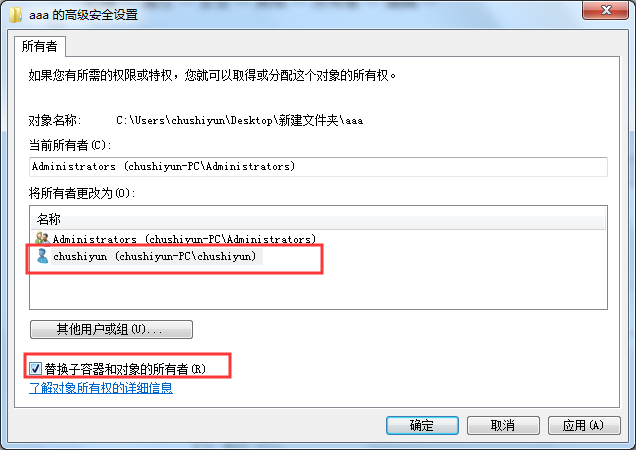
win7 need administrator rights to remove the folder
Right - Properties - Security - Advanced - Owner - Edit - click on a user, check the "Replace owner on subcontainers and objects" as: is then determined way. Right again - security - Edit (N...
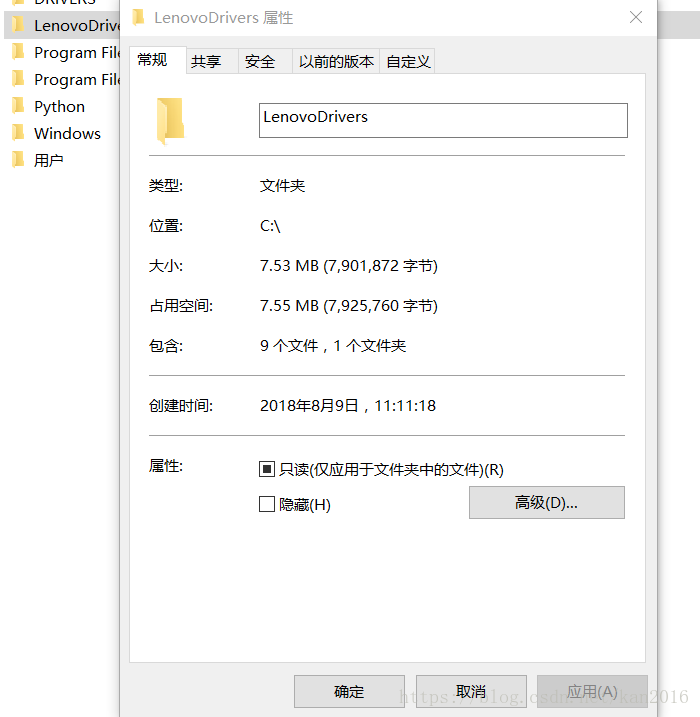
Windows how to delete the folder of administrator rights
1. Select folder, right click property 2. Click on the security column, you can see that the current file permissions are all Authenticated Users, click Advanced Change to user account as user account...
More Recommendation

One trick to teach you to solve "Delete: A folder that needs administrator rights to delete"
When you delete a certain file or folder occasionally, you can't delete it all the time, and remind you repeatedly that "you need administrator rights to delete", is it very annoying? Yes, I...
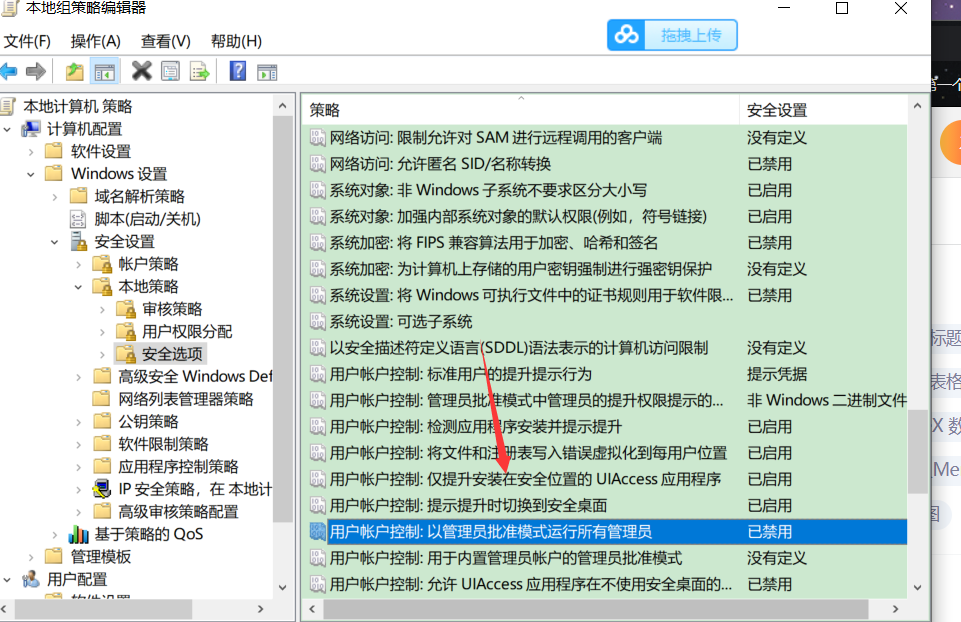
Win10 prompt "What should I do if you need to provide administrator privileges?
1-win+R 2-input gpedit.msc 3- Click Computer Configuration - Windows Settings - Security Settings - Local Policy - Security Options, the window to the right to find user account control: Run all admin...
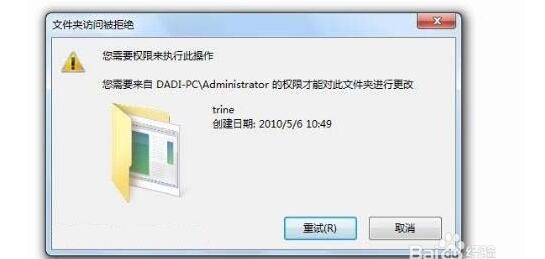
How to delete a folder that requires administrator rights to delete in Win7
How to delete a folder that requires administrator rights to delete in Win7 Running on a Windows 7 system. Often when you want to delete a folder, the system prompts: folder access is denied. You need...
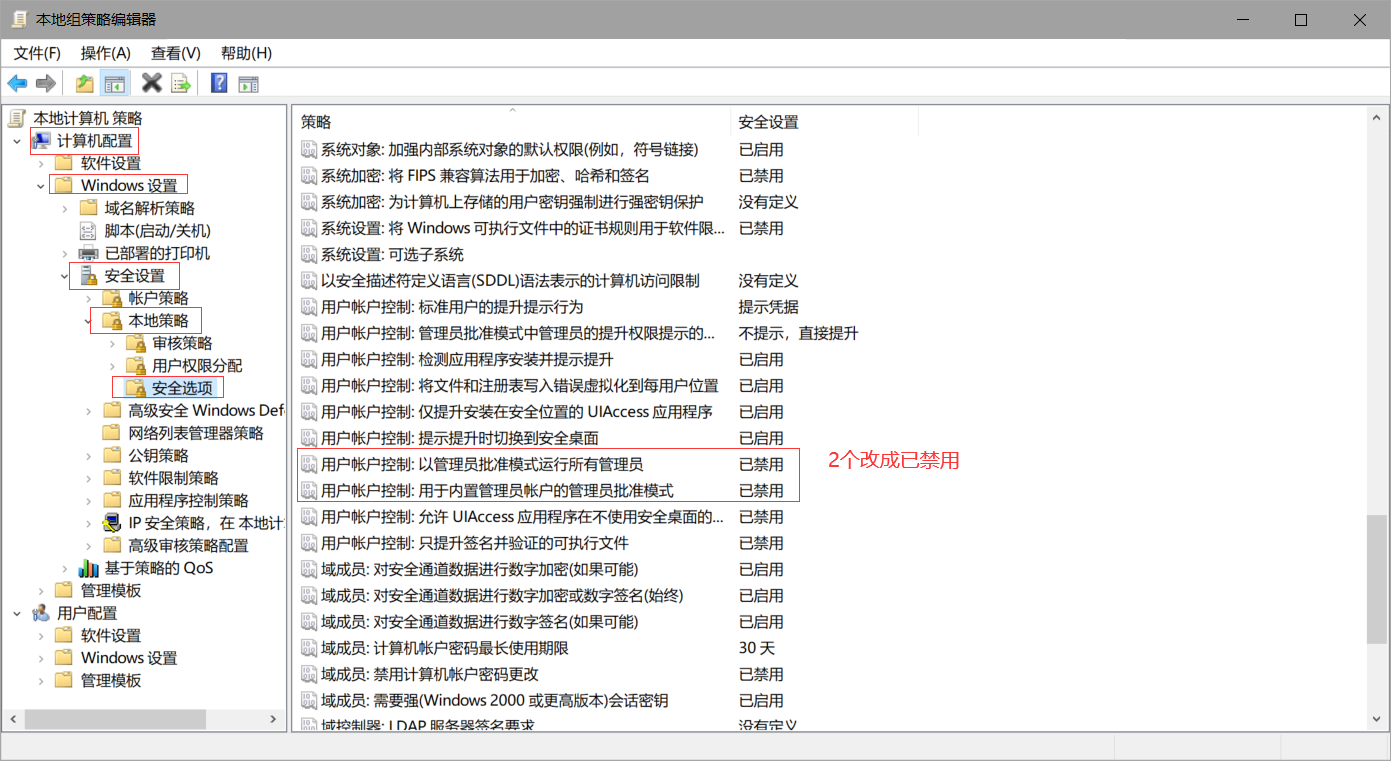
Win10 delete folder requires Administrator permission
Every time I delete a file on the C drive, a pop-up box says I want permission, and I still can’t delete it when I click to grant permission. This needs to change the group policy (win10 home ve...
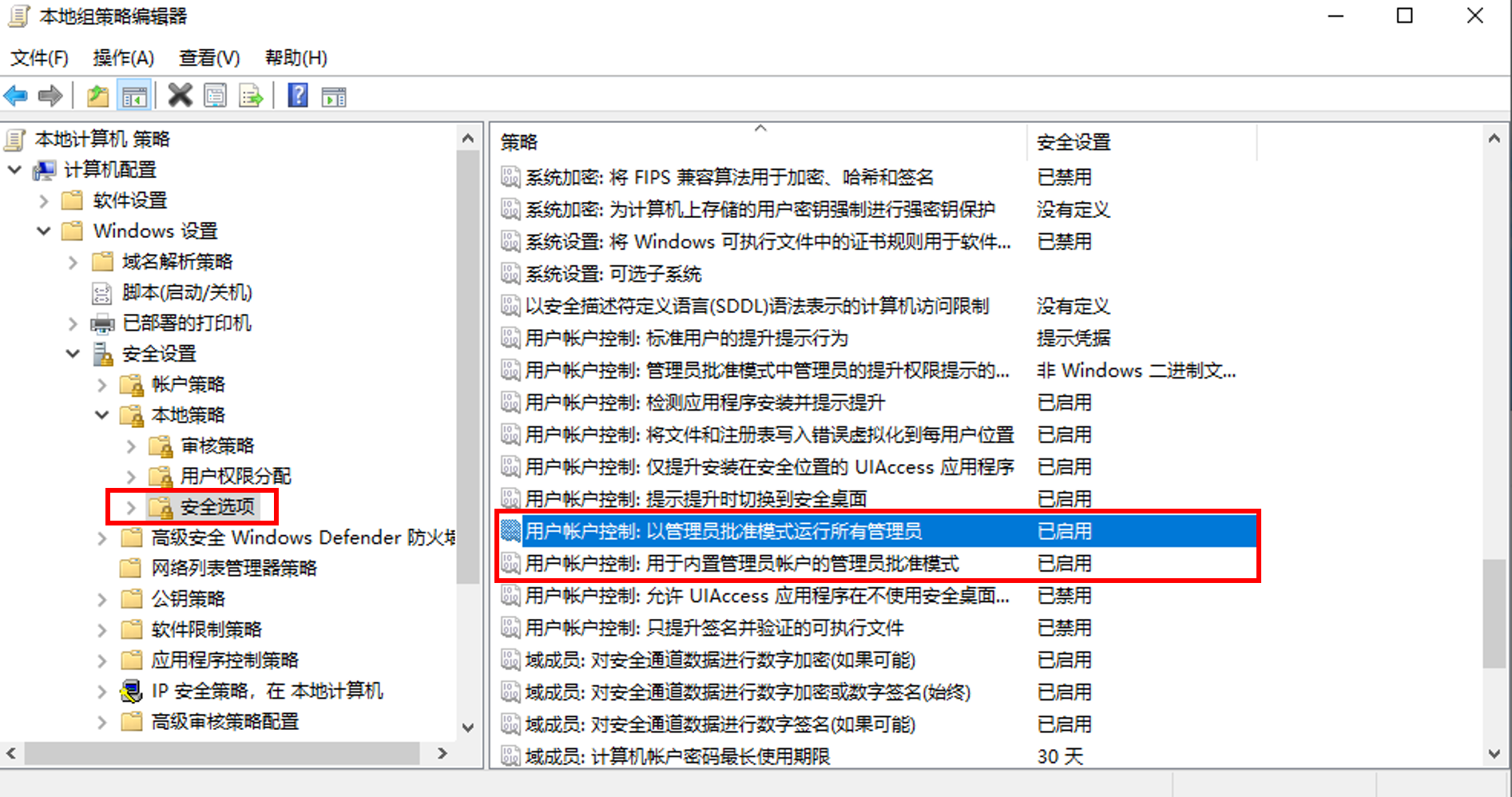
win10 folder display requires administrator rights to remove how do
win10 folder display requires administrator rights to remove the how to do? Solution is as follows: Press win + R key combination on the keyboard, the pop-up dialog box, enter gpedit.msc operation, cl...