Android event bus-the use of EventBus
Preface
First of all, let's talk about the event bus, its role: in order to simplify and higher quality communication between Activity, Fragment, Thread and Service, etc., to solve the high coupling between components and still carry out efficient communication.
What is EventBus
EventBus is a publish-subscribe event bus optimized for Android, which simplifies the communication between various components in the application and background threads.
Its advantages are low overhead, more elegant code, and decoupling the sender and receiver.
Use of EventBus
Three Elements of EventBus
- Event: Event. (Any type)
- Subscriber: event subscriber. Before EventBus3.0, it was limited to only 4 thread models (onEvent, onEventMainThread, onEventBackgroundThread and onEventAysnc). After EventBus3.0, the event processing method is named arbitrarily, but an annotation @Subscribe must be added, and the thread model must be specified (POSTING by default).
- Publisher: Event publisher. Call the post(Object) of EventBus. According to the post parameter type, the function of the corresponding event is automatically called.
EventBus 4 ThreadMode (thread model)
- POSTING (default): Posting events and receiving events are in the same thread. Try to avoid performing time-consuming operations in the event processing function of the thread model, which will cause the thread to block and even cause an ANR exception.
- MAIN: Processing events are executed on the UI thread. The event handled by the event cannot be too long, too long will cause ANR.
- BACKGROUND: If the event is published in the UI thread, the event function processing runs in a new thread; if the event is published in the child thread, the event function processing runs directly in the publishing thread. This event handler function prohibits changing UI operations.
- ASYNC: No matter which thread the event is published in, the event function processing will be executed in the newly created child thread. Similarly, the event handler function prohibits changing UI operations.
Basic usage of EventBus
(1) Customize an event class
public class MessageEvent{
    ...
}
(2) Register the event where you need to subscribe to the event
EventBus.getDefault().register(this);(3) Send event
EventBus.getDefault().post(messageEvent);(4) Handling events
@Subscribe(threadMode = ThreadMode.MAIN)
public void XXX(MessageEvent messageEvent){
    ...
}
(5) Cancel the registration event
EventBus.getDefault().unregister(this);Code example
(1) Add dependent libraries
compile 'org.greenrobot:eventbus:3.0.0'(2) Define the message event class
public class MessageEvent {

    private String message;

    public MessageEvent(String message) {
        this.message = message;
    }

    public String getMessage() {
        return message;
    }

    public void setMessage(String message) {
        this.message = message;
    }
}
(3) Register and unsubscribe events
public class MainActivity extends AppCompatActivity {

    private TextView tv_message;
    private Button btn_subscription, btn_message;

    @Override
    protected void onCreate(Bundle savedInstanceState) {
        super.onCreate(savedInstanceState);
        setContentView(R.layout.activity_main);

        tv_message = (TextView) findViewById(R.id.tv_message);
        tv_message.setText("MainActivity");

        btn_subscription = (Button) findViewById(R.id.btn_subscription);
        btn_subscription.setText("Registration issue");

        btn_message = (Button) findViewById(R.id.btn_message);
        btn_message.setText("Jump to SecondActivity");

        btn_subscription.setOnClickListener(new View.OnClickListener() {
            @Override
            public void onClick(View v) {
                //Registration issue
                EventBus.getDefault().register(MainActivity.this);
            }
        });

        btn_message.setOnClickListener(new View.OnClickListener() {
            @Override
            public void onClick(View v) {
                startActivity(new Intent(MainActivity.this, SecondActivity.class));
            }
        });
    }

    @Override
    protected void onDestroy() {
        super.onDestroy();
        //Cancel registration event
        EventBus.getDefault().unregister(MainActivity.class);
    }
}
(4) Event subscribers handle events
Customize methods in MainActivity to handle events.
 @Subscribe(threadMode = ThreadMode.MAIN)
    public void onMoonEvent(MessageEvent messageBean) {
        //Show the received message
        tv_message.setText(messageBean.getMessage());
    }
(5) The event publisher publishes the event
Create SecondActivity to publish a message.
public class SecondActivity extends AppCompatActivity {

    private TextView tv_message;
    private Button btn_message;

    @Override
    protected void onCreate(Bundle savedInstanceState) {
        super.onCreate(savedInstanceState);
        setContentView(R.layout.activity_second);

        tv_message = (TextView) findViewById(R.id.tv_message);
        tv_message.setText("SecondActivity");

        btn_message = (Button) findViewById(R.id.btn_message);
        btn_message.setText("Send event");

        btn_message.setOnClickListener(new View.OnClickListener() {
            @Override
            public void onClick(View v) {
                EventBus.getDefault().post(new MessageEvent("Welcome to learn EventBus"));
                finish();
            }
        });
    }
}
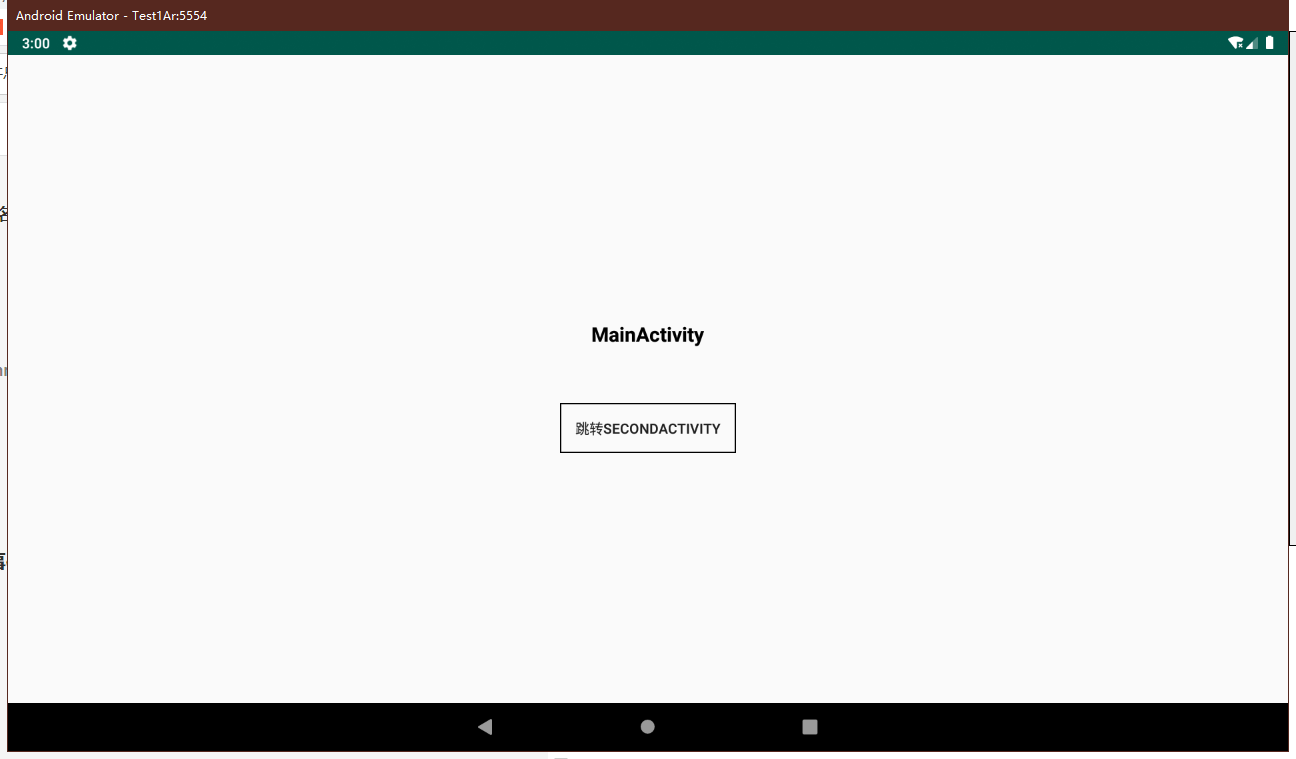
The running program is as follows, when we click the "register event" button in MainActivity to register the event, and then click the "jump to SECONDACTIVITY" button to jump to SecondActivity. Next, we click "Send Event". At this time, finishSecondActivity displays MainActivity, and TextView displays "Welcome to learn EventBus". In this way, MainActivity successfully received the event sent in SecondActivity. As shown:


Sticky events on EventBus
EventBus sticky event means that you can receive the event even if you subscribe to the event after sending the event. Modify the code as follows:
(1) Subscribers deal with sticky events
 @Subscribe(threadMode = ThreadMode.POSTING,sticky = true)
    public void onMoonStickyEvent(MessageEvent messageEvent){
        tv_message.setText(messageEvent.getMessage());
    }
(2) Send sticky events
Define Button in SecondActivity to send sticky events.
btn_subscription.setOnClickListener(new View.OnClickListener() {
            @Override
            public void onClick(View v) {
                EventBus.getDefault().postSticky(new MessageEvent("Sticky events"));
                finish();
            }
        });
Now we run the program, without clicking "register event" in our MainActivity, jump directly to SecondActivity to send sticky events. At this time back to our MainActivity interface.

————————————>

Next, we click on the registration event, you will find that the TextView changes to display "sticky events", and you're done.

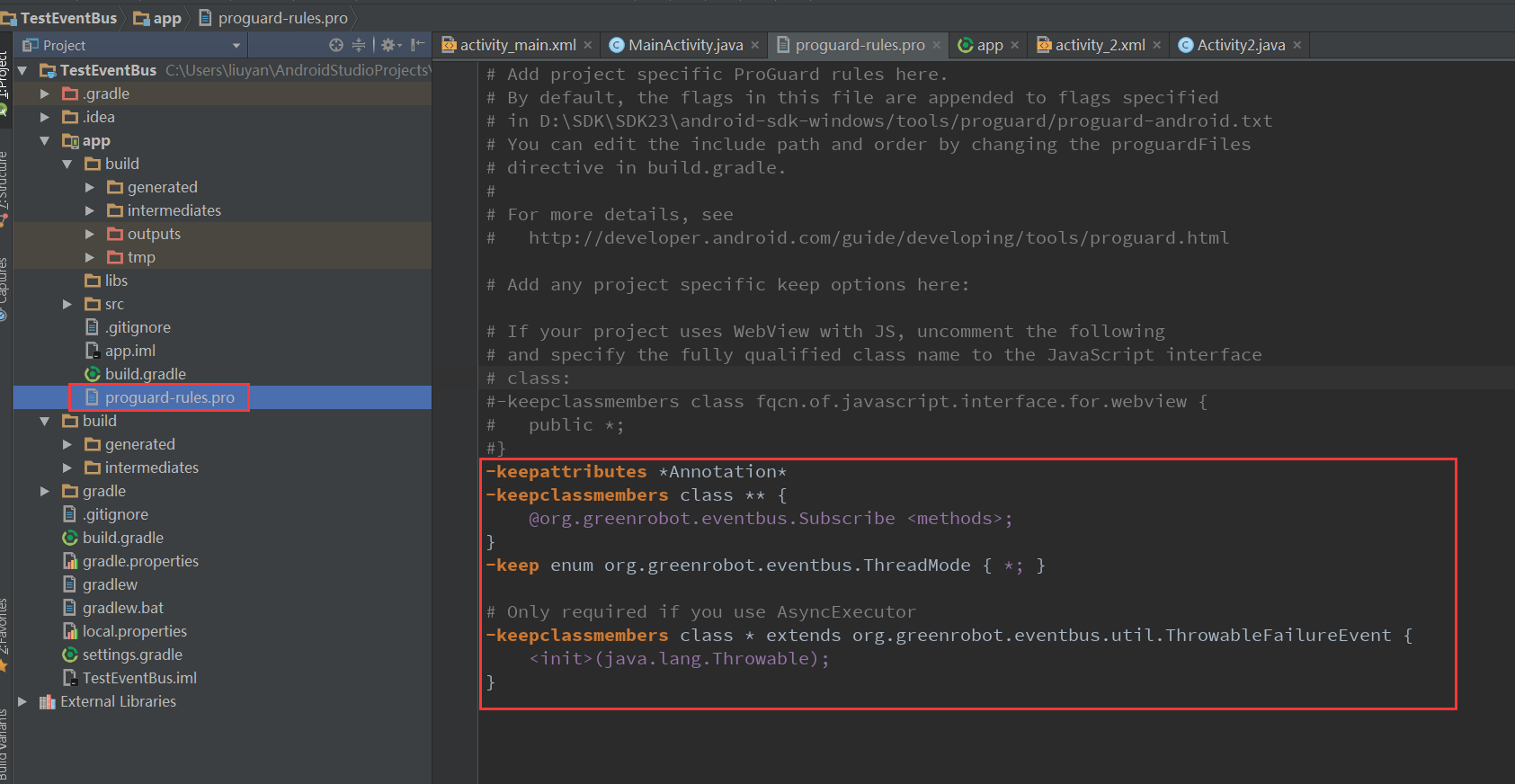
ProGuard obfuscation rules
-keepattributes *Annotation*
-keepclassmembers class ** {
    @org.greenrobot.eventbus.Subscribe <methods>;
}
-keep enum org.greenrobot.eventbus.ThreadMode { *; }
# Only required if you use AsyncExecutor
-keepclassmembers class * extends org.greenrobot.eventbus.util.ThrowableFailureEvent {
    <init>(java.lang.Throwable);
}
to sum up
Children's shoes are welcome to learn the basic use of EventBus.
For more please see:
EventBus github address:https://github.com/greenrobot/EventBus
EventBus official website:http://greenrobot.org/eventbus/
Intelligent Recommendation
Eventbus Event Bus 3.1 in Android
Eventbus 3.0 Usage Analysis Foreword: Why do Eventbus? 1.Eventbus basically use 2.Eventbus viscous event Foreword: Why do Eventbus? Eventbus acts as an optimized publish / subscription event bus in th...
Android event Bus Framework Eventbus
2019 Unicorn Enterprise Heavy Glour Recruitment Python Engineer Standard >>> 1, download Eventbus class library Source code:https://github.com/greenrobot/EventBus 2, basically use (1) Customi...
Vue.js use in the event of bus EventBus
Vuex to use 1. Introduction and Installation 2. Configure 3. Registration 4. In the assembly 1. Introduction and Installation EventBus: Also known as the event bus. EventBus can be used in the Vue as ...
Simple use of EventBus event bus
1. Guide package 2. Add confusion The obfuscation rules are as follows 3. The first activity 4. The second activity 5. Simple functions are achieved...
The use of Vue event bus (EventBus)
Vue components are very common with parent-child component communication and brother component communication. The communication between parent and child components is very simple. The parent component...
More Recommendation
Use of EventBus event bus framework
1. Overview EventBus definition: it is a publish/subscribe event bus. In this way, it should contain 4 components: publisher, subscriber, event, and bus. So what is the relationship between these four...
Vue event bus, Eventbus use
purpose of usage Communication within the component is also transmitted data Scope of application The brothers component passes the value, the grandchildren component pass the value, and the component...
Android publish/subscribe event bus framework for detailed use of EventBus
1 Introduction Once, layer after layer of business logic made me feel overwhelmed, one after another callback makes you dizzy, one parameter after another makes you confused. EventBus, a framework tha...
Android development framework series EventBus event bus
Introduction GitHub:https://github.com/greenrobot/EventBus Let's talk about what the EventBus thread bus does, the environment, its advantages and disadvantages. What are you doing? In a word, simple ...
Android development framework EventBus Series event bus
Android development framework EventBus Series event bus Introduction GitHub:https://github.com/greenrobot/EventBus EventBus to talk threads bus is doing, environment, advantages, disadvantages. Doing?...