JavaScript loading and execution order in JSP page
[1] JavaScript location
The position of js in the jsp page is as follows:

The corresponding code is as follows:
<%@ page language="java" contentType="text/html; charset=UTF-8"  pageEncoding="UTF-8"%>
<%@include file="./WEB-INF/includes/taglibs.jsp" %>
<script type="text/javascript">
    console.log("it is before !DOCTYPE html");
</script>
<!DOCTYPE html>
<script type="text/javascript">
//  test2();
    console.log("it is before html");
</script>
<html>
<script type="text/javascript">
     console.log("it is in html before head");
</script>
<head>
<meta name="renderer" content="webkit">
<meta http-equiv="X-UA-Compatible" content="IE=edge,chrome=1">
<meta name="format-detection" content="telephone=no">
<script src="<%=uiPath%>ui/jquery/jquery.min.js" type="text/javascript"></script>
<link href="<%=uiPath%>ui/skins/default/css/test.css" rel="stylesheet" type="text/css" />
<link href="<%=uiPath%>ui/skins/default/css/commons.css" rel="stylesheet" type="text/css" />
<script src="<%=uiPath%>ui/js/commons.js" type="text/javascript"></script>
<script src="<%=uiPath%>ui/js/common_edit.js" type="text/javascript"></script>
<script type="text/javascript">
     $(function(){
         console.log("it is in head");
     });
</script>
</head>
<script type="text/javascript">
    console.log("it is after head before body");
</script>
<body>
<h2>Hello World!</h2>
<script type="text/javascript">
    console.log("it is in body");

</script>
<div>
    <span class="testls">test link script</span>
</div>

</body>
<script type="text/javascript">
    console.log("it is after body before </html>");
</script>
</html>
<script type="text/javascript">
    console.log("it is after </html>");
</script>
[2] Loading sequence
Browser execution of html code is a linear process from top to bottom,<script>Follow this principle as part of the html code!
[3] Execution order
The JS in the HTML head section will be executed when it is called.
Other parts of the JS will be executed when the page loads.
The effect of execution sequence is as follows:

That is, the js in the head tag is executed last, and the other places are executed when the page loads in the order of up and down.
[4] Actual project application
Three possible locations in the actual project:
① Between heads;
② Inside the body;
③ Behind the body.
Among them ②③ is for dynamically generating the page, ① is for the function call after the page is loaded.
Intelligent Recommendation
The order in which js is executed in the html page (ie the execution order of javaScript)
The order of execution of js in the page: add a piece of js code in the head tag of the page, add a piece of code before the end of the page is </body>, and then reference a function in the body...
JSP code execution order
JSP = JAVA + HTML, i.e., embedded Java code in the HTML code fragments. When first run .jsp file compiled into servlet (ie java file), and then compiled into .class files. JSP, JAVA code execution on ...
js loading the page order and a plurality jquery $ (document) .ready () execution sequence
jQuery $ (document) .ready () execution order: When after the page DOM element is fully loaded execution .ready (). $ (Document) .ready () isDOM structure drawing is completed after execution, Without...
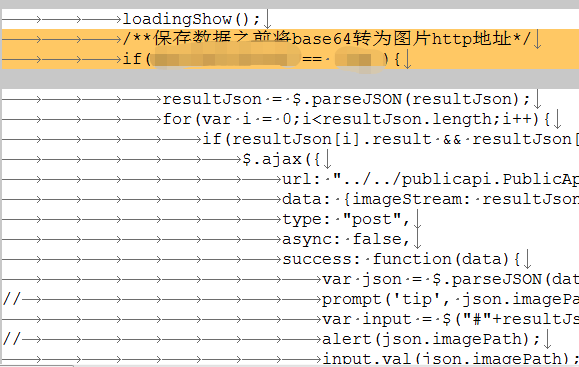
js save data execution order and page rendering renderings loading problem
When working on a project today, the expected effect: click the save button, the loading picture will circle, and the picture (a dozen or so) will be submitted to the server in a single cycle; Actual ...
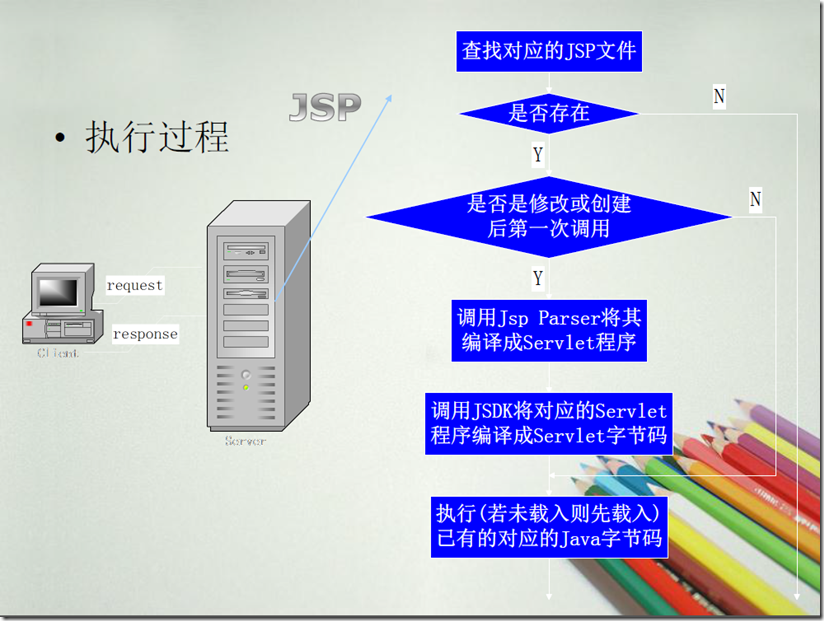
jsp loading order
First request: When a JSP page on the server is requested to execute for the first time, the JSP engine on the server first translates the JSP page file into a .java file, which is a servlet, and comp...
More Recommendation

[JavaScript] Html/Jsp page loading Word document method
I recently made a management system for the school and encountered similar problems. The idea is to write some news and dynamics in Word, and then load them into the designated location of Html. becau...
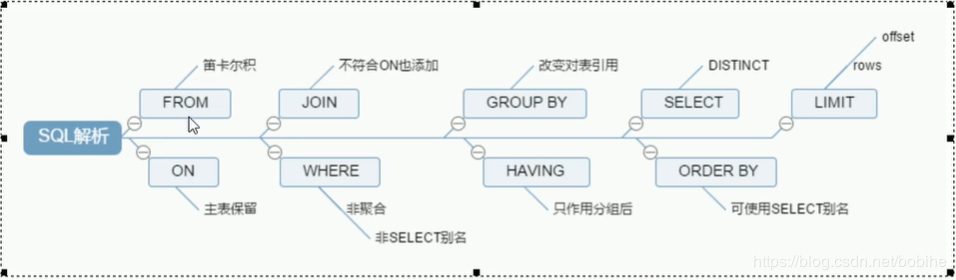
SQL execution order loading
FROM Determine the data source WHERE Filter according to requirements and discard data rows that do not meet the requirements GROUP BY Groups and counts the previous data, and reduces the result set t...

JSP page execution process
JSP page execution process What JSP: The essence of jsp is servelt, which is equivalent to a servlet packaging. JSP: java + server + pager jsp is the sum technique: jsp = html + css + javascript + jav...
JSP page loading loading renderings
Layer.js address...