【ROS】Continued: Official tf tutorial turtle_tf2 source code principle understanding reading
Continuing the content of the previous chapter, this article talks about the source code in turtle_tf2_listener.cpp.
Just go to the source code:
#include <ros/ros.h>
#include <tf2_ros/transform_listener.h>
#include <geometry_msgs/TransformStamped.h>
#include <geometry_msgs/Twist.h>
#include <turtlesim/Spawn.h>
int main(int argc, char** argv){
ros::init(argc, argv, "my_tf2_listener");
ros::NodeHandle node;
// Calling the service generates a second turtle2
ros::service::waitForService("spawn");
ros::ServiceClient spawner =
node.serviceClient<turtlesim::Spawn>("spawn");
turtlesim::Spawn turtle;
turtle.request.x = 4; //The x-axis under the world coordinate system when turtle2 is generated is 4. Here you can change the value yourself and experience it carefully
turtle.request.y = 2; //The y-axis under the world coordinate system when turtle2 is generated is 2. Here you can change the value yourself and experience it carefully.
turtle.request.theta = 0; //turtle2 The z-axis under the world coordinate system when generated is 0, and 0 degrees indicates that the glans is facing the right.
turtle.request.name = "turtle2";
spawner.call(turtle);
// Declare Publisher that controls turtle2 speed
ros::Publisher turtle_vel =
node.advertise<geometry_msgs::Twist>("turtle2/cmd_vel", 10);
//Instantiate a buffer that receives tf data buff
tf2_ros::Buffer tfBuffer;
//Create a TransformListener object. After creating the listener, it will start receiving all tf2 conversions over the network.
//The scope of the TransformListener object should be persistent, otherwise its cache will not be filled and almost every query will fail.
//A common method is to make the TransformListener object a member variable of the class.
//In this way, tfListener is equivalent to an instance of the TransformListener class, and tfBuffer is equivalent to its member variable
tf2_ros::TransformListener tfListener(tfBuffer);
//The speed of publishing information is 10Hz, ros::Rate loop_rate( ) is written outside the loop
ros::Rate rate(10.0);
while (node.ok()){
geometry_msgs::TransformStamped transformStamped;
// try-catch structure, can get thrown exception
try{
// 1. Define the listener tf::TransformListener listener
// 2. Define the variable tf::StampedTransform transform
// 3. lookupTransform() is the core method of the tf library used to monitor the transformation between two coordinate systems and realize the transformation from /turtle2 coordinate system to turtle1 coordinate system
// 4. ros::Time(0) represents the latest coordinate transformation. We can only subscribe to the latest tf transformation, but not the current tf transformation, which means we can only listen to the latest ros::Time(0) moment.
// Can't listen to ros::Time::now(), because it takes time to create tf
transformStamped = tfBuffer.lookupTransform("turtle2", "turtle1",
ros::Time(0));
}
catch (tf2::TransformException &ex) {
ROS_WARN("%s",ex.what());
ros::Duration(1.0).sleep();
continue;
}
geometry_msgs::Twist vel_msg;
// pow(x,2) find the square of x
// sqrt(x) finds the square root of x
//Why do you think about the linear velocity of the x-axis and the angular velocity of the z-axis and you will know the reason?
vel_msg.angular.z = 4.0 * atan2(transformStamped.transform.translation.y,
transformStamped.transform.translation.x);
vel_msg.linear.x = 0.5 * sqrt(pow(transformStamped.transform.translation.x, 2) +
pow(transformStamped.transform.translation.y, 2));
// Publisher Turtle 2's speed
turtle_vel.publish(vel_msg);
rate.sleep();
}
return 0;
};
Finally: If you have read the analysis in the previous chapter turtle_tf2_broadcaster.cpp, we should know that turtle1 is at the origin of the world coordinate system, because : poseCallback callback function:
transformStamped.transform.translation.x = msg->x;
transformStamped.transform.translation.y = msg->y;
In the source code, msg->x;msg->y; means msg->x+0;msg->y+0; coincides with the origin of the world coordinate system (world)! ! It's crucial here, it's easy to understand this
The last one is the last one, the turtle 2 chases the turtle 1, the turtle 3 chases the turtle 2, and the source code of 3 turtles. The turtle_tf2_listener.cpp file is modified as follows:

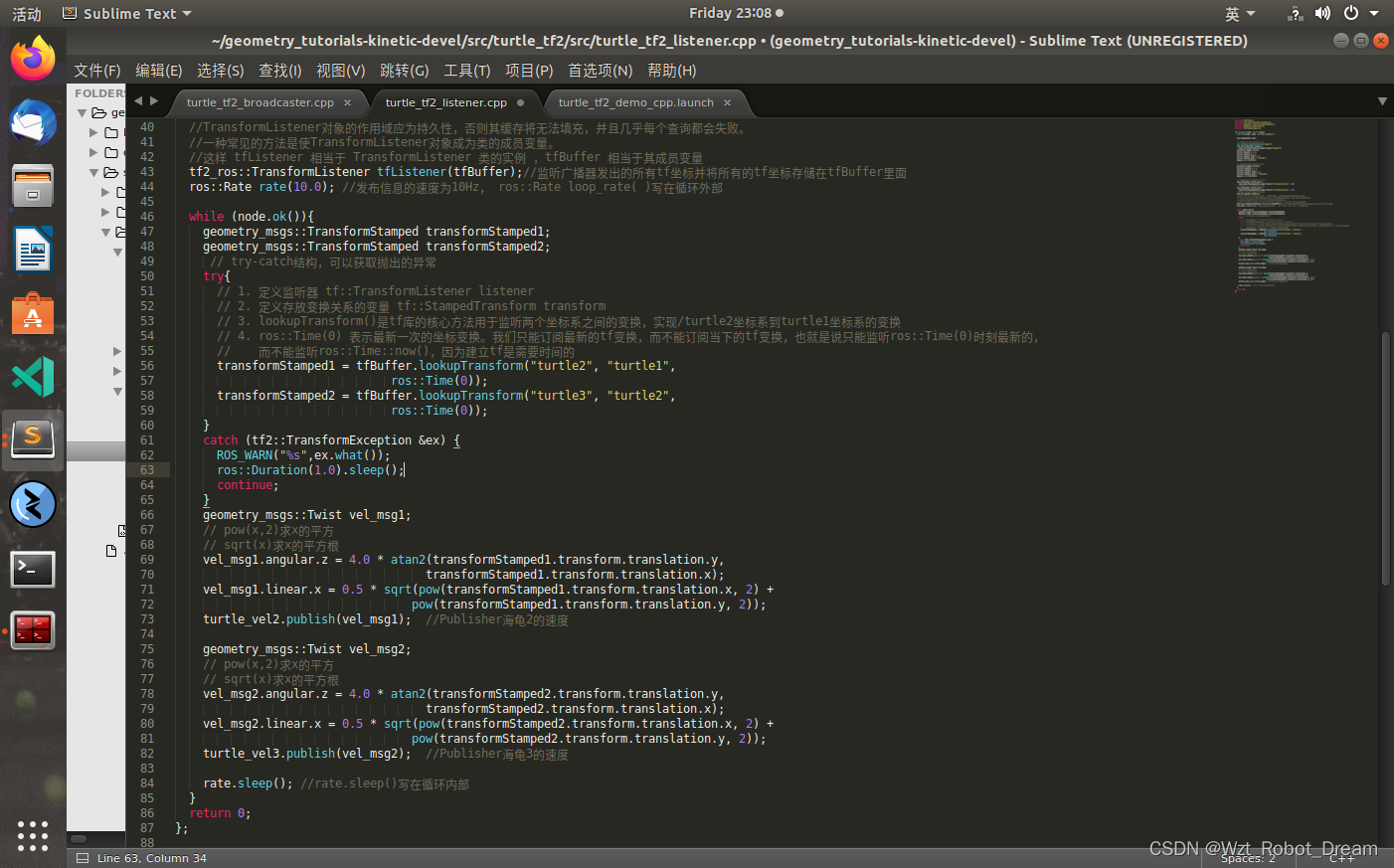
turtle_tf2_demo_cpp.launch is modified as follows:

Running result: roslaunch turtle_tf2 turtle_tf2_demo_cpp.launch
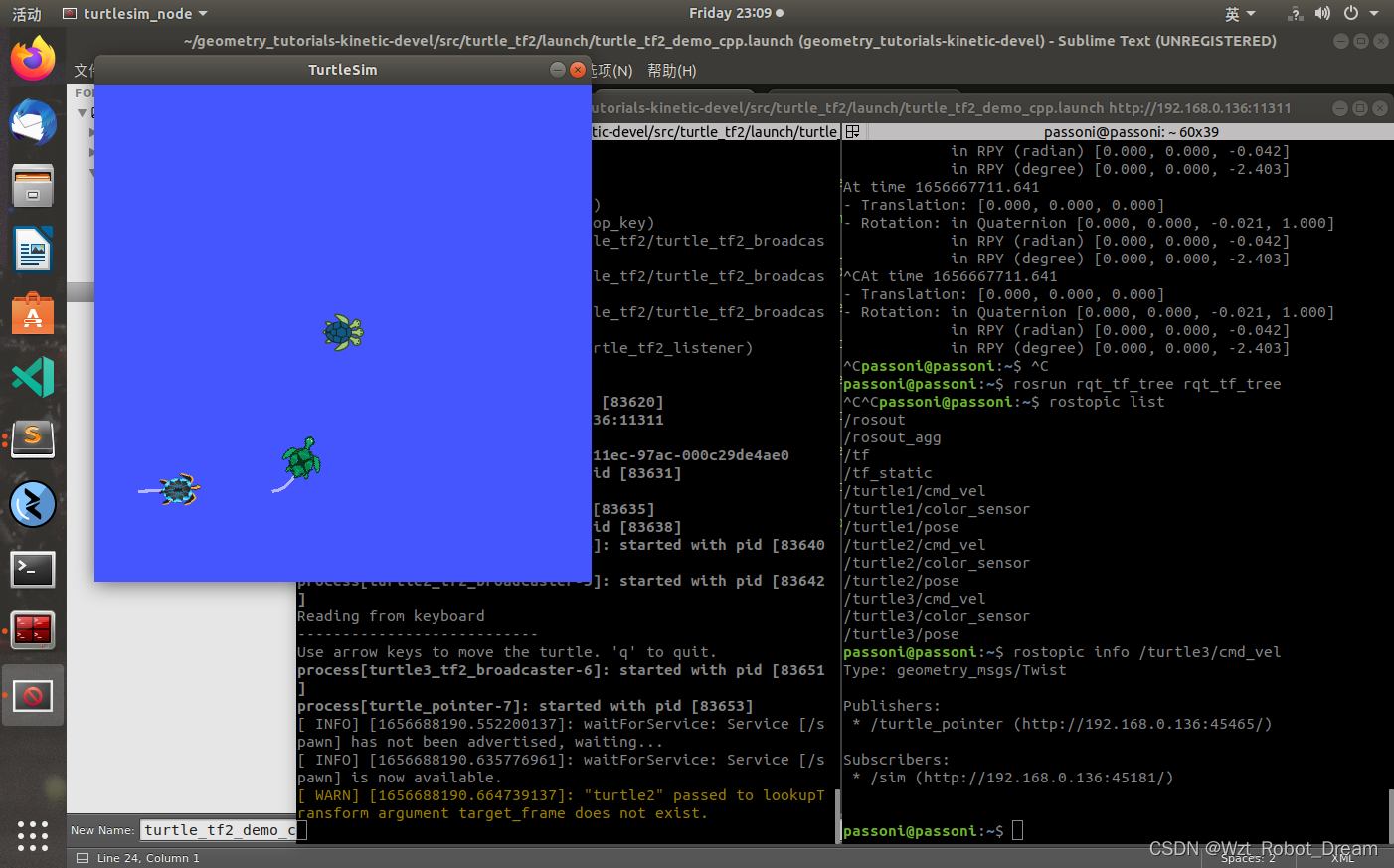
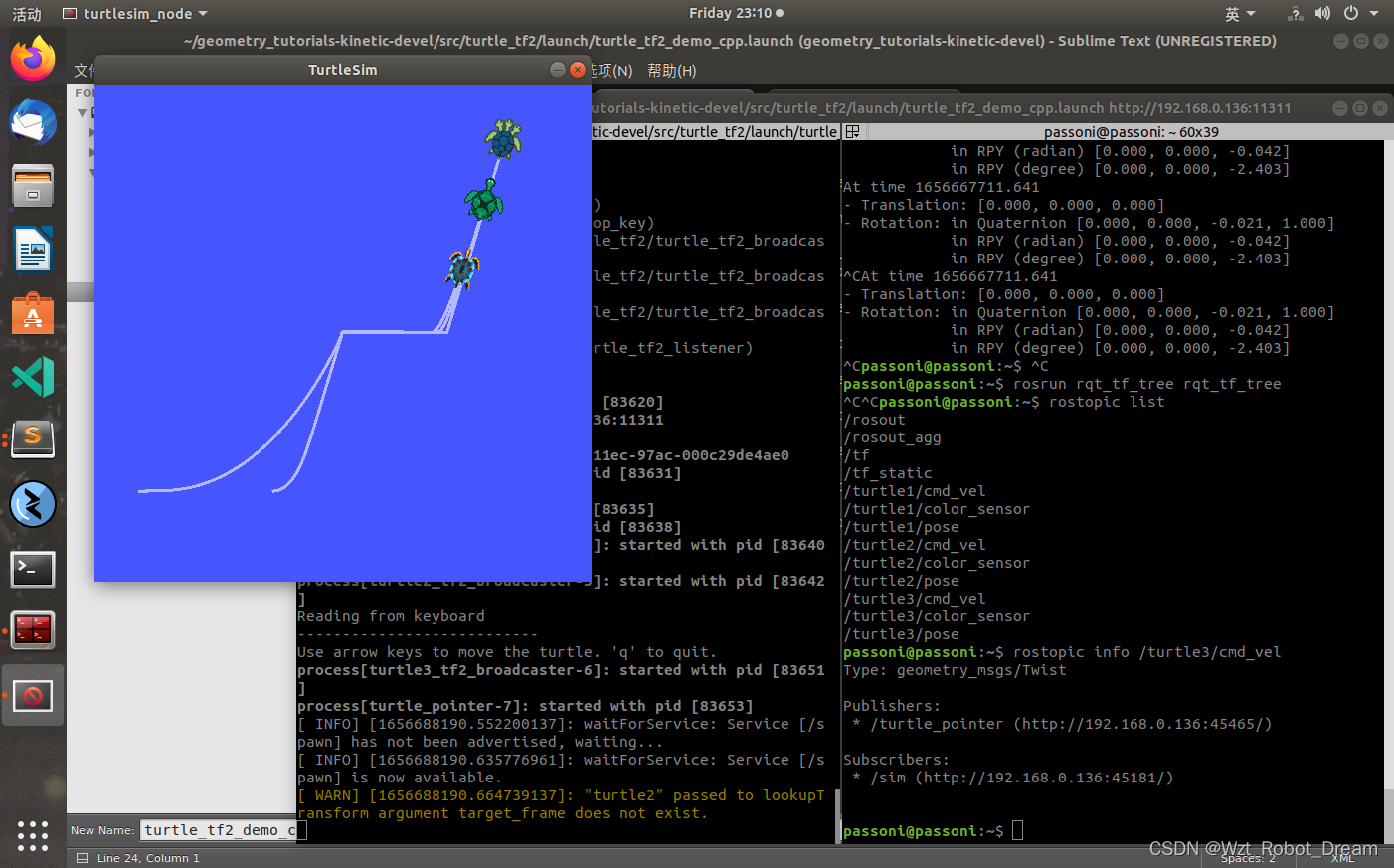
The procedure requires precipitation and precipitation.
Intelligent Recommendation
HashMap source code reading and understanding
JDK1.8HashMap source code analysis HashMap several objects: 1. The default initialization size. tips: Why must be a power of two, because (length-1) & hashcode operation will be performed when the...
Collections source code reading and understanding
Collections source code reading and understanding Introduction: The function of this class is to perform operations on the Colletion package, sorting, searching and other operations for the collection...
Executors source code reading and understanding
Brief description: This class is a tool class of Executor (the super interface of thread pool), which provides many static methods to create thread pool!...
FutureTask source code reading and understanding
FutureTask source code reading and understanding Brief description: FutureTask implements the Runnable and Future interfaces, which means that this type of task can be scheduled and executed asynchron...
ConcurrentHashMap source code reading and understanding
JDK1.8 ConcurrentHashMap source code reading and understanding Several variables: Several methods: 1. Put method 2. Expansion method transfer: This method makes me hungry ==, choose the key steps to e...
More Recommendation
LinkedList source code reading and understanding
LinkedList source code reading and understanding Several variables: Several methods:...
ReentrantLock source code reading and understanding
ReentrantLock source code reading and understanding tips: Before reading this article, please understand this blog's explanation of the AQS category:Portal. This article is aimed at explaining on the ...
ArrayBlockingQueue source code reading and understanding
ArrayBlockingQueue source code reading and understanding Introduction: FIFO queue, use re-entry lock with Condition to control the entry and exit of multiple threads, algorithm: use an Object array, i...
AQS source code reading and understanding
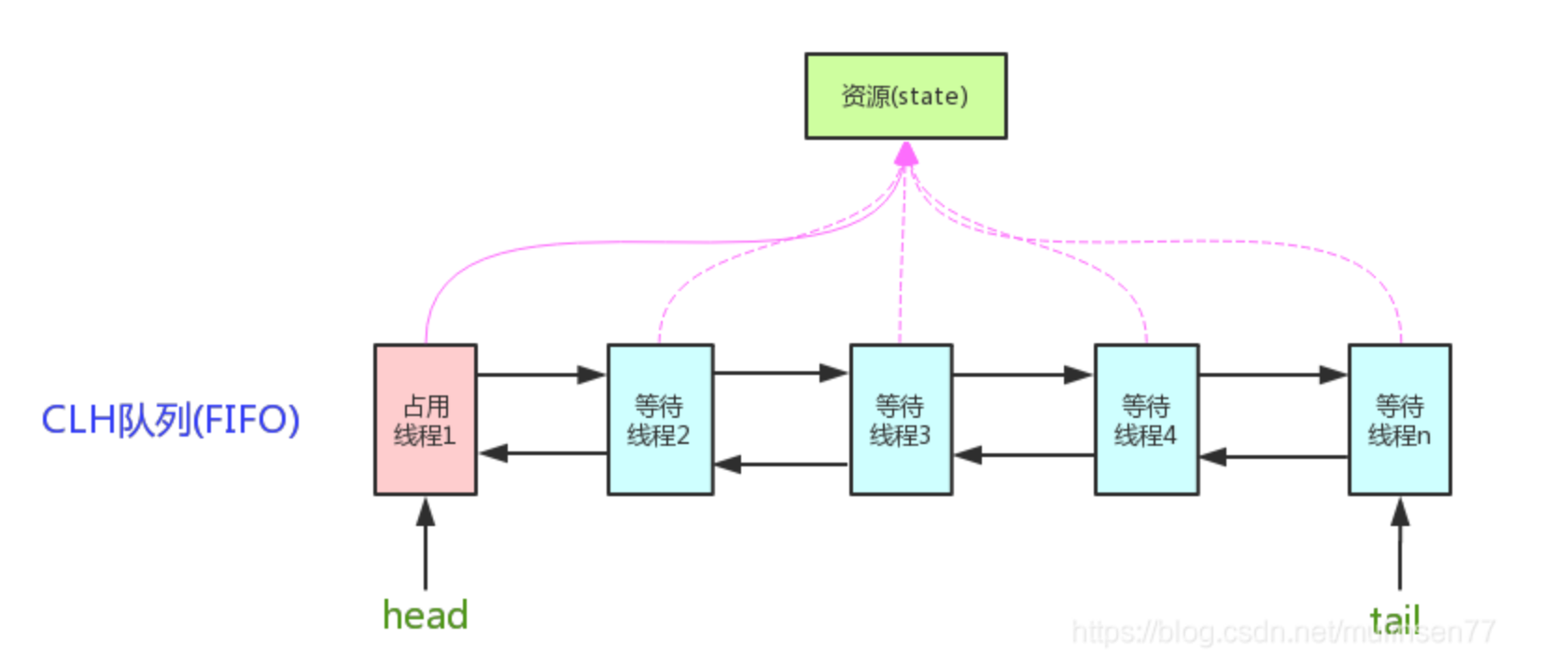
What is AQS Provides a framework for implementing blocking locks and related synchronizers (semaphores, events, etc) that rely on first-in-first-out (FIFO) wait queues. This class is designed to be a ...
Reading understanding of MoveBase source code
Reading understanding of MoveBase source code #include <move_base/move_base.h> #include <move_base_msgs/RecoveryStatus.h> #include #include <boost/algorithm/string.hpp> #include <...