OpenSSH Upgrade 8.6p1 latest version
tags: linux
Go to Openssh firsthttps://openbsd.hk/pub/OpenBSD/OpenSSH/portable/
Uploaded to the server to decompress TAR XFZ openssh-8.6p1.tar.gz file
Possible file default displayuidwithgidArrays are1000, Re-authorized here. Do not authorize may not affect the installation (please test your own)
Chown -r root.root /root/openssh-8.6p1 possible file default displayuidwithgidArrays are1000, Re-authorized here. Do not authorize may not affect the installation (please test your own)
Back up the data before upgrading
Backup SSH:
mv /etc/ssh /etc/sshbak
mv /usr/bin/ssh /usr/bin/sshbak
mv /usr/sbin/sshd /usr/sbin/sshdbak
Delete the previous SSH
rm -rf /etc/ssh/*
Switch toOpenSSH-8.6P below
./configure --prefix=/usr/ --sysconfdir=/etc/ssh --with-openssl-includes=/usr/local/openssl/include --with-ssl-dir=/usr/local/openssl --with-zlib --with-md5-passwords --with-pam && make && make install
The following information is displayed:
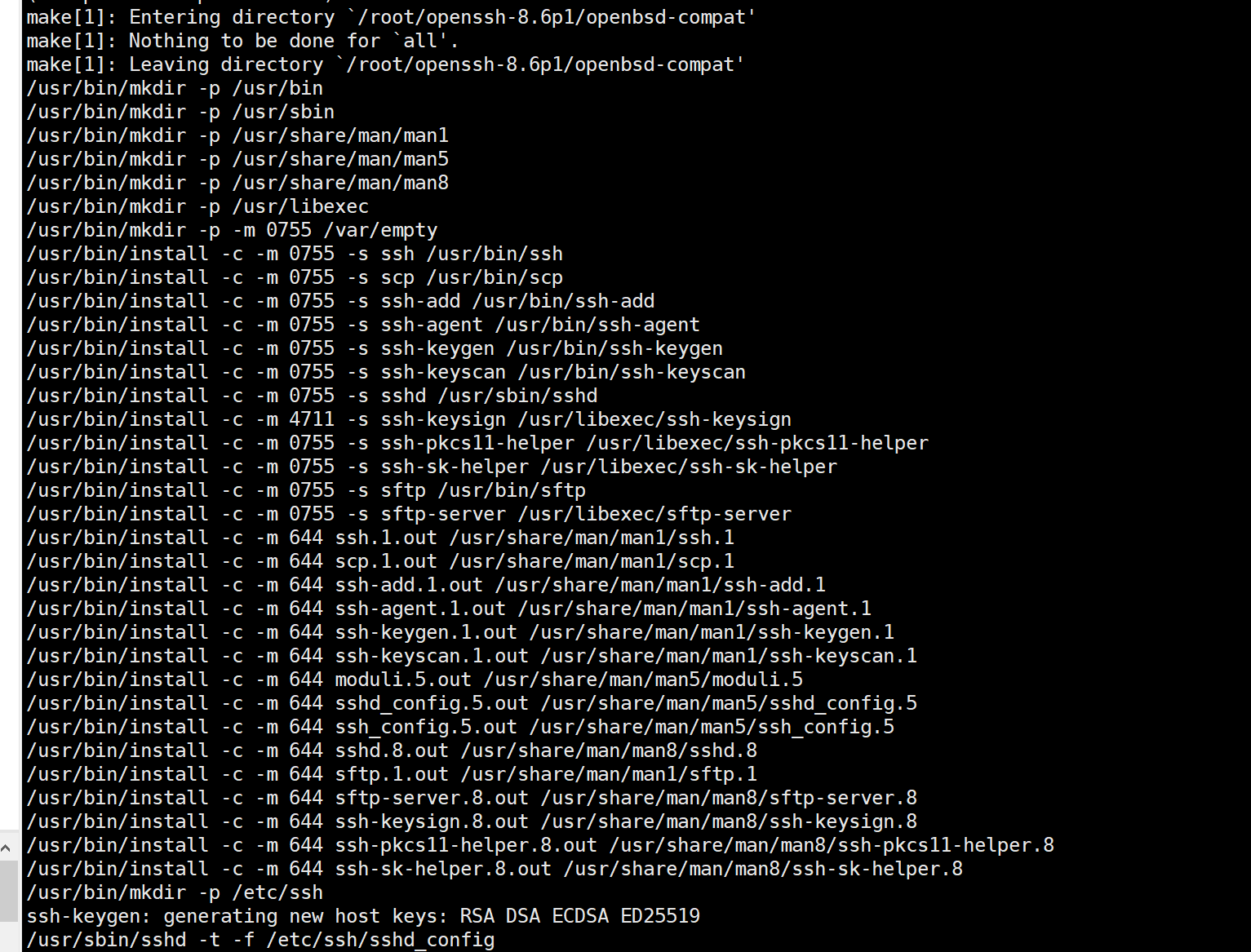
Installed Check the result 0 is success.

The modification of the configuration file is finally as follows, other don't movevim /etc/ssh/sshd_config
(1.modify#PermitRootLogin prohibit-passwordItem, remove the comment#Put togetherprohibit-passwordChange toyesAfter the revisionPermitRootLogin yes
(2.Remove the comment#PasswordAuthentication yesBecomePasswordAuthentication yes
(3.Remove the comment#UseDNS noBecomeUseDNS no
Verify configuration
grep "^PermitRootLogin" /etc/ssh/sshd_config
grep "UseDNS" /etc/ssh/sshd_config

Copy some files from the original unzipped package (if there is a target directory)
cp -a contrib/redhat/sshd.init /etc/init.d/sshd
cp -a contrib/redhat/sshd.pam /etc/pam.d/sshd.pam
chmod +x /etc/init.d/sshd
Add Add Inspiration ServicessshTo the boot startup item
chkconfig --add sshd
Systemctl Enable SSHD This newspaper is not used below

OriginalsystemdManagesshdFile delete or remove or delete, if you don't move, affect us restartsshdservice
SetsshdService boot start
chkconfig sshd on
View the installation results:

Next, test the start and stop service. Normal
Later managessshdBy way of the following
/etc/init.d/sshd restart
netstat -lntp
/etc/init.d/sshd stop
netstat -lntp
/etc/init.d/sshd start
netstat -lntp
If the upgrade failed rollback:
Restore backup SSH:
mv /etc/sshbak /etc/ssh
mv /usr/bin/sshbak /usr/bin/ssh
mv /usr/sbin/sshdbak /usr/sbin/sshd
Restart SSHD service:
service sshd restart
Intelligent Recommendation
Openssh manually upgrade the latest version
Recently, the server was scanned for vulnerabilities, and some vulnerabilities in openssh appeared However, the latest version that cannot be upgraded by direct command to upgrade, manually upgrade af...
OpenSSH Upgrade version to the latest (8.6)
1. Install the dependent package 2. Download or download the installation package OpenSSH8.6 directly to the server directly, use Wget Download Other versions download can be accessed https://cdn.open...
CentOS7 OpenSSH-8.6P1 and OpenSSL1.1.1K Upgrade Documents
Overview View server basic information Install upgrade dependence Upgrade OpenSSL Backup old version of OpenSSL Unzip and compile the installation Configuration adjustment Verify version Upgrade OpenS...

Openssh-8.6p1 batch compilation and installation upgrade
Recently, because of business systems and other guarantees, it is found that there are many loopholes in SSH and need to be updated. There are a lot of responsible servers to compile manually, so use ...
More Recommendation
CentOS 6.6 upgrade OpenSSH to the latest version 7.7p1
First, the reason for the upgrade 7.4 The following openssh versions have serious vulnerabilities: Second, install the telnet service 1. Install the software 2. Enable telnet service 3. Test whether t...
CentOS 6.8 Upgrade OpenSSH to Latest Version 7.5p1
Simple Record CentOS 6.8 Upgrade OpenSSH to the latest version 7.5p1 steps. Transferred from At the same time Upgrade reasons 7.4 The following OpenSsh version has a severe vulnerability: 1. OpenSSH r...
Linux CentOS Upgrade OpenSSH to the latest version OpenSSH8.6P1
OpenSSH released the 8.6 version in April this year. CENTOS6 installed by the customer, the coming OpenSsh version is also relatively low, 5.3p1, a scan is a variety of vulnerabilities So preparing to...
[SSH] CentOS upgrade openssh to the latest version
First, install Telnet service Upgrade Install OpenSSH Need to stop the service, apply Telnet to temporarily instead of remote connections, then uninstall after installation 1. Install Telnet 2. Config...
CentOS7.6 Upgrade OpenSSH and OpenSSL latest version
In order to fix the OpenSSH vulnerability, upgrade to the latest version. Upgrade to OpenSSL 1.1.1k version Upgrade to OpenSSH_8.6p1 version OpenSSL Version -a Current View Version 1. Install Telnet (...