Network packet capture function library Libpcap installation and use (very powerful)
1. Introduction to Libpcap
Libpcap is the abbreviation of Packet Capture Libray, which is the data packet capture function library. The C function interface provided by the library is used to capture packets passing through the specified network interface, which should be set toPromiscuous mode. This is mentioned in the original socket.
The famous software TCPDUMP is developed on the basis of Libpcap.. The interface functions provided by Libpcap implement and encapsulate the process associated with packet interception.
Libpcap provides a user-level network packet capture interface that takes into account application portability. Libpcap runs on most Linux platforms. On the Windows platform, there is also a development library similar in function: Wincap.
It works between the upper application and the network interface.
The main function:
- Packet capture: capture raw packets flowing through the network card
- Custom Packet Send: Constructs raw packets in any format
- Traffic collection and statistics: collecting traffic information in the network
- Rule filtering: provide self-contained rule filtering function, select filtering rules as needed
It has a wide range of applications, including typical protocol analyzers, network traffic generators, network intrusion detection systems, network scanners and other security tools.
2.Libpcap installation
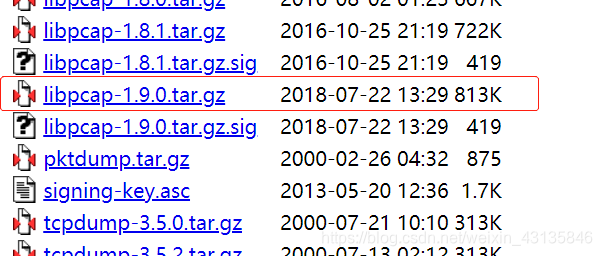
Libpcap download address:Click
Switch to the download directory, extract the compressed file, configure, compile, install
cd ****
tar zxvf ****
./configure
make
make install
If there is an error in the configuration, please check if you have installed all the dependencies.Bison, m4, GNU, flex and libpcap-dev (installation method sudo apt-get ****)
Note that when running, it is sudo that requires root privileges./***
test program:

#include <pcap.h>
#include <stdio.h>

int main()
{
  char errBuf[PCAP_ERRBUF_SIZE], * device;

  device = pcap_lookupdev(errBuf);

  if(device)
  {
    printf("success: device: %s\n", device);
  }
  else
  {
    printf("error: %s\n", errBuf);
  }

  return 0;
}
Makefile:
test: test.c
    gcc -Wall -o test test.c -lpcap
clean:
    rm -rf *.o test
3. How Libpcap works
As a library for capturing network packets, it is a system-independent user-level API interface that provides a portable framework for underlying network inspection.
The capture of a package is divided into three main parts, including packet capture for the underlying package, packet filtering for the middle layer, and user interface for the application layer. This is the same as the processing flow of the Linux operating system for the data packet (Network Card -> NIC Driver -> Data Link Layer -> IP Layer -> Transport Layer -> Application). The packet capture mechanism adds a bypass process at the data link layer (which does not interfere with the processing of the system's own network protocol stack), filters and buffers the transmitted and received packets through the Linux kernel, and finally passes them directly to the upper application. program.

The following describes the packet capture process of Libpcap:
- Find network devices: The purpose is to find the available network cards. The function implemented is pcap_lookupdev(). If there are multiple network cards currently, the function will return a list of pointers for network device names.
- Open the network device: Using the return value from the previous step, you can decide which network card to use, open the network card with the function pcap_open_live(), and return the second digit used to capture the network packet.
- Obtain the network parameters: Here is the function IP address and subnet mask of the specified network device using the function pcap_lookupnet().
- Compile the filtering strategy: Lipcap's main function is to provide packet filtering, the function pcap_compile () to achieve.
- Set the filter: Use the pcap_setfilter() function to set it based on the previous step.
- Use the callback function to capture the packet: the functions pcap_loop() and pcap_dispatch() to grab the packet, or use the functions pcap_next() and pcap_next_ex() to do the same.
- Turn off network devices: The pcap_close() function is used to correlate devices and release resources.
4. Function function specific introduction and analysis
1. Get the network interface
char * pcap_lookupdev(char * errbuf)
//The above function returns the string pointer of the first suitable network interface. If there is an error, errbuf stores the error message string. errbuf should be at least PCAP_ERRBUF_SIZE bytes long.
int pcap_lookupnet(const char * device, bpf_u_int32 * netp, bpf_u_int32 * maskp, char * errbuf)
//You can obtain the IP address, subnet mask, and other information of the specified device.
//Netp: outgoing parameter, specifying the IP address of the network interface
//Maskp: outgoing parameter, specifying the subnet mask of the network interface
//Pcap_lookupnet() failed to return -1
//Net, mask conversion method, inet_ntoa can convert him into 10 mechanism strings Header file arpa/inet.h
addr.s_addr=netp;
net=inet_ntoa(addr);

addr.s_addr=maskp;
mask=inet_ntoa(addr);
Example:
#include <stdio.h>
#include <pcap.h>
#include <time.h>
#include <netinet/in.h>
#include <arpa/inet.h>

void show_ip_mask(char* dev)
{
    char errbuf[1024];
    struct in_addr addr;
    char *net,*mask;
    bpf_u_int32 netp,maskp;
    int err=pcap_lookupnet(dev,&netp,&maskp,errbuf);
    if(err==-1){
        printf("couldn't detect the ip and maskp: %s\n",errbuf);
        return;
    }

    addr.s_addr=netp;
    net=inet_ntoa(addr);
    if(net==NULL){
        printf("ip error\n");
        return;
    }
    printf("ip: %s\n",net);
    addr.s_addr=maskp;
    mask=inet_ntoa(addr);
    if(mask==NULL){
        printf("mask errorn");
        return;
    }
    printf("mask: %s\n",mask);
}

int main()
{
    char *dev, errbuf[1024];
    char select='a';
    printf("select(dispaly the packet in detail)/n:( Y/N ?))");
    scanf("%c",&select);
    while(select!='Y'&&select!='y'&&select!='n'&&select!='N'){
        printf("input the error!\nplease input the Y/N/y/n:");
        scanf("%c",&select);
    }

    //look for the net device
    dev=pcap_lookupdev(errbuf);
    if(dev==NULL){
        printf("couldn't find default device: %s\n",errbuf);
        return 1;
    }
    else{
        printf("fidn success: device :%s\n",dev);
    }

    //ip mask display
    show_ip_mask(dev);
    return 0;
}
2. Release the network interface
void pcap_close(pcap_t * p)
//This function is used to close the network interface object of pcap_t obtained by pcap_open_live() and release related resources.
3. Open the network interface
pcap_t * pcap_open_live(const char * device, int snaplen, int promisc, int to_ms, char * errbuf)
/ / The above function will return the pcap_t type pointer of the specified interface, all subsequent operations must use this pointer.
 // The first parameter is the network interface string obtained in the first step, which can be hard coded directly.
 // The second parameter is how many bytes to grab from the beginning for each packet. We can set this value to grab only the header of each packet, regardless of the specific content. A typical Ethernet frame length is 1518 bytes, but other protocols may have a longer packet size, but a packet length of any protocol must be less than 65535 bytes.
 // The third parameter specifies whether Promiscuous Mode is turned on, 0 means non-promiscuous mode, and any other value means mixed mode. If you want to turn on promiscuous mode, then the NIC must also open promiscuous mode, you can use the following command to open eth0 promiscuous mode:ifconfig eth0 promisc
// The fourth parameter specifies the number of milliseconds to wait. After this value is exceeded, the functions that get the packet in step 3 will return immediately. 0 means waiting until a packet arrives.
 // The fifth parameter is an array of error messages.
4. Get the packet
u_char * pcap_next(pcap_t * p, struct pcap_pkthdr * h)
/ / If the return value is NULL, it means that the package is not caught
 / / The first parameter is the pointer to the pcap_t type returned in step 2
 //The second parameter is a pointer to the pcap_pkthdr type that holds the first packet received.
The pcap_pkthdr type is defined as follows:
struct pcap_pkthdr
{
  struct timeval ts;    /* time stamp */
  bpf_u_int32 caplen;   /* length of portion present */
  bpf_u_int32 len;      /* length this packet (off wire) */
};
int pcap_loop(pcap_t * p, int cnt, pcap_handler callback, u_char * user)
/ / The first parameter is the pointer to the pcap_t type returned in step 2
 // The second parameter is the number of packets that need to be fetched. Once cnt packets are caught, pcap_loop returns immediately. A negative cnt indicates that pcap_loop will loop through the packet forever until an error occurs.
 // The third argument is a callback function pointer, which must be of the form:
void callback(u_char * userarg, const struct pcap_pkthdr * pkthdr, const u_char * packet)
/ / The first parameter is the last parameter of pcap_loop, pcap_loop will call the callback callback function when a sufficient number of packets are received, and pass the user parameter of pcap_loop() to it.
 //The second parameter is a pointer to the pcap_pkthdr type of the received packet.
 / / The third parameter is the received packet data
int pcap_dispatch(pcap_t * p, int cnt, pcap_handler callback, u_char * user)
//This function is very similar to pcap_loop() except that it will return after more than_ms milliseconds (to_ms is the 4th parameter of pcap_open_live())
Let's try these few functions, a simple example:
#include <stdio.h>
#include <pcap.h>
#include <time.h>

void capture_packet1(pcap_t* device)
{
    struct pcap_pkthdr packet;
    char errbuf[1024];
    //capture the packet
    const u_char* pkt=pcap_next(device,&packet);
    if(!pkt){
        printf("couldn't capture packet: %s\n",errbuf);
        return;
    }

    //output the pacaket length byte and time
    printf("Packet length: %d\n", packet.len);
    printf("Number of bytes: %d\n", packet.caplen);
    printf("Recieved time: %s\n", ctime((const time_t*)&packet.ts.tv_sec));
}

void getPacket(u_char * arg, const struct pcap_pkthdr * pkthdr, const u_char * packet)
{
    int * id = (int *)arg;

    printf("id: %d\n", ++(*id));
    printf("Packet length: %d\n", pkthdr->len);
    printf("Number of bytes: %d\n", pkthdr->caplen);
    printf("Recieved time: %s\n", ctime((const time_t *)&pkthdr->ts.tv_sec));
    //print packet
    int i;
    for(i=0; i<pkthdr->len; ++i)  {
        printf(" %02x", packet[i]);
        if( (i + 1) % 16 == 0 )
            printf("\n");
    }
    printf("\n\n");
}

void capture_packet2(pcap_t* device)
{
    struct pcap_pkthdr packet;
    int id = 0;
    //capture the packet
    pcap_loop(device,-1,getPacket,(u_char*)&id);
}

int main()
{
    char *dev, errbuf[1024];
    char select='a';
    printf("select(dispaly the packet in detail)/n:( Y/N ?))");
    scanf("%c",&select);
    while(select!='Y'&&select!='y'&&select!='n'&&select!='N'){
        printf("input the error!\nplease input the Y/N/y/n:");
        scanf("%c",&select);
    }

    //look for the net device
    dev=pcap_lookupdev(errbuf);
    if(dev==NULL){
        printf("couldn't find default device: %s\n",errbuf);
        return 1;
    }
    else{
        printf("fidn success: device :%s\n",dev);
    }

    //open the finded device(must set :ifconfig eth0 promisc)
    pcap_t* device=pcap_open_live(dev,65535,1,0,errbuf);
    if(!device){
        printf("couldn't open the net device: %s\n",errbuf);
        return 1;
    }
    if(select=='Y')
        capture_packet2(device);
    else
        while(1)/ / Because the pcap_next () function only returns the pointer of the next packet
            capture_packet1(device);
    return 0;
}
5. Analyze the data packet
According to different network protocols, different data packet analysis methods are designed, with specific reference to the description of the relevant protocols.
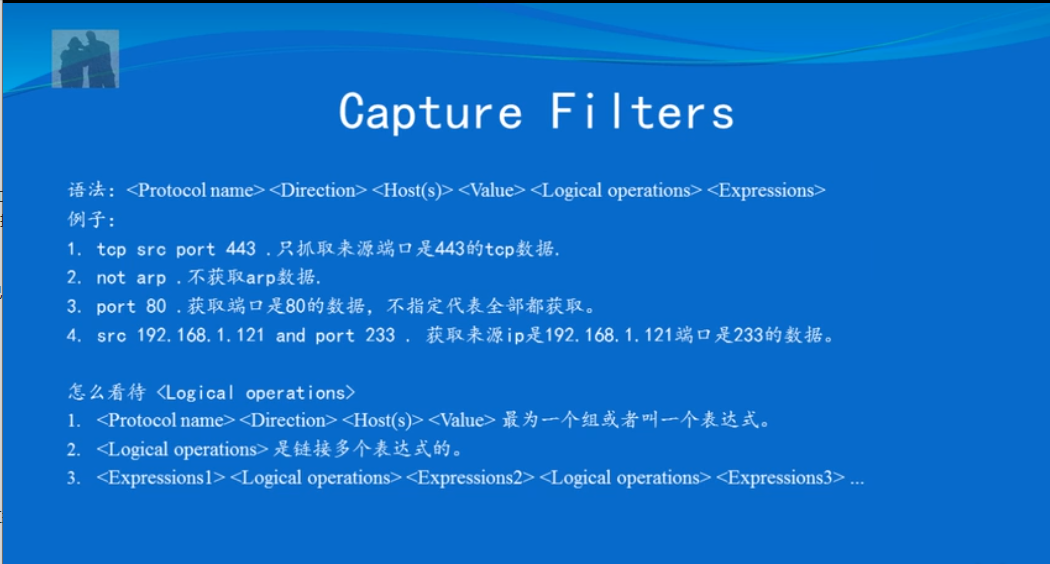
6. Filter packets(This part is very important)
Libpcap uses BPF to filter packets.
Filtering a packet requires three things to complete:
a) Construct a filter expression
b) Compile this expression
c) Apply this filter
a)Lipcap has packaged the BPF language into a more advanced and easier syntax.
Example:
src host 127.0.0.1
//Choose to accept only packets with an IP address

dst port 8000
//Select a packet that only accepts TCP/UDP destination port 80.

not tcp
//Do not accept TCP packets

tcp[13]==0x02 and (dst port ** or dst port **)
//Only accept packets with the SYN flag position (the 13th byte starting from the TCP header) and the destination port number is 22 or 23

icmp[icmptype]==icmp-echoreply or icmp[icmptype]==icmp-echo
//Only accept icmp ping request and ping response packets

ehter dst 00:00:00:00:00:00
//Only accept packets with an Ethernet MAC address of 00:00:00:00:00:00

ip[8]==5
//Only accept packets of ttl=5 of ip (the eighth byte of ip is ttl)
b) After constructing the filter expression, you can compile it using the pcap_compile() function.
int pcap_compile(pcap_t * p, struct bpf_program * fp, char * str, int optimize, bpf_u_int32 netmask)
//Fp: This is an outgoing parameter, which stores the compiled bpf
//Str: filter expression
//Optimize: Whether to optimize the filter expression
//Metmask: simply set to 0
c) Finally set this rule by the function pcap_setfilter()
int pcap_setfilter(pcap_t * p,  struct bpf_program * fp)
//The parameter fp is the second parameter of pcap_compile(), which stores the compiled bpf.
Example:
You can add the following code before catching the packet, that is, before pcap_next() or pcap_loop:
   //design filter
    struct bpf_program filter;
    pcap_compile(device, &filter, "dst port 80", 1, 0);  / / Only accept 80 port TCP / UDP packets
    pcap_setfilter(device, &filter);
5. Implement a network packet sniffer based on Libpcap
The basic function is to capture all packets flowing through this network card.
Implementation process:
- Find network devices
- Open network device
- Find device information
- Input filter rules
- Compile input rules
- Set input rules
- Start capturing packets
- Call packet analysis module
- Output MAC, IP, protocol and data frame
- End
Specific implementation code:
#include <stdio.h>
#include <pcap.h>
#include <time.h>
#include <netinet/in.h>
#include <arpa/inet.h>
#include <errno.h>
#include <string.h>

//Link layer packet format
typedef struct {
    u_char DestMac[6];
    u_char SrcMac[6];
    u_char Etype[2];
}ETHHEADER;
//IP layer packet format
typedef struct {
    int header_len:4;
    int version:4;
    u_char tos:8;
    int total_len:16;
    int ident:16;
    int flags:16;
    u_char ttl:8;
    u_char proto:8;
    int checksum:16;
    u_char sourceIP[4];
    u_char destIP[4];
}IPHEADER;
//Protocol mapping table
char *Proto[]={
    "Reserved","ICMP","IGMP","GGP","IP","ST","TCP"
};
//Callback
void pcap_handle(u_char* user,const struct pcap_pkthdr* header,const u_char* pkt_data)
{
    ETHHEADER *eth_header=(ETHHEADER*)pkt_data;
    printf("---------------Begin Analysis-----------------\n");
    printf("----------------------------------------------\n");
    printf("Packet length: %d \n",header->len);
    //Parsing the packet IP header
    if(header->len>=14){
        IPHEADER *ip_header=(IPHEADER*)(pkt_data+14);
        //Resolution protocol type
        char strType[100];
        if(ip_header->proto>7)
            strcpy(strType,"IP/UNKNWN");
        else
            strcpy(strType,Proto[ip_header->proto]);

        printf("Source MAC : %02X-%02X-%02X-%02X-%02X-%02X==>",eth_header->SrcMac[0],eth_header->SrcMac[1],eth_header->SrcMac[2],eth_header->SrcMac[3],eth_header->SrcMac[4],eth_header->SrcMac[5]);
        printf("Dest   MAC : %02X-%02X-%02X-%02X-%02X-%02X\n",eth_header->DestMac[0],eth_header->DestMac[1],eth_header->DestMac[2],eth_header->DestMac[3],eth_header->DestMac[4],eth_header->DestMac[5]);

        printf("Source IP : %d.%d.%d.%d==>",ip_header->sourceIP[0],ip_header->sourceIP[1],ip_header->sourceIP[2],ip_header->sourceIP[3]);
        printf("Dest   IP : %d.%d.%d.%d\n",ip_header->destIP[0],ip_header->destIP[1],ip_header->destIP[2],ip_header->destIP[3]);

        printf("Protocol : %s\n",strType);

        //Display data frame content
        int i;
        for(i=0; i<(int)header->len; ++i)  {
            printf(" %02x", pkt_data[i]);
            if( (i + 1) % 16 == 0 )
                printf("\n");
        }
        printf("\n\n");
    }
}

int main(int argc, char **argv)
{
    char *device="eth0";
    char errbuf[1024];
    pcap_t *phandle;

    bpf_u_int32 ipaddress,ipmask;
    struct bpf_program fcode;
    int datalink;

    if((device=pcap_lookupdev(errbuf))==NULL){
        perror(errbuf);
        return 1;
    }
    else
        printf("device: %s\n",device);

    phandle=pcap_open_live(device,200,0,500,errbuf);
    if(phandle==NULL){
        perror(errbuf);
        return 1;
    }

    if(pcap_lookupnet(device,&ipaddress,&ipmask,errbuf)==-1){
        perror(errbuf);
        return 1;
    }
    else{
        char ip[INET_ADDRSTRLEN],mask[INET_ADDRSTRLEN];
        if(inet_ntop(AF_INET,&ipaddress,ip,sizeof(ip))==NULL)
            perror("inet_ntop error");
        else if(inet_ntop(AF_INET,&ipmask,mask,sizeof(mask))==NULL)
            perror("inet_ntop error");
        printf("IP address: %s, Network Mask: %s\n",ip,mask);
    }

    int flag=1;
    while(flag){
        //input the design filter
        printf("Input packet Filter: ");
        char filterString[1024];
        scanf("%s",filterString);

        if(pcap_compile(phandle,&fcode,filterString,0,ipmask)==-1)
            fprintf(stderr,"pcap_compile: %s,please input again....\n",pcap_geterr(phandle));
        else
            flag=0;
    }

    if(pcap_setfilter(phandle,&fcode)==-1){
        fprintf(stderr,"pcap_setfilter: %s\n",pcap_geterr(phandle));
        return 1;
    }

    if((datalink=pcap_datalink(phandle))==-1){
        fprintf(stderr,"pcap_datalink: %s\n",pcap_geterr(phandle));
        return 1;
    }

    printf("datalink= %d\n",datalink);

    pcap_loop(phandle,-1,pcap_handle,NULL);

    return 0;
}
References: Linux c program basics and examples explain
Network packet capture function library Libpcap installation and use (very powerful) by Cococo littleCreation, adoption Creative Commons Attribution-Noncommercial Use-Share in the Same Way 3.0 China Mainland License AgreementLicense. Welcome to reprint, please indicate the source:
Reprinted from: Cococo little
this article byCococo littleCreation, adoptionCreative Commons Attribution-Noncommercial Use-Share in the Same Way 3.0 China Mainland License AgreementLicense. Welcome to reprint, please indicate the source:
Reprinted from:Cococo little
Intelligent Recommendation
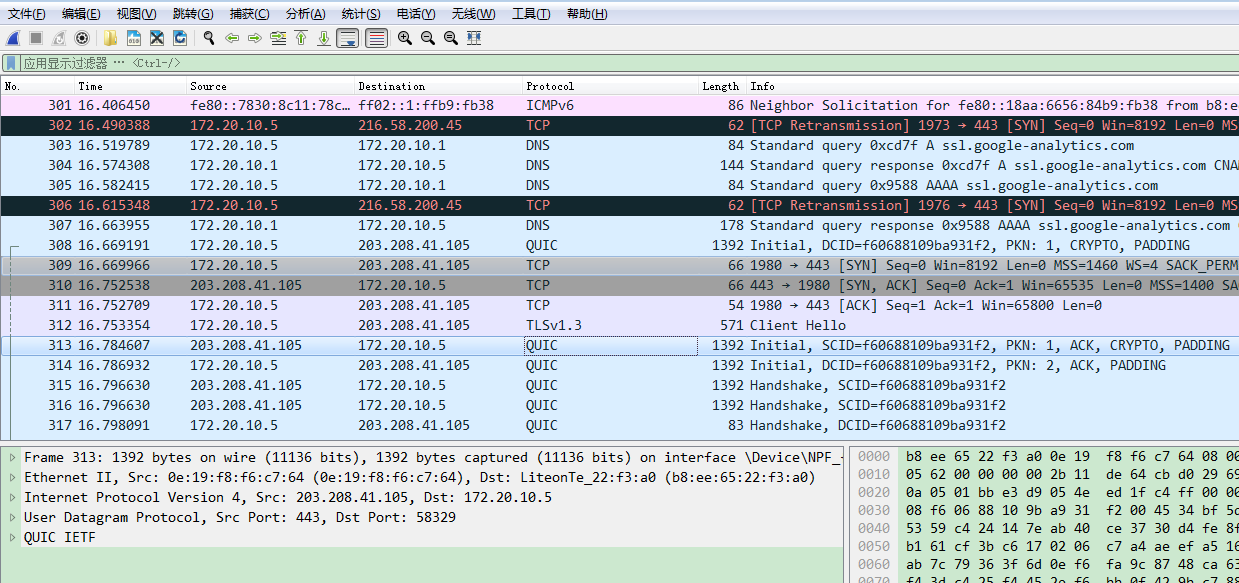
Talk to the network protocol analysis technology! Network Packet Capture Technology LIBPCAP
In practical applications, the technical representative to realize network packet capture is libpcap. LibPCAP is a professional cross-platform network packet capture development package. Use libpcap c...
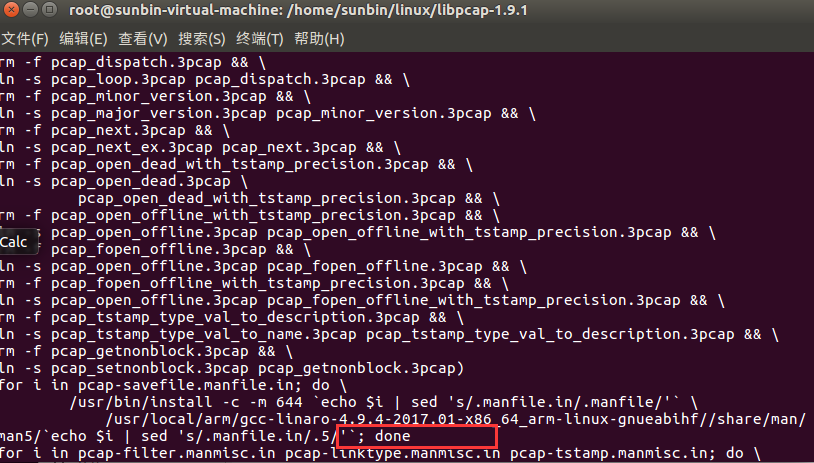
Porting libpcap packet capture library to arm platform under Linux
1. Introduction The libpcap library is installed on the x86-based Ubuntu. The predecessors have written very clearly. For details, please refer to: as well as If you need any dependency packages durin...
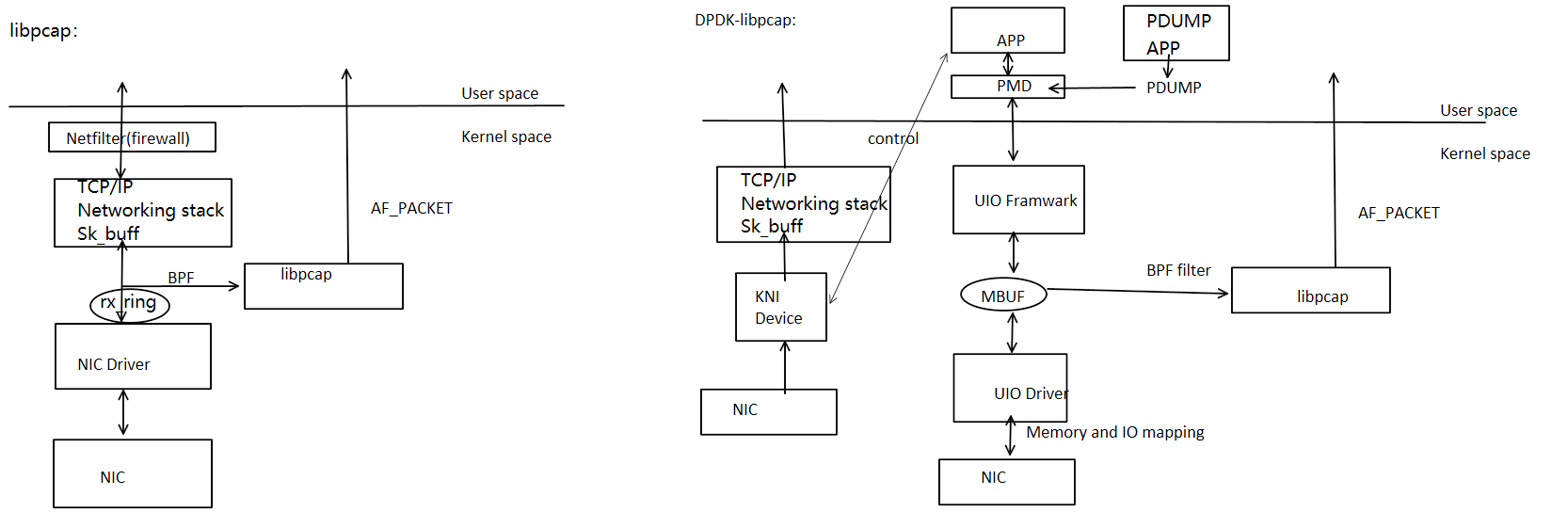
Use libpcap to capture the DPDK network package
Use libpcap to capture the DPDK network package mission details libpcap captures the principle of DPDK Compile Test Methods Libpcap commonly used function Summarize mission details This article analyz...
WinPcap / libpcap network packet capture TCP header flag
Recent WinPcap / libpcap fetch packet network, and to extract HTML image. To analyze TCP packets when they were big-endian out of the head. Finally, patience and the flag bit fields are read out. TCP ...
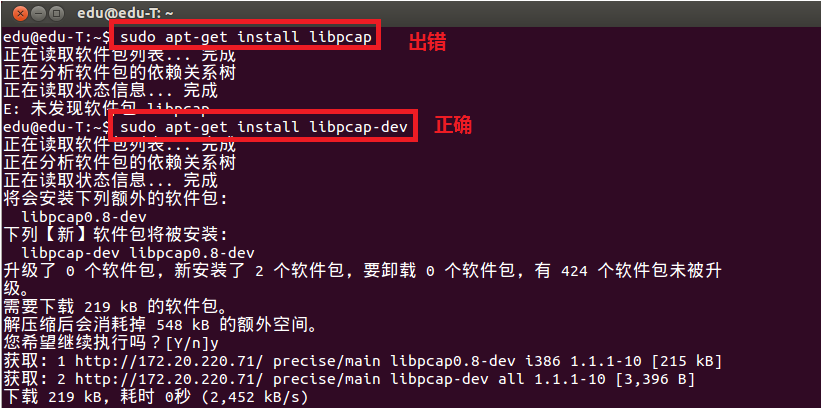
Linux network programming - libpcap library use detailed
Overview libpcap is a network packet capture function library that is very powerful. The famous tcpdump under Linux is based on it. The main role of libpcap 1) Capture various data packets, such as: n...
More Recommendation
Using the libpcap function library to capture packets in a Linux environment
Install libpcap Reference blog: The official website to download the libpacp compression package, the official website address:Click Download the current latest version shown in the image: Unzip libpc...
Learn once a day-the introductory use of WireShark, network packet capture tool-a powerful help to play network communication
A daily learning blog-the introductory use of the online packet capture tool WireShark Clear the purpose of learning Download the installation tool Specific tutorial Specific analysis of individual da...
libpcap library installation
When installing IFTOP, encounter configure: error: can’t find pcap.h You’re not going to get very far without libpcap. When running needs to rely on the PCAP library, meet fatal error: pca...

Linux network packet capture/packet capture technology comparison: napi, libpcap, afpacket, PF_RING, PACKET_MMAP, DPDK, XDP (eXpress Data Path)
Table of Contents 1. Traditional Linux network protocol stack process and performance analysis The main problem of the protocol stack Resource allocation and release for a single packet level Serial a...

Analysis of libpcap packet capture under linux
First, download the libpcap package first.http://www.tcpdump.org/#latest-release Then install, after the installation is complete, go to the tests folder of the installation root directory, compile an...