Error 1115 (42000): Unknown character set:'utf8mb4' is reported when pycharm-python connects to mysql
tags: Python problem summary mysql python database
My database link information was as follows before, and an error was reported when the python file was executed, mysql.connector.errors.ProgrammingError: 1115 (42000): Unknown character set: ‘utf8mb4’
db_config ={‘host’: ‘xxxx’,
‘port’: ‘3306’,
‘username’: ‘xxxx’,
‘password’: ‘xxxx’,
‘database’: ‘future’}
So I searched and searched on the Internet and saw many solutions, but they all told you how to change the sql file to utf8 or something, but no one said how to modify the python file or Code or pycharm. Later, I suddenly wanted to add a'charset':'utf8' to the above configuration file, because the current database uses the old version of utf8. If you don't tell the database, he will use utf8mb4 by default, so change it to utf8 is fine, here is my code to link to the database
db_config ={‘host’: ‘xxxx’,
‘port’: ‘3306’,
‘username’: ‘xxxx’,
‘password’: ‘xxxx’,
‘database’: ‘future’,
’charset’:‘utf8’}
from mysql import connector
from xxxx.common.read_config import ReadConfig
from xxxx.common import project_path

class DoMysql:
    def do_mysql(self,query,flag=1):
        '''query: sql query statement
                       flag: 1 means there are one query result, 2 means there are multiple query results'''
                 db_config =ReadConfig(project_path.config_path).get_other('DB','db_config')#Get the ip of the database link from the configuration file, etc.
        cnn = connector.connect(**db_config)
        cursor = cnn.cursor()
                 cursor.execute(query) # query does not require commit

        if flag==1:
                         res = cursor.fetchone() # returned tuple
                         #print('The result of querying the database is: {}'.format(res))
        else:
                         res = cursor.fetchall() # returned list of nested tuples
                         #print('The result of querying the database is: {}'.format(res))
        return res
                 # #Add, delete and modify the database, update
        # update="update member set RegName='ww' where id='1139812'"
        # cursor.execute(update)
                 # cursor.execute('commit')#Submit

if __name__=='__main__':
    query="select id from loan where MemberID='293366'; "    #"select min(id) from member where id>'1139813'# "
    sq=DoMysql().do_mysql(query,2)
         #print('The result of querying the database is: {}'.format(sq))
Intelligent Recommendation
mysqlbinlog: [ERROR] unknown variable 'default-character-set=utf8mb4'
Problem: The following error occurs when using the mysqlbinlog tool to view the MySQL binlog log Reason: The mysqlbinlog tool cannot recognize the default-character-set=utf8mb4 command in the configur...
mysqlbinlog: [ERROR] unknown variable ‘default-character-set=utf8mb4‘
Error message: reason: mysqlbinlog This tool cannot recognize the configuration in binlog.default-character-set=utf8mb4 This instruction is. solve: 1. Add--no-defaults parameter Use commandmysqlbinlog...
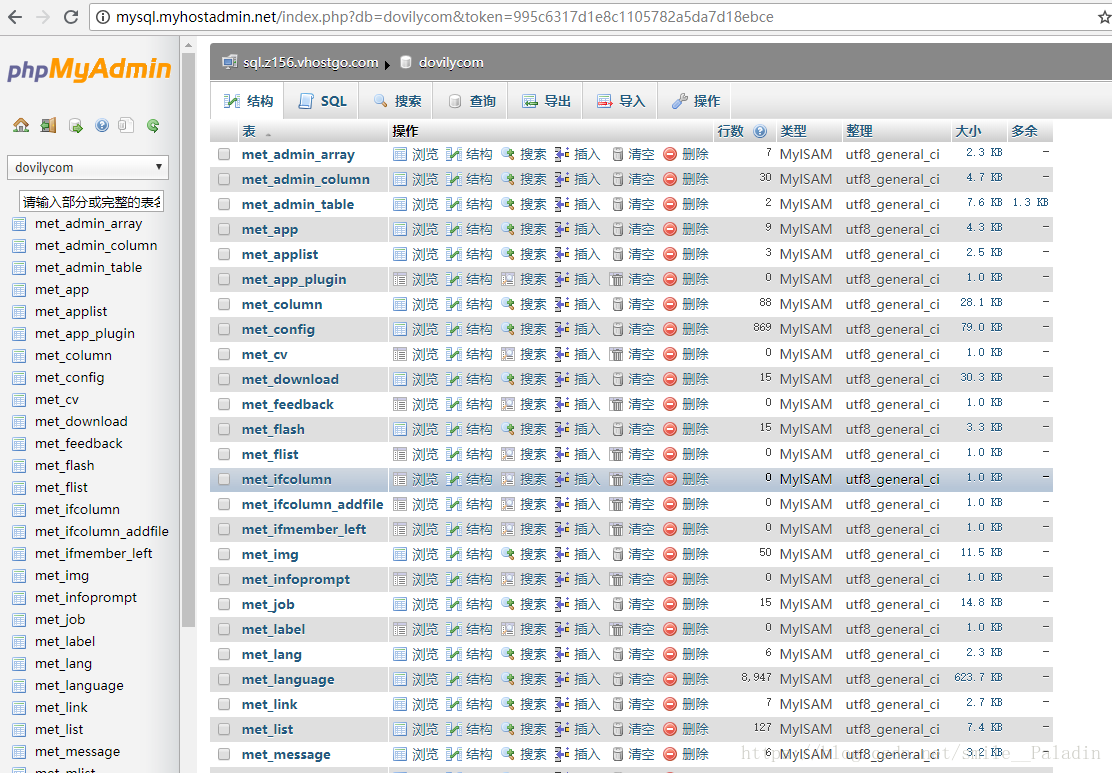
Virtual host import MySQL appears Unknown character set: ‘utf8mb4’ solution
When MySQL imports data, the following error occurs (no defined encoding set utf8mb4): The cause of the problem: .sql import to Western Digital. The MySQL database version of the Western Digital Web H...
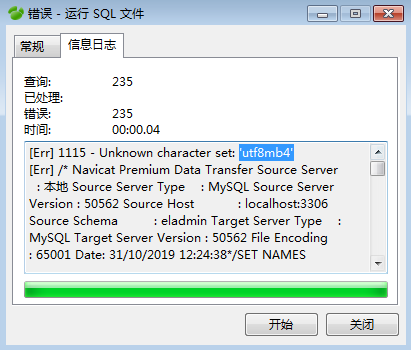
MySQL runs SQL file Unknown character set:'utf8mb4'
When initializing the project today, the following error was reported in the import sql file: The following is part of the creation of sql Reason: the local mysql version is too low Navicat for mysql ...

MySQL: Unknown system variable'query_cache_size' is reported when JDBC connects to MySQL
1. Meitu 2. Background After connecting to Mysql after the unit test today, the following error message is reported: Checked online because the version of mysql-connecter-java is too low. Obviously th...
More Recommendation
MYSQL When you create a database, specify the encoded character set UTF8MB4
The following two methods are for the Linux operating system. Method 1: mysql command Method 2: Modify /etc/my.cnf file Then, restart the MySQL service: /etc/init.d/mysqld stop /etc/init.d/mysqld star...
Windows 10 Navicat connects WSL2 MySQL ERROR 1410 (42000) Connection Unknown Error
MySQL Bind Address means to bind an IP address of an entry network card. Since Win10 and WSL 2 are randomly generated IP addresses, they should be allowed to enter the site through virtual network car...
Mysql set utf8mb4 character encoding
1. View the code 2, modify the code to utf8mb4 Modify the my.cnf file. Add the following and restart the database: systemctl restart mysqld [mysqld] character-set-server=utf8mb4 [mysql] default-charac...
Modify the mysql character set to utf8mb4
1. Check the character set Second, set the global character set 3. Set the character set separately ...
Modify the character set of mysql to UTF8MB4
Modify the database profile my.cnf Modify the code of the data table UTF8MB4 Modify the connection code for the connection database...