Front-end export table with border style
tags: vue javascript
background:
My project uses the iview-admin2.0 framework, which upgrades iview, and uses fiexd in the table to float the special columns.
The requirement is to require the front-end to export the table, and to have a border.
The following techniques are used;
import FileSaver from “file-saver”;
import XLSX from “xlsx”;
import xlsxStyle from “xlsx-style”;
import XSU from “./xlsxStyle.utils”;
~~~~~~~~~~~~~~~~~~~~~~~~~~~~~~~~~~~~~~~~~~~~~~~~~~~~~~~~~
Proceed as follows:
1. Install FileSaver, XLSX, and xlsxStyle directly in npm
FileSaver, XLSX, xlsxStyle can directly npm;
XSU is a static resource downloaded from git (https://github.com/Ctrl-Ling/XLSX-Style-Utils), a method of encapsulation by others.
I will not post the code in detail here;
import XLSX from “xlsx-style”
2. I added a new tool.js
in this js
import FileSaver from “file-saver”;
import XLSX from “xlsx”;
import xlsxStyle from “xlsx-style”;
import XSU from “./xlsxStyle.utils”;
An error will be reported when the third xlsx-style is introduced:
This relative module was not found: ./cptable in ./node_modules/[email protected]@xlsx-style/dist/cpexcel.js
Need to modify the source code:
in \node_modules\xlsx-style\dist\cpexcel.js line 807 var cpt = require('./cpt' +'able'); change to var cpt = cptable; ( Don’t stop going down because of garbled codes, turn down)
The fourth is the down resource from the static resource link mentioned above. Put the xlsxStyle.utils.js inside it in the local folder, and tool.js must be able to be cited here.
I put it in the same level directory;
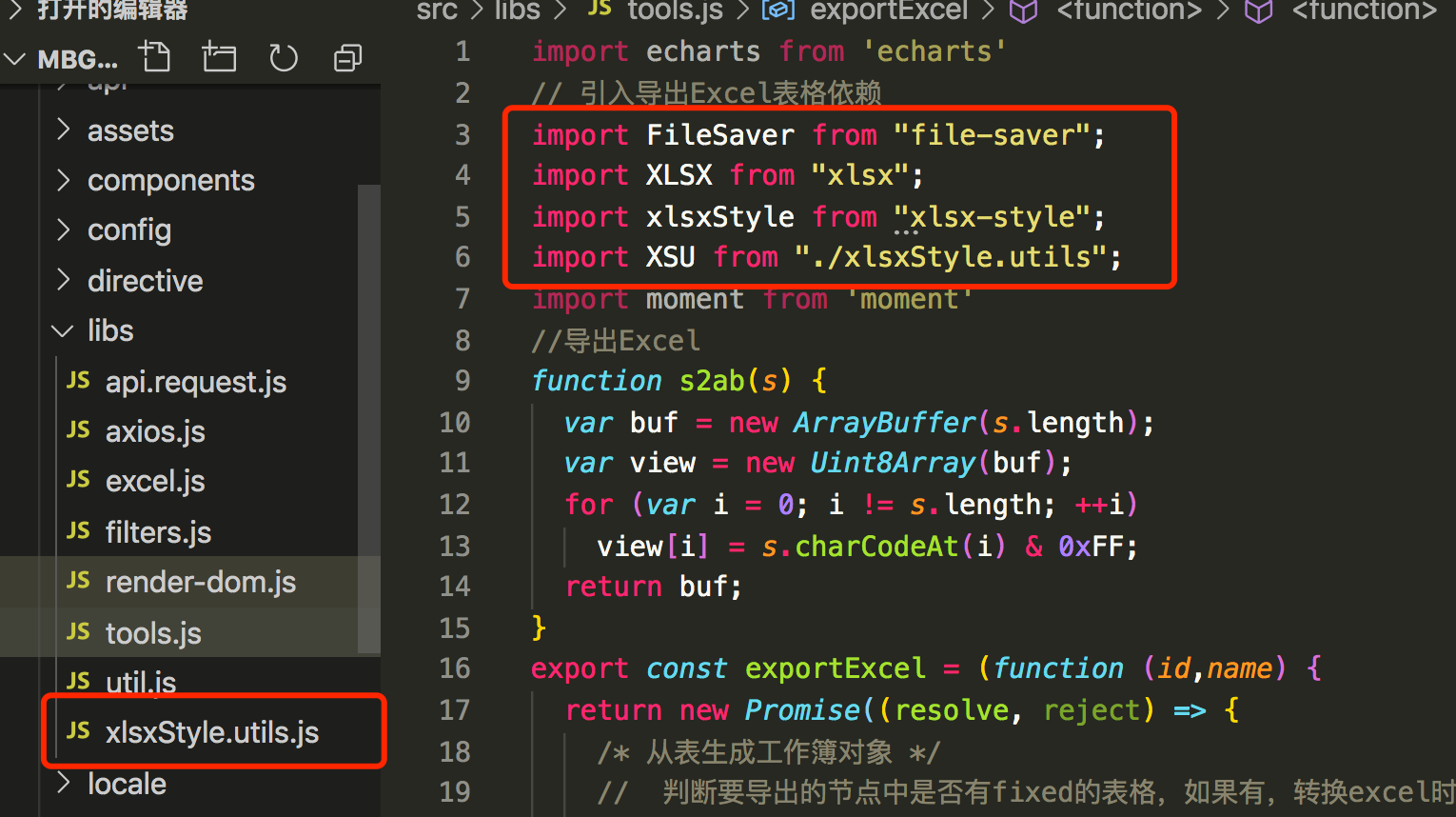
Of course, the xlsxStyle.utils.js file is at the bottom
Don't forget to add export default XSU;
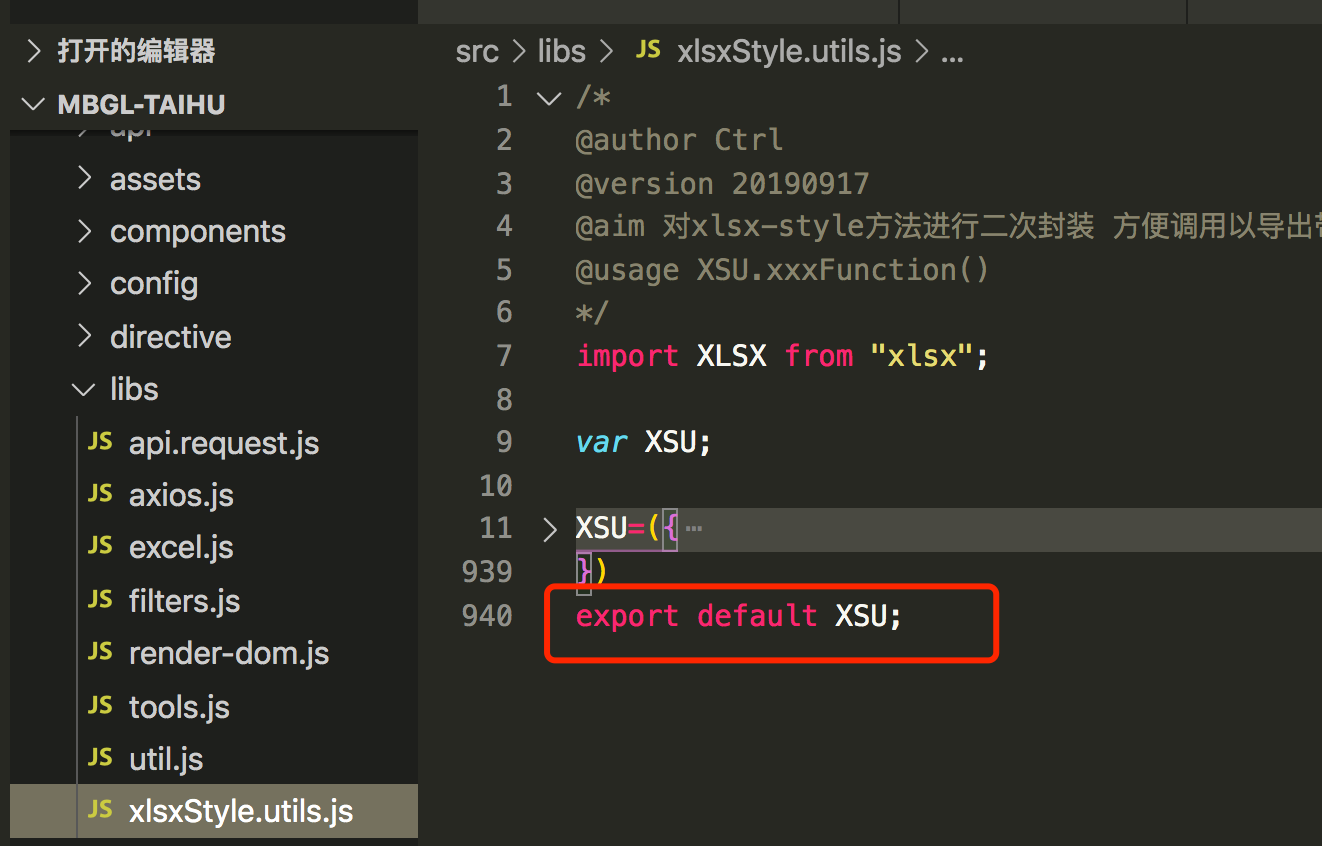
3. Add methods in tool.js, which can be exported and used in multiple places
The method of is as follows:
export const exportExcel = (function (id,name) {
  return new Promise((resolve, reject) => {
    /* Generate workbook object from table */
    // Determine whether there is a fixed table in the node to be exported. If so, first remove the dom when converting excel, and then append back.
    let fix = document.querySelector('.ivu-table-fixed-right');
    let wb
    if (fix) {
      document.querySelector('#' + id).children[0].removeChild(fix);
      wb = XLSX.utils.table_to_book(document.querySelector('#' + id));
      document.querySelector('#' + id).children[0].appendChild(fix);
    } else {
      wb = XLSX.utils.table_to_book(document.querySelector('#' + id));
    }
    var sheetName = wb.SheetNames[0];
    for (let key in wb.Sheets.Sheet1) {
      if (Object.prototype.toString.call(wb.Sheets.Sheet1[key]) === '[object Object]'){
          wb.Sheets.Sheet1[key].v = wb.Sheets.Sheet1[key].v.toString().replace(/\s+/g, "");
          //The column of the fixed attribute in my table does not need to be exported. I didn't think of any other good method, so I left it blank. When I use this method to export, there will be "No screening results" in the bottom line of the expression, and the reason is not found, so I just leave it blank.
          if (wb.Sheets.Sheet1[key].v == 'No screening results' || wb.Sheets.Sheet1[key].v == 'modify' || wb.Sheets.Sheet1[key].v == 'management' || wb.Sheets.Sheet1[key].v== 'operating') {
            wb.Sheets.Sheet1[key].v = ''
          }else {
          //The cells of the empty table do not need to add a border, so add a border to the cell when else
            XSU.setBorderDefault(wb, sheetName, key)
          }
      }
    }
    var wbout = xlsxStyle.write(wb, {
      bookType: "xlsx",
      bookSST: false,
      type: 'binary'
    });
    try {
      FileSaver.saveAs(
        //Blob object represents an immutable, original data file-like object.
        //Blob does not necessarily represent data in JavaScript native format.
        //File interface is based on Blob, inherits the function of blob and extends it to support files on the user's system.
        //Returns a newly created Blob object whose content is composed of the concatenation of the array given in the parameter.
        new Blob([s2ab(wbout)], {
          type: ""
        }),
        //Set the export file name
        name + ".xlsx"
      );
    } catch (e) {
      if (typeof console !== "undefined") console.log(e, wbout);
    }
    resolve(wbout)
  })
})
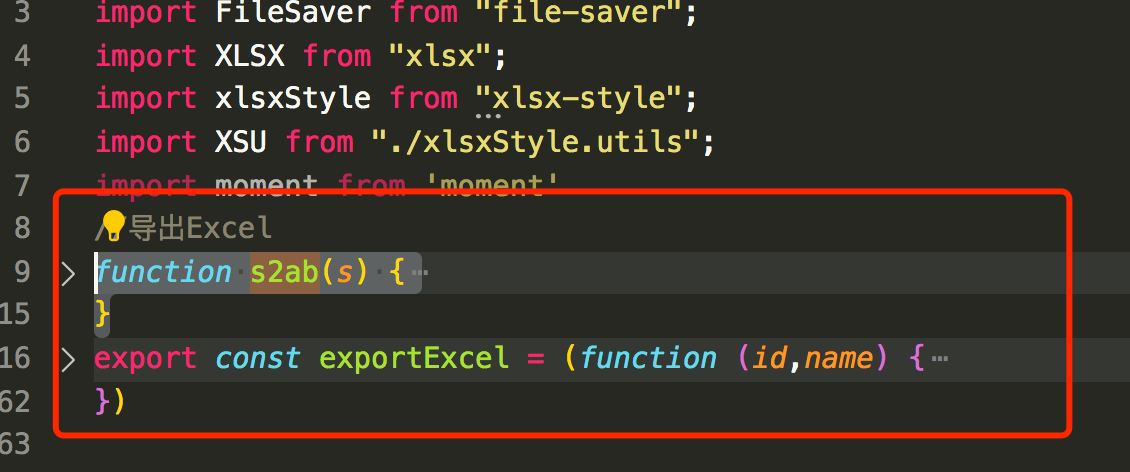
The s2ab method is also used in the export method, just add it directly above the method;
function s2ab(s) {
  var buf = new ArrayBuffer(s.length);
  var view = new Uint8Array(buf);
  for (var i = 0; i != s.length; ++i)
    view[i] = s.charCodeAt(i) & 0xFF;
  return buf;
}
Screenshot below:
Final steps:
in the component you want to use
// Import and export Excel table
import { exportExcel } from "@/libs/tools";
It is written in methods:
exportExcel() {
      exportExcel("out-table", "Project Progress");
    },
PS:
is mainly for table borders. If you don't need borders, it's relatively simple, just a few lines of code.
If there is a simpler or other good method, I hope you can leave a message.
Inspired by:
https://www.cnblogs.com/lvsk/p/11970747.html
https://github.com/Ctrl-Ling/XLSX-Style-Utils
https://github.com/SheetJS/sheetjs
Intelligent Recommendation

Front-end Excel table export
Dear friends, this article is just to record my favorite table export plug-in! ! ! ! vue-json-excel It’s really super invincible and easy to use! ! ! See below 1. Install it first: npm install v...

Export excel table, front end and background export
problem:The export of the project framework does not know what restrictions, the data can not be exported a little, the above request to solve, the results pushed down and pushed back, so decided to w...

Front end: Card style Table
Click on the column to switch to the column and display the content, as shown in the figure below: Here I applied:layUI classic modular front-end framework official website We need to download the css...
Front end table data export is an Excel table
Front end table data export is an Excel table 1. Write a request to be exported first 2. Introduce the request address 3. Click the Export button to do...
More Recommendation
Export the TABLE Excel table in the front end
Export the table data as an excel table through the front end usejs-export-excelThe plug -in can be achieved quickly 1. First download the plug -in npm install js-export-excel -S Second, configuration...
Web front-end entry to actual combat: border-style attribute in CSS
The border-style attribute is used to set the style of all borders of the element, or to set the border style for each side separately. The border may only appear if this value is not none. Example 1 ...
Front-end zero-based introduction (6): basic CSS style border
In the previous section, we have learned how to use css in the page, and know some simple css styles, and then we will learn more about other css styles. To enrich our page Today’s style is call...

Border-radius solution for front-end css background style @
Look at the code first, copy and use it. The CSS style itself provides a lot of capabilities, but I still think that many front-end developers are not proficient in studying CSS. Here is a background ...
Table border style
I didn’t know how to add a thin border to the table before, and I accidentally saw that someone designed a web page has this style: This is OK!...