Vue uses Vant to customize themes
https://youzan.github.io/vant/#/zh-CN/themeThis is the explanation given by the official website. I personally feel a bit pitted. I really don’t understand the vue Xiaobai.
1. Why do you need a custom theme.
When the theme of vant does not meet your requirements, you can modify it according to your requirements, for example: all colors need to be changed.
Two, custom theme
1. Introduce less in main.js
import 'vant/lib/index.less'; 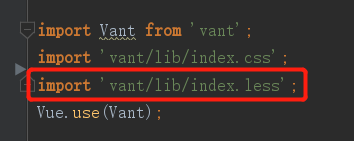
2. Create your own less, such as index.less
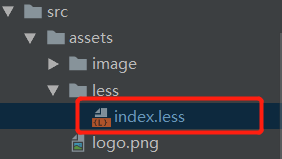
3. Introduce your own less
Open the utils.js file and find the following picture:
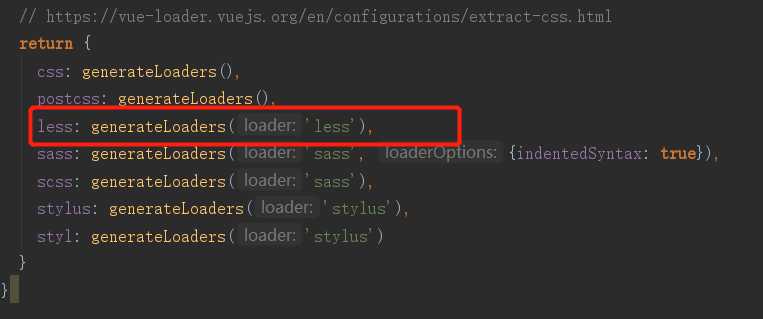
Modify the part drawn in the red box in the picture to:
    less: generateLoaders('less', {
      modifyVars: {
        'hack': `true; @import "${path.join(__dirname, '../src/assets/less/index.less')}";`
      }
    }),
Note: ${path.join(__dirname,'location of your own less file')} is to obtain the absolute path
4. Install less
npm install less less-loader --save-dev5. Start the test. If no error is reported, congratulations on your success. If the startup fails, most of it is because of version problems. There are some differences in configuration files between different versions.
6. Modify the vant style, this is the less variable reference:https://github.com/youzan/vant/blob/dev/src/style/var.less, I only posted some basic variables to my less file.
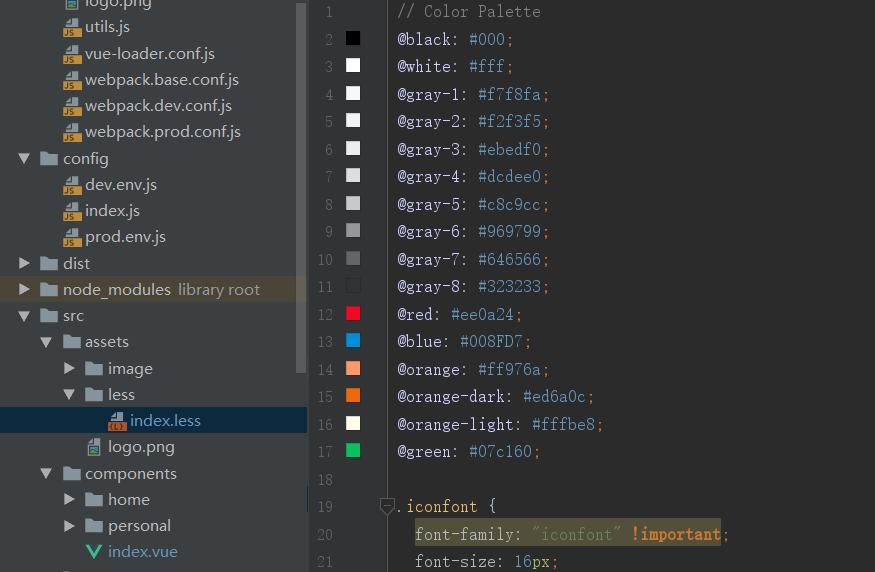
7. We modify the color of @blue to see if there is any change

Before the modification
Let's change @blue: #008FD7; to @blue: red; to see the effect 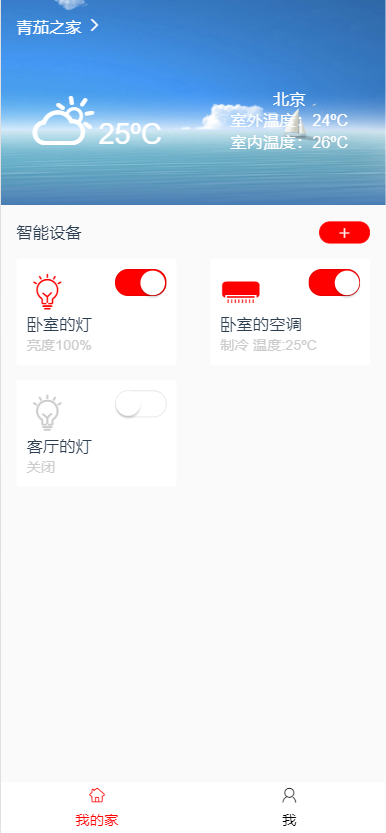
after modification
Welcome to scan the QR code to follow WeChat official account

Intelligent Recommendation
Vue uses steps to customize the content
Effect picture 1. Introduce element ui steps 2. Write in the template to use the "slot"...
Vue uses Vant mobile component library
Vant is a lightweight and reliable mobile Vue component library Go to the project directory and install Vant npm i vant -S inmain.jsIntroduce Introducevant, All components are introduced here, the off...
Vue uses mobile UI library ---Vant
I. Vant Vant is a Vue component library implemented by the Youzan front-end team based on the unified specifications of Youzan, providing a complete set of UI basic components and business components....
Vue project uses vant to upload pictures to Qiniu
1) Create an avatar upload component...
Vue uses vant to realize lazy loading of images
In the process of loading pictures, the interface is often unfriendly due to the slow loading of pictures. You can implement lazy loading to display the original picture after the picture is loaded. I...
More Recommendation
Vue vant uses ImagePreview to preview pictures
Vue vant uses ImagePreview to preview pictures scene 1 Arrange an array to generate a picture, click to preview the picture Scene 2 One uses a string, uses, and divides into an array, arranges the arr...
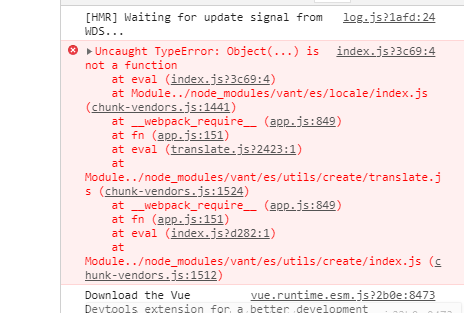
VUE uses VANT error Object (...) is not a function
@ [TOC] (VUE uses VANT error Object (...) is not a function) First Vue-CLI uses VANT's small pit, you pay attention to the code directly Use the VANT Times wrong as follows: Cause: Vue version and VAN...
Vue uses VANT to build a mobile development project
1. Create a project using Vue / CLI (install Vue / CLI) Create a procedure steps as follows: Manuually select features Select Babel (ES6 Syntax Compiler) Router (Route Module) VUEX (Global Status) Lin...
Vue uses the Checkbox in Vant to all-select
The problem encountered this time is that he did not find it in the general array. The type of value setting for each FLAG defined is a string type, which is flag = "true", causing th...