table of Contents
Synchronize
The concept of synchronization
Synchronization is coordinated step, for running predetermined priorities. Such as: Are you finished, I say. "Same" word literally easy to understand for the action together, not really, "with" shall refer to the word synergy, assist and cooperate with each other. The process, thread synchronization, understood as a process or thread with an A and B, to rely on a result of A when B is performed to a certain extent, then stopped, a schematic operation B; B executed, then the results for A; A before proceeding.
Solve the threads modify global variable manner
For the last article (Multi-threaded shared global variables) That calculated the wrong question can be resolved by a thread synchronization.
Ideas, as follows:
- System call t1, then a value of 0 g_num acquired, to a lock case, which does not allow other threads operating g_num
- t1 values of +1 g_num
- unlocking t1, a value of 1 g_num case, other threads can be used g_num, and it is not the value 0 but 1 g_num
- Similarly when the other threads to modify g_num, you have to lock, unlock and then processed, do not allow other threads in the process locked in access, ensures the accuracy of the data
Mutex
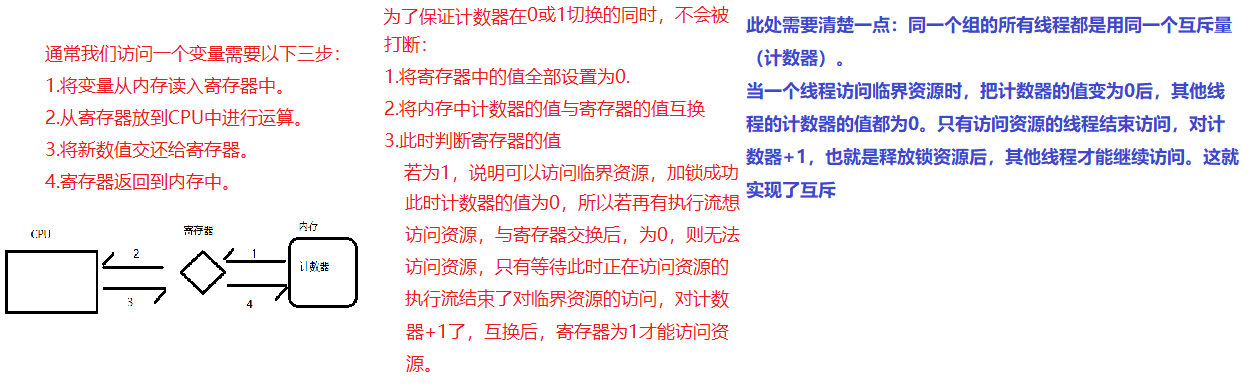
When multiple threads substantially simultaneously edit a shared data of a certain time, the need for synchronization control. Thread Synchronization ensures secure access to multiple threads compete for resources, the most simple synchronization mechanism is introduced mutex.
Mutex for the introduction of a resource status: locked / unlocked
When you want to change a thread to share data, the first of its lock, and the status of the resource is "locked", other threads can not be changed; until the thread to release resources, state resources into a "non-locking", other threads can lock the resource again. Mutex to ensure that only one thread is written, so as to ensure the correctness of the data of multiple threads.
Lock threading module defined class, can easily handle lock:
# Create a lock
mutex = threading.Lock()

 Lock #
mutex.acquire()

 # freed
mutex.release()
note:
- If before the lock is unlocked, it will not clog acquire
- If it has been calling on to acquire the lock before the other thread locked the lock, then the time will acquire blocked until the lock is unlocked
Use a mutex to complete the two threads of the same global variable operating times each plus 9999999
import threading
import time


g_num = 0
 # Create a mutex, the default is unlocked zhuangtai
mutex = threading.Lock()

def test1(num):
        global g_num

        for i in range(num):

                mutex.acquire()
                g_num += 1
                mutex.release()
        print("--test1, g_num = %d--" % g_num)


def test2(num):
        global g_num

        for i in range(num):

                mutex.acquire()
                g_num += 1
                mutex.release()

        print("--test2, g_num = %d--" % g_num)


if __name__ == "__main__":

                 print ( "- before creating the thread, g_num =% d--"% g_num)

        t1 = threading.Thread(target=test1, args=(9999999,))
        t1.start()

        t2 = threading.Thread(target=test2, args=(9999999,))
        t2.start()

        while len(threading.enumerate()) != 1:
                time.sleep(1)

                 print ( "Final results: g_num =% d"% g_num)
operation result:
- Before creating a thread, g_num = 0--
--test1, g_num = 19580251--
--test2, g_num = 19999998--
 The end result is: g_num = 19999998
We can see the final result, after adding a mutex, a result in line with expectations.
Lock unlocking process
When a thread calls the lock acquire () method to obtain a lock, the lock into the "locked" state.
Only one thread can acquire the lock. If at this time trying to get the lock another thread, the thread will become "blocked" state, known as the "blocking" until the release of the lock has a thread calls the lock () method after the release of the lock, the lock into the "unlocked" state .
Thread scheduler thread is selected from a blocked state synchronization to acquire the lock, and so that the thread runs into the (running) state.
to sum up
Lock benefits:
- To ensure that certain key code can only be executed completely from start to finish by a thread
Lock disadvantages:
- Prevents concurrent execution of multiple threads, a piece of code that contains virtually lock can only be performed in a single-threaded mode, efficiency is greatly decreased
- There may be due to multiple locks, different threads have different locks, and attempts to acquire a lock held by the other party, may cause a deadlock
Deadlock
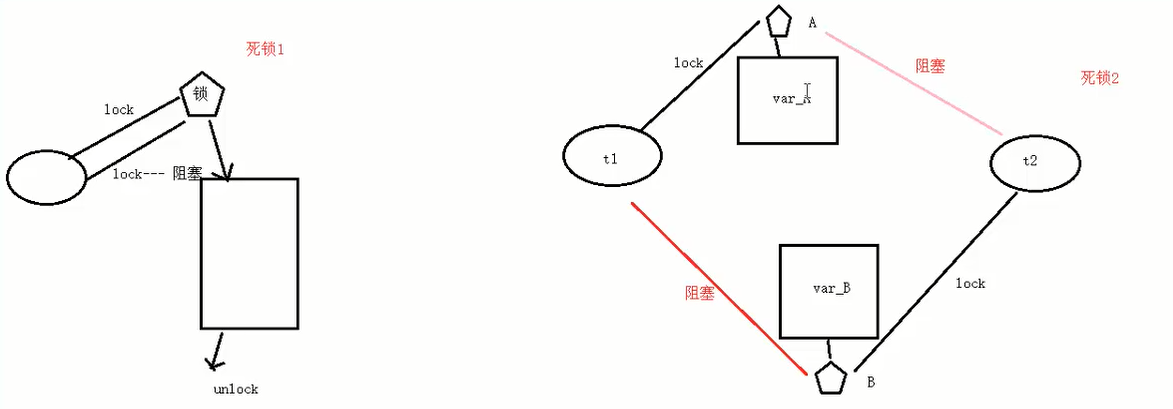
When multiple resources shared among threads, if two threads each occupy a portion of the resources and at the same time waiting for each other's resources, it will result in a deadlock.
Despite the deadlock rarely happens, but the event will cause the application to stop responding. See the following example of a deadlock
import threading
import time


class MyThread1(threading.Thread):

    def run(self):

                 # Of mutex1 locked
        mutex1.acquire()

                 After locking # mutex1, 1 second delay, waiting for another thread, the locking mutex2
        print(self.name + " up")
        time.sleep(1)

                 # At this point there will be blocked, because mutex2 have been the first to lock up another thread
        mutex2.acquire()
        print(self.name + " down")
        mutex2.release()

                 # To unlock mutex1
        mutex1.release()


class MyThread2(threading.Thread):

    def run(self):

                 # Of mutex2 locked
        mutex2.acquire()

                 After locking # mutex2, 1 second delay, waiting for another thread, the locking mutex1
        print(self.name + " up")
        time.sleep(1)

                 # At this point there will be blocked, because mutex1 have been the first to lock up another thread
        mutex1.acquire()
        print(self.name + " down")
        mutex1.release()

                 # To unlock mutex2
        mutex2.release()


mutex1 = threading.Lock()
mutex2 = threading.Lock()

if __name__ == "__main__":

    t1 = MyThread1()
    t1.start()

    t2 = MyThread2()
    t2.start()
operation result:
Thread-1 up
Thread-2 up
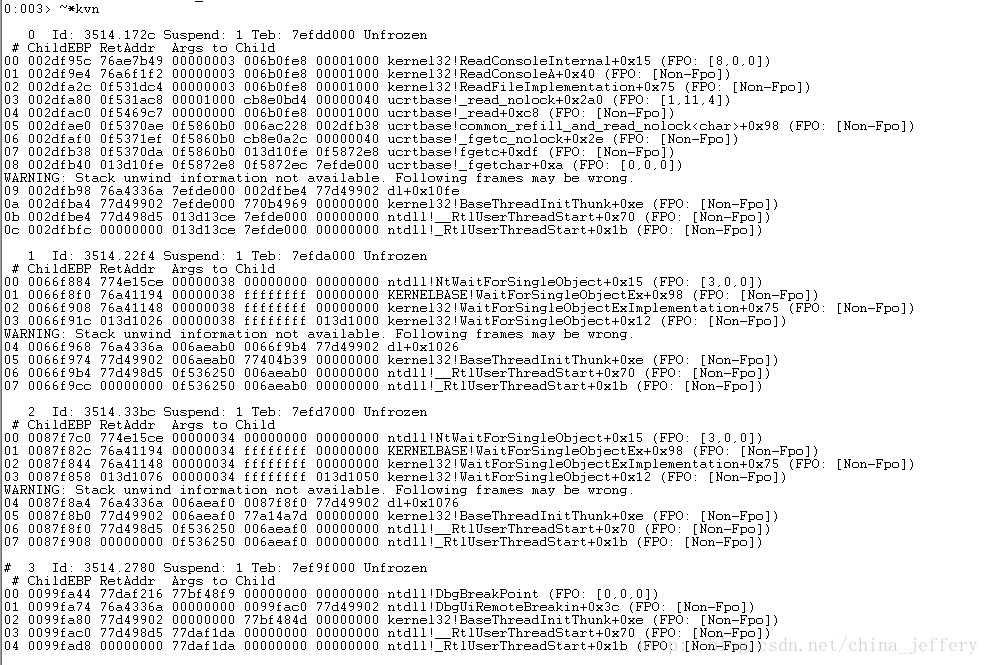
At this point the state has entered into a deadlock, you can use ctrl-c to exit
Avoid deadlock
- Program design should try to avoid (the banker's algorithm)
- Add timeout, etc.