Angular Business Develop - Angular Advanced - NGRX
15. NgRx
15.1 Overview
NGRX is a REDUX architecture solution that implements global state management in Angular applications.
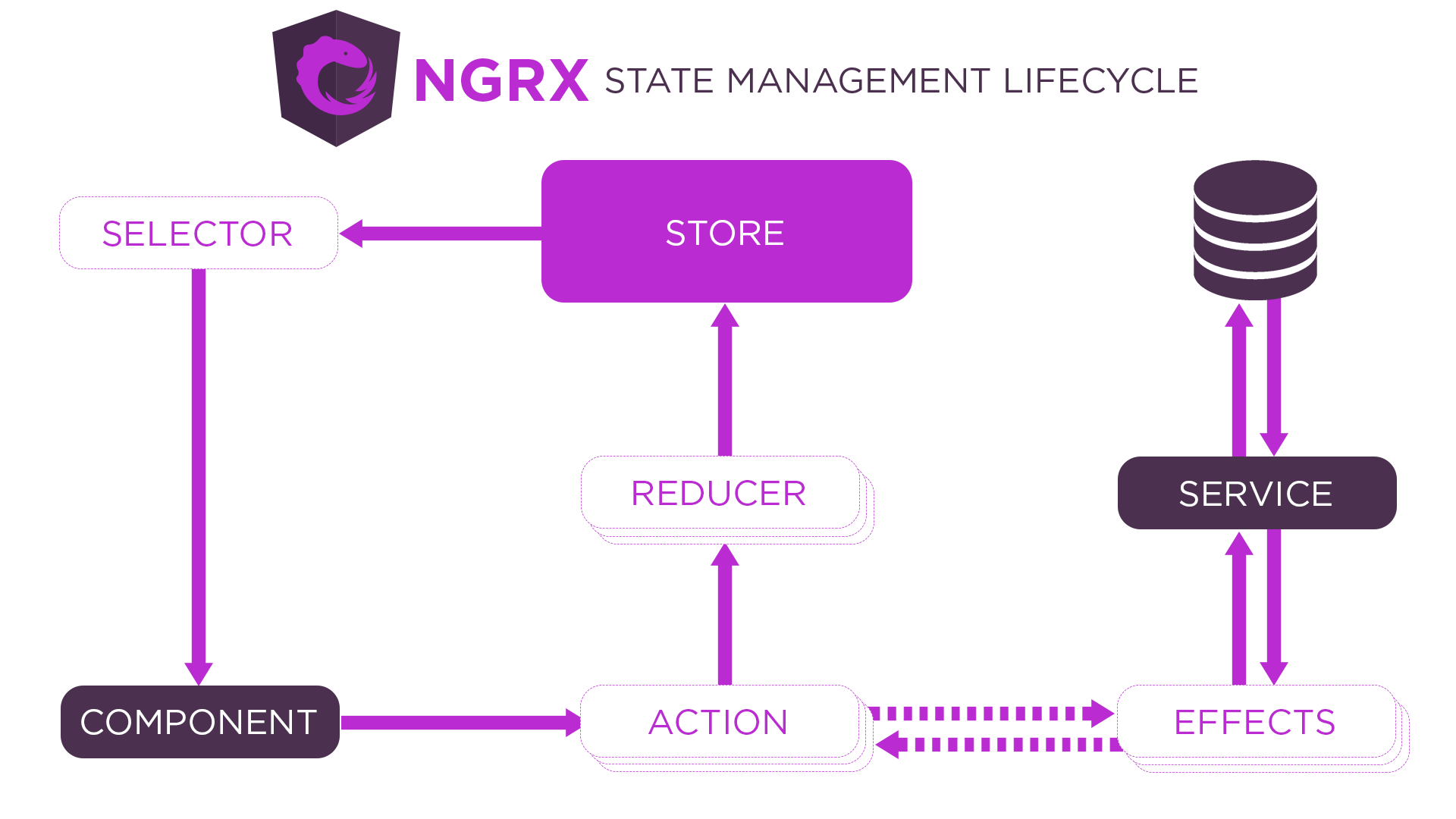
- @ NGRX / STORE: Global Status Management Module
- @ NGRX / EFFECTS: Processing side effects
- @ ngrx / store-devtools: browser debugging tool, need to relyRedux Devtools Extension
- @ NGRX / Schematics: Command Board Tool, Generate NGRX Files
- @ NGRX / Entity: Improve the efficiency of operating data in the reducer
- @ NGRX / Router-Store: Synchronize the routing status to the global Store
15.2 Start
-
Download NGRX
npm install @ngrx/store @ngrx/effects @ngrx/entity @ngrx/router-store @ngrx/store-devtools @ngrx/schematics -
Configuring NGRX CLI
ng config cli.defaultCollection @ngrx/schematics// angular.json "cli": { "defaultCollection": "@ngrx/schematics" } -
Create a Store
ng g store State --root --module app.module.ts --statePath store --stateInterface AppState -
Create an action
ng g action store/actions/counter --skipTestsimport { createAction } from "@ngrx/store" export const increment = createAction("increment") export const decrement = createAction("decrement") -
Create a Reducer
ng g reducer store/reducers/counter --skipTests --reducers=../index.tsimport { createReducer, on } from "@ngrx/store" import { decrement, increment } from "../actions/counter.actions" export const counterFeatureKey = "counter" export interface State { count: number } export const initialState: State = { count: 0 } export const reducer = createReducer( initialState, on(increment, state => ({ count: state.count + 1 })), on(decrement, state => ({ count: state.count - 1 })) ) -
Create Selector
ng g selector store/selectors/counter --skipTestsimport { createFeatureSelector, createSelector } from "@ngrx/store" import { counterFeatureKey, State } from "../reducers/counter.reducer" import { AppState } from ".." export const selectCounter = createFeatureSelector<AppState, State>(counterFeatureKey) export const selectCount = createSelector(selectCounter, state => state.count) -
Component class triggers an action, get status
import { select, Store } from "@ngrx/store" import { Observable } from "rxjs" import { AppState } from "./store" import { decrement, increment } from "./store/actions/counter.actions" import { selectCount } from "./store/selectors/counter.selectors" export class AppComponent { count: Observable<number> constructor(private store: Store<AppState>) { this.count = this.store.pipe(select(selectCount)) } increment() { this.store.dispatch(increment()) } decrement() { this.store.dispatch(decrement()) } } -
Component template display status
<button (click)="increment()">+</button>
<span>{{ count | async }}</span>
<button (click)="decrement()">-</button>
15.3 Action Payload
-
Transfer parameters when using Dispatch to trigger an action in the component, the parameters will eventually be placed in the Action object.
this.store.dispatch(increment({ count: 5 })) -
When you create an Action Creator function, get the parameter and specify the parameter type.
import { createAction, props } from "@ngrx/store"
export const increment = createAction("increment", props<{ count: number }>())
export declare function props<P extends object>(): Props<P>; -
Acquire parameters through the Action object in the Reducer.
export const reducer = createReducer(
  initialState,
  on(increment, (state, action) => ({ count: state.count + action.count }))
)
15.4 MetaReducer
METAREDUCER is the hook between Action-> Reducer, allowing developers to preprocessing Action (call before the normal Reducer function call).
function debug(reducer: ActionReducer<any>): ActionReducer<any> {
  return function (state, action) {
    return reducer(state, action)
  }
}

export const metaReducers: MetaReducer<AppState>[] = !environment.production
  ? [debug]
  : []
15.5 Effect
Demand: Add a button in the page, and then delay the value to increase the value after the button.
-
Add a button for an increase in asynchronous value in the component template, buttons are clicked
increment_asyncmethod<button (click)="increment_async()">async</button> -
Added in the component class
increment_asyncMethod, and trigger an action of performing asynchronous operations in the methodincrement_async() { this.store.dispatch(increment_async()) } -
Add an Action of an asynchronous operation in the action file
export const increment_async = createAction("increment_async") -
Create Effect, receive Action and perform side effects, continue to trigger an action
ng g effect store/effects/counter --root --module app.module.ts --skipTestsThe Effect function is provided by the @ NGRX / EFFECTS module, so it is necessary to import the relevant module dependence in the root module.
import { Injectable } from "@angular/core"
import { Actions, createEffect, ofType } from "@ngrx/effects"
import { increment, increment_async } from "../actions/counter.actions"
import { mergeMap, map } from "rxjs/operators"
import { timer } from "rxjs"

// createEffect
// Used to create Effect, Effect is used to perform side effects.
// Pass the backup function when the method is called, and the OBSERVABLE object is returned in the callback function. The action object to be triggered after the side effect is executed.
// The return value of the callback function is continued within the CreateEffect method, and the final return value is stored in the properties of the Effect class.
// NGRX After instantification of the Effect class, you will subscribe to the Effect class properties. When the side effect is executed, it will get the action object to trigger and trigger this action.

// Actions
// When the component triggers an action, the Effect needs to receive the Action through the ActionS service, so the instance object of the Actions service class is injected into the Effect class by the constructor constructor parameter in the Effector constructor.
// ActionS service class instance object is Observable object, when there is an action triggered, the Action object itself is sent as a data stream.

// ofType
// Filter the target Action object.
// Parameter is the action creator function of the target action
// If the target Action object is not filtered, this time will not continue to send data streams.
// If you filter out the target Action object, the Action object will continue to be issued as a data stream.

@Injectable()
export class CounterEffects {
  constructor(private actions: Actions) {
    // this.loadCount.subscribe(console.log)
  }
  loadCount = createEffect(() => {
    return this.actions.pipe(
      ofType(increment_async),
      mergeMap(() => timer(1000).pipe(map(() => increment({ count: 10 }))))
    )
  })
}
15.6 Entity
15.6.1 Overview
Entity is translated into an entity, and the entity is a data in the collection.
The entity adapter object is provided in NGRX, which provides a method of entities in various operational sets below the entity adapter object, and the purpose is to increase the efficiency of the developer's operating entity.
15.6.2 core
-
EntityState: Entity Type Interface
/* { ids: [1, 2], entities: { 1: { id: 1, title: "Hello Angular" }, 2: { id: 2, title: "Hello NgRx" } } } */ export interface State extends EntityState<Todo> {} -
CreateEntityAdapter: Create an entity adapter object
-
EntityAdapter: Entity Adapter Object Type Interface
export const adapter: EntityAdapter<Todo> = createEntityAdapter<Todo>()
/ / Get the initial state can pass the object parameters can also pass
// {ids: [], entities: {}}
export const initialState: State = adapter.getInitialState()
15.6.3 Example Method
https://ngrx.io/guide/entity/adapter#adapter-collection-methods
15.6.4 selector
// selecttotal Number of data
// selectall Get all data in an array form
// Selectities Get entity collection is present in a dictionary
// selectids Get the ID collection, rendered in array
const { selectIds, selectEntities, selectAll, selectTotal } = adapter.getSelectors();
export const selectTodo = createFeatureSelector<AppState, State>(todoFeatureKey)
export const selectTodos = createSelector(selectTodo, selectAll)
15.7 Router Store
15.7.1 Synchronous Routing Status
-
Introduction module
import { StoreRouterConnectingModule } from "@ngrx/router-store" @NgModule({ imports: [ StoreRouterConnectingModule.forRoot() ] }) export class AppModule {} -
Integrate routing status to the Store
import * as fromRouter from "@ngrx/router-store"

export interface AppState {
  router: fromRouter.RouterReducerState
}
export const reducers: ActionReducerMap<AppState> = {
  router: fromRouter.routerReducer
}
15.7.2 Creating a Selector for getting a route status
// router.selectors.ts
import { createFeatureSelector } from "@ngrx/store"
import { AppState } from ".."
import { RouterReducerState, getSelectors } from "@ngrx/router-store"

const selectRouter = createFeatureSelector<AppState, RouterReducerState>(
  "router"
)

export const {
  // Get information related to the current routing (routing parameters, routing configuration, etc.)
  selectCurrentRoute,
  / / Get the contents of the ## in the address bar
  selectFragment,
  / / Get routing query parameters
  selectQueryParams,
  / / Get the specific query parameter SelectQueryParam ('Name')
  selectQueryParam,
  // Get dynamic routing parameters
  selectRouteParams,
 	// Get a specific dynamic routing parameter SelectEParam ('Name')
  selectRouteParam,
  / / Get routing custom data
  selectRouteData,
  / / Get the actual access address of the route
  selectUrl
} = getSelectors(selectRouter)
// home.component.ts
import { select, Store } from "@ngrx/store"
import { AppState } from "src/app/store"
import { selectQueryParams } from "src/app/store/selectors/router.selectors"

export class AboutComponent {
  constructor(private store: Store<AppState>) {
    this.store.pipe(select(selectQueryParams)).subscribe(console.log)
  }
}
Intelligent Recommendation
Angular develop common components
Angular public Component Development Small talk about: Recently in some foreign community and a Web site often see technology developmentBit, The development direction of foreign predict front end 202...

【Angular】Develop a new page
Foreword On the way to developing a new page, I summarized some experiences. Page effect Function 1: Query sign-in/not sign-in results Function 2: Fuzzy query ...
Develop Angular with VScode
Article Directory Preface theme Plug-in hot key Problem record Vs Code will overwrite the window when opening a new file, how to change Folders are displayed in a hierarchical structure How to quickly...
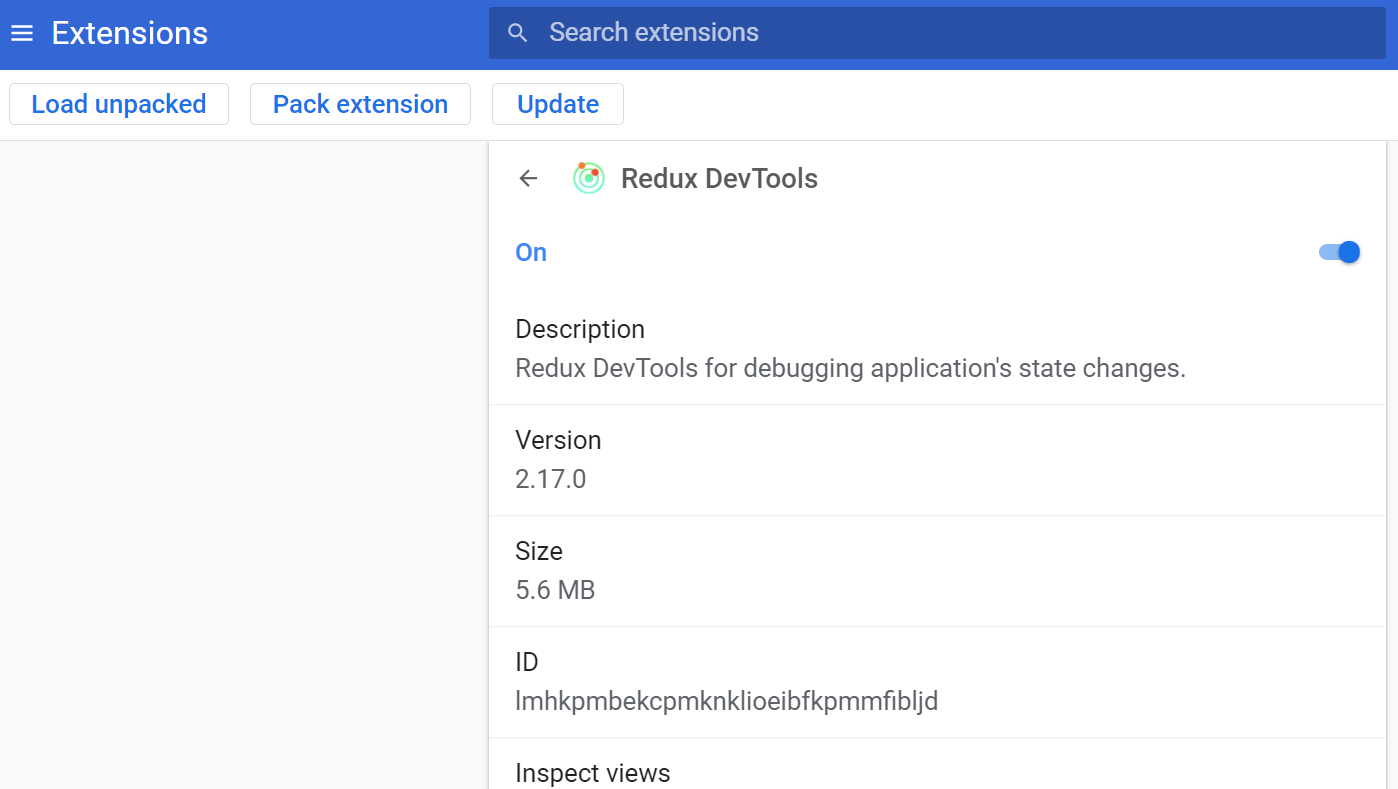
A useful Chrome extension to view the status of Angular application ngrx: Redux devTools
Redux DevTools: https://chrome.google.com/webstore/detail/lmhkpmbekcpmknklioeibfkpmmfibljd After installation, there will be an additional Redux panel in the Chrome Developer Tools: And in the extensi...
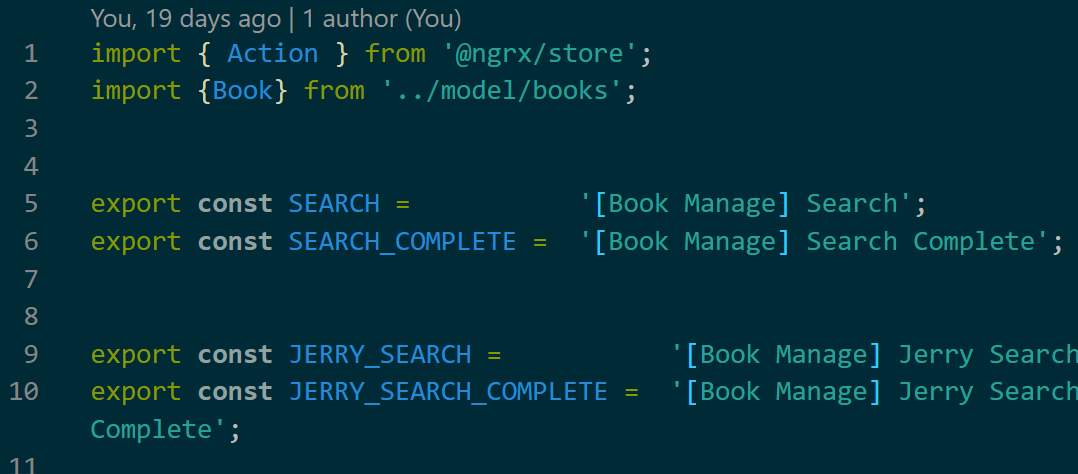
An Angular book search application based on ngrx with network requests
Jerry's previous articlesA counter example based on ngrxIntroduced is a stand-alone Angular application. This article will look at an example with network transmission. (1) Define action: (2) In the r...
More Recommendation
Why do we need to use NGRX in large Angular applications
Reference ngrx official website: https://ngrx.io/guide/effects#registering-root-effects Comparison with component-based side effects In a service -based application, your components interact with data...
angular
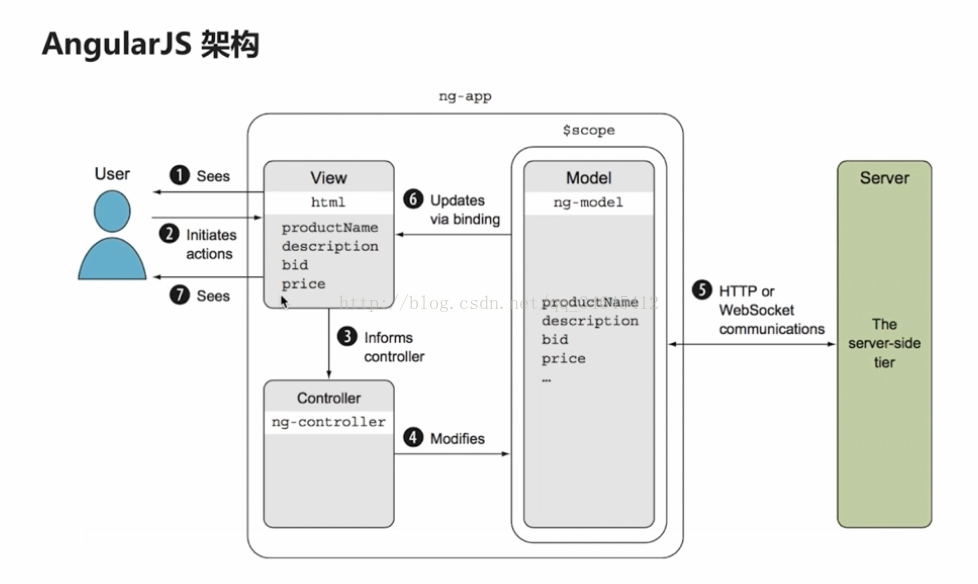
Transfer from: Disadvantages of angularjs: 1. The dirty value checking mechanism itself triggers the checking mechanism when the page data changes. When the data bound to the page is more and more, th...
The angular? and!
? Variable is used to check the front of a question mark is null or undefined, the program can not go wrong. ! Exclamation point is used to check the back of the variable is null or undefined, the pro...
quartzLearning 1
Quartz is an open source job scheduling framework written entirely by java. This is the first time to learn, so simply learn the beginning and end of timed tasks. Required jar package 1. First, you ne...
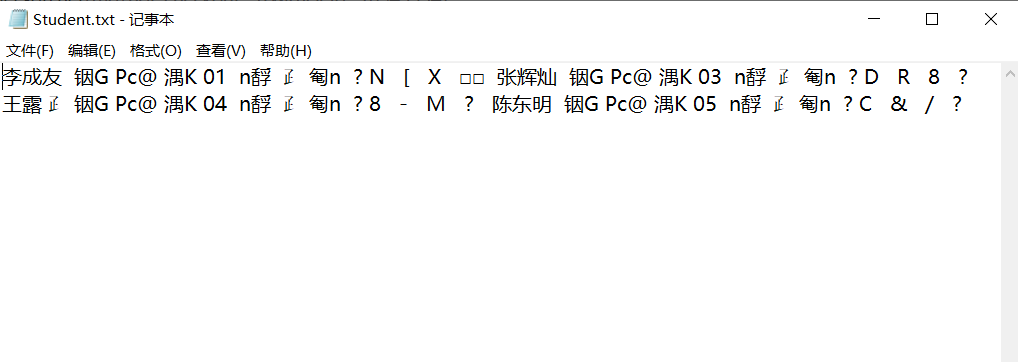
Simple grade management system for C++ course design
1. Subject content: Current student achievement information, the content is as follows Name Student ID Chinese Mathematics English Zhang Mingming 01 67 78 82 Li Chengyou 02 78 91 88 Zhang Huican 03 68...