Java converts jsonarray to jsonobject corresponding to the key value
Sometimes when we manipulate data, a lot of data is in jsonarry format.
such as:
[{"name":"Test Data","id":1},{"name":"Test Data 2","id":2}]Such a format is very typed in a tabular data type. But we have to take the name with id 1 so we have to change the variable first. If you need to operate such a type multiple times, it is very troublesome.
Here we can see that the id is unique. Then we can find a way to convert it to jsonobject so that we can easily get the name according to the specified id.
 public static JSONObject toJSONObject(JSONArray jsonArray, String key) {
        JSONObject jsonObject = new JSONObject();
        for (int i = 0; i < jsonArray.size(); i++) {
            JSONObject temp = jsonArray.getJSONObject(i);
            String[] keyValues = StringUtil.StringToArray(key);
            if (keyValues != null) {
                for (String item : keyValues) {
                    String[] k = item.split(":");
                    String[] keys = k[0].split("_");
                    String keyName = k[0];
                    if (keys.length == 2) {
                        keyName = keys[0];
                    }
                    String jsonKeyName = temp.getString(keyName);
                    if (keys.length == 2) {
                        jsonKeyName += "_" + keys[1];
                    }
                    jsonObject.put(jsonKeyName, temp.getString(k[1]));
                }
            }
        }
        return jsonObject;
    }
This method can be implemented simply, but it may not be the best implementation. We welcome your valuable suggestions.
List each case here
Case 1:
raw data:
[{"name":"Test Data","id":1},{"name":"Test Data 2","id":2}]

 Call method:
toJSONObject(jsonArray, "id:name")

 Result:
{"1":"Test Data","2":"Test Data 2"}
Case 2: (This is only our own business needs to be added)
raw data:
[{"name":"Test Data","id":1},{"name":"Test Data 2","id":2}]

 Call method:
toJSONObject(jsonArray, "id_test:name")

 Result:
{"1_test":"Test Data","2_test":"Test Data 2"}
Case 3:
raw data:
[{"no":100,"name":"Test Data","id":1,"desc":"Test Description"},{"no":101,"name":"Test Data 2","id":2,"desc":"Test Description 2"}]

 Call method:
toJSONObject(jsonArray, "id:name,no:desc")

 Result:
{"1":"Test Data","100":"Test Description","2":"Test Data 2","101":"Test Description 2"}Intelligent Recommendation
JAVA Processing JSONOBJECT JSONARRAY
In the process of learning Java, we will inevitably encounter to process JSON data formats, and now you will introduce JSON in Java. 1, handle JSONOBJECT 2, handle JSonarray Simple and easy to underst...
jsonArray differs jsonObject and value js
A, JSONObject data representation and JSONArray JSONObject data {} is expressed, E.g: { "Id": "123", "courseID": "huangt-test", "title": "Submit ...
JSONOBJECT and JSONARRAY Get the method of Value
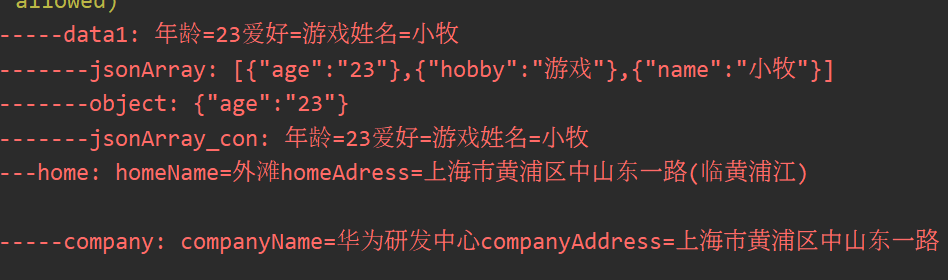
JSONOBJECT and JSONARRAY Get the value value is mainly based on the Key value, the method of use is get () or getjsonobject method is simple. Here are several examples, you can refer to the code Print...
More Recommendation
fastjson converts between String, JSONObject, and JSONArray
fastjson is Alibaba’s open source JSON parsing library. It can parse strings in JSON format, support serialization of Java Beans into JSON strings, or deserialize from JSON strings to JavaBeans ...
Java determines JSONObject corresponding VALUE is empty
Java determines that the VALUE corresponding to JSONObject is empty Code logic: At this point, because the value of 0 in the summaryJsonArray is "null" When this value is assigned to json un...
Java-jsonObject to jsonarray, jsonarray to list object
JsonObject to JSONARRAY JSONArray data = JSONArray.parseArray(reqMap.get("userListDto").toString()); JSONObject jsonObj = JSONObject.fromObject(resultMap.get("data")); JSONArray ce...
If the value corresponding to the key in the JsonArray is the same, add or subtract, if not, add the object
The following is a general idea: a. The first step is to convert JsonArray to List<Map<String,Object>> List<Map<String, Object>> listObjectFir = (List<Map<String, Object&...
How to use JSONOBJECT and JSONARRAY in Java
Print output Differences between PUT, Accumulate, Element public object put (Object Key, Object value) maps the value to Key. If this JSONOBJECT object exists, there is a value under this key, the cur...